data scientist

Time Series: A Data Analysis Approach Using R

Time Series: A Data Analysis Approach Using R Time series analysis is a critical component of data science, helping analysts understand trends, seasonal patterns, and anomalies within data over time. In fields as diverse as finance, healthcare, and meteorology, time series data informs decision-making and helps predict future events. In this article, we will explore time series analysis and demonstrate how R, a popular programming language for statistical computing, can be leveraged for effective time series analysis.

Understanding Time Series Data

A time series is a sequence of data points indexed in time order. These data points are collected at consistent intervals, such as hourly, daily, weekly, or monthly. The primary aim of time series analysis is to identify patterns, seasonality, trends, or cyclical movements in the data and make future predictions based on these observations.

Key Components of Time Series Data

  • Trend: A long-term increase or decrease in the data. Understanding the trend helps analysts spot overall growth or decline.
  • Seasonality: Regular, repeating patterns over a specified period, like sales peaking during the holiday season.
  • Cyclical Variations: Fluctuations that do not follow a fixed period, often tied to broader economic cycles.
  • Irregular Component: Random or unpredictable fluctuations that do not follow any pattern.

Recognizing these components can significantly aid in interpreting and forecasting time series data accurately.

Time Series: A Data Analysis Approach Using R

Why Use R for Time Series Analysis?

R is an ideal tool for time series analysis due to its rich ecosystem of packages and built-in functions that simplify handling, analyzing, and visualizing time series data. With libraries like forecast, tseries, and zoo, R offers robust functionalities for time series modeling and analysis.

Key R Packages for Time Series Analysis

  • forecast: Provides methods and tools for forecasting time series, including ARIMA and ETS models.
  • tseries: Contains functions for statistical tests, including stationarity tests and volatility modeling.
  • zoo: Useful for managing ordered observations in time, essential for large or complex time series data.

Step-by-Step Guide to Time Series Analysis Using R

Let’s go through a practical example of how to conduct time series analysis in R, from loading and visualizing data to building a model and making forecasts.

1. Loading the Data

Begin by loading your time series data into R. Data should ideally be structured with a date or time index and a variable of interest.

# Example of loading time series data in R
data <- read.csv("time_series_data.csv")
time_series <- ts(data$Value, start = c(2020, 1), frequency = 12)

In this code, start sets the starting period of the time series, and frequency defines how often the data points occur (monthly in this example).

2. Visualizing Time Series Data

Visualization is essential in time series analysis, as it helps to understand trends, seasonality, and other patterns. R’s ggplot2 package or the plot function can be used for plotting.

# Plotting the time series data
plot(time_series, main="Time Series Data", ylab="Values", xlab="Time")

Visualization provides a clear picture of any evident trends or seasonal effects, aiding in further analysis and model selection.

3. Decomposing the Time Series

# Decomposing the time series
decomposed <- decompose(time_series)
plot(decomposed)

This step gives a clear view of each component, which helps in understanding the data better.

4. Testing for Stationarity

Stationarity is crucial in time series modeling. A stationary series has constant mean and variance over time, making it easier to predict. The Augmented Dickey-Fuller (ADF) test, available in the tseries package, is commonly used to test for stationarity.

# Performing the ADF test
library(tseries)
adf.test(time_series)

If the series is non-stationary, transformations such as differencing may be applied to achieve stationarity.

5. Building a Forecast Model

One of the most popular methods for time series forecasting is ARIMA (AutoRegressive Integrated Moving Average). R’s forecast package provides an efficient way to fit an ARIMA model to your time series data.

# Fitting an ARIMA model
library(forecast)
fit <- auto.arima(time_series)
summary(fit)

The auto.arima function automatically selects the best ARIMA parameters based on the data, making it easier for beginners to get started with modeling.

6. Making Forecasts

After fitting a model, forecasts can be generated using the forecast function, which predicts future values along with confidence intervals.

# Forecasting the future values
forecasted_values <- forecast(fit, h=12)
plot(forecasted_values)

The h parameter specifies the number of periods to forecast. Visualizing the forecast provides an intuitive way to understand the predictions.

7. Evaluating Model Accuracy

After making predictions, evaluating the accuracy of your model is critical. Common metrics like Mean Absolute Error (MAE), Mean Absolute Percentage Error (MAPE), and Root Mean Square Error (RMSE) help assess the quality of the model.

# Checking model accuracy
accuracy(forecasted_values)

The output gives a quantitative assessment of the model, helping you determine whether adjustments are needed.

Practical Tips for Time Series Analysis in R

  1. Always check for missing values: Missing data can skew results, so handle them before starting your analysis.
  2. Use cross-validation: Cross-validation is essential for robust model evaluation, especially in forecasting.
  3. Experiment with different models: ARIMA is powerful, but other models like ETS (Exponential Smoothing) or TBATS (for complex seasonality) may also be effective.
  4. Visualize residuals: Ensure that residuals (differences between predicted and actual values) are random, as patterns in residuals indicate model weaknesses.

Conclusion

Time series analysis is a powerful tool for understanding and forecasting data over time, and R provides a comprehensive suite of packages and functions to make this analysis accessible and effective. From decomposing data to building and evaluating models, R offers tools for every step of the process, making it ideal for analysts and data scientists. By following this guide, you can harness the power of time series analysis in R to extract valuable insights and build reliable forecasts for a wide range of applications.

Download: Applied Time Series Analysis with R

Machine Learning And Its Applications: Advanced Lectures

Machine Learning And Its Applications: Advanced Lectures Machine learning (ML) has transitioned from a novel scientific endeavor to a crucial technology driving innovation across industries. At its core, machine learning is about developing algorithms that allow computers to learn and make predictions or decisions without being explicitly programmed. This article delves into advanced concepts and applications in machine learning, highlighting recent advancements and exploring the real-world implications of these technologies.

What is Machine Learning?

Machine learning is a subset of artificial intelligence (AI) that focuses on building systems capable of learning from data and improving performance over time. Unlike traditional programming, where a computer follows specific instructions, machine learning algorithms analyze patterns within large datasets, allowing them to “learn” from experience. This field encompasses various types of learning, including supervised learning, unsupervised learning, and reinforcement learning, each suited to different types of tasks and applications.

Machine Learning And Its Applications Advanced Lectures

Key Concepts in Advanced Machine Learning

  • Deep Learning and Neural Networks

Deep learning, an advanced branch of machine learning, uses artificial neural networks with many layers (hence “deep”) to process complex data. These networks excel in image and speech recognition, natural language processing, and other tasks where traditional machine learning methods fall short.

  • Transfer Learning

Transfer learning allows models trained on one task to be repurposed for a different, but related task. This approach has become especially popular in NLP and image recognition, reducing the need for large datasets and training time in certain applications.

  • Reinforcement Learning

In reinforcement learning, algorithms learn by interacting with an environment and receiving feedback in the form of rewards or penalties. This concept is foundational in robotics, game-playing AI, and systems that require adaptive learning over time.

  • Explainable AI (XAI)

As machine learning models grow in complexity, understanding and explaining how they make decisions has become increasingly challenging. Explainable AI seeks to make these models more transparent, enabling developers and users to understand, trust, and manage machine learning systems effectively.

  • AutoML and Model Optimization

AutoML involves automating the end-to-end process of applying machine learning to real-world problems. It optimizes model selection, feature engineering, and hyperparameter tuning, enabling non-experts to leverage machine learning.

Applications of Machine Learning in Various Sectors

  • Healthcare

Machine learning is revolutionizing healthcare by enabling early disease detection, personalized treatment plans, and efficient patient management. Predictive algorithms, for example, assist in diagnosing diseases like cancer, while natural language processing helps in synthesizing large volumes of medical literature and patient data.

  • Finance

In finance, machine learning models are used for fraud detection, algorithmic trading, risk management, and personalized banking. These systems analyze transaction patterns, assess creditworthiness, and recommend investment strategies.

  • Retail and E-commerce

Retailers use machine learning for customer segmentation, recommendation engines, and inventory management. By analyzing customer behavior, retailers can personalize marketing strategies, optimize stock levels, and improve customer satisfaction.

  • Manufacturing

Predictive maintenance, quality control, and supply chain optimization are among the top applications of machine learning in manufacturing. By analyzing equipment performance and production data, machine learning algorithms help minimize downtime and improve operational efficiency.

  • Transportation and Autonomous Systems

Machine learning plays a pivotal role in developing autonomous vehicles and optimizing logistics. Algorithms used in self-driving cars, for example, process real-time sensor data to make split-second decisions, while logistics companies leverage machine learning to optimize routes and reduce delivery times.

  • Energy and Environment

In the energy sector, machine learning is used to predict energy demand, optimize resource allocation, and monitor environmental impact. Climate scientists and environmentalists also use ML models to analyze weather patterns, predict natural disasters, and assess climate change impacts.

Challenges and Future Directions

While machine learning offers promising solutions, it is not without challenges. Data privacy, algorithmic bias, and the need for vast computational resources are significant hurdles. Furthermore, achieving general intelligence—where a machine can perform any intellectual task like a human—remains elusive. Researchers are working to address these issues, and advancements in quantum computing, federated learning, and ethical AI may hold the key to overcoming these obstacles.

Conclusion

The advanced applications of machine learning are reshaping the landscape of various industries, fostering innovation, and improving efficiency. As technology continues to evolve, so will machine learning’s capabilities, leading to an era where intelligent systems are seamlessly integrated into daily life. Machine learning offers immense potential, but realizing its full promise will require ongoing research, ethical considerations, and a commitment to responsible development.

Download: Practical Machine Learning for Data Analysis Using Python

Using R for Introductory Econometrics

Econometrics is a crucial field in economics that combines statistical methods with economic theories to analyze data and test hypotheses. For students and professionals entering the field, mastering the necessary software tools is essential for conducting econometric analyses effectively. R, a powerful programming language and environment for statistical computing, is becoming increasingly popular for this purpose. This article provides an introductory overview of how R can be used for econometrics, highlighting its advantages, common applications, and practical tips for beginners.

1. Why Use R for Econometrics?

R stands out among statistical software because it is:

  • Open-source and free: Unlike proprietary software such as Stata or EViews, R is completely free, making it accessible to students and researchers alike.
  • Extremely versatile: R is not only suitable for basic econometrics but can handle advanced statistical models, machine learning, and data visualization.
  • Rich in libraries: There are numerous packages like AER, lmtest, plm, and sandwich, which are specifically tailored for econometric analysis.

Additionally, R has a vast and supportive user community. Tutorials, forums, and other learning resources are readily available, which significantly eases the learning curve for newcomers.

Using R for Introductory Econometrics

2. Getting Started with R

Installing R and RStudio

To start using R for econometrics, you will need two things:

  • R: The base programming language.
  • RStudio: An integrated development environment (IDE) that simplifies writing, running, and debugging code.

After installation, familiarizing yourself with basic R syntax is key. You’ll want to understand:

  • How to import data (from CSV, Excel, or other formats).
  • Basic functions for descriptive statistics (mean(), sd(), summary()).
  • Plotting basic graphs using plot(), ggplot2.

Understanding Data Types and Structures

In econometrics, data comes in different forms (time series, panel data, cross-sectional data). In R, you can represent these in structures like:

  • Vectors: For single variables.
  • Data frames: For datasets, where each column represents a variable, and each row represents an observation.
  • Matrices: Useful for certain algebraic operations.

3. Key Econometric Concepts and Their Application in R

3.1. Simple Linear Regression

A simple linear regression model is a cornerstone of econometric analysis, and R provides an easy way to estimate these models using the lm() function.

Example:

# Simple linear regression model
data <- read.csv("economics_data.csv")
model <- lm(income ~ education, data = data)
summary(model)

This code estimates the relationship between income (dependent variable) and education (independent variable). The output provides the coefficients, standard errors, t-values, and p-values.

3.2. Multiple Regression

Expanding from simple regression, multiple regression allows for the inclusion of more explanatory variables. Using the same lm() function, we can easily add more independent variables.

Example:

# Multiple regression model
model <- lm(income ~ education + experience + age, data = data)
summary(model)

3.3. Hypothesis Testing

Econometricians often test hypotheses about their model coefficients. R allows for conducting t-tests, F-tests, and other significance tests with built-in functions.

Example:

  • T-test for coefficients: This is automatically included in the summary(model) output.
  • F-test: Can be conducted using anova() function.
anova(model)

3.4. Heteroscedasticity and Autocorrelation

In real-world data, common problems like heteroscedasticity (non-constant variance) and autocorrelation (correlation of residuals) may arise. Fortunately, R offers tools to detect and correct these issues.

  • Detecting heteroscedasticity: Use the Breusch-Pagan test from the lmtest package.
library(lmtest)
bptest(model)

  • Dealing with autocorrelation: You can use the Durbin-Watson test from the car package.
library(car)
durbinWatsonTest(model)

4. Time Series and Panel Data Econometrics

4.1. Time Series Analysis

For students interested in analyzing economic data over time, R provides extensive time series functionalities. Common tasks include handling data with ts objects and running autoregressive models (AR, ARIMA).

Example:

# Time series data
gdp_data <- ts(read.csv("gdp.csv"), start=c(1990,1), frequency=4)

# Fitting an ARIMA model
library(forecast)
auto.arima(gdp_data)

4.2. Panel Data Analysis

Panel data combines cross-sectional and time series data, which makes it more complex but also rich for econometric insights. The plm package in R simplifies panel data analysis.

Example:

library(plm)

# Loading panel data and running a fixed-effects model
panel_data <- pdata.frame(read.csv("panel_data.csv"), index=c("id", "year"))
model <- plm(y ~ x1 + x2, data=panel_data, model="within")
summary(model)

5. Advanced Visualization with R

R offers powerful tools for visualizing econometric results, which is critical for interpreting and communicating findings. For basic plotting, the plot() function suffices, but for advanced and customizable plots, ggplot2 is highly recommended.

library(ggplot2)

# Plotting a regression line
ggplot(data, aes(x=education, y=income)) +
  geom_point() +
  geom_smooth(method="lm", se=FALSE)

6. R Packages for Econometrics

Below are some essential R packages that econometrics students should be aware of:

  • AER: Applied Econometrics with R, which includes datasets and functions for econometric analysis.
  • lmtest: For diagnostic testing (heteroscedasticity, autocorrelation).
  • plm: For panel data econometrics.
  • sandwich: For robust standard errors.
  • forecast: For time series analysis.

7. Learning Resources and Next Steps

R has a steep learning curve, but numerous resources can help you become proficient:

  • Books: “Introduction to Econometrics with R” is a great textbook for beginners.
  • Online Courses: Platforms like Coursera and DataCamp offer courses on R for econometrics.
  • Forums and Blogs: The R community is active on sites like Stack Overflow, where you can get answers to technical questions.

Conclusion: Using R for Introductory Econometrics

R is a powerful tool for students and professionals embarking on econometric analyses. Its flexibility, combined with a vast ecosystem of packages, makes it ideal for everything from simple regressions to complex time series or panel data models. With the right resources and practice, you can leverage R to gain valuable econometric insights and advance your understanding of economic data.

Download: Exploring Panel Data Econometrics with R

The New Statistics with R: An Introduction for Biologists

In the rapidly evolving field of biology, the ability to analyze and interpret data is becoming increasingly critical. As biologists dive deeper into complex ecological systems, genetic data, and population trends, traditional statistical methods alone may not be enough to extract meaningful insights. That’s where “The New Statistics with R: An Introduction for Biologists” comes into play, offering biologists a practical, hands-on guide to mastering modern statistical techniques using the versatile programming language R.

This book is not just for statisticians. It’s for any biologist who wants to harness the power of data analysis to fuel their research. Whether you’re dealing with small datasets from controlled laboratory experiments or large datasets from environmental studies, this book will equip you with the tools to draw robust and reliable conclusions.

Why Use R for Statistics in Biology?

R is a powerful, open-source programming language that has become the go-to tool for data analysis in the biological sciences. Its versatility allows users to handle a wide range of tasks, from data wrangling to advanced statistical modeling, and it’s especially well-suited for visualizing complex biological data. Moreover, its extensive library of packages makes it perfect for tackling both basic and advanced statistical problems, such as hypothesis testing, regression, or Bayesian modeling.

What is “The New Statistics”?

The “New Statistics” refers to a shift from the over-reliance on traditional null hypothesis significance testing (NHST) toward a broader framework that includes effect sizes, confidence intervals, and meta-analysis. These approaches focus on estimating the magnitude of effects and quantifying uncertainty, offering a more nuanced understanding of biological phenomena. In contrast to NHST, where a p-value determines whether an effect is “significant” or not, the New Statistics encourages biologists to think about the size and practical importance of effects, rather than just statistical significance.

Key Features of the Book

  1. Introduction to R: The book starts with the basics of R, making it accessible to those who may not have prior programming experience. It covers how to set up R, write simple commands, and load datasets for analysis. This sets the stage for biologists unfamiliar with coding to comfortably dive into more advanced concepts.
  2. Core Concepts in Statistics: Fundamental concepts such as descriptive statistics, probability, and inferential statistics are explained in a biological context. The book introduces both parametric and non-parametric techniques, ensuring that the reader is well-versed in the most appropriate statistical methods for various types of data.
  3. Effect Size and Confidence Intervals: One of the highlights of the New Statistics is its emphasis on effect sizes—quantifying the strength of a relationship or the magnitude of an effect—rather than just focusing on whether the effect exists. Confidence intervals give a range of values that are likely to contain the true effect size, helping researchers gauge the precision of their estimates.
  4. Hands-on Examples: The book is packed with biological examples, helping readers understand how statistical methods apply to real-world data. Let’s walk through one.
The New Statistics with R: An Introduction for Biologists

Example: Estimating the Impact of Fertilizer on Plant Growth

Imagine you’re studying the effect of different fertilizer types on plant growth, and you’ve gathered data on the height of plants after four weeks in both fertilized and unfertilized conditions. Instead of just running a t-test and reporting a p-value, the New Statistics approach would have you focus on estimating the effect size—how much taller, on average, the fertilized plants are compared to the unfertilized ones.

You might load your data into R like this:

# Sample data
plant_data <- data.frame(
group = c("Fertilized", "Fertilized", "Fertilized", "Unfertilized", "Unfertilized"),
height = c(15.2, 16.8, 14.7, 10.3, 9.8)
)

Next, calculate the mean height for both groups:

mean_height_fertilized <- mean(plant_data$height[plant_data$group == "Fertilized"])
mean_height_unfertilized <- mean(plant_data$height[plant_data$group == "Unfertilized"])

effect_size <- mean_height_fertilized - mean_height_unfertilized
effect_size

The difference in means provides an estimate of how much taller plants grow with fertilizer. But rather than stopping there, you would also calculate the confidence interval for this effect size, giving you a range of values that is likely to capture the true effect in the population.

In R, this can be done using the t.test function:

t_test <- t.test(plant_data$height ~ plant_data$group)
t_test$conf.int

The output will give you both the estimated effect size and a 95% confidence interval, providing a fuller picture of the data.

Example: Bayesian Approach to Population Trends

One of the key strengths of R is its ability to handle advanced techniques such as Bayesian statistics, which are becoming more prominent in biological research. Suppose you’re analyzing the population trend of a specific bird species over 10 years. Instead of traditional regression methods, you might opt for a Bayesian approach that allows you to incorporate prior knowledge or expert opinions about population growth.

Using the rstanarm package in R, you can model the trend as follows:

# Simulating data
year <- 1:10
population <- c(50, 55, 60, 70, 65, 80, 90, 85, 95, 100)

# Bayesian linear regression
library(rstanarm)
fit <- stan_glm(population ~ year)
summary(fit)

This approach not only estimates the relationship between years and population size, but it also provides credible intervals, which offer a Bayesian alternative to confidence intervals. These intervals give you a range within which the true population trend lies, based on both the data and any prior assumptions.

Benefits of Learning from This Book

  • Improved Statistical Literacy: Biologists will gain a deeper understanding of modern statistical methods, making their research more credible and reliable.
  • Reproducible Research: The emphasis on using R promotes transparency and reproducibility, which are increasingly important in scientific research.
  • Versatility: Whether you’re interested in genetics, ecology, or evolution, the statistical techniques in this book are applicable across a wide range of biological disciplines.

Final Thoughts

“The New Statistics with R: An Introduction for Biologists” is an invaluable resource for anyone in the biological sciences looking to improve their data analysis skills. It doesn’t just teach you how to perform statistical tests; it teaches you how to think about data in a way that is more robust, meaningful, and aligned with modern scientific standards. By integrating real-world examples with practical R applications, this book ensures that biologists at all levels can better analyze their data, interpret their results, and make impactful scientific contributions.

Whether you’re a seasoned biologist or a student just getting started, this book will help you embrace the power of data, transforming how you approach biological research.

Download: Biostatistics with R: An Introduction to Statistics Through Biological Data

Regression Analysis With Python

Regression Analysis With Python: Regression analysis is a powerful statistical method used to examine the relationships between variables. In simple terms, it helps us understand how one variable affects another. In machine learning and data science, regression analysis is crucial for predicting outcomes and identifying trends. This technique is widely used in various fields, including economics, finance, healthcare, and social sciences. This article will introduce regression analysis, its types, and how to perform it using Python, a popular programming language for data analysis.

Types of Regression Analysis

  1. Linear Regression: Linear regression is the simplest form of regression analysis. It models the relationship between two variables by fitting a straight line (linear) to the data. The formula is:y=mx+by = mx + by=mx+b Where:
    • yyy is the dependent variable (the outcome).xxx is the independent variable (the predictor).mmm is the slope of the line.bbb is the intercept (the point where the line crosses the y-axis).
    Use Case: Predicting house prices based on square footage.
  2. Multiple Linear Regression: Multiple linear regression extends simple linear regression by incorporating more than one independent variable. The equation becomes:y=b0+b1x1+b2x2+…+bnxny = b_0 + b_1x_1 + b_2x_2 + … + b_nx_ny=b0​+b1​x1​+b2​x2​+…+bn​xn​ Use Case: Predicting a car’s price based on factors like engine size, mileage, and age.
  3. Polynomial Regression: In polynomial regression, the relationship between the dependent and independent variables is modeled as an nth-degree polynomial. This method is useful when data is not linear. Use Case: Predicting the progression of a disease based on a patient’s age.
  4. Logistic Regression: Logistic regression is used for binary classification tasks (i.e., when the outcome variable is categorical, like “yes” or “no”). It predicts the probability that a given input belongs to a specific category. Use Case: Predicting whether an email is spam or not.
Regression Analysis With Python

Key Terms in Regression Analysis

  • Dependent Variable: The outcome variable that we are trying to predict or explain.
  • Independent Variable: The predictor variable that influences the dependent variable.
  • Residual: The difference between the observed and predicted values.
  • R-squared (R²): A statistical measure that represents the proportion of the variance for the dependent variable that’s explained by the independent variable(s).
  • Multicollinearity: A situation in multiple regression models where independent variables are highly correlated, which can affect the model’s accuracy.

Steps in Performing Regression Analysis in Python

Step 1: Import Necessary Libraries

Python offers several libraries that make performing regression analysis simple and efficient. For this example, we will use the following libraries:

  • pandas for handling data.
  • numpy for numerical operations.
  • matplotlib and seaborn for data visualization.
  • sklearn for performing regression.
import pandas as pd
import numpy as np
import matplotlib.pyplot as plt
import seaborn as sns
from sklearn.model_selection import train_test_split
from sklearn.linear_model import LinearRegression
from sklearn.metrics import mean_squared_error, r2_score

Step 2: Load the Dataset

We’ll use a sample dataset to demonstrate regression analysis. For example, the Boston Housing dataset, which contains information about different factors influencing housing prices, can be used.

from sklearn.datasets import load_boston
boston = load_boston()
# Convert to DataFrame
df = pd.DataFrame(boston.data, columns=boston.feature_names)
df['PRICE'] = boston.target

Step 3: Explore and Visualize the Data

Before performing regression analysis, it is essential to understand the data. You can check for missing values, outliers, or any other anomalies. Additionally, plotting relationships can help visualize trends.

# Checking for missing values
df.isnull().sum()

# Visualizing the relationship between variables
sns.pairplot(df)
plt.show()

Step 4: Split the Data into Training and Testing Sets

We split the dataset into training and testing sets. The training set is used to train the model, while the test set evaluates the model’s performance.

X = df.drop('PRICE', axis=1)
y = df['PRICE']

X_train, X_test, y_train, y_test = train_test_split(X, y, test_size=0.2, random_state=42)

Step 5: Train the Regression Model

We’ll use simple linear regression for this example. You can use multiple or polynomial regression by adjusting the model type.

# Create a linear regression model
model = LinearRegression()

# Train the model
model.fit(X_train, y_train)

# Make predictions
y_pred = model.predict(X_test)

Step 6: Evaluate the Model

Evaluating the model is crucial to determine how well it predicts outcomes. Common metrics include Mean Squared Error (MSE) and R-squared.

# Calculate MSE and R-squared
mse = mean_squared_error(y_test, y_pred)
r2 = r2_score(y_test, y_pred)

print(f"Mean Squared Error: {mse}")
print(f"R-squared: {r2}")

A lower MSE indicates better model performance, and an R-squared value closer to 1 means the model explains a large portion of the variance in the data.

Conclusion

Regression analysis is a fundamental tool for making predictions and understanding relationships between variables. Python, with its robust libraries, makes it easy to perform various types of regression analyses. Whether you are analyzing linear relationships or more complex non-linear data, Python offers the tools you need to build, visualize, and evaluate your models. By mastering regression analysis, you can unlock the potential of predictive modeling and data analysis to make data-driven decisions across different fields.

Download: Regression Analysis using Python

Applied Univariate Bivariate and Multivariate Statistics Using Python

In the realm of data science, understanding statistical methods is crucial for analyzing and interpreting data. Python, with its rich ecosystem of libraries, provides powerful tools for performing various statistical analyses. This article explores applied univariate, bivariate, and multivariate statistics using Python, illustrating how these methods can be employed to extract meaningful insights from data.

Univariate Statistics

Definition

Univariate statistics involve the analysis of a single variable. The goal is to describe the central tendency, dispersion, and shape of the data distribution.

Descriptive Statistics

Descriptive statistics summarize and describe the features of a dataset. Key measures include:

  • Mean: The average value.
  • Median: The middle value when data is sorted.
  • Mode: The most frequent value.
  • Variance: The spread of the data.
  • Standard Deviation: The dispersion of data points from the mean.
Applied Univariate Bivariate and Multivariate Statistics Using Python

Example in Python

import numpy as np

# Sample data
data = [10, 12, 23, 23, 16, 23, 21, 16, 18, 21]

# Calculating descriptive statistics
mean = np.mean(data)
median = np.median(data)
mode = max(set(data), key=data.count)
variance = np.var(data)
std_deviation = np.std(data)

print(f"Mean: {mean}")
print(f"Median: {median}")
print(f"Mode: {mode}")
print(f"Variance: {variance}")
print(f"Standard Deviation: {std_deviation}")

Visualization

Visualizing univariate data can provide insights into its distribution. Common plots include histograms, box plots, and density plots.

import matplotlib.pyplot as plt
import seaborn as sns

# Histogram
plt.hist(data, bins=5, alpha=0.7, color='blue')
plt.title('Histogram')
plt.xlabel('Value')
plt.ylabel('Frequency')
plt.show()

# Box plot
sns.boxplot(data)
plt.title('Box Plot')
plt.show()

# Density plot
sns.kdeplot(data, shade=True)
plt.title('Density Plot')
plt.show()

Bivariate Statistics

Definition

Bivariate statistics involve the analysis of two variables to understand the relationship between them. This can include correlation, regression analysis, and more.

Correlation

Correlation measures the strength and direction of the linear relationship between two variables.

Example in Python

import pandas as pd

# Sample data
data = {'x': [1, 2, 3, 4, 5], 'y': [2, 3, 5, 7, 11]}
df = pd.DataFrame(data)

# Calculating correlation
correlation = df['x'].corr(df['y'])
print(f"Correlation: {correlation}")

Regression Analysis

Regression analysis estimates the relationship between a dependent variable and one or more independent variables.

Example in Python

import statsmodels.api as sm

# Sample data
X = df['x']
y = df['y']

# Adding a constant for the intercept
X = sm.add_constant(X)

# Performing regression analysis
model = sm.OLS(y, X).fit()
predictions = model.predict(X)

# Summary of regression analysis
print(model.summary())

Visualization

Visualizing bivariate data can reveal patterns and relationships. Common plots include scatter plots and regression lines.

# Scatter plot with regression line
sns.regplot(x='x', y='y', data=df)
plt.title('Scatter Plot with Regression Line')
plt.show()

Multivariate Statistics

Definition

Multivariate statistics involve the analysis of more than two variables simultaneously. This includes techniques like multiple regression, principal component analysis (PCA), and cluster analysis.

Multiple Regression

Multiple regression analysis estimates the relationship between a dependent variable and multiple independent variables.

Example in Python

# Sample data
data = {
'x1': [1, 2, 3, 4, 5],
'x2': [2, 4, 6, 8, 10],
'y': [2, 3, 5, 7, 11]
}
df = pd.DataFrame(data)

# Defining independent and dependent variables
X = df[['x1', 'x2']]
y = df['y']

# Adding a constant for the intercept
X = sm.add_constant(X)

# Performing multiple regression analysis
model = sm.OLS(y, X).fit()
predictions = model.predict(X)

# Summary of regression analysis
print(model.summary())

Principal Component Analysis (PCA)

PCA reduces the dimensionality of data while preserving as much variability as possible. It is useful for visualizing high-dimensional data.

Example in Python

from sklearn.decomposition import PCA

# Sample data
data = np.array([[1, 2, 3], [2, 3, 4], [3, 4, 5], [4, 5, 6], [5, 6, 7]])

# Performing PCA
pca = PCA(n_components=2)
principal_components = pca.fit_transform(data)

print("Principal Components:\n", principal_components)

Cluster Analysis

Cluster analysis groups data points into clusters based on their similarity. K-means is a popular clustering algorithm.

Example in Python

from sklearn.cluster import KMeans

# Sample data
data = np.array([[1, 2], [2, 3], [3, 4], [4, 5], [5, 6]])

# Performing K-means clustering
kmeans = KMeans(n_clusters=2)
kmeans.fit(data)

print("Cluster Centers:\n", kmeans.cluster_centers_)
print("Labels:\n", kmeans.labels_)

Visualization

Visualizing multivariate data often involves advanced plots like 3D scatter plots, pair plots, and cluster plots.

from mpl_toolkits.mplot3d import Axes3D

# 3D scatter plot
fig = plt.figure()
ax = fig.add_subplot(111, projection='3d')
ax.scatter(data[:, 0], data[:, 1], data[:, 2])
plt.title('3D Scatter Plot')
plt.show()

# Pair plot
sns.pairplot(df)
plt.title('Pair Plot')
plt.show()

Conclusion

Applied univariate, bivariate, and multivariate statistics are essential for analyzing data in various fields. Python, with its robust libraries, offers a comprehensive toolkit for performing these analyses. By understanding and utilizing these statistical methods, data scientists can extract valuable insights and make informed decisions based on their data.

Download: Hands-On Data Analysis with NumPy and pandas

Statistical Data Analysis Explained: Applied Environmental Statistics with R

In today’s data-driven world, the role of statistics in environmental science has become indispensable. Researchers and practitioners alike harness the power of statistical data analysis to understand complex environmental phenomena, make predictions, and inform policy decisions. This article delves into the intricacies of applied environmental statistics using R, a powerful statistical software environment. We will explore key concepts, methodologies, and practical applications to illustrate how R can be effectively utilized for environmental data analysis.

Introduction to Environmental Statistics

Environmental statistics involves the application of statistical methods to environmental science issues. It covers a broad spectrum of topics, including air and water quality, climate change, biodiversity, and pollution. The main goal is to analyze and interpret data to understand environmental processes and inform decision-making.

Importance of Environmental Statistics

  1. Data-Driven Decisions: Informs policy and management decisions based on empirical evidence.
  2. Trend Analysis: Identifies trends and patterns in environmental data over time.
  3. Predictive Modeling: Forecasts future environmental conditions under different scenarios.
  4. Risk Assessment: Evaluates the risk and impact of environmental hazards.

Role of R in Environmental Statistics

R is a versatile and powerful tool widely used in environmental statistics for data analysis, visualization, and modeling. It offers numerous packages specifically designed for environmental data, making it an ideal choice for researchers and analysts.

Statistical Data Analysis Explained Applied Environmental Statistics with R

Key Concepts in Environmental Statistics

Descriptive Statistics

Descriptive statistics provide a summary of the main features of a dataset. Key metrics include:

  • Mean: The average value.
  • Median: The middle value.
  • Standard Deviation: A measure of data variability.
  • Range: The difference between the maximum and minimum values.

In R, these can be computed using basic functions:

mean(data)
median(data)
sd(data)
range(data)

Inferential Statistics

Inferential statistics allow us to make predictions or inferences about a population based on a sample. Common techniques include:

  • Hypothesis Testing: Determines if there is enough evidence to reject a null hypothesis.
  • Confidence Intervals: Provides a range within which the true population parameter lies with a certain level of confidence.

R provides functions for performing these tests, such as t.test() for t-tests and prop.test() for proportion tests.

Regression Analysis

Regression analysis explores the relationship between dependent and independent variables. It is crucial for modeling and predicting environmental data.

  • Linear Regression: Models the relationship between two continuous variables.
  • Logistic Regression: Models the relationship between a dependent binary variable and one or more independent variables.

Example in R:

# Linear Regression
model <- lm(y ~ x, data = dataset)
summary(model)

# Logistic Regression
logit_model <- glm(binary_outcome ~ predictor, data = dataset, family = "binomial")
summary(logit_model)

Time Series Analysis

Time series analysis is essential for examining data collected over time. It helps in understanding trends, seasonal patterns, and forecasting future values.

  • Decomposition: Separates a time series into trend, seasonal, and irregular components.
  • ARIMA Models: Combines autoregressive and moving average components for time series forecasting.

In R, the forecast package is widely used for time series analysis:

library(forecast)
fit <- auto.arima(time_series_data)
forecast(fit, h = 10)

Applied Environmental Statistics with R: Case Studies

Case Study 1: Air Quality Monitoring

Air quality monitoring involves collecting data on pollutants such as particulate matter (PM2.5), nitrogen dioxide (NO2), and sulfur dioxide (SO2). Statistical analysis of this data helps in assessing pollution levels and identifying sources.

Data Collection and Preparation

Data can be collected from various sources, such as government monitoring stations or satellite observations. The first step is to clean and prepare the data:

# Load necessary packages
library(dplyr)
library(lubridate)

# Load data
air_quality_data <- read.csv("air_quality.csv")

# Data cleaning
air_quality_data <- air_quality_data %>%
  filter(!is.na(PM2.5)) %>%
  mutate(Date = ymd(Date))

Descriptive Analysis

Descriptive statistics provide an overview of the air quality data:

summary(air_quality_data$PM2.5)

Time Series Analysis

Analyzing trends and seasonal patterns in PM2.5 levels:

pm25_ts <- ts(air_quality_data$PM2.5, start = c(2020, 1), frequency = 12)
pm25_decomposed <- decompose(pm25_ts)
plot(pm25_decomposed)

Case Study 2: Climate Change Analysis

Climate change analysis often involves studying temperature and precipitation data over extended periods. Statistical methods help in detecting trends and making future projections.

Data Collection and Preparation

Temperature data can be sourced from meteorological stations or global climate databases. Data preparation involves cleaning and transforming the data into a suitable format for analysis:

# Load temperature data
temp_data <- read.csv("temperature_data.csv")

# Data cleaning
temp_data <- temp_data %>%
filter(!is.na(Temperature)) %>%
mutate(Date = ymd(Date))

Trend Analysis

Identifying long-term trends in temperature data:

temp_ts <- ts(temp_data$Temperature, start = c(1900, 1), frequency = 12)
temp_trend <- tslm(temp_ts ~ trend)
summary(temp_trend)
plot(temp_ts)
abline(temp_trend, col = "red")

Predictive Modeling

Forecasting future temperatures using ARIMA models:

temp_fit <- auto.arima(temp_ts)
future_temp <- forecast(temp_fit, h = 120)
plot(future_temp)

Case Study 3: Biodiversity Assessment

Biodiversity assessment involves analyzing species abundance and distribution data to understand ecological patterns and processes.

Data Collection and Preparation

Species data is often collected through field surveys or remote sensing. Data preparation involves cleaning and organizing the data for analysis:

# Load biodiversity data
biodiversity_data <- read.csv("biodiversity_data.csv")

# Data cleaning
biodiversity_data <- biodiversity_data %>%
  filter(!is.na(SpeciesCount)) %>%
  mutate(Date = ymd(Date))

Statistical Analysis

Assessing species richness and diversity:

library(vegan)

# Calculate species richness
species_richness <- specnumber(biodiversity_data$SpeciesCount)

# Calculate Shannon diversity index
shannon_diversity <- diversity(biodiversity_data$SpeciesCount, index = "shannon")

Conclusion

Statistical data analysis plays a critical role in understanding and addressing environmental issues. R, with its extensive range of packages and functions, provides a robust platform for conducting environmental statistics. Whether monitoring air quality, analyzing climate change, or assessing biodiversity, R offers the tools needed to turn data into actionable insights. By leveraging these tools, environmental scientists and policymakers can make informed decisions that promote sustainability and protect our natural world.

Download: Mastering Advanced Statistics Using R

Hands-On Data Analysis with NumPy and pandas

Data analysis has become an essential skill in today’s data-driven world. Whether you are a data scientist, analyst, or business professional, understanding how to manipulate and analyze data can provide valuable insights. Two powerful Python libraries widely used for data analysis are NumPy and pandas. This article will explore how to use these tools to perform hands-on data analysis.

Introduction to NumPy

NumPy, short for Numerical Python, is a fundamental package for scientific computing in Python. It provides support for arrays, matrices, and a large number of mathematical functions. NumPy arrays are more efficient and convenient than traditional Python lists for numerical operations.

Key Features of NumPy
  • Array Creation: NumPy allows easy creation of arrays, including multi-dimensional arrays.
  • Mathematical Operations: Perform element-wise operations, linear algebra, and more.
  • Random Sampling: Generate random numbers for simulations and testing.
  • Integration with Other Libraries: Works seamlessly with other scientific computing libraries like SciPy, pandas, and matplotlib.
Hands-On Data Analysis with NumPy and pandas
Creating and Manipulating Arrays

To get started with NumPy, we need to install it. You can install NumPy using pip:

pip install numpy

Here’s an example of creating and manipulating a NumPy array:

import numpy as np

# Creating a 1-dimensional array
array_1d = np.array([1, 2, 3, 4, 5])
print("1D Array:", array_1d)

# Creating a 2-dimensional array
array_2d = np.array([[1, 2, 3], [4, 5, 6]])
print("2D Array:\n", array_2d)

# Basic operations
print("Sum:", np.sum(array_1d))
print("Mean:", np.mean(array_1d))
print("Standard Deviation:", np.std(array_1d))

Introduction to pandas

pandas is a powerful, open-source data analysis and manipulation library for Python. It provides data structures like Series and DataFrame, which make data handling and manipulation easy and intuitive.

Key Features of pandas
  • Data Structures: Series and DataFrame for handling one-dimensional and two-dimensional data, respectively.
  • Data Manipulation: Tools for filtering, grouping, merging, and reshaping data.
  • Handling Missing Data: Functions to detect and handle missing data.
  • Time Series Analysis: Built-in support for time series data.
Creating and Manipulating DataFrames

First, install pandas using pip:

pip install pandas

Here’s an example of creating and manipulating a pandas DataFrame:

import pandas as pd

# Creating a DataFrame
data = {
    'Name': ['Alice', 'Bob', 'Charlie', 'David'],
    'Age': [25, 30, 35, 40],
    'City': ['New York', 'Los Angeles', 'Chicago', 'Houston']
}
df = pd.DataFrame(data)
print("DataFrame:\n", df)

# Basic operations
print("Mean Age:", df['Age'].mean())
print("Unique Cities:", df['City'].unique())

# Filtering data
filtered_df = df[df['Age'] > 30]
print("Filtered DataFrame:\n", filtered_df)

Combining NumPy and pandas for Data Analysis

NumPy and pandas are often used together in data analysis workflows. NumPy provides the underlying data structures and numerical operations, while pandas offers higher-level data manipulation tools.

Example: Analyzing a Dataset

Let’s analyze a dataset using both NumPy and pandas. We’ll use the famous Iris dataset, which contains measurements of different iris flowers.

import numpy as np
import pandas as pd
from sklearn.datasets import load_iris

# Load the Iris dataset
iris = load_iris()
data = iris.data
columns = iris.feature_names
df = pd.DataFrame(data, columns=columns)

# Summary statistics using pandas
print("Summary Statistics:\n", df.describe())

# NumPy operations on DataFrame
sepal_length = df['sepal length (cm)'].values
print("Mean Sepal Length:", np.mean(sepal_length))
print("Median Sepal Length:", np.median(sepal_length))
print("Standard Deviation of Sepal Length:", np.std(sepal_length))

Advanced Data Manipulation with pandas

pandas provides a rich set of functions for data manipulation, including grouping, merging, and pivoting data.

Grouping Data

Grouping data is useful for performing aggregate operations on subsets of data.

# Group by 'City' and calculate the mean age
grouped_df = df.groupby('City')['Age'].mean()
print("Mean Age by City:\n", grouped_df)
Merging DataFrames

Merging is useful for combining data from multiple sources.

# Creating another DataFrame
data2 = {
    'Name': ['Alice', 'Bob', 'Charlie', 'Eve'],
    'Salary': [70000, 80000, 120000, 90000]
}
df2 = pd.DataFrame(data2)

# Merging DataFrames
merged_df = pd.merge(df, df2, on='Name', how='inner')
print("Merged DataFrame:\n", merged_df)
Pivot Tables

Pivot tables are useful for summarizing data.

# Creating a pivot table
pivot_table = merged_df.pivot_table(values='Salary', index='City', aggfunc=np.mean)
print("Pivot Table:\n", pivot_table)

Visualizing Data

Data visualization is crucial for understanding and communicating data insights. While NumPy and pandas provide basic plotting capabilities, integrating them with libraries like matplotlib and seaborn enhances visualization capabilities.

import matplotlib.pyplot as plt
import seaborn as sns

# Basic plot with pandas
df['Age'].plot(kind='hist', title='Age Distribution')
plt.show()

# Advanced plot with seaborn
sns.pairplot(df)
plt.show()

Conclusion

Hands-on data analysis with NumPy and pandas enables you to efficiently handle, manipulate, and analyze data. NumPy provides powerful numerical operations, while pandas offer high-level data manipulation tools. By combining these libraries, you can perform complex data analysis tasks with ease. Whether you are exploring datasets, performing statistical analysis, or preparing data for machine learning, NumPy and pandas are indispensable tools in your data analysis toolkit.

Download: Python For Data Analysis: A Complete Guide For Beginners, Including Python Statistics And Big Data Analysis

Economists: Mathematical Manual

Economists: Mathematical Manual: Economics, often dubbed the “dismal science,” is far more vibrant and dynamic than this moniker suggests. At its core, economics is the study of how societies allocate scarce resources among competing uses. To understand and predict these allocations, economists rely heavily on mathematical tools and techniques. This article provides a comprehensive guide to the essential mathematical concepts and methods used in economics, aiming to serve as a handy reference for students, professionals, and enthusiasts alike.

The Role of Mathematics in Economics

Mathematics provides a formal framework for analyzing economic theories and models. It helps in deriving precise conclusions from assumptions and in rigorously testing hypotheses. The quantitative nature of economics makes mathematics indispensable for:

  • Formulating economic theories.
  • Analyzing data and interpreting results.
  • Making predictions about economic behavior.
  • Conducting policy analysis and evaluation.

Key Mathematical Concepts in Economics

1. Algebra and Linear Equations

Algebra forms the backbone of most economic analyses. Linear equations are particularly crucial as they represent relationships between variables in a simplified manner.

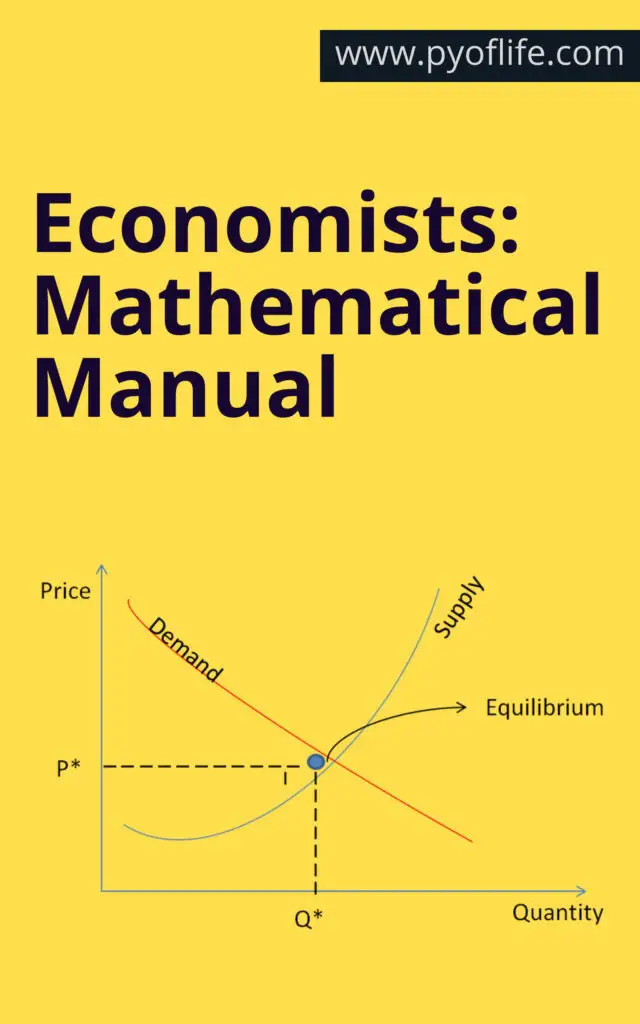
Example: The supply and demand functions in a market can be expressed as linear equations:

  • Qd=a−bPQ_d = a – bPQd​=a−bP (Demand function)
  • Qs=c+dPQ_s = c + dPQs​=c+dP (Supply function)

Where QdQ_dQd​ is the quantity demanded, QsQ_sQs​ is the quantity supplied, PPP is the price, and aaa, bbb, ccc, and ddd are parameters.

Economists Mathematical Manual
Economists: Mathematical Manual

2. Calculus

Calculus, particularly differentiation and integration, is fundamental in economics for understanding changes and trends.

  • Differentiation helps in finding the rate of change of economic variables. For example, marginal cost and marginal revenue are derivatives of cost and revenue functions, respectively.
  • Integration is used for aggregating economic quantities, such as finding total cost from marginal cost.

Example: If the total cost function is C(Q)=100+10Q+0.5Q2C(Q) = 100 + 10Q + 0.5Q^2C(Q)=100+10Q+0.5Q2, the marginal cost (MC) is the derivative MC=dCdQ=10+QMC = \frac{dC}{dQ} = 10 + QMC=dQdC​=10+Q.

3. Optimization

Optimization techniques are crucial for decision-making in economics. Economists often seek to maximize or minimize objective functions subject to certain constraints.

  • Unconstrained Optimization: Solving problems without restrictions, typically by setting the derivative equal to zero to find critical points.
  • Constrained Optimization: Involves using methods like Lagrange multipliers to handle constraints.

Example: A firm wants to maximize its profit π=TR−TC\pi = TR – TCπ=TR−TC, where TRTRTR is total revenue and TCTCTC is the total cost. By differentiating π\piπ concerning quantity and setting it to zero, we find the optimal output level.

4. Matrix Algebra

Matrix algebra is used extensively in econometrics, input-output analysis, and in solving systems of linear equations.

  • Econometrics: Matrices simplify the representation and solution of multiple regression models.
  • Input-Output Analysis: Leontief models use matrices to describe the flow of goods and services in an economy.

Example: A simple econometric model can be written in matrix form as Y=Xβ+ϵY = X\beta + \epsilonY=Xβ+ϵ, where YYY is the vector of observations, XXX is the matrix of explanatory variables, β\betaβ is the vector of coefficients, and ϵ\epsilonϵ is the error term.

Econometric Techniques

Econometrics combines economic theory, mathematics, and statistical inference to quantify economic phenomena. Some essential techniques include:

1. Regression Analysis

Regression analysis estimates the relationships between variables. The most common is the Ordinary Least Squares (OLS) method.

Example: Estimating the consumption function C=α+βY+uC = \alpha + \beta Y + uC=α+βY+u, where CCC is consumption, YYY is income, and uuu is the error term.

2. Time Series Analysis

Time series analysis deals with data collected over time, essential for analyzing economic trends and forecasting.

  • Autoregressive (AR) Models: Explain a variable using its past values.
  • Moving Average (MA) Models: Use past forecast errors.
  • ARIMA Models: Combine AR and MA models to handle non-stationary data.

Example: GDP forecasting using an ARIMA model involves identifying the order of the model and estimating parameters to predict future values.

3. Panel Data Analysis

Panel data combines cross-sectional and time-series data, allowing for more complex analyses and control of individual heterogeneity.

Example: Studying the impact of education on earnings using data from multiple individuals over several years.

Game Theory

Game theory analyzes strategic interactions where the outcome depends on the actions of multiple agents. Key concepts include:

  • Nash Equilibrium: A situation where no player can benefit by changing their strategy unilaterally.
  • Dominant Strategies: A strategy that yields a better outcome regardless of what others do.

Example: The Prisoner’s Dilemma illustrates how rational individuals might not cooperate, even if it appears that cooperation would be beneficial.

Dynamic Programming

Dynamic programming solves complex problems by breaking them down into simpler sub-problems. It is particularly useful in macroeconomics and finance for:

  • Optimal Control Theory: Managing economic systems over time.
  • Bellman Equation: A recursive equation used in dynamic programming.

Example: Determining optimal investment strategies over time by maximizing the expected utility of consumption.

Economists: Mathematical Manual

Conclusion: Mathematics is the language through which economists describe, analyze, and interpret economic phenomena. From basic algebra to advanced econometric techniques, mathematical tools are indispensable for anyone seeking to understand or contribute to economics. This manual provides a glimpse into the essential mathematical methods used in economics. Still, continuous learning and practice are necessary to master these tools and apply them effectively in real-world scenarios.

Download: 

Practical Data Science with R

Data science is a rapidly evolving field that leverages various techniques and tools to extract insights from data. R, a powerful and versatile programming language, is extensively used in data science for its statistical capabilities and comprehensive package ecosystem. This guide provides a detailed exploration of practical data science with R, from basic syntax to advanced machine learning and deployment.

What is Data Science?

Definition and Scope

Data science involves the use of algorithms, data analysis, and machine learning to interpret complex data and derive meaningful insights. It intersects various disciplines, including statistics, computer science, and domain-specific knowledge, to solve real-world problems.

Importance in Various Fields

Data science plays a crucial role across different sectors such as healthcare, finance, marketing, and government. It aids in making informed decisions, improving operational efficiency, and providing personalized experiences.

Overview of R Programming Language

History and Evolution

R was developed in the early 1990s by Ross Ihaka and Robert Gentleman at the University of Auckland, New Zealand. It evolved from the S language, becoming a favorite among statisticians and data miners for its extensive statistical libraries.

Why Choose R for Data Science?

R is favored for data science due to its vast array of packages, strong community support, and its powerful data handling and visualization capabilities. It excels in statistical analysis, making it a go-to tool for data scientists.

Practical Data Science with R

Setting Up R Environment

Installing R and RStudio

To begin with R, download and install R from CRAN (Comprehensive R Archive Network). For an enhanced development experience, install RStudio, an integrated development environment (IDE) that simplifies coding in R.

Configuring R for Data Science Projects

Proper configuration involves setting up necessary packages and libraries, customizing the IDE settings, and organizing your workspace for efficient project management.

Basic R Syntax and Data Types

Variables and Data Types

In R, data types include vectors, lists, matrices, data frames, and factors. Variables are created using the assignment operator <-. Understanding these basics is crucial for effective data manipulation and analysis.

Basic Operations in R

Basic operations involve arithmetic calculations, logical operations, and data manipulation techniques. Mastering these operations lays the foundation for more complex analyses.

Data Manipulation with dplyr

Introduction to dplyr

dplyr is a powerful package for data manipulation in R. It simplifies data cleaning and transformation with its intuitive syntax and robust functions.

Data Cleaning and Transformation

Using dplyr, data cleaning and transformation become streamlined tasks. Functions like filter(), select(), mutate(), and arrange() are essential for preparing data for analysis.

Aggregation and Summarization

dplyr also excels in aggregating and summarizing data. Functions such as summarize() and group_by() allow for efficient data summarization and insights extraction.

Data Visualization with ggplot2

Basics of ggplot2

ggplot2, an R package, is renowned for its elegant and versatile data visualization capabilities. It follows the grammar of graphics, making it highly flexible and customizable.

Creating Various Types of Plots

With ggplot2, you can create a variety of plots, including scatter plots, line graphs, bar charts, and histograms. Each plot type serves different analytical purposes and helps in visual data exploration.

Customizing Plots

Customization in ggplot2 is extensive. You can modify plot aesthetics, themes, and scales to enhance the visual appeal and clarity of your data visualizations.

Statistical Analysis in R

Descriptive Statistics

Descriptive statistics involve summarizing and describing the features of a dataset. R provides functions to calculate mean, median, mode, standard deviation, and other summary statistics.

Inferential Statistics

Inferential statistics allow you to make predictions or inferences about a population based on sample data. Techniques include confidence intervals, regression analysis, and ANOVA.

Hypothesis Testing

Hypothesis testing in R involves testing assumptions about data. Common tests include t-tests, chi-square tests, and ANOVA, which help in validating scientific hypotheses.

Machine Learning with R

Introduction to Machine Learning

Machine learning (ML) in R involves using algorithms to build predictive models. R’s ML capabilities are enhanced by packages such as caret, randomForest, and xgboost.

Supervised Learning Algorithms

Supervised learning involves training a model on labeled data. Common algorithms include linear regression, logistic regression, decision trees, and support vector machines.

Unsupervised Learning Algorithms

Unsupervised learning deals with unlabeled data to find hidden patterns. Algorithms such as k-means clustering and principal component analysis (PCA) are widely used.

Text Mining and Natural Language Processing

Introduction to Text Mining

Text mining involves extracting meaningful information from text data. R provides several packages like tm and text mining tools for this purpose.

Techniques for Text Analysis

Text analysis techniques include tokenization, stemming, and lemmatization. These methods help in transforming raw text into analyzable data.

Sentiment Analysis

Sentiment analysis involves determining the sentiment expressed in a text. R packages like syuzhet and sentimentr facilitate this analysis, providing insights into public opinion.

Time Series Analysis in R

Basics of Time Series Data

Time series data is data that is collected at successive points in time. Understanding its characteristics is crucial for effective analysis and forecasting.

Forecasting Methods

Forecasting methods in R include ARIMA, exponential smoothing, and neural networks. These methods predict future values based on historical data.

Evaluating Forecast Accuracy

Evaluating the accuracy of forecasts involves using metrics like Mean Absolute Error (MAE) and Root Mean Squared Error (RMSE). These metrics assess the model’s predictive performance.

Working with Big Data in R

Introduction to Big Data Concepts

Big data involves large and complex datasets that traditional data processing techniques cannot handle. R’s integration with big data technologies makes it a valuable tool for big data analysis.

R Packages for Big Data

R packages such as dplyr, data.table, and sparklyr enable efficient handling and analysis of big data. These packages provide tools for data manipulation, visualization, and modeling.

Case Studies and Applications

Case studies in big data illustrate the practical applications of R in handling large datasets. Examples include analyzing social media data and sensor data from IoT devices.

Deploying Data Science Models

Introduction to Model Deployment

Model deployment involves putting machine learning models into production. This step is crucial for delivering actionable insights in real-time applications.

Tools and Techniques

R provides several tools for model deployment, including Shiny for web applications and plumber for creating APIs. These tools facilitate the integration of models into operational systems.

Case Studies

Case studies in model deployment showcase real-world applications. Examples include deploying predictive models in finance for credit scoring and in healthcare for patient diagnosis.

Collaborating and Sharing Work

Version Control with Git

Version control with Git is essential for collaborative data science projects. It allows multiple users to work on the same project simultaneously and maintain a history of changes.

Sharing Work through R Markdown

R Markdown enables the creation of dynamic documents that combine code, output, and narrative. It is an excellent tool for sharing reproducible research and reports.

Collaborating with Teams

Collaboration tools such as GitHub, Slack, and project management software enhance teamwork. Effective communication and project planning are key to successful data science projects.

Best Practices in Data Science Projects

Project Planning and Management

Effective project planning and management ensure that data science projects are completed on time and within budget. This involves defining clear goals, timelines, and deliverables.

Ethical Considerations

Ethical considerations in data science include data privacy, bias, and fairness. Adhering to ethical guidelines is crucial for maintaining trust and credibility.

Continuous Learning and Improvement

Continuous learning and improvement involve staying updated with the latest developments in data science. This includes attending conferences, taking courses, and participating in professional communities.

Case Studies and Real-World Applications

Case Study 1: Healthcare

In healthcare, data science applications include predictive analytics for patient outcomes, personalized medicine, and operational efficiency improvements.

Case Study 2: Finance

In finance, data science is used for credit scoring, fraud detection, and algorithmic trading. These applications help in managing risks and optimizing investment strategies.

Case Study 3: Marketing

In marketing, data science aids in customer segmentation, sentiment analysis, and campaign optimization. It helps in understanding customer behavior and enhancing marketing effectiveness.

Advanced Topics in Data Science with R

Advanced Statistical Methods

Advanced statistical methods include multivariate analysis, Bayesian statistics, and survival analysis. These methods address complex data scenarios and provide deeper insights.

Advanced Machine Learning Techniques

Advanced machine learning techniques involve deep learning, reinforcement learning, and ensemble methods. These techniques improve model accuracy and performance.

Specialized Packages and Tools

Specialized packages and tools in R cater to specific data science needs. Examples include Bioconductor for bioinformatics and rpart for recursive partitioning.

Resources for Learning R and Data Science

Books and Online Courses

Books and online courses provide structured learning paths for mastering R and data science. Popular resources include “R for Data Science” by Hadley Wickham and Coursera courses.

Communities and Forums

Communities and forums such as RStudio Community, Stack Overflow, and Kaggle offer support and knowledge sharing. Participating in these communities helps in solving problems and staying updated.

Continuous Learning Paths

Continuous learning paths involve a mix of formal education, online courses, and self-study. Keeping abreast of the latest research and trends is essential for career growth in data science.

Conclusion: Practical Data Science with R

Practical data science with R encompasses a wide range of techniques and tools for data manipulation, visualization, statistical analysis, machine learning, and deployment. Mastery of R provides a strong foundation for solving complex data problems and deriving actionable insights.

Download: