data scientist

Statistics and Machine Learning in Python

Statistics and Machine Learning in Python: Python has rapidly become the go-to language for data science, largely due to its simplicity and the extensive range of libraries tailored for statistical analysis and machine learning. This guide delves into the essential tools and techniques for leveraging Python in these domains, providing a foundation for both beginners and seasoned professionals.

Understanding the Basics: Python for Data Science

Before diving into the specifics of statistics and machine learning, it’s crucial to understand why Python is so popular in data science:

  1. Ease of Use: Python’s readable syntax and extensive documentation make it accessible for beginners.
  2. Community Support: A large community means abundant resources, tutorials, and libraries.
  3. Versatile Libraries: Python boasts libraries like NumPy, Pandas, Matplotlib, and SciPy that simplify data manipulation and visualization.

Core Libraries for Statistics

  • NumPy: Fundamental for numerical computations. It offers support for large multi-dimensional arrays and matrices, along with a collection of mathematical functions to operate on these arrays.
import numpy as np
data = np.array([1, 2, 3, 4, 5])
mean = np.mean(data)
print(mean)
  • Pandas: Essential for data manipulation and analysis. Pandas provide data structures like DataFrames, which are crucial for handling structured data.
import pandas as pd
data = {'column1': [1, 2, 3, 4, 5], 'column2': [6, 7, 8, 9, 10]}
df = pd.DataFrame(data)
print(df.describe())
  • SciPy: Builds on NumPy by adding a collection of algorithms and functions for advanced statistical operations.
from scipy import stats
sample_data = [1, 2, 2, 3, 4, 5, 6]
mode = stats.mode(sample_data)
print(mode)
  • Statsmodels: Provides classes and functions for the estimation of many different statistical models, including linear regression, time series analysis, and more.
import statsmodels.api as sm
X = df['column1']
y = df['column2']
X = sm.add_constant(X)  # Adds a constant term to the predictor
model = sm.OLS(y, X).fit()
predictions = model.predict(X)
print(model.summary())
Statistics and Machine Learning in Python

Machine Learning with Python

Machine learning in Python is greatly facilitated by powerful libraries that allow for the implementation of complex algorithms with minimal code.

  • Scikit-Learn: The cornerstone for machine learning in Python. It provides simple and efficient tools for data mining and data analysis.
from sklearn.model_selection import train_test_split
from sklearn.linear_model import LinearRegression

X = df[['column1']]
y = df['column2']

X_train, X_test, y_train, y_test = train_test_split(X, y, test_size=0.2, random_state=0)
model = LinearRegression()
model.fit(X_train, y_train)
predictions = model.predict(X_test)
print(predictions)
  • TensorFlow and Keras: Used for building and training deep learning models. TensorFlow provides a flexible platform, while Keras offers a user-friendly interface.
import tensorflow as tf
from tensorflow.keras.models import Sequential
from tensorflow.keras.layers import Dense

model = Sequential()
model.add(Dense(10, input_dim=1, activation='relu'))
model.add(Dense(1))

model.compile(optimizer='adam', loss='mean_squared_error')
model.fit(X_train, y_train, epochs=50, batch_size=10)
predictions = model.predict(X_test)
print(predictions)
  • PyTorch: Another popular deep learning framework, known for its dynamic computation graph and ease of use, especially in research settings.
import torch
import torch.nn as nn
import torch.optim as optim

class SimpleModel(nn.Module):
    def __init__(self):
        super(SimpleModel, self).__init__()
        self.linear = nn.Linear(1, 1)
    
    def forward(self, x):
        return self.linear(x)

model = SimpleModel()
criterion = nn.MSELoss()
optimizer = optim.SGD(model.parameters(), lr=0.01)

for epoch in range(100):
    model.train()
    optimizer.zero_grad()
    outputs = model(torch.tensor(X_train, dtype=torch.float32))
    loss = criterion(outputs, torch.tensor(y_train, dtype=torch.float32))
    loss.backward()
    optimizer.step()

model.eval()
predictions = model(torch.tensor(X_test, dtype=torch.float32)).detach().numpy()
print(predictions)

Practical Applications and Projects

To solidify your understanding and gain practical experience, consider working on real-world projects such as:

  • Predictive Modeling: Build models to predict housing prices, stock market trends, or customer behavior.
  • Classification Tasks: Develop classifiers for email spam detection, image recognition, or disease diagnosis.
  • Natural Language Processing (NLP): Create applications for sentiment analysis, text generation, or machine translation.

Conclusion

Mastering statistics and machine learning in Python opens up a myriad of opportunities in data science and artificial intelligence. By leveraging Python’s powerful libraries and tools, you can efficiently analyze data, build predictive models, and derive insights that drive decision-making. Whether you’re a novice or an expert, Python’s ecosystem supports your journey through the fascinating world of data science.

Download:

Read More: Download Statistics And Machine Learning In Python

Exploring Panel Data Econometrics with R

Exploring Panel Data Econometrics with R: In the evolving landscape of econometrics, R is steadily gaining prominence. While traditionally overshadowed by other statistical software in econometrics, R’s popularity is rising due to its versatility and the development of specialized packages. “Panel Data Econometrics with R” by Yves Croissant and Giovanni Millo serves as a comprehensive guide for those looking to leverage R for panel data analysis.

Why R for Econometrics?

Econometrics is a field that demands rigorous model assumptions and extensive testing. R’s extensive suite of packages addresses these needs, offering tools for structural equation modeling, time series analysis, and robust covariance estimation, among others. The book highlights R’s edge in econometrics, emphasizing its open-source nature, extensive user community, and the ability to replicate and extend analyses easily .

Exploring Panel Data Econometrics with R

Download (PDF)

Key Features of the Book

  1. Comprehensive Coverage: The book provides a thorough overview of basic to advanced econometric methods for panel data. It covers the essentials such as fixed effects, random effects, and mixed models, ensuring readers gain a solid foundation in the principles of panel data analysis .
  2. Practical Examples: Staying true to R’s ethos of reproducibility, each chapter includes detailed examples with code that can be replicated by readers. This hands-on approach is beneficial for both students and practitioners, making complex concepts more accessible through practical application .
  3. User-Centric Approach: The book is structured to cater to different levels of R users, from beginners to advanced programmers. It introduces the plm package for panel data analysis, guiding users through its functionalities and showing how it can be employed for various econometric tasks .
  4. Extensive Resources: A companion package, pder, and additional resources are available online, enhancing the learning experience. These resources include datasets and code examples that complement the book’s content, making it easier for users to apply what they’ve learned to their own data .
  5. Community and Development: The development of econometric tools in R is a collaborative effort. The book acknowledges contributions from various developers and the broader user community, showcasing the dynamic and supportive ecosystem surrounding R. This collaborative spirit is reflected in the continuous improvement and extension of R’s econometric capabilities .

Conclusion

Exploring Panel Data Econometrics with R” is a valuable resource for anyone looking to delve into econometrics using R. It combines theoretical foundations with practical applications, making it a versatile tool for students, researchers, and practitioners alike. As R continues to grow in popularity within the econometric community, this book stands out as a key resource for harnessing its full potential in panel data analysis.

For those eager to explore the intersection of R and econometrics, this book offers a gateway to advanced analytical techniques, fostering a deeper understanding and application of econometric methods in various fields.

Download:

Read More: Panel Data Econometrics in R: The plm Package

Machine Learning in Python: Essential Techniques for Predictive Analysis

Machine learning has revolutionized numerous industries by enabling predictive analytics, which can anticipate trends, understand patterns, and make data-driven decisions. Python, with its robust libraries and ease of use, has become the go-to language for implementing machine learning algorithms. In this article, we’ll delve into essential techniques for predictive analysis using Python, providing a foundation for anyone looking to harness the power of machine learning.

Understanding Predictive Analysis

Predictive analysis involves using statistical algorithms and machine learning techniques to identify the likelihood of future outcomes based on historical data. It is a crucial aspect of business intelligence, aiding in everything from customer segmentation to risk management. The core components of predictive analysis include data preprocessing, model selection, training, evaluation, and deployment.

Data Preprocessing: Cleaning and Preparing Data

The first step in any machine learning project is data preprocessing. This involves cleaning and preparing the data to ensure that the machine learning model can learn effectively. Key tasks include handling missing values, removing duplicates, and encoding categorical variables.

Machine Learning in Python Essential Techniques for Predictive Analysis
  • Handling Missing Values: In Python, libraries such as Pandas make it straightforward to handle missing data. Techniques include imputation, where missing values are replaced with the mean, median, or mode of the column, or more advanced methods like using algorithms to predict missing values.
import pandas as pd
df = pd.read_csv('data.csv')
df.fillna(df.mean(), inplace=True)
  • Encoding Categorical Variables: Machine learning models require numerical input, so categorical data needs to be converted into a numerical format. This can be done using one-hot encoding or label encoding.
from sklearn.preprocessing import OneHotEncoder
encoder = OneHotEncoder()
df_encoded = encoder.fit_transform(df[['category']])

Feature Selection and Engineering

Feature selection involves identifying the most important variables that influence the outcome. Feature engineering, on the other hand, involves creating new features from existing data to improve model performance.

  • Feature Selection: Techniques like correlation matrices and recursive feature elimination (RFE) help in selecting relevant features.
from sklearn.feature_selection import RFE
from sklearn.linear_model import LogisticRegression
model = LogisticRegression()
rfe = RFE(model, 10)
fit = rfe.fit(X, y)
  • Feature Engineering: This involves creating new variables that might better capture the underlying patterns in the data. For example, creating interaction terms or polynomial features.
from sklearn.preprocessing import PolynomialFeatures
poly = PolynomialFeatures(degree=2)
X_poly = poly.fit_transform(X)

Model Selection: Choosing the Right Algorithm

Choosing the right machine learning algorithm is crucial for effective predictive analysis. Python offers a variety of algorithms through libraries like scikit-learn, TensorFlow, and PyTorch.

  • Linear Regression: Ideal for predicting continuous outcomes.
from sklearn.linear_model import LinearRegression
model = LinearRegression()
model.fit(X_train, y_train)
  • Decision Trees and Random Forests: Useful for both classification and regression tasks, these models are easy to interpret and can handle complex datasets.
from sklearn.ensemble import RandomForestClassifier
model = RandomForestClassifier()
model.fit(X_train, y_train)
  • Neural Networks: Powerful for capturing complex patterns in data, particularly with large datasets. Libraries like TensorFlow and Keras make it easier to build and train neural networks.
import tensorflow as tf
from tensorflow.keras.models import Sequential
from tensorflow.keras.layers import Dense
model = Sequential([
Dense(64, activation='relu', input_shape=(X_train.shape[1],)),
Dense(64, activation='relu'),
Dense(1, activation='sigmoid')
])
model.compile(optimizer='adam', loss='binary_crossentropy', metrics=['accuracy'])
model.fit(X_train, y_train, epochs=10)

Model Evaluation: Assessing Performance

Evaluating the performance of a machine learning model is critical to ensure its reliability and effectiveness. Common metrics include accuracy, precision, recall, F1 score, and ROC-AUC for classification tasks, and mean squared error (MSE) or R-squared for regression tasks.

  • Cross-Validation: A robust technique to ensure that the model generalizes well to unseen data.
from sklearn.model_selection import cross_val_score
scores = cross_val_score(model, X, y, cv=5)
  • Confusion Matrix and Classification Report: Provide detailed insights into the model’s performance.
from sklearn.metrics import classification_report, confusion_matrix
y_pred = model.predict(X_test)
print(confusion_matrix(y_test, y_pred))
print(classification_report(y_test, y_pred))

Model Deployment: Putting Your Model to Work

Once the model is trained and evaluated, the final step is deployment. This involves integrating the model into a production environment where it can provide predictions on new data.

  • Saving the Model: Using libraries like joblib or pickle to save the trained model.
import joblib
joblib.dump(model, 'model.pkl')
  • API Integration: Deploying the model as a web service using frameworks like Flask or Django to provide real-time predictions.
from flask import Flask, request, jsonify
import joblib
app = Flask(name)
model = joblib.load('model.pkl')
@app.route('/predict', methods=['POST'])
def predict():
data = request.get_json()
prediction = model.predict(data['input'])
return jsonify({'prediction': prediction.tolist()})
if name == 'main':
app.run(debug=True)

Conclusion

Machine learning in Python is a powerful tool for predictive analysis, offering numerous libraries and techniques to build effective models. From data preprocessing to model deployment, understanding these essential techniques allows you to leverage machine learning to uncover valuable insights and make informed decisions. Whether you’re a beginner or an experienced data scientist, Python provides the flexibility and scalability to tackle predictive analytics projects of any complexity.

Download:

Read More: Mastering Machine Learning with Python in Six Steps

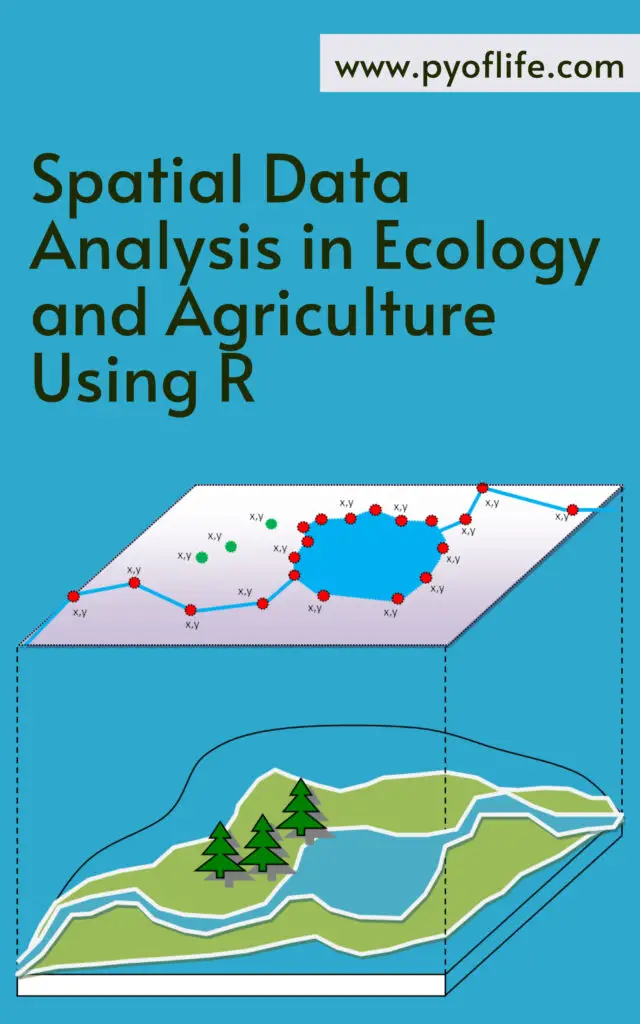
Spatial Data Analysis in Ecology and Agriculture Using R

Spatial data analysis has become an essential tool in the fields of ecology and agriculture, enabling researchers and practitioners to understand and manage the spatial dynamics of various ecological and agricultural phenomena. With the advent of sophisticated software and programming languages, such as R, the capabilities for spatial data analysis have expanded significantly. This article explores the importance of spatial data analysis in these fields and how R facilitates this complex yet rewarding endeavor.

The Importance of Spatial Data in Ecology and Agriculture

Spatial data, which includes information about the location and distribution of variables across a geographic area, is crucial for understanding patterns and processes in both ecology and agriculture. In ecology, spatial data can reveal insights into species distribution, habitat fragmentation, and ecosystem dynamics. For agriculture, spatial data is instrumental in precision farming, crop monitoring, and land-use planning.

Applications in Ecology

  1. Species Distribution Modeling (SDM): Understanding where species are likely to occur based on environmental conditions and geographical constraints is fundamental for conservation planning and biodiversity management.
  2. Habitat Suitability Analysis: Identifying areas that are most suitable for specific species helps in creating protected areas and managing wildlife habitats effectively.
  3. Landscape Ecology: Examining the spatial arrangement of ecosystems and their interactions helps ecologists understand ecological processes at a broader scale, such as nutrient cycling and energy flows.

Applications in Agriculture

  1. Precision Agriculture: By analyzing spatial data from soil samples, crop yields, and weather patterns, farmers can optimize planting, irrigation, and fertilization practices to maximize productivity and sustainability.
  2. Crop Monitoring: Satellite imagery and drone technology, coupled with spatial data analysis, allow for real-time monitoring of crop health, enabling early detection of issues such as disease or pest infestations.
  3. Land-Use Planning: Spatial data helps in making informed decisions about land allocation, ensuring that agricultural activities are sustainable and do not adversely affect the environment.
Spatial Data Analysis in Ecology and Agriculture Using R

R: A Powerful Tool for Spatial Data Analysis

R, a language and environment for statistical computing and graphics, has become a popular choice for spatial data analysis due to its extensive package ecosystem, powerful visualization capabilities, and robust statistical functions. Here are some key features and packages in R that make it indispensable for spatial data analysis in ecology and agriculture.

Key Features of R

  • Comprehensive Package Ecosystem: R boasts a wide array of packages specifically designed for spatial data analysis, such as sp, raster, sf, and spatstat.
  • Data Visualization: With packages like ggplot2 and leaflet, R provides powerful tools for creating informative and interactive maps and plots.
  • Statistical Analysis: R’s strong statistical capabilities allow for sophisticated analyses such as spatial regression, kriging, and spatial autocorrelation.

Essential R Packages for Spatial Data Analysis

  1. sp: One of the foundational packages for handling spatial data, sp provides classes and methods for spatial data types.
  2. raster: This package is essential for working with raster data, which is crucial for analyzing satellite imagery and environmental data.
  3. sf: The sf package offers a more modern approach to handling spatial data in R, providing simple features that are compatible with the standards used in GIS software.
  4. spatstat: Used for spatial point pattern analysis, spatstat is invaluable for analyzing the distribution of points in space, such as plant locations or animal sightings.

Practical Steps for Spatial Data Analysis in R

1. Data Import and Preparation

The first step in spatial data analysis is importing and preparing the data. R can handle various data formats, including shapefiles, GeoTIFFs, and CSV files with spatial coordinates.

library(sf)
library(raster)

# Load a shapefile
shape_data <- st_read("path_to_shapefile.shp")

# Load a raster file
raster_data <- raster("path_to_raster.tif")

2. Data Visualization

Visualizing spatial data is crucial for understanding patterns and communicating results. R’s ggplot2 and leaflet packages are excellent for creating static and interactive maps.

library(ggplot2)
library(leaflet)

# Plot shapefile data with ggplot2
ggplot(data = shape_data) +
geom_sf()

# Create an interactive map with leaflet
leaflet(shape_data) %>%
addTiles() %>%
addPolygons()

3. Spatial Analysis

Conducting spatial analysis involves using statistical techniques to analyze spatial data. For example, performing a kriging interpolation can predict values at unsampled locations.

library(gstat)

# Perform kriging
kriging_model <- gstat(formula = value ~ 1, locations = shape_data)
kriging_result <- predict(kriging_model, newdata = raster_data)

4. Interpretation and Reporting

Finally, interpreting the results and generating reports or publications is the last step. R’s rmarkdown package allows for seamless integration of analysis and reporting.

library(rmarkdown)

# Create a report
render("analysis_report.Rmd")

Conclusion

Spatial data analysis is a powerful approach that enhances our understanding and management of ecological and agricultural systems. R, with its extensive packages and capabilities, offers a robust platform for conducting spatial data analysis. By leveraging these tools, researchers and practitioners can make data-driven decisions that promote sustainability and conservation in these vital fields. Whether it’s predicting species distributions, optimizing crop yields, or planning land use, the integration of spatial data analysis with R is proving to be transformative.

Download:

Read More: Spatial Statistics for Data Science: Theory and Practice with R

Learning Python’s Basic Statistics with ChatGPT

Learning Python’s Basic Statistics with ChatGPT: Python has cemented its place as a preferred programming language for data analysis due to its ease of use and robust library ecosystem. Among its many capabilities, Python’s statistical functions stand out, allowing users to perform intricate data analyses effortlessly. This article explores how to leverage Python’s statistical tools with the assistance of ChatGPT, a powerful language model designed to facilitate learning and application of these tools.

Understanding Python’s Statistical Packages

Python offers a myriad of packages tailored for statistical analysis. Key libraries include:

  1. NumPy: Essential for numerical computing, NumPy provides a powerful array object and numerous functions for array manipulation and statistical analysis.
  2. Pandas: Ideal for data manipulation and analysis, Pandas introduces data structures like DataFrames to handle and analyze large datasets efficiently.
  3. SciPy: Built for scientific computing, SciPy includes modules for optimization, integration, interpolation, and statistical analysis.
  4. Statsmodels: This library focuses on statistical modeling, providing tools for regression analysis, time series analysis, and more.

These libraries collectively empower Python users to perform a wide range of statistical operations, from basic descriptive statistics to complex inferential tests.

Learning Python’s Basic Statistics with ChatGPT

Leveraging ChatGPT for Statistical Analysis

The study conducted utilized ChatGPT to enhance the understanding and execution of statistical analyses in Python. By interacting with ChatGPT, users can obtain explanations, code snippets, and guidance on various statistical methods. Below are some insights derived from using ChatGPT:

Example Analyses Using Python

T-Test: A T-test helps determine if there is a significant difference between the means of two groups. Here’s a Python example using the scipy.stats library:

import numpy as np
from scipy.stats import ttest_ind

# Generate two sets of data
group1 = np.random.normal(5, 1, 100)
group2 = np.random.normal(7, 1, 100)

# Calculate the T-test
t_statistic, p_value = ttest_ind(group1, group2)

# Print the results
print("T-test statistic:", t_statistic)
print("P-value:", p_value)

This script generates two random datasets and performs a T-test to compare their means, providing both the T-statistic and p-value to evaluate significance.

Mann-Whitney U Test: Used when data doesn’t follow a normal distribution, the Mann-Whitney U test compares the medians of two independent groups. Here’s how to execute it in Python:

from scipy.stats import mannwhitneyu

# Define the two groups
group1 = [3, 4, 5, 6, 7, 8, 9]
group2 = [1, 2, 3, 4, 5]

# Perform the Mann-Whitney U test
statistic, p_value = mannwhitneyu(group1, group2, alternative='two-sided')

# Print the results
print("Mann-Whitney U statistic:", statistic)
print("p-value:", p_value)

This example illustrates comparing two groups’ medians and provides the U statistic and p-value for significance testing.

Visualizing Statistical Results

Visualization is crucial for interpreting statistical results. Python’s matplotlib and seaborn libraries are invaluable for creating informative visualizations. For instance, box plots and histograms can effectively display data distributions and test results.

Box Plot: A box plot compares the distributions of two groups, highlighting medians and quartiles.

import matplotlib.pyplot as plt
import seaborn as sns

# Define the two groups
group1 = [3, 4, 5, 6, 7, 8, 9]
group2 = [1, 2, 3, 4, 5]

# Create a box plot
sns.boxplot(x=['Group 1']*len(group1) + ['Group 2']*len(group2), y=group1+group2)

# Add titles and labels
plt.title('Box plot of two groups')
plt.xlabel('Group')
plt.ylabel('Value')

# Show the plot
plt.show()

Histogram: A histogram visualizes the frequency distribution of data points within each group.

# Create histograms of the two groups
sns.histplot(group1, kde=True, color='blue', alpha=0.5, label='Group 1')
sns.histplot(group2, kde=True, color='green', alpha=0.5, label='Group 2')

# Add titles and labels
plt.title('Histogram of two groups')
plt.xlabel('Value')
plt.ylabel('Frequency')

# Add a legend
plt.legend()

# Show the plot
plt.show()

These visual tools, combined with statistical tests, provide a comprehensive approach to data analysis, making the interpretation of results more intuitive.

Conclusion

Python’s statistical libraries, when used in conjunction with ChatGPT, offer a powerful toolkit for data analysis. By leveraging these resources, users can perform complex statistical tests, visualize their results effectively, and gain deeper insights into their data. Whether you’re a beginner or an experienced analyst, integrating ChatGPT with Python’s statistical capabilities can significantly enhance your analytical workflow.

Download:

Read More: Statistics and Data Visualization with Python

Modern Data Visualization with R

In today’s data-driven world, the ability to transform raw data into meaningful insights is paramount. And at the forefront of this transformation is the art of data visualization. Among the myriad of tools available, R stands out as a powerhouse for modern data visualization, offering a rich ecosystem of packages and capabilities that empower users to create stunning, informative visualizations with ease.

Understanding the Essence of Data Visualization

Data visualization is not merely about creating pretty charts and graphs; it’s about distilling complex information into clear, concise visuals that facilitate understanding and decision-making. With R, users can delve deep into their data, uncovering patterns, trends, and relationships that might otherwise remain hidden in rows and columns of numbers.

Harnessing the Power of R for Visualization

At the core of R’s visualization prowess lies its diverse array of packages, each tailored to specific needs and preferences. Whether you’re a beginner exploring basic plots or an advanced user crafting intricate interactive dashboards, R offers something for everyone.

Modern Data Visualization with R

Learn For Free

ggplot2: The Versatile Workhorse

Central to R’s visualization toolkit is ggplot2, a package renowned for its elegant syntax and versatility. With ggplot2, users can effortlessly create a wide range of plots, from simple scatter plots to complex layered visualizations. Its grammar of graphics framework provides a structured approach to building plots, enabling users to customize every aspect of their visualizations with ease.

Plotly: Elevating Interactivity to New Heights

For those seeking to engage audiences with dynamic, interactive visualizations, Plotly is a game-changer. This powerful package seamlessly integrates with R, allowing users to transform static plots into interactive experiences with just a few lines of code. From zoomable maps to responsive charts, Plotly empowers users to create immersive visualizations that captivate and inform.

Shiny: Bringing Data to Life

Beyond static visualizations, R’s Shiny package empowers users to build interactive web applications that bring their data to life. With Shiny, users can create custom dashboards, interactive reports, and data-driven applications without the need for advanced web development skills. Whether you’re sharing insights with stakeholders or exploring data on the fly, Shiny enables seamless interaction with your visualizations.

Navigating the Landscape of Modern Data Visualization

In the era of big data, the need for effective data visualization has never been greater. With R as your tool of choice, you can unlock the full potential of your data, transforming it into actionable insights that drive innovation and decision-making. Whether you’re a data scientist, analyst, or enthusiast, mastering modern data visualization with R opens doors to a world of discovery and opportunity.

Conclusion

In conclusion, modern data visualization with R is not just about creating pretty pictures—it’s about illuminating the hidden stories within your data. With R’s rich ecosystem of packages and tools, you have the power to craft compelling visualizations that inform, inspire, and empower. So why settle for static spreadsheets when you can unleash the full potential of your data with R? Embrace the art of data visualization, and embark on a journey of discovery that will revolutionize the way you see and understand the world.

Download:

Read More:Data Visualization and Exploration with R

Learning Statistics with Python

In data science and analysis, proficiency in statistics is akin to wielding a powerful tool that can unlock insights and patterns hidden within vast datasets. However, the traditional approach to learning statistics can often feel daunting and overwhelming. Enter Python, the versatile programming language that has revolutionized the world of data analytics. Learning statistics with Python not only simplifies the process but also adds a dynamic dimension to statistical analysis. Let’s delve into how Python can be your ally in mastering statistics and navigating the complex landscape of data science.

Why Python?

Python has emerged as the go-to language for data scientists and analysts due to its simplicity, readability, and extensive libraries tailored for data manipulation and analysis. From beginners to seasoned professionals, Python offers a low barrier to entry while accommodating advanced functionalities, making it an ideal choice for learning statistics.

Python Libraries for Statistical Analysis:

One of the key advantages of Python is its rich ecosystem of libraries specifically designed for statistical analysis. Libraries such as NumPy, pandas, SciPy, and matplotlib provide a comprehensive toolkit for handling data, performing statistical computations, visualizing results, and conducting hypothesis testing. These libraries abstract complex mathematical operations, allowing users to focus on the analysis rather than the implementation details.

Learning Statistics with Python

Interactive Learning with Jupyter Notebooks:

Python’s integration with Jupyter Notebooks facilitates interactive learning by combining code, visualizations, and explanatory text in a single document. This interactive environment encourages experimentation and exploration, enabling learners to gain a deeper understanding of statistical concepts through hands-on practice. Whether it’s exploring descriptive statistics, probability distributions, or hypothesis testing, Jupyter Notebooks provide a flexible platform for learning at your own pace.

Real-World Applications:

Learning statistics with Python extends beyond theoretical knowledge to practical application in real-world scenarios. As data becomes increasingly ubiquitous across industries, the ability to extract meaningful insights from data sets is highly valued. Whether you’re analyzing financial data, conducting A/B testing for marketing campaigns, or building predictive models for healthcare outcomes, Python empowers you to tackle diverse challenges with statistical rigor.

Community Support and Resources:

The Python community is renowned for its inclusivity, collaboration, and wealth of resources for learners at all levels. Online forums, such as Stack Overflow and Reddit, provide platforms for seeking assistance, sharing insights, and troubleshooting coding issues. Additionally, online courses, tutorials, and documentation abound, catering to diverse learning preferences and objectives. Leveraging the collective knowledge and expertise of the Python community enhances the learning experience and fosters continuous growth.

Conclusion:

Learning statistics with Python opens doors to a world of opportunities in data analysis, machine learning, and beyond. By harnessing the power of Python libraries, interactive tools like Jupyter Notebooks, and the supportive Python community, you can embark on a journey to become a proficient data practitioner. Whether you’re a student, a professional transitioning into data science, or simply curious about statistics, Python offers a versatile and accessible platform for honing your analytical skills and unraveling the mysteries hidden within data. Embrace Python as your companion in the quest for statistical mastery, and embark on a transformative learning journey that will empower you to thrive in the data-driven era.

Download:

Read More: Introduction To Python For Econometrics Statistics And Data Analysis

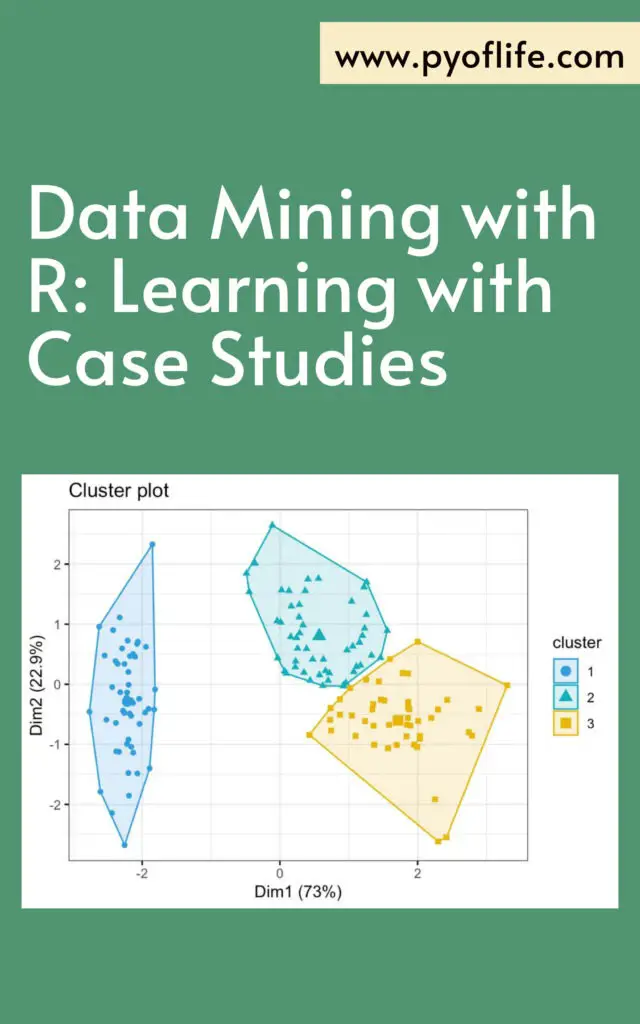
Data Mining with R: Learning with Case Studies

Data Mining with R: Learning with Case Studies: In the ever-expanding digital landscape, data has become the currency of the modern age. Businesses, researchers, and individuals alike are constantly seeking ways to extract valuable insights from the vast ocean of data available to them. This quest has given rise to the field of data mining, a process that involves discovering patterns, correlations, and anomalies within datasets to make informed decisions.

Understanding the Essence of Data Mining

Data mining is the process of discovering patterns, trends, and relationships within large datasets to extract valuable knowledge. It encompasses a range of techniques, including clustering, classification, regression, and association rule mining, among others. At its core, data mining aims to transform raw data into actionable insights, empowering organizations to make informed decisions and gain a competitive edge in today’s data-driven world.

Data Mining with R Learning with Case Studies

Embracing R: A Versatile Tool for Data Mining

R, an open-source programming language and environment, has emerged as a preferred choice for data mining enthusiasts and professionals. Renowned for its flexibility, extensibility, and rich ecosystem of packages, R provides a robust framework for tackling diverse data mining tasks with ease. Whether it’s exploratory data analysis, predictive modeling, or text mining, R offers a plethora of tools and libraries to cater to every analytical need.

Delving into Case Studies: Learning by Example

To grasp the essence of data mining with R, nothing beats hands-on experience with real-world case studies. Let’s delve into a few illustrative examples that showcase the power and versatility of R in action:

  1. Customer Segmentation for E-commerce: Imagine you’re tasked with segmenting customers based on their purchasing behavior for an e-commerce platform. By leveraging clustering algorithms such as K-means in R, you can identify distinct customer segments and tailor marketing strategies to cater to their specific needs and preferences.
  2. Predictive Maintenance in Manufacturing: In a manufacturing setting, predicting equipment failures before they occur can save both time and resources. Through predictive modeling techniques like decision trees or random forests in R, you can analyze historical maintenance data to forecast potential failures, enabling proactive maintenance interventions and minimizing downtime.
  3. Sentiment Analysis in Social Media: With the explosion of social media data, understanding customer sentiment has become paramount for businesses. Using sentiment analysis techniques in R, you can analyze textual data from social media platforms to gauge public opinion, identify emerging trends, and fine-tune marketing campaigns accordingly.

Conclusion: Empowering Insights with R and Data Mining

In conclusion, data mining with R transcends mere analysis; it’s a journey of discovery, innovation, and empowerment. By harnessing the combined prowess of R’s analytical capabilities and real-world case studies, practitioners can unlock the latent potential within their data, driving informed decision-making and fostering a culture of data-driven excellence. So, embrace the power of data mining with R, and embark on a transformative voyage towards actionable insights and unparalleled success.

Download (PDF):

Read more: Data Mining with Rattle and R

Clean Python: Elegant Coding in Python

Clean Python: Elegant Coding in Python: In the world of programming, elegance isn’t just about aesthetics; it’s about efficiency, maintainability, and clarity. Python, renowned for its readability and simplicity, offers developers a canvas to create clean, elegant code. In this article, we delve into the essence of clean Python coding, exploring techniques and best practices that elevate your scripts from functional to exceptional.

Understanding Clean Python: Clean Python isn’t just a matter of adhering to PEP 8 guidelines or using descriptive variable names (though those are important). It’s a holistic approach to writing code that emphasizes simplicity, clarity, and efficiency. Clean code is easy to read, easy to understand, and easy to modify.

Clean Python Elegant Coding in Python

The Principles of Clean Python:

  1. Simplicity: Keep it simple. Avoid unnecessary complexity and convoluted logic. Write code that is straightforward to comprehend at a glance.
  2. Clarity: Make your intentions clear. Use meaningful variable names, function names, and comments to explain the purpose and functionality of your code.
  3. Modularity: Break your code into small, reusable components. Encapsulate functionality into functions and classes to promote code reuse and maintainability.
  4. Consistency: Follow consistent coding style and formatting throughout your project. Consistency enhances readability and makes collaboration easier.
  5. Efficiency: Write code that is both computationally efficient and efficient for developers to work with. Avoid unnecessary loops, redundant calculations, and inefficient data structures.
  6. Testing: Write automated tests to verify the correctness of your code. Test-driven development (TDD) can help ensure that your code behaves as expected and remains reliable during future modifications.
  7. Documentation: Document your code effectively. Use docstrings to describe the purpose, parameters, and return values of functions and modules. Good documentation makes it easier for other developers (and future you) to understand and use your code.

Techniques for Writing Clean Python:

  1. List Comprehensions: Utilize list comprehensions to write concise and expressive code for creating lists based on existing iterables.
  2. Generator Expressions: Use generator expressions to create memory-efficient iterators for processing large datasets.
  3. Context Managers: Employ context managers (with statements) to manage resources and ensure proper cleanup, such as file handling or database connections.
  4. Decorators: Harness the power of decorators to add functionality to functions and methods without modifying their underlying code.
  5. Unpacking: Take advantage of tuple unpacking and dictionary unpacking to succinctly assign values to multiple variables at once.
  6. The Zen of Python: Embrace the principles outlined in the Zen of Python (accessible by typing import this in a Python interpreter). Let these guiding principles inform your coding decisions and foster a mindset of simplicity and clarity.

Conclusion: Clean Python coding is an art form—a skill that developers hone over time through practice, study, and collaboration. By adhering to simplicity, clarity, and efficiency, and employing techniques that promote readability and maintainability, you can elevate your Python code from mundane to magnificent. So, embrace the elegance of clean Python, and let your code speak volumes about your craftsmanship and expertise.

Download (PDF)

Read More: Introduction To Python For Econometrics Statistics And Data Analysis

Fundamentals of Data Visualization

Fundamentals of Data Visualization: Data visualization is the process of representing data in graphical or visual formats such as charts, graphs, and maps to help viewers understand the significance of the data. It plays a crucial role in data analysis and decision-making across various fields, including business, science, and academia.

Importance of Data Visualization

In today’s data-driven world, the volume and complexity of data are increasing rapidly. Data visualization enables us to distill this vast amount of information into easily understandable visuals, allowing stakeholders to identify trends, patterns, and insights at a glance. It helps in uncovering hidden relationships within the data that may not be apparent from raw numbers or text alone.

Enhancing Communication and Understanding

One of the primary benefits of data visualization is its ability to enhance communication and understanding. Visual representations of data are more engaging and accessible than tables or text, making it easier for both technical and non-technical audiences to grasp complex concepts. Visualizations facilitate clearer communication of ideas, enabling stakeholders to make informed decisions based on data-driven insights.

Fundamentals of Data Visualization

Facilitating Decision-Making

Data visualization empowers decision-makers by providing them with actionable insights derived from data analysis. Whether it’s identifying market trends, optimizing business processes, or tracking performance metrics, visualizations help stakeholders quickly assess situations and make data-driven decisions with confidence. By presenting information visually, data visualization reduces the cognitive load associated with interpreting raw data, allowing decision-makers to focus on what matters most.

Types of Data Visualizations

There are various types of data visualizations, each suited to different types of data and analytical objectives. Some common types include:

  • Bar charts: Ideal for comparing categories or groups.
  • Line charts: Useful for showing trends over time.
  • Pie charts: Effective for illustrating proportions or percentages.
  • Scatter plots: Helpful for visualizing relationships between two variables.
  • Heatmaps: Great for displaying dense data or identifying patterns in large datasets.
  • Maps: Suitable for spatial analysis and geographical data visualization.

Tools for Data Visualization

Several tools and software are available for creating data visualizations, ranging from simple spreadsheet applications to advanced data visualization platforms. Some popular tools include:

  • Microsoft Excel: Offers basic charting capabilities for creating simple visualizations.
  • Tableau: A powerful data visualization tool that allows users to create interactive and dynamic dashboards.
  • Python: A versatile programming language with libraries like Matplotlib and Seaborn for creating customized visualizations.
  • R: A statistical programming language with packages like ggplot2 for producing high-quality graphics.
  • D3.js: A JavaScript library for creating interactive and dynamic data visualizations on the web.

Best Practices for Data Visualization

To create effective data visualizations, it’s essential to follow best practices that enhance clarity, accuracy, and interpretability:

  • Simplify: Keep visualizations clean and uncluttered to avoid overwhelming the audience with unnecessary information.
  • Label: Clearly label axes, data points, and other elements to provide context and aid interpretation.
  • Choose appropriate visualizations: Select the right type of visualization that effectively communicates the message you want to convey.
  • Use color judiciously: Choose colors thoughtfully to differentiate data categories and highlight key insights without causing confusion.
  • Provide context: Provide relevant context and explanations to help viewers understand the significance of the data.

Conclusion: Fundamentals of Data Visualization

In conclusion, data visualization is a powerful tool for transforming data into actionable insights. By presenting information visually, data visualization enhances communication, facilitates decision-making, and enables stakeholders to unlock the full potential of their data. By following best practices and leveraging the right tools, organizations can harness the power of data visualization to drive innovation, gain competitive advantage, and achieve their business objectives.

Download (PDF)

Read More: Data Visualization and Exploration with R