SAROJ

The New Statistics with R: An Introduction for Biologists

In the rapidly evolving field of biology, the ability to analyze and interpret data is becoming increasingly critical. As biologists dive deeper into complex ecological systems, genetic data, and population trends, traditional statistical methods alone may not be enough to extract meaningful insights. That’s where “The New Statistics with R: An Introduction for Biologists” comes into play, offering biologists a practical, hands-on guide to mastering modern statistical techniques using the versatile programming language R.

This book is not just for statisticians. It’s for any biologist who wants to harness the power of data analysis to fuel their research. Whether you’re dealing with small datasets from controlled laboratory experiments or large datasets from environmental studies, this book will equip you with the tools to draw robust and reliable conclusions.

Why Use R for Statistics in Biology?

R is a powerful, open-source programming language that has become the go-to tool for data analysis in the biological sciences. Its versatility allows users to handle a wide range of tasks, from data wrangling to advanced statistical modeling, and it’s especially well-suited for visualizing complex biological data. Moreover, its extensive library of packages makes it perfect for tackling both basic and advanced statistical problems, such as hypothesis testing, regression, or Bayesian modeling.

What is “The New Statistics”?

The “New Statistics” refers to a shift from the over-reliance on traditional null hypothesis significance testing (NHST) toward a broader framework that includes effect sizes, confidence intervals, and meta-analysis. These approaches focus on estimating the magnitude of effects and quantifying uncertainty, offering a more nuanced understanding of biological phenomena. In contrast to NHST, where a p-value determines whether an effect is “significant” or not, the New Statistics encourages biologists to think about the size and practical importance of effects, rather than just statistical significance.

Key Features of the Book

  1. Introduction to R: The book starts with the basics of R, making it accessible to those who may not have prior programming experience. It covers how to set up R, write simple commands, and load datasets for analysis. This sets the stage for biologists unfamiliar with coding to comfortably dive into more advanced concepts.
  2. Core Concepts in Statistics: Fundamental concepts such as descriptive statistics, probability, and inferential statistics are explained in a biological context. The book introduces both parametric and non-parametric techniques, ensuring that the reader is well-versed in the most appropriate statistical methods for various types of data.
  3. Effect Size and Confidence Intervals: One of the highlights of the New Statistics is its emphasis on effect sizes—quantifying the strength of a relationship or the magnitude of an effect—rather than just focusing on whether the effect exists. Confidence intervals give a range of values that are likely to contain the true effect size, helping researchers gauge the precision of their estimates.
  4. Hands-on Examples: The book is packed with biological examples, helping readers understand how statistical methods apply to real-world data. Let’s walk through one.
The New Statistics with R: An Introduction for Biologists

Example: Estimating the Impact of Fertilizer on Plant Growth

Imagine you’re studying the effect of different fertilizer types on plant growth, and you’ve gathered data on the height of plants after four weeks in both fertilized and unfertilized conditions. Instead of just running a t-test and reporting a p-value, the New Statistics approach would have you focus on estimating the effect size—how much taller, on average, the fertilized plants are compared to the unfertilized ones.

You might load your data into R like this:

# Sample data
plant_data <- data.frame(
group = c("Fertilized", "Fertilized", "Fertilized", "Unfertilized", "Unfertilized"),
height = c(15.2, 16.8, 14.7, 10.3, 9.8)
)

Next, calculate the mean height for both groups:

mean_height_fertilized <- mean(plant_data$height[plant_data$group == "Fertilized"])
mean_height_unfertilized <- mean(plant_data$height[plant_data$group == "Unfertilized"])

effect_size <- mean_height_fertilized - mean_height_unfertilized
effect_size

The difference in means provides an estimate of how much taller plants grow with fertilizer. But rather than stopping there, you would also calculate the confidence interval for this effect size, giving you a range of values that is likely to capture the true effect in the population.

In R, this can be done using the t.test function:

t_test <- t.test(plant_data$height ~ plant_data$group)
t_test$conf.int

The output will give you both the estimated effect size and a 95% confidence interval, providing a fuller picture of the data.

Example: Bayesian Approach to Population Trends

One of the key strengths of R is its ability to handle advanced techniques such as Bayesian statistics, which are becoming more prominent in biological research. Suppose you’re analyzing the population trend of a specific bird species over 10 years. Instead of traditional regression methods, you might opt for a Bayesian approach that allows you to incorporate prior knowledge or expert opinions about population growth.

Using the rstanarm package in R, you can model the trend as follows:

# Simulating data
year <- 1:10
population <- c(50, 55, 60, 70, 65, 80, 90, 85, 95, 100)

# Bayesian linear regression
library(rstanarm)
fit <- stan_glm(population ~ year)
summary(fit)

This approach not only estimates the relationship between years and population size, but it also provides credible intervals, which offer a Bayesian alternative to confidence intervals. These intervals give you a range within which the true population trend lies, based on both the data and any prior assumptions.

Benefits of Learning from This Book

  • Improved Statistical Literacy: Biologists will gain a deeper understanding of modern statistical methods, making their research more credible and reliable.
  • Reproducible Research: The emphasis on using R promotes transparency and reproducibility, which are increasingly important in scientific research.
  • Versatility: Whether you’re interested in genetics, ecology, or evolution, the statistical techniques in this book are applicable across a wide range of biological disciplines.

Final Thoughts

“The New Statistics with R: An Introduction for Biologists” is an invaluable resource for anyone in the biological sciences looking to improve their data analysis skills. It doesn’t just teach you how to perform statistical tests; it teaches you how to think about data in a way that is more robust, meaningful, and aligned with modern scientific standards. By integrating real-world examples with practical R applications, this book ensures that biologists at all levels can better analyze their data, interpret their results, and make impactful scientific contributions.

Whether you’re a seasoned biologist or a student just getting started, this book will help you embrace the power of data, transforming how you approach biological research.

Download: Biostatistics with R: An Introduction to Statistics Through Biological Data

Regression Analysis With Python

Regression Analysis With Python: Regression analysis is a powerful statistical method used to examine the relationships between variables. In simple terms, it helps us understand how one variable affects another. In machine learning and data science, regression analysis is crucial for predicting outcomes and identifying trends. This technique is widely used in various fields, including economics, finance, healthcare, and social sciences. This article will introduce regression analysis, its types, and how to perform it using Python, a popular programming language for data analysis.

Types of Regression Analysis

  1. Linear Regression: Linear regression is the simplest form of regression analysis. It models the relationship between two variables by fitting a straight line (linear) to the data. The formula is:y=mx+by = mx + by=mx+b Where:
    • yyy is the dependent variable (the outcome).xxx is the independent variable (the predictor).mmm is the slope of the line.bbb is the intercept (the point where the line crosses the y-axis).
    Use Case: Predicting house prices based on square footage.
  2. Multiple Linear Regression: Multiple linear regression extends simple linear regression by incorporating more than one independent variable. The equation becomes:y=b0+b1x1+b2x2+…+bnxny = b_0 + b_1x_1 + b_2x_2 + … + b_nx_ny=b0​+b1​x1​+b2​x2​+…+bn​xn​ Use Case: Predicting a car’s price based on factors like engine size, mileage, and age.
  3. Polynomial Regression: In polynomial regression, the relationship between the dependent and independent variables is modeled as an nth-degree polynomial. This method is useful when data is not linear. Use Case: Predicting the progression of a disease based on a patient’s age.
  4. Logistic Regression: Logistic regression is used for binary classification tasks (i.e., when the outcome variable is categorical, like “yes” or “no”). It predicts the probability that a given input belongs to a specific category. Use Case: Predicting whether an email is spam or not.
Regression Analysis With Python

Key Terms in Regression Analysis

  • Dependent Variable: The outcome variable that we are trying to predict or explain.
  • Independent Variable: The predictor variable that influences the dependent variable.
  • Residual: The difference between the observed and predicted values.
  • R-squared (R²): A statistical measure that represents the proportion of the variance for the dependent variable that’s explained by the independent variable(s).
  • Multicollinearity: A situation in multiple regression models where independent variables are highly correlated, which can affect the model’s accuracy.

Steps in Performing Regression Analysis in Python

Step 1: Import Necessary Libraries

Python offers several libraries that make performing regression analysis simple and efficient. For this example, we will use the following libraries:

  • pandas for handling data.
  • numpy for numerical operations.
  • matplotlib and seaborn for data visualization.
  • sklearn for performing regression.
import pandas as pd
import numpy as np
import matplotlib.pyplot as plt
import seaborn as sns
from sklearn.model_selection import train_test_split
from sklearn.linear_model import LinearRegression
from sklearn.metrics import mean_squared_error, r2_score

Step 2: Load the Dataset

We’ll use a sample dataset to demonstrate regression analysis. For example, the Boston Housing dataset, which contains information about different factors influencing housing prices, can be used.

from sklearn.datasets import load_boston
boston = load_boston()
# Convert to DataFrame
df = pd.DataFrame(boston.data, columns=boston.feature_names)
df['PRICE'] = boston.target

Step 3: Explore and Visualize the Data

Before performing regression analysis, it is essential to understand the data. You can check for missing values, outliers, or any other anomalies. Additionally, plotting relationships can help visualize trends.

# Checking for missing values
df.isnull().sum()

# Visualizing the relationship between variables
sns.pairplot(df)
plt.show()

Step 4: Split the Data into Training and Testing Sets

We split the dataset into training and testing sets. The training set is used to train the model, while the test set evaluates the model’s performance.

X = df.drop('PRICE', axis=1)
y = df['PRICE']

X_train, X_test, y_train, y_test = train_test_split(X, y, test_size=0.2, random_state=42)

Step 5: Train the Regression Model

We’ll use simple linear regression for this example. You can use multiple or polynomial regression by adjusting the model type.

# Create a linear regression model
model = LinearRegression()

# Train the model
model.fit(X_train, y_train)

# Make predictions
y_pred = model.predict(X_test)

Step 6: Evaluate the Model

Evaluating the model is crucial to determine how well it predicts outcomes. Common metrics include Mean Squared Error (MSE) and R-squared.

# Calculate MSE and R-squared
mse = mean_squared_error(y_test, y_pred)
r2 = r2_score(y_test, y_pred)

print(f"Mean Squared Error: {mse}")
print(f"R-squared: {r2}")

A lower MSE indicates better model performance, and an R-squared value closer to 1 means the model explains a large portion of the variance in the data.

Conclusion

Regression analysis is a fundamental tool for making predictions and understanding relationships between variables. Python, with its robust libraries, makes it easy to perform various types of regression analyses. Whether you are analyzing linear relationships or more complex non-linear data, Python offers the tools you need to build, visualize, and evaluate your models. By mastering regression analysis, you can unlock the potential of predictive modeling and data analysis to make data-driven decisions across different fields.

Download: Regression Analysis using Python

Data Engineering with Python: Harnessing the Power of Big Data

In today’s data-driven world, the ability to work with massive datasets has become essential. Data engineering is the backbone of data science, enabling businesses to store, process, and transform raw data into valuable insights. Python, with its simplicity, versatility, and rich ecosystem of libraries, has emerged as one of the leading programming languages for data engineering. Whether it’s building scalable data pipelines, designing robust data models, or automating workflows, Python provides data engineers with the tools needed to manage large-scale datasets efficiently. Let’s dive into how Python can be leveraged for data engineering and the key techniques involved.

Why Python for Data Engineering?

Python’s appeal in data engineering stems from several factors:

  1. Ease of Use: Python’s readable syntax makes it easier to write and maintain code, reducing the learning curve for new engineers.
  2. Extensive Libraries: Python offers a broad range of libraries and frameworks, such as Pandas, NumPy, PySpark, Dask, and Airflow, which simplify the handling of massive datasets and automation of data pipelines.
  3. Community Support: Python boasts a large and active community, ensuring abundant resources, tutorials, and open-source tools for data engineers to leverage.
Data Engineering with Python Harnessing the Power of Big Data

Key Components of Data Engineering with Python

1. Data Ingestion

Data engineers often begin by ingesting raw data from various sources—whether from APIs, databases, or flat files like CSV or JSON. Python libraries like requests and SQLAlchemy make it easy to connect to APIs and databases, allowing engineers to pull in massive amounts of data.

  • Example: Using SQLAlchemy to connect to a PostgreSQL database: from sqlalchemy import create_engine engine = create_engine('postgresql://user:password@localhost/mydatabase') data = pd.read_sql_query('SELECT * FROM table_name', con=engine)

2. Data Cleaning and Transformation

Once data is ingested, it must be cleaned and transformed into a usable format. This process may involve handling missing values, filtering out irrelevant data, normalizing fields, or aggregating metrics. Pandas is one of the most popular libraries for this task, thanks to its powerful data manipulation capabilities.

  • Example: Cleaning a dataset using Pandas: import pandas as pd df = pd.read_csv('data.csv') df.dropna(inplace=True) # Remove missing values df['column'] = df['column'].apply(lambda x: x.lower()) # Normalize column

For larger datasets, Dask or PySpark can be used to parallelize data processing and handle distributed computing tasks.

3. Data Modeling

Data modeling is the process of structuring data into an organized format that supports business intelligence, analytics, and machine learning. In Python, data engineers can design relational and non-relational models using libraries like SQLAlchemy for SQL databases and PyMongo for NoSQL databases like MongoDB.

  • Example: Creating a database schema using SQLAlchemy: from sqlalchemy import Table, Column, Integer, String, MetaData metadata = MetaData() users = Table('users', metadata, Column('id', Integer, primary_key=True), Column('name', String), Column('age', Integer))

With the rise of cloud-based data warehouses like Snowflake and BigQuery, Python also enables engineers to design scalable, cloud-native data models.

4. Data Pipeline Automation

Automation is crucial in data engineering to ensure that data is consistently collected, processed, and made available to downstream applications or users. Python’s Airflow is a leading tool for building, scheduling, and monitoring automated workflows or pipelines.

  • Example: A simple Airflow DAG (Directed Acyclic Graph) that runs daily: from airflow import DAG from airflow.operators.python_operator import PythonOperator from datetime import datetime def process_data(): # Your data processing code here dag = DAG('data_pipeline', start_date=datetime(2024, 1, 1), schedule_interval='@daily') task = PythonOperator(task_id='process_data_task', python_callable=process_data, dag=dag)

With Airflow, data engineers can define dependencies between tasks, manage retries, and get notified of failures, ensuring that data pipelines run smoothly.

5. Handling Big Data

Python’s ability to handle massive datasets is vital in the era of big data. While Pandas is great for smaller datasets, libraries like PySpark (Python API for Apache Spark) and Dask provide distributed computing capabilities, enabling data engineers to process terabytes or petabytes of data.

  • Example: Using PySpark to load and process large datasets: from pyspark.sql import SparkSession spark = SparkSession.builder.appName('DataEngineering').getOrCreate() df = spark.read.csv('big_data.csv', header=True, inferSchema=True) df.filter(df['column'] > 100).show()

6. Cloud Integration

Modern data architectures rely heavily on the cloud for scalability and performance. Python’s libraries make it easy to interact with cloud platforms like AWS, Google Cloud, and Azure. Tools like boto3 for AWS and google-cloud-storage for GCP allow data engineers to integrate their pipelines with cloud storage and services, providing greater flexibility.

  • Example: Uploading a file to AWS S3 using boto3: import boto3 s3 = boto3.client('s3') s3.upload_file('data.csv', 'mybucket', 'data.csv')

Conclusion

Data engineering with Python empowers businesses to effectively manage, process, and analyze vast amounts of data, enabling data-driven decisions at scale. With its rich ecosystem of libraries, Python makes it easier to design scalable data models, automate data pipelines, and process large datasets efficiently. Whether you’re just starting your journey or looking to optimize your data engineering workflows, Python offers the flexibility and power to meet your needs.

By mastering Python for data engineering, you can play a pivotal role in shaping data architectures that drive innovation and business success in the digital age.

Download: Scientific Data Analysis and Visualization with Python

Learning Analytics Methods and Tutorials: A Practical Guide Using R

Learning Analytics Methods and Tutorials: In today’s data-driven world, educational institutions and learning environments are increasingly leveraging analytics to improve student outcomes, optimize teaching strategies, and make informed decisions. Learning analytics is the application of data analysis and data-driven approaches to education, where insights are extracted from student data to enhance learning experiences and outcomes. If you’re looking to dive into learning analytics, R, a powerful programming language for statistical computing and data analysis, is an ideal tool for the job. This article will introduce some fundamental learning analytics methods and offer a practical guide using R.

What is Learning Analytics?

Learning analytics refers to the measurement, collection, analysis, and reporting of data about learners and their contexts, for the purpose of understanding and optimizing learning and the environments in which it occurs. It involves the analysis of various types of student data, including academic performance, learning behaviors, and even social interactions within online platforms. The primary goals of learning analytics are:

  • To understand student learning processes.
  • To identify struggling students and offer timely interventions.
  • To personalize learning experiences.
  • To enhance educational design and teaching methods.

Why Use R for Learning Analytics?

R is an open-source language widely used for statistical analysis and visualization. It’s particularly popular in educational research and learning analytics because of its flexibility, extensive library support, and ability to handle large datasets. Using R, educators and data analysts can build customized analytics pipelines, perform detailed statistical tests, and generate insightful visualizations to better understand learning behaviors and trends.

Some advantages of using R for learning analytics include:

  • Data wrangling and manipulation: R excels at cleaning and transforming data.
  • Statistical analysis: R offers a wide range of statistical techniques, from basic descriptive statistics to advanced machine learning methods.
  • Visualization: R’s packages like ggplot2 make it easy to create compelling and informative visualizations of data.
  • Extensibility: R has numerous packages specifically designed for educational data analysis, such as eddata or LAK2011.

Now, let’s walk through some common learning analytics methods and explore how you can apply them using R.

Learning Analytics Methods and Tutorials A Practical Guide Using R

1. Descriptive Analytics

The first step in learning analytics is often descriptive analysis, where we summarize and describe the data to understand general trends and patterns. For example, we might want to know the average grades of students, attendance rates, or the distribution of time spent on assignments.

Practical Example in R:

# Load required packages
library(tidyverse)

# Simulate a dataset
student_data <- tibble(
student_id = 1:100,
grades = runif(100, min = 50, max = 100),
attendance_rate = runif(100, min = 0.5, max = 1)
)

# Summary statistics
summary(student_data)

# Visualize grades distribution
ggplot(student_data, aes(x = grades)) +
geom_histogram(binwidth = 5, fill = "blue", color = "white") +
theme_minimal() +
labs(title = "Distribution of Student Grades", x = "Grades", y = "Count")

This script generates a dataset and provides a summary of the grades and attendance rates. Additionally, it creates a histogram to visually represent the grade distribution.

2. Predictive Analytics

Predictive analytics uses statistical models and machine learning techniques to predict future outcomes. For instance, you may want to predict whether a student is likely to fail a course based on their previous performance and engagement in class.

Practical Example in R:

# Load the caret package for machine learning
library(caret)

# Create a binary outcome: 1 = pass, 0 = fail
student_data$pass <- ifelse(student_data$grades >= 60, 1, 0)

# Split the data into training and testing sets
set.seed(123)
trainIndex <- createDataPartition(student_data$pass, p = 0.7, list = FALSE)
train_data <- student_data[trainIndex,]
test_data <- student_data[-trainIndex,]

# Train a logistic regression model
model <- glm(pass ~ grades + attendance_rate, data = train_data, family = binomial)

# Make predictions on the test set
predictions <- predict(model, newdata = test_data, type = "response")
test_data$predicted <- ifelse(predictions > 0.5, 1, 0)

# Evaluate model accuracy
confusionMatrix(as.factor(test_data$predicted), as.factor(test_data$pass))

This example demonstrates how to use logistic regression in R to predict whether a student will pass or fail a course based on their grades and attendance rates. The caret package is used for splitting the data into training and testing sets and evaluating the model.

3. Social Network Analysis (SNA)

In collaborative learning environments, social interactions can play a significant role in student success. Social Network Analysis (SNA) allows us to analyze relationships and interactions among students, such as discussion forum participation or group projects.

Practical Example in R:

# Load igraph package for network analysis
library(igraph)

# Create a simple social network (student interactions)
edges <- data.frame(from = c(1, 2, 3, 4, 5, 6),
to = c(2, 3, 4, 1, 6, 5))

# Create a graph object
g <- graph_from_data_frame(edges, directed = FALSE)

# Plot the network
plot(g, vertex.size = 30, vertex.label.cex = 1.2,
vertex.color = "lightblue", edge.color = "gray")

In this example, we create a social network graph representing student interactions. This is a basic use case of SNA, which can be extended to analyze larger and more complex networks of student collaboration.

4. Text Mining and Sentiment Analysis

With the rise of online learning platforms and digital assessments, textual data has become a valuable resource for learning analytics. Text mining and sentiment analysis can help us understand the tone of student feedback, identify common topics in discussion forums, and even detect potential areas of improvement in the curriculum.

Practical Example in R:

# Load text mining and sentiment analysis libraries
library(tm)
library(sentimentr)

# Sample student feedback
feedback <- c("The course was great!", "I found the assignments too difficult.", "Loved the teacher's approach.")

# Create a corpus for text mining
corpus <- Corpus(VectorSource(feedback))
corpus <- tm_map(corpus, content_transformer(tolower))
corpus <- tm_map(corpus, removePunctuation)

# Perform sentiment analysis
sentiments <- sentiment(feedback)
print(sentiments)

This code performs basic sentiment analysis on student feedback, giving us insight into how students feel about different aspects of a course. Such analysis can provide valuable qualitative data alongside more traditional numerical measures.

Conclusion

Learning analytics has the potential to revolutionize education by providing data-driven insights that inform teaching practices and improve student outcomes. With tools like R, educational data analysts can explore a wide variety of methods, from simple descriptive statistics to advanced predictive modeling and network analysis. As you dive into learning analytics, consider starting with the basic methods described above and gradually expanding your toolkit to include more sophisticated approaches.

By mastering learning analytics with R, educators, and researchers can unlock new ways to personalize learning, increase student engagement, and ultimately foster better educational experiences.

Download: R Programming in Statistics

Statistical and Machine Learning Data Mining

In today’s data-driven world, organizations are increasingly reliant on advanced techniques to uncover valuable insights from massive datasets. The rise of big data has presented both opportunities and challenges, requiring more sophisticated approaches for predictive modeling and analysis. Among these approaches, statistical data mining and machine learning (ML) techniques stand out as essential tools for efficiently processing and extracting meaningful patterns from big data. By leveraging these techniques, businesses can make more informed decisions, optimize operations, and gain competitive advantages.

What is Data Mining?

Data mining is the process of discovering patterns, trends, and associations from large datasets. It involves extracting useful information that can lead to actionable insights. Data mining integrates elements from statistics, machine learning, and database systems to identify correlations and patterns that may not be immediately apparent through traditional analysis methods.

In the context of big data, where datasets are vast, unstructured, and continuously growing, the traditional techniques of data analysis become inadequate. Data mining techniques help manage the size, variety, and complexity of big data, providing more scalable and accurate ways to understand the data.

Statistical and Machine Learning Data Mining

Machine Learning and Statistical Data Mining: A Synergistic Approach

While statistical techniques have been the backbone of data analysis for decades, machine learning introduces automation and self-improving capabilities to the process. Machine learning algorithms can learn from data, identify patterns, and make predictions without being explicitly programmed for specific tasks. This synergy between statistical methods and machine learning enables more robust predictive modeling and data analysis.

Some of the popular machine learning techniques used in data mining include:

  1. Regression Analysis: A fundamental statistical technique that models the relationship between a dependent variable and one or more independent variables. In big data contexts, linear and logistic regression models are commonly used for predicting outcomes, such as sales forecasting or risk assessment.
  2. Decision Trees: These are tree-like structures used to represent decisions and their possible consequences. Decision trees are effective for classification tasks and can handle both numerical and categorical data.
  3. Random Forest: An ensemble learning method that builds multiple decision trees and merges them to improve accuracy and stability. It is widely used in big data environments due to its ability to handle large datasets and complex patterns.
  4. Clustering Algorithms: These group similar data points together based on predefined criteria. Algorithms such as K-Means and DBSCAN are particularly useful for discovering natural groupings in the data, making them effective for market segmentation or customer profiling.
  5. Neural Networks: Inspired by the structure of the human brain, neural networks consist of layers of interconnected nodes. They are particularly powerful in analyzing large and complex datasets, such as image recognition or natural language processing tasks.
  6. Support Vector Machines (SVMs): This supervised learning technique is used for both classification and regression tasks. It works by finding the hyperplane that best separates the data points of different classes.
  7. Boosting Algorithms (e.g., AdaBoost, XGBoost): Boosting combines weak learners to form a strong learner, with each subsequent model correcting the errors of its predecessor. Boosting methods are highly effective in improving the accuracy of predictive models.

Techniques for Better Predictive Modeling in Big Data

The sheer scale of big data requires a specialized approach to predictive modeling. Traditional models that work well on smaller datasets often struggle when applied to larger ones due to computational limitations, overfitting, and noise. Here are some key techniques that can enhance predictive modeling for big data:

  1. Feature Selection and Dimensionality Reduction: In large datasets, not all features are relevant for predictive modeling. Feature selection techniques such as LASSO (Least Absolute Shrinkage and Selection Operator) and Ridge Regression help identify the most important variables, improving model accuracy and reducing complexity. Principal Component Analysis (PCA) and t-SNE (t-Distributed Stochastic Neighbor Embedding) are dimensionality reduction techniques that compress data into fewer variables without significant loss of information.
  2. Handling Imbalanced Data: In some big data applications, such as fraud detection or rare disease prediction, the classes may be highly imbalanced. Standard machine learning algorithms may fail to predict the minority class accurately. Techniques like SMOTE (Synthetic Minority Over-sampling Technique), cost-sensitive learning, and ensemble methods can be employed to handle imbalanced datasets effectively.
  3. Cross-Validation: To avoid overfitting and ensure the model generalizes well to new data, cross-validation is an essential technique. K-fold cross-validation splits the dataset into K subsets, using one for testing and the remaining for training. This process is repeated K times, ensuring that every subset is used for validation at least once, which helps in improving model robustness.
  4. Hyperparameter Tuning: Machine learning models often come with hyperparameters, which are parameters set before the learning process begins. Optimizing these hyperparameters is crucial for the model’s performance. Grid Search and Random Search are popular methods, while more advanced techniques like Bayesian Optimization can further enhance predictive modeling by finding the best combination of hyperparameters.
  5. Scalable Algorithms: When dealing with big data, scalability becomes a major concern. Machine learning algorithms must be able to handle large datasets efficiently. Distributed computing frameworks like Apache Spark or Hadoop allow for parallel processing of data, making it easier to train models on massive datasets without compromising performance.
  6. Model Interpretability: With the increasing complexity of models, especially deep learning models, interpretability becomes a challenge. Techniques such as LIME (Local Interpretable Model-agnostic Explanations) and SHAP (SHapley Additive exPlanations) help in understanding how machine learning models make predictions, providing insights into which features influence the model’s decisions.

The Future of Data Mining in Big Data

As the volume and complexity of data continue to grow, the future of data mining lies in automated machine learning (AutoML), deep learning, and the integration of natural language processing (NLP) and computer vision into predictive analytics. These advanced approaches promise to provide even deeper insights and more accurate predictions.

Moreover, the rise of edge computing and real-time analytics allows organizations to mine data closer to the source, making predictions in real-time. This is particularly beneficial in fields like IoT (Internet of Things), healthcare, and finance, where timely insights are critical.

Conclusion

Statistical and machine learning data mining techniques are indispensable for extracting actionable insights from big data. As organizations face growing amounts of information, mastering techniques such as feature selection, clustering, decision trees, and deep learning becomes crucial for better predictive modeling and decision-making. By embracing both the scalability of machine learning and the rigor of statistical analysis, businesses can harness the full potential of their data to drive innovation and maintain a competitive edge.

With the continual evolution of tools and technologies, the landscape of data mining will continue to expand, offering more sophisticated methods to tackle the ever-increasing challenges of big data analysis.

Download: Statistical Data Analysis Explained: Applied Environmental Statistics with R

Scientific Data Analysis and Visualization with Python

In today’s data-driven world, the ability to analyze and visualize complex datasets is crucial for deriving meaningful insights. Scientists, researchers, and data analysts rely on tools that help them to transform raw data into actionable knowledge. Python, with its versatile ecosystem of libraries and tools, has emerged as one of the most popular programming languages for scientific data analysis and visualization. Whether it’s processing large datasets, performing complex computations, or creating insightful visualizations, Python offers an accessible, powerful solution. In this article, we’ll explore why Python has become the go-to language for scientific data analysis, and how you can leverage it to conduct cutting-edge research.

Why Python for Scientific Data Analysis?

Python’s simplicity, readability, and rich library ecosystem make it a perfect choice for scientific computing. Here are some reasons why Python stands out:

  1. Ease of Use and Learning: Python is known for its easy-to-understand syntax, making it accessible for both beginners and experienced programmers. Unlike languages like C++ or Java, Python allows you to focus on solving problems rather than wrestling with syntax.
  2. Vast Ecosystem of Libraries: Python offers a wide array of libraries specifically designed for scientific computing. Libraries like NumPy, Pandas, SciPy, and Matplotlib provide ready-made functions and tools for handling and analyzing data efficiently. You can easily perform complex mathematical computations, statistical analysis, and more.
  3. Integration with Other Tools: Python can seamlessly integrate with other scientific tools and platforms. Whether you are working with databases, APIs, or collaborating on large-scale projects, Python’s integration capabilities allow you to streamline your workflow.
  4. Cross-platform Compatibility: Python is a cross-platform language, meaning it can be run on various operating systems like Windows, macOS, and Linux. This flexibility makes it ideal for collaborative projects across different platforms.
Scientific Data Analysis and Visualization with Python

Core Libraries for Data Analysis

When it comes to scientific data analysis, the right set of libraries can make all the difference. Here are some essential Python libraries that are widely used:

  1. NumPy: This library provides support for large, multi-dimensional arrays and matrices, along with a collection of mathematical functions to operate on these arrays. NumPy is the foundation for many other scientific libraries in Python.
  2. Pandas: Pandas is built on top of NumPy and provides powerful data structures like DataFrames, which allow for easy manipulation and analysis of structured data. It is highly efficient in handling time series, tabular data, and more.
  3. SciPy: SciPy builds on NumPy and provides additional functionality for complex mathematical computations. Whether it’s optimization, integration, interpolation, or statistical functions, SciPy is a versatile tool for scientific computing.
  4. Statsmodels: If you are dealing with statistical models, Statsmodels is an excellent library for performing statistical tests, linear and nonlinear regression, and more.
  5. Scikit-learn: For machine learning tasks, Scikit-learn offers a range of tools for classification, regression, clustering, and dimensionality reduction. It is a crucial library for data scientists who want to apply machine learning algorithms to their datasets.

Visualization Libraries in Python

Visualizing data is as important as analyzing it. The right visualization can communicate your findings effectively and uncover hidden trends or patterns. Python’s visualization libraries make this task straightforward:

  1. Matplotlib: The foundational plotting library in Python, Matplotlib is widely used for creating static, animated, and interactive visualizations. From simple line graphs to complex 3D plots, Matplotlib offers a wide range of plotting options.
  2. Seaborn: Built on top of Matplotlib, Seaborn simplifies data visualization by providing a high-level interface. It is especially effective for creating statistical plots like heatmaps, violin plots, and box plots.
  3. Plotly: For interactive visualizations, Plotly is a go-to library. It allows you to create interactive, web-based visualizations that can be easily shared or embedded in websites and reports. Plotly is highly useful for creating dashboards and visualizing large datasets interactively.
  4. Bokeh: Another great library for interactive plots is Bokeh. It is particularly useful for creating complex, interactive dashboards and visualizations that run in a web browser.

How to Perform Scientific Data Analysis with Python

Let’s walk through the basic steps involved in performing scientific data analysis with Python:

Loading the Data: The first step in any data analysis is importing the data. Python’s Pandas library makes it easy to load data from various sources like CSV files, Excel sheets, SQL databases, or even web-based APis.

import pandas as pd df = pd.read_csv('data.csv')

Data Cleaning and Preprocessing: Real-world data is often messy. Before analysis, you’ll need to clean and preprocess your data by handling missing values, outliers, or incorrect data types. Pandas makes this process straightforward.

# Handling missing values df.fillna(method='ffill', inplace=True)

Exploratory Data Analysis (EDA): Once the data is clean, you can perform exploratory data analysis (EDA) to understand the underlying structure of the data. EDA typically involves generating summary statistics and visualizing data distributions.

# Summary statistics print(df.describe()) # Data visualization with Seaborn import seaborn as sns sns.pairplot(df)

Data Modeling: After EDA, you can apply statistical models or machine learning algorithms to extract patterns or make predictions. Libraries like Scikit-learn or Statsmodels come in handy here.

from sklearn.linear_model import LinearRegression model = LinearRegression() model.fit(X_train, y_train)

Visualization of Results: Finally, you’ll want to visualize your findings. Whether you’re plotting regression results or showcasing trends over time, Matplotlib or Plotly will help you create impactful visualizations.

import matplotlib.pyplot as plt plt.plot(df['time'], df['value']) plt.show()

Conclusion: Scientific Data Analysis and Visualization with Python

Python’s versatility and rich ecosystem of scientific libraries make it the ideal tool for data analysis and visualization. With Python, you can easily manipulate large datasets, perform complex statistical analyses, and create stunning visualizations that communicate your findings effectively. Whether you’re a scientist, researcher, or data enthusiast, Python’s tools will empower you to unlock the full potential of your data.

By mastering Python for scientific data analysis, you will enhance your ability to extract meaningful insights and improve how you share these insights with the world. Dive into the world of Python and start turning raw data into knowledge today!

Download: Learning Scientific Programming with Python

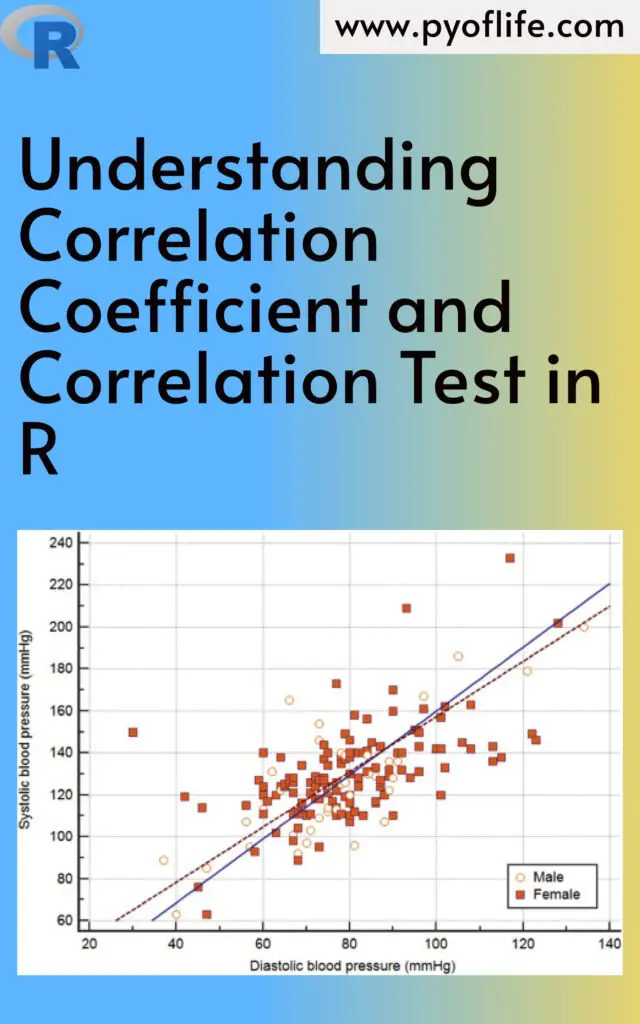
Understanding Correlation Coefficient and Correlation Test in R

Understanding Correlation Coefficient and Correlation Test in R: In the world of data science and statistics, understanding relationships between variables is crucial. One common way to measure the strength and direction of such relationships is through correlation. The correlation coefficient quantifies how strongly two variables are related, while a correlation test helps determine whether the observed correlation is statistically significant. In this guide, we’ll dive deep into these concepts and learn how to implement them in R, one of the most widely used programming languages for statistical computing.

What is a Correlation Coefficient?

The correlation coefficient is a numerical measure of the strength and direction of a linear relationship between two variables. The most commonly used correlation measure is the Pearson correlation coefficient, denoted as r. Its value ranges between -1 and +1:

  • r = 1: A perfect positive correlation, meaning as one variable increases, the other also increases in a perfectly linear manner.
  • r = -1: A perfect negative correlation, meaning as one variable increases, the other decreases in a perfectly linear manner.
  • r = 0: No correlation, meaning there is no linear relationship between the two variables.

In practice, correlation coefficients rarely hit the extremes of +1 or -1. Values closer to 0 indicate weak correlations, while values closer to ±1 suggest stronger correlations.

Types of Correlation Coefficients

  • Pearson Correlation: Measures linear relationships between variables.
  • Spearman’s Rank Correlation: Used for ordinal data or when the data does not meet the assumptions of normality, Spearman’s correlation evaluates monotonic relationships.
  • Kendall’s Tau: Another non-parametric correlation measure used when data do not meet the assumptions of Pearson’s correlation.
Understanding Correlation Coefficient and Correlation Test in R

How to Calculate Correlation in R

R provides an easy and efficient way to calculate correlation coefficients between variables. Here’s an example of how to do it:

# Create two variables
x <- c(10, 20, 30, 40, 50)
y <- c(15, 25, 35, 45, 60)

# Calculate Pearson correlation
cor(x, y)

In this case, cor(x, y) will return the Pearson correlation coefficient between the two variables x and y. By default, the cor() function in R calculates the Pearson correlation, but you can easily switch to Spearman or Kendall by specifying the method:

# Spearman correlation
cor(x, y, method = "spearman")

# Kendall correlation
cor(x, y, method = "kendall")

Interpreting the Correlation Coefficient

  • r > 0: Positive correlation (as one variable increases, the other tends to increase).
  • r < 0: Negative correlation (as one variable increases, the other tends to decrease).
  • r = 0: No correlation.

In real-world data, a correlation of 0.7 or higher is often considered a strong correlation, while anything between 0.3 and 0.7 indicates a moderate correlation. Values below 0.3 suggest weak correlation.

Correlation Test in R

While the correlation coefficient gives you a measure of association, it’s also important to assess whether the observed correlation is statistically significant. This is where a correlation test comes in. It provides a p-value to determine if the correlation you’ve observed could have arisen by random chance.

You can perform a correlation test using the cor.test() function in R. This function returns a p-value, confidence intervals, and the correlation coefficient.

Here’s how to use it:

# Correlation test
cor.test(x, y)

The output will give you:

  • t: The t-statistic used to assess the significance of the correlation.
  • p-value: A p-value less than 0.05 (typically) indicates that the correlation is statistically significant.
  • Confidence Interval: The range within which the true correlation is likely to fall.

Example of Correlation Test

Let’s perform a real example with random data:

# Generating random data
set.seed(123)
x <- rnorm(100) # 100 random numbers from a normal distribution
y <- x + rnorm(100)

# Correlation test
cor.test(x, y)

The output will give us the Pearson correlation coefficient and the p-value. If the p-value is below 0.05, we reject the null hypothesis, concluding that there is a significant correlation between x and y.

Visualizing Correlation

Visualizing correlations can give additional insight into relationships between variables. A common way to visualize correlation is through a scatter plot with a fitted regression line. You can use R’s ggplot2 package for this:

library(ggplot2)

# Creating a scatter plot with regression line
ggplot(data.frame(x, y), aes(x = x, y = y)) +
geom_point() +
geom_smooth(method = "lm", col = "blue") +
theme_minimal() +
labs(title = "Scatter Plot with Correlation", x = "X Variable", y = "Y Variable")

This plot will display the relationship between x and y and provide visual confirmation of whether the variables appear to be correlated.

Limitations of Correlation

It’s important to note that correlation doesn’t imply causation. Even if two variables are strongly correlated, it doesn’t mean one causes the other. There could be other factors at play, or the correlation could be spurious.

Additionally, the Pearson correlation measures only linear relationships. If your data have a non-linear relationship, the correlation coefficient may not accurately capture the strength of the relationship. In such cases, consider using Spearman’s or Kendall’s correlation.

Conclusion

Understanding the correlation coefficient and conducting correlation tests are essential skills for anyone working with data. They help you uncover relationships between variables and determine the significance of those relationships. With R, calculating and testing correlations is straightforward, whether you’re working with linear data or need to rely on non-parametric methods.

By mastering these techniques, you can gain deeper insights into your data, uncover meaningful patterns, and drive more informed decision-making in your analyses.

By using the cor() and cor.test() functions in R, along with visualization tools likeggplot2, you’re well-equipped to analyze and interpret correlations in any dataset. Whether you’re a beginner or an experienced data scientist, these methods form the foundation of many statistical analyses.

Download: Linear Regression Using R: An Introduction to Data Modeling

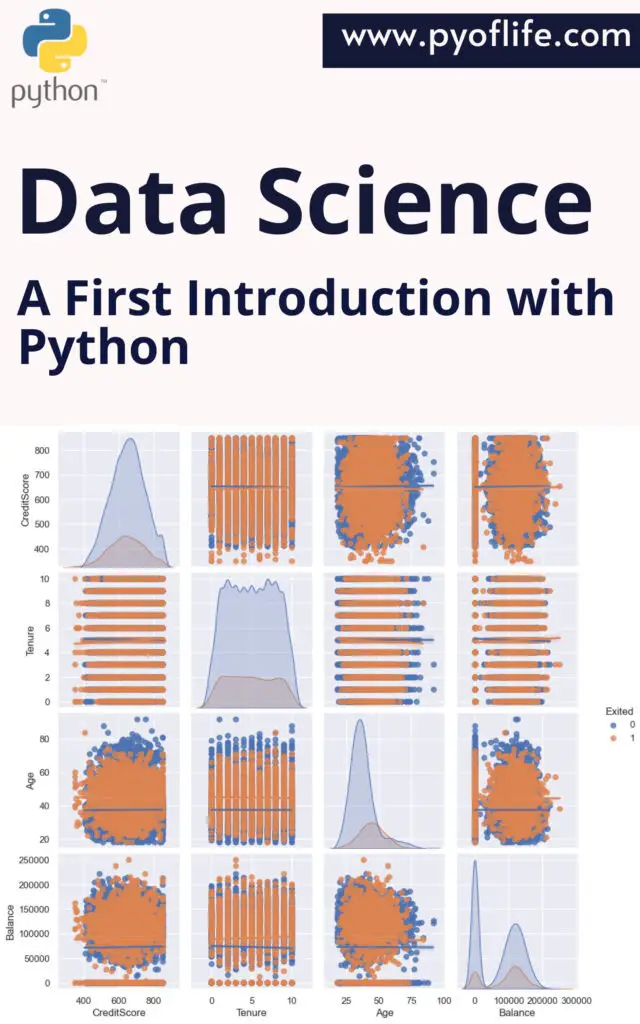
Data Science: A First Introduction with Python

Data Science has emerged as one of the most influential fields in technology and business, driving innovations in various industries. From predicting customer behavior to automating decision-making processes, data science plays a crucial role in today’s data-driven world. Python, a versatile and beginner-friendly programming language, has become a go-to tool for data science due to its simplicity and the vast array of libraries and frameworks it offers.

In this article, we will provide an introduction to data science, explore why Python is an excellent choice for beginners, and guide you through some basic steps to get started with data science using Python.

What is Data Science?

Data Science is an interdisciplinary field that uses scientific methods, processes, algorithms, and systems to extract insights and knowledge from structured and unstructured data. It combines statistics, computer science, and domain expertise to solve complex problems. Here are some key components of data science:

  • Data Collection: Gathering data from various sources such as databases, APIs, and web scraping.
  • Data Cleaning: Preparing data for analysis by handling missing values, removing duplicates, and correcting errors.
  • Exploratory Data Analysis (EDA): Using statistical tools and visualization techniques to understand data patterns and relationships.
  • Model Building: Applying machine learning algorithms to create predictive models.
  • Evaluation: Assessing the performance of models using various metrics.
  • Deployment: Integrating models into production environments to provide actionable insights.

Data science is not just about algorithms and statistics; it’s about telling a story through data and making data-driven decisions.

Data Science A First Introduction with Python

Why Python for Data Science?

Python has become the preferred language for data science, and for good reasons:

  1. Ease of Learning: Python’s simple and readable syntax makes it accessible to beginners.
  2. Extensive Libraries: Python offers powerful libraries such as NumPy, pandas, Matplotlib, and Scikit-learn, which provide tools for data manipulation, analysis, visualization, and machine learning.
  3. Community Support: A large and active community means plenty of resources, tutorials, and forums to help you when you’re stuck.
  4. Versatility: Python can be used across different domains, making it a versatile tool for data science tasks.

Let’s look at some of these libraries in a bit more detail:

  • NumPy: Provides support for large, multi-dimensional arrays and matrices, along with a collection of mathematical functions to operate on these arrays.
  • pandas: Offers data structures and operations for manipulating numerical tables and time series.
  • Matplotlib and Seaborn: Libraries for data visualization, enabling the creation of static, interactive, and animated plots.
  • Scikit-learn: A machine learning library that supports supervised and unsupervised learning, model selection, and evaluation tools.

Getting Started with Python for Data Science

If you’re new to Python and data science, here’s a simple roadmap to guide your first steps:

1. Setting Up Your Environment

To start working with Python, you’ll need to set up your environment. Here are the steps:

  • Install Python: Download and install the latest version of Python from the official website.
  • Use Jupyter Notebook: An open-source web application that allows you to create and share documents that contain live code, equations, visualizations, and narrative text. Install it using the command:bash pip install jupyter
  • Install Essential Libraries: Use pip to install libraries that are essential for data science:bash pip install numpy pandas matplotlib seaborn scikit-learn

2. Basic Data Manipulation with pandas

pandas is the workhorse of data science in Python. Here’s a quick example of loading and inspecting a dataset using pandas:

import pandas as pd

# Load a CSV file into a DataFrame
data = pd.read_csv('sample_data.csv')

# Display the first 5 rows
print(data.head())

# Summary statistics
print(data.describe())

This simple code snippet loads a dataset from a CSV file, shows the first five rows, and provides a summary of the numerical columns.

3. Visualizing Data with Matplotlib and Seaborn

Visualizations help in understanding data patterns and distributions. Here’s a basic example:

import matplotlib.pyplot as plt
import seaborn as sns

# Plotting a histogram of a column
sns.histplot(data['column_name'])
plt.show()

This will create a histogram of the specified column, allowing you to visually inspect its distribution.

4. Building Your First Predictive Model with Scikit-learn

Creating a simple predictive model is a significant milestone in your data science journey. Here’s how you can build a basic linear regression model:

from sklearn.model_selection import train_test_split
from sklearn.linear_model import LinearRegression
from sklearn.metrics import mean_squared_error

# Splitting the data into training and testing sets
X = data[['feature1', 'feature2']] # Features
y = data['target'] # Target variable
X_train, X_test, y_train, y_test = train_test_split(X, y, test_size=0.2, random_state=42)

# Creating and training the model
model = LinearRegression()
model.fit(X_train, y_train)

# Making predictions and evaluating the model
predictions = model.predict(X_test)
mse = mean_squared_error(y_test, predictions)
print(f"Mean Squared Error: {mse}")

This example demonstrates splitting your data into training and testing sets, training a linear regression model, making predictions, and evaluating the model’s performance using mean squared error.

Conclusion

Data Science with Python opens up a world of possibilities for analyzing data and making data-driven decisions. By starting with Python’s rich ecosystem of libraries, you can quickly go from basic data manipulation and visualization to building complex predictive models. As you progress, you’ll find that Python’s simplicity and power make it an indispensable tool in your data science toolkit.

Download: Machine Learning Applications Using Python: Case Studies in Healthcare, Retail, and Finance

Spatial Data in R: Overview and Examples

Spatial Data in R: Overview and Examples: Spatial data is essential in various fields like geography, environmental science, urban planning, and more. It enables the analysis and visualization of data related to geographic locations, making it possible to uncover patterns, relationships, and trends. R, a powerful programming language and environment for statistical computing, offers a rich ecosystem for handling spatial data. In this article, we will provide an overview of spatial data in R and explore some practical examples to help you get started.

1. What is Spatial Data?

Spatial data, also known as geospatial data, represents information about the physical location and shape of objects on Earth. It can include anything from the location of cities and roads to environmental data like temperature and precipitation patterns. Spatial data comes in two main types:

  • Vector Data: Represents data using points, lines, and polygons. For example, a point might represent a city, a line could represent a road, and a polygon could represent a lake.
  • Raster Data: Represents data in a grid format, similar to a digital image. Each cell in the grid has a value representing a particular attribute, such as elevation or temperature.

Spatial data analysis is crucial for making data-driven decisions in fields like urban planning, environmental management, transportation, and more.

Spatial Data in R: Overview and Examples

2. Why Use R for Spatial Data Analysis?

R is a versatile and powerful tool for spatial data analysis due to its:

  • Comprehensive Packages: R has a wide range of packages specifically designed for spatial data manipulation, visualization, and analysis.
  • Integration Capabilities: It can easily integrate spatial data with other types of data and statistical analyses, offering a holistic approach to data science.
  • Community and Support: R has a large, active community that contributes to the development of packages and provides extensive support through forums, documentation, and tutorials.

3. Types of Spatial Data in R

Vector Data

  • Points: Represent specific locations, such as the coordinates of cities.
  • Lines: Represent linear features, such as roads or rivers.
  • Polygons: Represent areas, such as country boundaries or lakes.

Raster Data

  • Grids: Represent continuous data, such as elevation models or temperature maps.
  • Images: Include satellite imagery and other forms of remote sensing data.

4. Key Packages for Spatial Data in R

  • sf (Simple Features): A modern approach for handling vector data, making spatial data manipulation more straightforward and efficient.
  • sp: The original package for handling spatial data in R, still widely used but being gradually replaced by sf.
  • raster: Designed for handling raster data, providing functions for reading, writing, and manipulating raster files.
  • terra: A new package designed to replace raster, offering improved performance and additional functionality.

5. Getting Started: A Basic Workflow

To start working with spatial data in R, you typically follow these steps:

  • Load the necessary packages: Install and load packages like sf, raster, or terra.
  • Read spatial data: Import data from various sources such as shapefiles, GeoJSON, or raster files.
  • Explore spatial objects: Examine the structure and attributes of your spatial data.

6. Example 1: Visualizing Vector Data with sf

Let’s walk through a basic example using the sf package to visualize vector data.

# Load the necessary library
library(sf)

# Read a shapefile (replace 'path/to/shapefile' with your actual path)
shapefile_path <- "path/to/shapefile.shp"
vector_data <- st_read(shapefile_path)

# Plot the vector data
plot(vector_data)

This code snippet demonstrates how to load and plot a shapefile using the sf package. The st_read() function reads the shapefile, and plot() visualizes the data.

7. Example 2: Working with Raster Data using raster and terra

Handling raster data is slightly different due to its grid-based structure. Here’s an example using the raster package:

# Load the necessary library
library(raster)

# Read a raster file (replace 'path/to/rasterfile' with your actual path)
raster_path <- "path/to/rasterfile.tif"
raster_data <- raster(raster_path)

# Plot the raster data
plot(raster_data)

For more advanced operations, such as calculating statistics on raster data or performing raster algebra, the terra package is recommended due to its enhanced performance.

8. Advanced Spatial Analysis Techniques

Once you are comfortable with basic spatial data manipulation, you can explore more advanced techniques:

  • Spatial Joins: Combine spatial data based on their locations.
  • Raster Calculations: Perform operations on raster data, such as calculating the mean of multiple layers.
  • Geospatial Statistics: Analyze spatial patterns using statistical methods.

9. Conclusion

R provides a comprehensive set of tools for spatial data analysis, making it a preferred choice for data scientists and researchers working with geographic data. By mastering the basics of vector and raster data manipulation and visualization, you can unlock powerful insights from spatial data. As the field evolves, the R ecosystem continues to expand, offering even more sophisticated tools and methods for spatial analysis.

Download: An Introduction To R For Spatial Analysis And Mapping

Data Mining and Business Analytics with R: Unleashing Insights for Business Growth

In today’s data-driven world, businesses are inundated with vast amounts of data. Leveraging this data effectively can be a game-changer, enabling companies to make informed decisions, optimize operations, and gain a competitive edge. This is where data mining and business analytics come into play. R, a powerful statistical programming language, has become a go-to tool for data analysts and business intelligence professionals due to its versatility and extensive libraries. This article delves into the roles of data mining and business analytics in the corporate landscape, highlighting how R can be used to unlock valuable insights, along with practical examples.

1. Understanding Data Mining and Business Analytics

Data Mining:
Data mining is the process of discovering patterns, correlations, and trends by sifting through large sets of data. It involves using techniques from statistics, machine learning, and database systems to transform raw data into actionable knowledge. The primary goal of data mining is to extract meaningful information that can help in predicting future trends and behaviors, thus aiding in decision-making.

Business Analytics:
Business analytics refers to the skills, technologies, and practices for continuous iterative exploration and investigation of past business performance. It uses data and statistical methods to develop new insights and understand business performance. Business analytics can be descriptive (what happened?), predictive (what could happen?), or prescriptive (what should we do?).

The Role of R in Data Mining and Business Analytics:
R is an open-source programming language and software environment used extensively for statistical computing and graphics. It is highly valued in data mining and business analytics due to its:

  • Extensive Libraries: R has a comprehensive range of packages like dplyr, ggplot2, caret, and randomForest, which are essential for data manipulation, visualization, and model building.
  • Data Visualization: With R, creating detailed visualizations like heatmaps, scatter plots, and time series graphs is straightforward, which helps in understanding data better.
  • Community Support: R boasts a large and active community, ensuring constant updates, resources, and support for problem-solving.
Data Mining and Business Analytics with R

2. Key Techniques in Data Mining with R

R offers a suite of tools and techniques that are vital in data mining. Here are some of the key methods, with examples:

Classification Example: Predicting Customer Churn

Scenario: A telecom company wants to predict which customers are likely to churn (i.e., leave the service).

  • Approach: Using R, the company can employ classification algorithms such as logistic regression or random forests. For instance, the randomForest package can be used to build a model that predicts churn based on customer attributes like monthly charges, tenure, and service usage.
library(randomForest)
# Assuming 'churn_data' is the dataset with the target variable 'Churn'
model <- randomForest(Churn ~ ., data = churn_data, ntree = 100)
predictions <- predict(model, churn_data)
  • Outcome: The model identifies customers at high risk of churning, allowing the company to take proactive steps, such as offering special promotions or enhanced customer support.

Clustering Example: Customer Segmentation

Scenario: An e-commerce company wants to segment its customer base for targeted marketing.

  • Approach: Clustering algorithms like k-means can group customers based on characteristics like purchase frequency, average order value, and browsing history. Using R’s kmeans function, the company can create customer segments.
library(dplyr)
set.seed(123)
customer_clusters <- kmeans(customer_data %>% select(purchase_frequency, avg_order_value), centers = 3)
customer_data$cluster <- customer_clusters$cluster
  • Outcome: The company can now tailor marketing strategies to each segment, such as offering discounts to frequent buyers or personalized recommendations to high-value customers.

Association Rule Learning Example: Market Basket Analysis

Scenario: A grocery store wants to understand which products are frequently bought together.

  • Approach: Using the arules package in R, the store can perform market basket analysis to find associations between products. For instance, it can identify that customers who buy bread are also likely to buy butter.
library(arules)
transactions <- as(split(grocery_data$Product, grocery_data$TransactionID), "transactions")
rules <- apriori(transactions, parameter = list(supp = 0.01, conf = 0.5))
inspect(rules)
  • Outcome: The store can use these insights to optimize product placement, such as placing bread and butter near each other or offering bundle deals.

Regression Analysis Example: Sales Forecasting

Scenario: A retail chain wants to forecast future sales to manage inventory effectively.

  • Approach: Using time series analysis in R with the forecast package, the chain can build a predictive model based on historical sales data.
library(forecast)
sales_ts <- ts(sales_data$Sales, frequency = 12) # Monthly data
model <- auto.arima(sales_ts)
forecasted_sales <- forecast(model, h = 12)
plot(forecasted_sales)
  • Outcome: The chain can anticipate future demand, adjust inventory levels, and plan promotions accordingly, minimizing stockouts and overstock situations.

Text Mining Example: Sentiment Analysis on Customer Reviews

Scenario: A restaurant chain wants to analyze customer reviews to gauge customer satisfaction.

  • Approach: Using R’s tidytext package, the chain can perform sentiment analysis on text data from online reviews.
library(tidytext)
library(dplyr)
# Assuming 'reviews' is a dataset with a column 'text'
reviews_sentiment <- reviews %>%
unnest_tokens(word, text) %>%
inner_join(get_sentiments("bing")) %>%
count(sentiment)
  • Outcome: The restaurant can quickly identify common themes in customer feedback, such as recurring complaints or praise, allowing them to address issues or capitalize on strengths.

3. Business Analytics Applications Using R

Business analytics with R extends beyond data mining, providing actionable insights that drive strategic decision-making. Here are some practical applications:

  • Customer Segmentation: By analyzing customer data, businesses can identify distinct groups based on demographics, purchasing habits, or engagement levels. This segmentation enables targeted marketing and personalized customer experiences.
  • Churn Prediction: Predicting which customers are likely to leave can save businesses significant revenue. Using R, companies can develop predictive models to identify at-risk customers and implement retention strategies.
  • Sales Forecasting: Accurate sales forecasts help businesses manage inventory, allocate resources, and set realistic targets. R’s time series analysis capabilities allow companies to model and predict future sales based on historical data.
  • Fraud Detection: R’s machine learning algorithms can help detect anomalies and fraudulent activities in real-time by analyzing transaction data patterns.
  • Supply Chain Optimization: Business analytics in supply chain management involves forecasting demand, optimizing inventory levels, and improving logistics efficiency. R helps in modeling complex supply chain scenarios and making data-driven decisions.

4. Getting Started with R for Data Mining and Business Analytics

If you’re new to R, getting started may seem daunting, but with the right approach, it can be a smooth process. Here’s a quick guide to kickstart your journey:

  • Install R and RStudio: Begin by downloading R from the Comprehensive R Archive Network (CRAN) and RStudio, an integrated development environment (IDE) that simplifies coding in R.
  • Familiarize Yourself with R Syntax: Basic knowledge of R syntax, including data types, control structures, and functions, is essential. Numerous online resources, courses, and tutorials can help you build a solid foundation.
  • Explore R Packages: The true power of R lies in its packages. Explore and experiment with key data mining and business analytics packages such as dplyr for data manipulation, ggplot2 for data visualization, caret for machine learning, and shiny for building interactive web applications.
  • Start with Small Projects: Begin with small datasets and projects, such as analyzing customer feedback or visualizing sales data. This hands-on practice will help you build confidence and gradually tackle more complex data mining and business analytics challenges.

5. Challenges and Future Trends

Despite the power of R in data mining and business analytics, there are challenges, such as managing large datasets, integrating with other data sources, and the steep learning curve for beginners. However, the landscape is evolving rapidly, with ongoing advancements in machine learning, artificial intelligence, and cloud computing shaping the future of analytics.

Emerging trends include the integration of R with big data platforms like Hadoop and Spark, the growing use of real-time analytics, and the increasing importance of ethical considerations in data mining practices. Staying updated with these trends will ensure that businesses continue to derive maximum value from their analytics efforts.

Conclusion

Data mining and business analytics are pivotal in turning raw data into business strategic assets. With its extensive capabilities and community support, R offers a robust environment for performing complex data analysis tasks. By leveraging R, companies can not only uncover hidden patterns and insights but also drive growth, optimize operations, and enhance decision-making processes. Whether you are a data analyst, a business leader, or an aspiring data scientist, embracing R for data mining and business analytics can unlock new opportunities and propel your organization toward data-driven success.

Download: