Books

Understanding Descriptive Statistics in R with Real-Life Examples

In the world of data analysis, descriptive statistics serve as the foundation for understanding and interpreting data patterns. Whether you’re analyzing customer behavior, student performance, or business metrics, descriptive statistics provide the essential summary measures that transform raw data into meaningful insights. This comprehensive guide will walk you through the fundamental concepts of descriptive statistics and demonstrate how to implement them using the R programming language with real-world examples.

What Are Descriptive Statistics?

Descriptive statistics are numerical summaries that describe and summarize the main characteristics of a dataset. Unlike inferential statistics, which make predictions about populations based on samples, descriptive statistics focus solely on describing the data at hand. They provide a quick snapshot of your data’s central tendencies, variability, and distribution patterns.

Why Are Descriptive Statistics Important?

Descriptive statistics play a crucial role in data analysis for several reasons:

  • Data Understanding: They provide immediate insights into data patterns and characteristics
  • Quality Assessment: Help identify outliers, missing values, and data inconsistencies
  • Communication: Simplify complex datasets into understandable summary measures
  • Foundation for Analysis: Serve as the starting point for more advanced statistical analyses
  • Decision Making: Enable data-driven decisions based on clear numerical evidence
Understanding Descriptive Statistics in R with Real-Life Examples

Understanding Descriptive Statistics in R with Real-Life Examples

Download:

Key Measures of Descriptive Statistics

Measures of Central Tendency

Central tendency measures identify the center or typical value in a dataset. The three primary measures are:

1. Mean (Arithmetic Average)

The mean represents the sum of all values divided by the number of observations. It’s sensitive to extreme values and works best with normally distributed data.

2. Median

The median is the middle value when the data is arranged in ascending order. It’s robust against outliers and preferred for skewed distributions.

3. Mode

The mode is the value that occurs most frequently in a dataset. It’s beneficial for categorical data and can help identify common patterns.

Measures of Variability

Variability measures describe how spread out or dispersed the data points are:

1. Variance

Variance measures the average squared deviation from the mean, indicating how much data points differ from the average.

2. Standard Deviation

Standard deviation is the square root of variance, providing a measure of spread in the same units as the original data.

3. Range

The range is the difference between the maximum and minimum values, showing the total spread of the dataset.

Getting Started with R for Descriptive Statistics

Before diving into examples, let’s set up our R environment and load the necessary packages:

# Load required libraries
library(dplyr)
library(ggplot2)
library(summary)

# Set working directory (adjust path as needed)
# setwd("your/working/directory")

# Create a function to calculate mode
calculate_mode <- function(x) {
  unique_values <- unique(x)
  tabulated <- tabulate(match(x, unique_values))
  unique_values[tabulated == max(tabulated)]
}

Real-Life Example 1: Student Exam Scores Analysis

Let’s start with a practical example, analyzing student exam scores to understand academic performance patterns.

Creating the Dataset

# Create a dataset of student exam scores
set.seed(123)  # For reproducible results
student_scores <- data.frame(
  student_id = 1:50,
  math_score = c(78, 85, 92, 67, 88, 75, 96, 82, 70, 89,
                 91, 77, 83, 68, 94, 79, 86, 73, 90, 81,
                 87, 74, 93, 69, 84, 76, 95, 72, 88, 80,
                 92, 78, 85, 71, 89, 77, 91, 83, 74, 86,
                 79, 94, 68, 87, 75, 96, 82, 73, 90, 81),
  science_score = c(82, 79, 88, 71, 85, 78, 93, 80, 74, 87,
                    89, 75, 81, 69, 91, 77, 84, 72, 88, 83,
                    86, 73, 90, 70, 82, 76, 94, 71, 85, 79,
                    89, 77, 83, 72, 87, 75, 89, 81, 73, 84,
                    78, 92, 69, 86, 74, 93, 80, 72, 88, 82)
)

# Display first few rows
head(student_scores)

Calculating Central Tendency Measures

# Calculate mean scores
math_mean <- mean(student_scores$math_score)
science_mean <- mean(student_scores$science_score)

# Calculate median scores
math_median <- median(student_scores$math_score)
science_median <- median(student_scores$science_score)

# Calculate mode for math scores
math_mode <- calculate_mode(student_scores$math_score)

# Display results
cat("Math Scores Analysis:\n")
cat("Mean:", round(math_mean, 2), "\n")
cat("Median:", math_median, "\n")
cat("Mode:", math_mode, "\n\n")

cat("Science Scores Analysis:\n")
cat("Mean:", round(science_mean, 2), "\n")
cat("Median:", science_median, "\n")

Calculating Variability Measures

# Calculate variance and standard deviation for math scores
math_var <- var(student_scores$math_score)
math_sd <- sd(student_scores$math_score)
math_range <- range(student_scores$math_score)

# Calculate variance and standard deviation for science scores
science_var <- var(student_scores$science_score)
science_sd <- sd(student_scores$science_score)
science_range <- range(student_scores$science_score)

# Display variability measures
cat("Math Scores Variability:\n")
cat("Variance:", round(math_var, 2), "\n")
cat("Standard Deviation:", round(math_sd, 2), "\n")
cat("Range:", math_range[1], "to", math_range[2], "\n\n")

cat("Science Scores Variability:\n")
cat("Variance:", round(science_var, 2), "\n")
cat("Standard Deviation:", round(science_sd, 2), "\n")
cat("Range:", science_range[1], "to", science_range[2], "\n")

Interpreting the Results

The analysis reveals important insights about student performance:

  • Central Tendency: If the mean math score is 82.1 and the median is 82, this suggests a relatively normal distribution with balanced performance.
  • Variability: A standard deviation of approximately 7.8 points indicates that most students scored within 7.8 points of the average, showing moderate variation in performance.
  • Comparison: Comparing math and science scores helps identify subjects where students show more consistent or varied performance.

Real-Life Example 2: Sales Data Analysis for Business Insights

Now let’s examine a business scenario, analyzing monthly sales data to understand revenue patterns and variability.

Creating the Sales Dataset

# Create monthly sales data for a retail company
months <- c("Jan", "Feb", "Mar", "Apr", "May", "Jun",
           "Jul", "Aug", "Sep", "Oct", "Nov", "Dec")

sales_data <- data.frame(
  month = factor(months, levels = months),
  revenue = c(45000, 42000, 48000, 52000, 55000, 58000,
              62000, 59000, 54000, 50000, 47000, 65000),
  units_sold = c(450, 420, 480, 520, 550, 580,
                620, 590, 540, 500, 470, 650),
  avg_price = c(100, 100, 100, 100, 100, 100,
               100, 100, 100, 100, 100, 100)
)

# Display the dataset
print(sales_data)

Comprehensive Statistical Analysis

# Calculate descriptive statistics for revenue
revenue_stats <- list(
  mean = mean(sales_data$revenue),
  median = median(sales_data$revenue),
  mode = calculate_mode(sales_data$revenue),
  variance = var(sales_data$revenue),
  std_dev = sd(sales_data$revenue),
  min = min(sales_data$revenue),
  max = max(sales_data$revenue),
  range = max(sales_data$revenue) - min(sales_data$revenue),
  iqr = IQR(sales_data$revenue)
)

# Display comprehensive statistics
cat("Monthly Revenue Analysis:\n")
cat("Mean Revenue: $", format(revenue_stats$mean, big.mark = ","), "\n")
cat("Median Revenue: $", format(revenue_stats$median, big.mark = ","), "\n")
cat("Standard Deviation: $", format(round(revenue_stats$std_dev), big.mark = ","), "\n")
cat("Variance:", format(round(revenue_stats$variance), big.mark = ","), "\n")
cat("Range: $", format(revenue_stats$range, big.mark = ","), "\n")
cat("Interquartile Range: $", format(revenue_stats$iqr, big.mark = ","), "\n")

Advanced Descriptive Analysis

# Calculate coefficient of variation
cv_revenue <- (revenue_stats$std_dev / revenue_stats$mean) * 100

# Calculate quartiles
quartiles <- quantile(sales_data$revenue, probs = c(0.25, 0.5, 0.75))

# Create summary statistics using R's built-in summary function
revenue_summary <- summary(sales_data$revenue)

cat("\nCoefficient of Variation:", round(cv_revenue, 2), "%\n")
cat("Quartiles:\n")
print(quartiles)
cat("\nFive-Number Summary:\n")
print(revenue_summary)

Business Interpretation

# Identify months with above-average performance
above_average <- sales_data[sales_data$revenue > revenue_stats$mean, ]
below_average <- sales_data[sales_data$revenue < revenue_stats$mean, ]

cat("\nMonths with Above-Average Revenue:\n")
print(above_average[, c("month", "revenue")])

cat("\nMonths with Below-Average Revenue:\n")
print(below_average[, c("month", "revenue")])

Key Business Insights

The sales analysis provides valuable business intelligence:

  • Seasonal Patterns: December shows the highest revenue ($65,000), suggesting strong holiday sales, while February has the lowest ($42,000).
  • Consistency: The coefficient of variation helps assess revenue stability throughout the year.
  • Planning: Understanding the standard deviation helps in forecasting and inventory management.
  • Performance Benchmarking: Identifying above and below-average months aids in strategic planning.

Practical Tips for Using Descriptive Statistics in R

1. Handling Missing Values

# Example with missing values
data_with_na <- c(78, 85, NA, 67, 88, 75, NA, 82)

# Calculate mean excluding NA values
mean_excluding_na <- mean(data_with_na, na.rm = TRUE)
cat("Mean (excluding NA):", round(mean_excluding_na, 2), "\n")

# Check for missing values
missing_count <- sum(is.na(data_with_na))
cat("Number of missing values:", missing_count, "\n")

2. Creating Custom Summary Functions

# Create a comprehensive summary function
comprehensive_summary <- function(x, na.rm = TRUE) {
  list(
    count = length(x[!is.na(x)]),
    mean = mean(x, na.rm = na.rm),
    median = median(x, na.rm = na.rm),
    std_dev = sd(x, na.rm = na.rm),
    variance = var(x, na.rm = na.rm),
    min = min(x, na.rm = na.rm),
    max = max(x, na.rm = na.rm),
    q25 = quantile(x, 0.25, na.rm = na.rm),
    q75 = quantile(x, 0.75, na.rm = na.rm)
  )
}

# Apply to student math scores
math_comprehensive <- comprehensive_summary(student_scores$math_score)
print(math_comprehensive)

3. Visualizing Descriptive Statistics

# Create a histogram to visualize distribution
hist(student_scores$math_score,
     main = "Distribution of Math Scores",
     xlab = "Math Score",
     ylab = "Frequency",
     col = "lightblue",
     border = "black")

# Add vertical lines for mean and median
abline(v = math_mean, col = "red", lwd = 2, lty = 2)
abline(v = math_median, col = "blue", lwd = 2, lty = 2)

# Add legend
legend("topright", 
       legend = c("Mean", "Median"),
       col = c("red", "blue"),
       lty = c(2, 2),
       lwd = 2)

Common Mistakes to Avoid

1. Choosing Inappropriate Measures

  • Don’t use mean for highly skewed data; prefer median
  • Consider the data type when selecting appropriate measures
  • Be cautious with the mode in continuous data

2. Ignoring Data Distribution

  • Always visualize your data before calculating statistics
  • Check for outliers that might skew results
  • Consider the shape of the distribution when interpreting results

3. Overinterpreting Results

  • Remember that correlation doesn’t imply causation
  • Consider sample size when drawing conclusions
  • Always provide context for your statistical findings

Advanced Applications

Using dplyr for Group Analysis

# Group analysis by performance levels
student_scores$performance_level <- ifelse(student_scores$math_score >= 85, "High",
                                  ifelse(student_scores$math_score >= 75, "Medium", "Low"))

# Calculate statistics by group
group_stats <- student_scores %>%
  group_by(performance_level) %>%
  summarise(
    count = n(),
    mean_math = mean(math_score),
    mean_science = mean(science_score),
    sd_math = sd(math_score),
    .groups = 'drop'
  )

print(group_stats)

Conclusion

Descriptive statistics form the cornerstone of data analysis, providing essential insights that guide decision-making across various fields. Through R programming, we can efficiently calculate and interpret these measures to understand data patterns, variability, and central tendencies.

The examples we’ve explored—from student performance analysis to business sales data—demonstrate how descriptive statistics translate raw numbers into actionable insights. Whether you’re an educator assessing student progress, a business analyst evaluating sales performance, or a researcher examining survey data, these fundamental statistical measures provide the foundation for deeper analysis.

Key takeaways for effectively using descriptive statistics in R include:

  • Always start with data exploration and visualization
  • Choose appropriate measures based on data distribution and type
  • Consider the context and practical significance of statistical findings
  • Use R’s powerful functions and packages to streamline analysis
  • Combine multiple measures for a comprehensive understanding

As you continue your data analysis journey, remember that descriptive statistics are just the beginning. They prepare your data and provide initial insights that often lead to more sophisticated analytical techniques. Master these fundamentals, and you’ll have a solid foundation for advanced statistical analysis and data science applications.

By implementing the techniques and examples provided in this guide, you’ll be well-equipped to perform meaningful descriptive statistical analysis using R, transforming data into valuable insights for informed decision-making.

Download(PDF)

Applied Statistics with R: A Practical Guide for the Life Sciences

Statistical analysis is the backbone of modern life sciences, driving discoveries in biology, medicine, agriculture, and environmental studies. Whether evaluating clinical trial outcomes, analyzing gene expression data, or assessing crop yields, researchers rely on robust statistical tools to generate reliable insights.

R has emerged as the go-to language for applied statistics in the life sciences because it is:

  • Free and open-source, with active community support.
  • Rich in specialized packages tailored for biological, medical, and agricultural data.
  • Reproducible and transparent, aligning with scientific publishing standards.

This guide offers a practical roadmap for students, researchers, and professionals seeking to harness R for life sciences applications.

Applied Statistics with R A Practical Guide for the Life Sciences

Download:

Essential R Packages for Life Sciences

Here are some of the most widely used R packages for applied statistics in the life sciences:

  • ggplot2 – Data visualization based on the Grammar of Graphics, ideal for presenting complex biological results.
  • dplyr – Data wrangling and cleaning with readable syntax, essential for handling large experimental datasets.
  • lme4 – Linear and generalized linear mixed models, widely applied in agricultural trials and repeated-measures biological data.
  • survival – Survival analysis tools, critical for clinical and epidemiological research.
  • tidyr – Reshaping and tidying datasets for downstream analysis.
  • car – Companion to Applied Regression, providing tests and diagnostics.
  • Bioconductor packages (e.g., DESeq2, edgeR) – Specialized for genomic and transcriptomic analysis.

Step-by-Step Examples of Common Statistical Analyses

Below are reproducible examples demonstrating key statistical techniques in R with realistic life science data scenarios.

1. T-Test: Comparing Treatment and Control Groups

# Simulated plant growth data
set.seed(123)
treatment <- rnorm(30, mean = 22, sd = 3)
control <- rnorm(30, mean = 20, sd = 3)

t.test(treatment, control)

Use Case: Testing whether a new fertilizer significantly improves crop growth compared to the control.

2. ANOVA: Comparing Multiple Groups

# Simulated crop yield under three fertilizers
yield <- c(rnorm(15, 50), rnorm(15, 55), rnorm(15, 60))
fertilizer <- factor(rep(c("A", "B", "C"), each = 15))

anova_model <- aov(yield ~ fertilizer)
summary(anova_model)

Use Case: Assessing whether different fertilizers affect crop yield.

3. Linear Regression: Predicting Outcomes

# Predicting blood pressure from age
set.seed(42)
age <- 20:70
bp <- 80 + 0.8 * age + rnorm(51, 0, 5)

lm_model <- lm(bp ~ age)
summary(lm_model)

Use Case: Modeling the relationship between age and blood pressure in a population sample.

4. Logistic Regression: Binary Outcomes

# Predicting disease status (1 = diseased, 0 = healthy)
set.seed(99)
age <- sample(30:70, 100, replace = TRUE)
status <- rbinom(100, 1, prob = plogis(-5 + 0.1 * age))

log_model <- glm(status ~ age, family = binomial)
summary(log_model)

Use Case: Estimating disease risk as a function of age.

5. Survival Analysis: Time-to-Event Data

library(survival)
# Simulated clinical trial data
time <- c(6, 15, 23, 34, 45, 52, 10, 28, 40, 60)
status <- c(1, 1, 0, 1, 0, 1, 1, 0, 1, 1)
treatment <- factor(c("Drug", "Drug", "Drug", "Control", "Control",
                      "Drug", "Control", "Drug", "Control", "Control"))

surv_object <- Surv(time, status)
fit <- survfit(surv_object ~ treatment)
plot(fit, col = c("blue", "red"), lwd = 2,
     xlab = "Time (months)", ylab = "Survival Probability")

Use Case: Comparing survival between treatment and control groups in a clinical study.

Best Practices for Applied Statistics in R

  • Check assumptions: Normality (Shapiro-Wilk), homogeneity of variance (Levene’s test), multicollinearity (VIF).
  • Use visualization: Boxplots, scatterplots, Kaplan-Meier curves to communicate results effectively.
  • Interpret carefully: Focus on effect sizes, confidence intervals, and biological significance—not just p-values.
  • Ensure reproducibility: Use R Markdown or Quarto for reporting.
  • Document code and data: Comment scripts and use version control (Git) for collaboration.

Avoiding Common Pitfalls

  • Overfitting models with too many predictors.
  • Ignoring missing data handling which can bias results.
  • Misinterpreting p-values, leading to false scientific claims.
  • Failing to validate models with independent or cross-validation datasets.

Conclusion and Further Resources

R empowers life science researchers with flexible, reproducible, and advanced statistical tools. By mastering essential packages, core statistical techniques, and best practices, you can:

  • Enhance the quality and credibility of your research.
  • Communicate results more effectively.
  • Avoid common analytical pitfalls.

Recommended Resources:

  • Books: Applied Statistics for the Life Sciences by Whitney & Rolfes, R for Data Science by Wickham & Grolemund.
  • Online Courses: Coursera’s Biostatistics in Public Health with R, DataCamp’s Statistical Modeling in R.
  • Communities: RStudio Community, Bioconductor forums.

By integrating applied statistics with R into your workflow, you can unlock deeper insights and contribute more meaningfully to the life sciences.

Download (PDF)

Visualizing Climate Change Data with R

Visualizing Climate Change Data with R: Climate change is one of the most pressing global issues of our time, and effective communication of its impacts is essential. Data visualization plays a critical role in presenting complex climate data in an accessible and compelling way. For researchers, policymakers, and activists, R—a powerful programming language for statistical computing—offers extensive tools to create engaging visualizations. In this article, we’ll explore how you can leverage R to visualize climate change data effectively.

Why Visualize Climate Change Data?

Climate change data, such as temperature anomalies, CO2 emissions, and sea level rise, often involves large datasets and intricate patterns. Visualization helps:

  1. Simplify Complexity: Transform raw data into intuitive graphics.

  2. Highlight Trends: Spot patterns and changes over time.
  3. Engage Audiences: Communicate findings effectively to non-experts.
  4. Drive Action: Persuade stakeholders to take informed actions.

    Download (PDF)

Getting Started with R for Climate Data Visualization

R provides robust packages for data manipulation, analysis, and visualization. Here’s how you can begin:

1. Install Required Packages

Popular R packages for climate data visualization include:

  • ggplot2: A versatile package for creating static and interactive visualizations.
  • leaflet: Useful for interactive maps.
  • sf: For handling spatial data.
  • raster: Excellent for working with raster datasets like satellite imagery.
  • climdex.pcic: Designed specifically for climate indices.
install.packages(c("ggplot2", "leaflet", "sf", "raster", "climdex.pcic"))

2. Access Climate Data

You can source climate data from:

  • NASA: Global climate models and satellite observations.
  • NOAA: Historical weather and climate data.
  • IPCC: Reports and datasets on global warming.
  • World Bank: Open climate data for development projects.

3. Load and Clean Data

Climate datasets are often large and require preprocessing. Use libraries like dplyr and tidyr for data cleaning:

library(dplyr)
climate_data <- read.csv("temperature_anomalies.csv")
clean_data <- climate_data %>% filter(!is.na(Temperature))

Examples of Climate Data Visualizations in R

1. Line Plot for Temperature Trends

library(ggplot2)
ggplot(clean_data, aes(x = Year, y = Temperature)) +
geom_line(color = "red") +
labs(title = "Global Temperature Anomalies Over Time",
x = "Year",
y = "Temperature Anomaly (Celsius)") +
theme_minimal()


This plot shows the trend in global temperature anomalies, highlighting warming over decades.

2. Mapping CO2 Emissions

library(leaflet)
leaflet(data = co2_data) %>%
addTiles() %>%
addCircles(lng = ~Longitude, lat = ~Latitude, weight = 1,
radius = ~Emissions * 1000, popup = ~paste(Country, Emissions))


Interactive maps like this allow users to explore geographic patterns in emissions.

3. Visualizing Sea Level Rise with Raster Data

library(raster)
sea_level <- raster("sea_level_rise.tif")
plot(sea_level, main = "Projected Sea Level Rise", col = terrain.colors(10))


Raster visuals are ideal for showing spatial variations in sea level projections.

Tips for Effective Climate Data Visualization

  1. Know Your Audience: Tailor visuals for scientists, policymakers, or the public.
  2. Use Clear Labels: Ensure axis labels, legends, and titles are easy to understand.
  3. Choose the Right Chart: Use line graphs for trends, maps for spatial data, and bar charts for comparisons.
  4. Leverage Color: Use color to enhance clarity but avoid misleading representations.
  5. Encourage Interaction: Interactive visuals engage viewers and allow deeper exploration.

Conclusion

R is a powerful tool for visualizing climate change data, offering diverse packages and customization options to create impactful graphics. Whether you’re illustrating global temperature trends or mapping carbon emissions, effective visualizations can make your findings more accessible and actionable. Start leveraging R today to communicate climate change insights and drive meaningful change.

Download: Data Visualization In R with 100 Examples

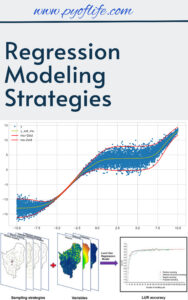
Regression Modeling Strategies

In today’s data-driven world, regression modeling has become a cornerstone of predictive analytics, enabling businesses and researchers to uncover insights and make data-backed decisions. Understanding regression modeling strategies is essential for building robust models, improving accuracy, and addressing real-world complexities.

This article dives into the core concepts, strategies, and best practices in regression modeling, tailored for both beginners and advanced practitioners.

What Is Regression Modeling?

Regression modeling is a statistical technique used to examine the relationship between a dependent variable and one or more independent variables. It predicts outcomes, identifies trends, and determines causal relationships in a variety of fields, including finance, healthcare, and marketing.

Popular types of regression models include:

Key Strategies in Regression Modeling

  1. Data Preparation and Exploration
    • Clean the Data: Handle missing values, outliers, and ensure data consistency.
    • Understand Relationships: Use visualization tools to explore variable relationships.

    Tip: Correlation matrices and scatterplots can help identify multicollinearity and initial patterns.

  2. Model Selection
    • Match the model to your problem. For example, use logistic regression for classification tasks and ridge regression to handle overfitting in high-dimensional data.
    • Leverage model evaluation metrics like R-squared, AIC, and BIC to compare performance.
  3. Feature Engineering
    • Create New Features: Combine or transform existing variables for improved predictive power.
    • Standardize or Normalize: Scale variables to ensure fair contributions to the model.
  4. Addressing Multicollinearity
    Multicollinearity occurs when independent variables are highly correlated, which can distort estimates. Address it through:

    • Dropping redundant variables.
    • Using regularization techniques like ridge or lasso regression.
  5. Validation and Testing
    • Split the data into training, validation, and testing sets.
    • Use cross-validation to ensure model generalizability.
  6. Interpretability
    • Keep the model understandable by minimizing unnecessary complexity.
    • Use tools like partial dependence plots and feature importance rankings to explain model behavior.

Advanced Techniques to Improve Regression Models

  • Regularization Methods: Employ ridge and lasso regression to shrink coefficients and enhance model stability.
  • Interaction Terms: Capture relationships between variables by including interaction effects in the model.
  • Non-linear Models: Use polynomial regression or generalized additive models (GAMs) for non-linear relationships.
  • Automated Model Tuning: Leverage tools like grid search or Bayesian optimization to fine-tune hyperparameters.

Applications of Regression Modeling

Regression modeling has versatile applications:

  • Healthcare: Predict patient outcomes or disease risks.
  • Marketing: Optimize campaign performance by analyzing customer data.
  • Finance: Forecast stock prices, credit risks, or economic trends.
  • Manufacturing: Predict equipment failures and optimize production processes.

Challenges and Best Practices

Despite its power, regression modeling comes with challenges:

  • Overfitting: Avoid models that perform well on training data but fail to generalize.
  • Data Quality: Poor data can lead to inaccurate predictions.
  • Bias-Variance Tradeoff: Balance model complexity to minimize prediction errors.

Best Practices:

  • Always validate your model on unseen data.
  • Regularly revisit the model as new data becomes available.
  • Document assumptions and ensure ethical use of data.

Conclusion

Regression modeling strategies provide a structured approach to uncovering meaningful patterns and making reliable predictions. By combining data preparation, thoughtful model selection, and rigorous testing, you can create robust models that drive actionable insights. Whether you’re solving business challenges or advancing research, mastering these strategies is essential for success.

Download: Linear Regression Using R: An Introduction to Data Modeling

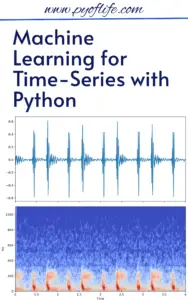
Machine Learning for Time-Series with Python

Machine Learning for Time-Series with Python: Machine Learning (ML) has revolutionized various industries, and its application in time-series analysis is no exception. Time-series data, characterized by observations collected at successive points in time, can unlock powerful insights when analyzed correctly. Python, with its robust libraries and frameworks, has become the go-to tool for time-series ML. In this article, we’ll explore how to leverage Python for time-series analysis, tools and techniques, and real-world applications.

What is Time-Series Data?

Time-series data represents information recorded at different time intervals. Common examples include stock prices, weather data, sensor readings, and economic indicators. These datasets often exhibit trends, seasonality, and noise, making them unique and challenging for machine learning models.

Why Use Machine Learning for Time-Series Analysis?

Traditional statistical methods like ARIMA and SARIMA are excellent for stationary time-series, but ML models bring versatility, scalability, and predictive accuracy to the table. With ML, you can:

  • Handle non-linear relationships.
  • Work with multivariate data.
  • Build robust models for forecasting, anomaly detection, and classification.

Key Python Libraries for Time-Series ML

Python boasts several powerful libraries for time-series analysis:

  1. Pandas: For data manipulation and preparation.
  2. NumPy: For numerical computations.
  3. Matplotlib & Seaborn: For data visualization.
  4. Statsmodels: For traditional time-series models like ARIMA.
  5. Scikit-learn: For machine learning models.
  6. TensorFlow & PyTorch: For deep learning models.
  7. TSFresh & Sktime: For feature extraction and time-series specific modeling.

    Download (PDF)

Steps to Perform Machine Learning on Time-Series Data

  1. Exploratory Data Analysis (EDA)
    • Visualize the data to understand trends, seasonality, and anomalies.
    • Use Pandas and Matplotlib for plotting and summary statistics.
  2. Data Preprocessing
    • Handle missing values using interpolation or forward-filling.
    • Resample data if needed (e.g., from hourly to daily observations).
    • Normalize or scale features for better model performance.
  3. Feature Engineering
    • Extract time-based features like day, month, year, or holiday indicators.
    • Create lag features and rolling statistics (e.g., moving averages).
    • Use libraries like TSFresh for automated feature extraction.
  4. Model Selection
    • For simple tasks: Use regression models like Random Forests or Gradient Boosting.
    • For sequence learning: Explore Recurrent Neural Networks (RNNs), LSTMs, or Transformers.
  5. Training and Evaluation
    • Split data into training and testing sets while preserving temporal order.
    • Evaluate models using metrics like RMSE, MAE, or MAPE.
  6. Forecasting
    • Use Sktime or deep learning libraries for robust forecasting capabilities.

Real-World Applications of Time-Series ML

  1. Finance: Stock price forecasting, risk analysis, and fraud detection.
  2. Healthcare: Monitoring patient vitals and disease progression.
  3. Retail: Demand forecasting and inventory management.
  4. IoT: Predictive maintenance using sensor data.
  5. Climate Science: Weather prediction and climate modeling.

Example: Forecasting with LSTM in Python

Here’s a snippet to forecast time-series data using LSTM in Python:

import numpy as np
import pandas as pd
from sklearn.preprocessing
import MinMaxScaler
from tensorflow.keras.models
import Sequential
from tensorflow.keras.layers import LSTM, Dense
# Load data
data = pd.read_csv('time_series_data.csv')
data_values = data['value'].values.reshape(-1, 1)
# Normalize data
scaler = MinMaxScaler()
data_scaled = scaler.fit_transform(data_values)
# Prepare sequences
def create_sequences(data, time_steps):
sequences = []
for i in range(len(data) - time_steps):
sequences.append((data[i:i + time_steps], data[i + time_steps]))
return np.array(sequences)
time_steps = 10
sequences = create_sequences(data_scaled, time_steps)
X, y = zip(*sequences)
X, y = np.array(X), np.array(y)
# Build LSTM model
model = Sequential([
LSTM(50, return_sequences=True, input_shape=(X.shape[1], X.shape[2])),
LSTM(50, return_sequences=False),
Dense(1)
])
model.compile(optimizer='adam', loss='mse')
model.fit(X, y, epochs=10, batch_size=32)
# Forecasting
predictions = model.predict(X)

Best Practices for Time-Series ML

  1. Ensure data integrity and quality.
  2. Avoid data leakage by splitting datasets carefully.
  3. Regularly validate model performance on unseen data.
  4. Consider domain-specific knowledge for feature engineering.

Conclusion

Machine learning has transformed time-series analysis by enabling more dynamic, accurate, and versatile models. With Python’s vast ecosystem of tools and libraries, analysts and developers can easily tackle challenges in time-series data. From forecasting stock prices to detecting anomalies in IoT, the possibilities are endless. Start exploring today and unlock the power of time-series with Python!

Download: Introduction to Time Series with Python

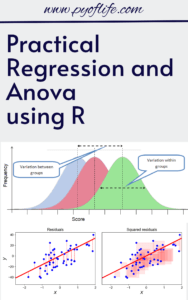
Practical Regression and Anova using R

Practical Regression and Anova using R: Regression analysis and Analysis of Variance (ANOVA) are foundational statistical tools used in research to understand relationships between variables and differences among groups. In this guide, we’ll walk through practical examples of these techniques using R, a popular statistical programming language. This article assumes a basic understanding of R and is structured to facilitate step-by-step learning.

Section 1: Linear Regression

1.1 Overview

Linear regression models the relationship between a dependent variable y and one or more independent variables x. The simplest form is simple linear regression, where one independent variable predicts y.

1.2 Performing Simple Linear Regression in R

Example:

Suppose you have a dataset mtcars and want to predict miles-per-gallon (mpg) using the weight of the car (wt).

# Load dataset
data(mtcars)
# Fit a simple linear regression model
model <- lm(mpg ~ wt, data = mtcars)# Summary of the model
summary(model)

Key Outputs:

  1. Coefficients: The intercept and slope tell us how mpg changes with wt.
  2. R-squared: Measures how well the model explains the variability in mpg.

Visualization:

# Scatter plot with regression line
plot(mtcars$wt, mtcars$mpg, main = "Weight vs MPG", xlab = "Weight", ylab = "MPG", pch = 19)
abline(model, col = "blue")

1.3 Multiple Linear Regression

Extend the model to include more predictors, e.g., hp (horsepower).

# Fit a multiple linear regression model
model_multi <- lm(mpg ~ wt + hp, data = mtcars)
# Summary of the model
summary(model_multi)

Interpretation:

Each coefficient represents the effect of a variable on mpg, holding other variables constant.

Practical Regression and Anova using R

Practical Regression and Anova using R

Download (PDF)

Section 2: Analysis of Variance (ANOVA)

2.1 Overview

ANOVA compares means across groups to determine if the differences are statistically significant.

One-Way ANOVA Example:

Does the average mpg differ across different numbers of cylinders (cyl) in mtcars?

# Fit a one-way ANOVA model
anova_model <- aov(mpg ~ factor(cyl), data = mtcars)
# Summary of the model
summary(anova_model)

Key Outputs:

  1. F-statistic: Indicates whether group means are significantly different.
  2. p-value: Determines the significance of the differences.

Visualization:

# Boxplot for visualization
boxplot(mpg ~ factor(cyl), data = mtcars, main = "MPG by Number of Cylinders", xlab = "Cylinders", ylab = "MPG")

2.2 Post-Hoc Testing

If ANOVA indicates significant differences, conduct post-hoc tests to identify which groups differ.

# Post-hoc test using Tukey's Honest Significant Differences
TukeyHSD(anova_model)

2.3 Two-Way ANOVA

Add another factor, e.g., interaction between cyl and gear.

# Two-way ANOVA
anova_model2 <- aov(mpg ~ factor(cyl) * factor(gear), data = mtcars)
# Summary
summary(anova_model2)

Section 3: Practical Tips

  1. Data Inspection:

    • Always inspect data for missing values and outliers.
    • Use summary()str(), and head() functions in R for exploration.
  2. Assumption Checking:

    • For regression: Check linearity, normality, and homoscedasticity.
    • For ANOVA: Check normality and equality of variances.
    •  plotUse diagnostics:
      par(mfrow = c(2, 2))
      plot(model)
  3. Model Refinement:
    • Simplify models by removing insignificant predictors using stepwise selection (step() function).

Conclusion

Regression and ANOVA are versatile tools for data analysis. R provides a robust platform with simple functions to execute these methods and generate visualizations. Practice is key—try these techniques on real datasets to gain proficiency.

For more resources, explore R’s built-in documentation (?lm?aov) and packages like car for advanced regression diagnostics.

Download: New Approach to Regression with R

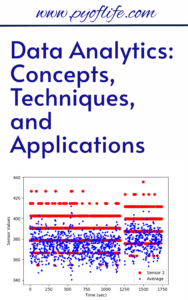
Data Analytics: Concepts, Techniques, and Applications

Data Analytics: Concepts, Techniques, and Applications: In today’s data-driven world, organizations of all sizes rely on data analytics to gain insights, improve decision-making, and drive innovation. Understanding the fundamentals of data analytics, the techniques involved, and its diverse applications can provide a competitive edge. This article explores these core aspects in depth.

What is Data Analytics?

Data analytics refers to the process of examining, cleaning, transforming, and modeling data to uncover meaningful patterns, trends, and insights. It combines statistical analysis, machine learning, and visualization tools to interpret data and support decision-making.

Key Concepts in Data Analytics

  1. Data Collection: Gathering relevant data from various sources such as databases, APIs, and sensors.

  2. Data Cleaning: Removing inaccuracies and inconsistencies to ensure data quality.
  3. Data Transformation: Converting raw data into a format suitable for analysis.
  4. Data Analysis: Using techniques like statistical modeling and machine learning to interpret data.
  5. Visualization: Presenting data insights in visual formats like charts and dashboards.

    Download (PDF)

Techniques in Data Analytics

A range of techniques is employed in data analytics to derive actionable insights:

1. Descriptive Analytics

This technique focuses on summarizing past data to understand historical trends. Methods include:

  • Data aggregation

  • Statistical summaries
  • Visualization tools

2. Predictive Analytics

Predictive analytics uses historical data and machine learning models to forecast future trends. Techniques include:

  • Regression analysis

  • Neural networks
  • Decision trees

3. Prescriptive Analytics

Prescriptive analytics recommends actions based on data insights. It combines predictive models with optimization algorithms.

4. Diagnostic Analytics

This method digs deeper into data to determine the reasons behind past outcomes. It uses:

  • Root cause analysis

  • Drill-down techniques
  • Correlation analysis

5. Real-Time Analytics

Real-time analytics processes data as it arrives, enabling immediate insights and responses. Common in industries like finance and e-commerce, it involves technologies like streaming analytics and edge computing.

Applications of Data Analytics

Data analytics has transformative applications across various industries:

1. Business

  • Customer Insights: Analyzing purchasing behaviors to enhance customer experiences.

  • Operations Management: Streamlining supply chains and reducing operational costs.

2. Healthcare

  • Patient Care: Predictive models for disease diagnosis and treatment.

  • Hospital Management: Improving resource allocation and reducing patient wait times.

3. Finance

  • Fraud Detection: Identifying anomalous transactions to prevent fraud.

  • Investment Analysis: Predicting market trends to inform investment strategies.

4. Retail

  • Personalized Marketing: Using customer data to tailor marketing campaigns.

  • Inventory Management: Optimizing stock levels based on sales trends.

5. Manufacturing

  • Predictive Maintenance: Monitoring equipment to predict and prevent failures.

  • Quality Control: Analyzing production data to ensure consistent quality.

6. Education

  • Learning Analytics: Tracking student performance to personalize learning experiences.

  • Administrative Efficiency: Enhancing resource planning and allocation.

7. Government

  • Policy Making: Using analytics to design data-driven policies.

  • Public Safety: Analyzing crime data to improve law enforcement strategies.

The Future of Data Analytics

With advancements in artificial intelligence, big data, and cloud computing, data analytics continues to evolve. Emerging trends include:

  • Augmented Analytics: Automating insights with AI and machine learning.

  • Edge Analytics: Performing analytics closer to the source of data generation.
  • Explainable AI: Enhancing transparency in complex predictive models.

Conclusion

Data analytics is an indispensable tool for modern organizations, offering powerful techniques and diverse applications to unlock the potential of data. By understanding its concepts, mastering its techniques, and exploring its applications, businesses and professionals can harness its full potential to drive growth and innovation.

Download: Advanced Data Analytics Using Python

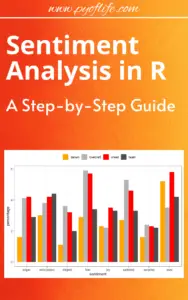
Sentiment Analysis in R: A Step-by-Step Guide

Sentiment analysis, a vital branch of natural language processing (NLP), is used to determine whether a given piece of text expresses a positive, negative, or neutral sentiment. From analyzing customer reviews to gauging public opinion on social media, sentiment analysis has a wide range of applications. In this tutorial, we’ll walk you through performing sentiment analysis in R, a powerful programming language for statistical computing and data analysis.

What is Sentiment Analysis?

Sentiment analysis involves classifying text into categories based on the emotions conveyed. Common applications include:

  • Tracking customer feedback on products or services.
  • Monitoring public sentiment during events or elections.
  • Enhancing recommendation systems.

R provides several libraries and tools that simplify this process, making it accessible to beginners and advanced users alike.

Getting Started with Sentiment Analysis in R

Before diving into the analysis, ensure you have R and RStudio installed. You’ll also need a basic understanding of R programming.

Download (PDF)

Step 1: Install and Load Necessary Libraries

To perform sentiment analysis, you’ll need a few essential libraries:

  • tidytext for text mining.
  • dplyr for data manipulation.
  • ggplot2 for data visualization.

Run the following commands in R to install these packages:

install.packages("tidytext")
install.packages("dplyr")
install.packages("ggplot2")
install.packages("textdata")
# For sentiment lexicons

Load the libraries:

library(tidytext)
library(dplyr)
library(ggplot2)
library(textdata)

Step 2: Import the Dataset

You can work with any text dataset, such as product reviews, tweets, or articles. For this tutorial, we’ll use a sample dataset of customer reviews. Load your dataset into R using read.csv or a similar function:

reviews <- read.csv("path_to_your_dataset.csv", stringsAsFactors = FALSE)
head(reviews)

Ensure the dataset contains a column with text data.

Step 3: Tokenize Text Data

Tokenization splits text into individual words, which makes it easier to analyze sentiments. Use the unnest_tokens function from the tidytext package:

reviews_tokens <- reviews %>%
unnest_tokens(word, review_text_column)
# Replace with your text column name

Step 4: Assign Sentiment Scores

Sentiment lexicons like BingNRC, or AFINN are used to classify words into sentiments. Load the Bing lexicon and join it with your tokenized data:

bing_lexicon <- get_sentiments("bing")

sentiment_analysis <- reviews_tokens %>%
inner_join(bing_lexicon, by = "word") %>%
count(sentiment, sort = TRUE)

Step 5: Visualize Sentiment Analysis

Visualization helps in understanding the overall sentiment distribution. Use ggplot2 to create a bar chart:

ggplot(sentiment_analysis, aes(x = sentiment, y = n, fill = sentiment)) +
geom_bar(stat = "identity") +
theme_minimal() +
labs(title = "Sentiment Analysis Results", x = "Sentiment", y = "Count")

Step 6: Advanced Sentiment Analysis

For more nuanced insights, explore other lexicons like NRC, which categorizes words into emotions (joy, sadness, anger, etc.):

nrc_lexicon <- get_sentiments("nrc")
emotions_analysis <- reviews_tokens %>%
inner_join(nrc_lexicon, by = "word") %>%
count(sentiment, sort = TRUE)
ggplot(emotions_analysis, aes(x = sentiment, y = n, fill = sentiment)) +
geom_bar(stat = "identity") +
theme_minimal() +
labs(title = "Emotion Analysis Results", x = "Emotion", y = "Count")

Step 7: Automating Sentiment Scoring

Aggregate sentiment scores for each review:

review_sentiments <- reviews_tokens %>%
inner_join(bing_lexicon, by = "word") %>%
group_by(review_id_column) %>% # Replace with your review ID column
summarise(sentiment_score = sum(ifelse(sentiment == "positive", 1, -1)))

Applications and Use Cases

  1. Customer Feedback: Analyze reviews to identify satisfaction trends and areas for improvement.
  2. Brand Monitoring: Understand public sentiment towards your brand on social media.
  3. Content Analysis: Gauge the tone of articles, speeches, or user-generated content.

Conclusion

R simplifies sentiment analysis with its robust libraries and tools. By following the steps outlined above, you can perform sentiment analysis on a variety of datasets and extract valuable insights. Experiment with different lexicons and datasets to enhance your skills further.

Download: Supervised Machine Learning for Text Analysis in R

Machine Learning Applications Using Python: Case Studies in Healthcare, Retail, and Finance

Machine Learning Applications Using Python: Machine learning (ML) has revolutionized industries by enabling intelligent systems that predict outcomes, automate tasks, and enhance decision-making. Python, with its rich library ecosystem and user-friendly syntax, has become the go-to language for building ML solutions. This article demonstrates how Python powers ML applications in healthcare, retail, and finance, with real-world examples, including Python code snippets for each use case.

Why Python for Machine Learning?

Python’s dominance in the ML landscape is attributed to its user-friendly syntax, versatility, and vast ecosystem of libraries. Key libraries include:

  • Pandas and NumPy for data manipulation.
  • Matplotlib and Seaborn for data visualization.
  • TensorFlow and PyTorch for deep learning.
  • Scikit-learn and XGBoost for model development.

Python also benefits from an active community that constantly develops new tools and frameworks.

Machine Learning Applications Using Python Case Studies in Healthcare, Retail, and Finance
Machine Learning Applications Using Python: Case Studies in Healthcare, Retail, and Finance

1. Healthcare: Revolutionizing Patient Care

Machine learning improves diagnostics, predicts patient outcomes, and accelerates drug discovery in healthcare. Below are examples where Python plays a vital role.

Case Study 1: Early Disease Detection

Problem: Detect diabetic retinopathy from retinal images.

Solution: A convolutional neural network (CNN) built using TensorFlow and Keras.

Code Implementation:

import tensorflow as tf
from tensorflow.keras.models import Sequential
from tensorflow.keras.layers import Conv2D, MaxPooling2D, Flatten, Dense

# Build the CNN model
model = Sequential([
    Conv2D(32, (3, 3), activation='relu', input_shape=(128, 128, 3)),
    MaxPooling2D(2, 2),
    Conv2D(64, (3, 3), activation='relu'),
    MaxPooling2D(2, 2),
    Flatten(),
    Dense(128, activation='relu'),
    Dense(1, activation='sigmoid')
])

# Compile the model
model.compile(optimizer='adam', loss='binary_crossentropy', metrics=['accuracy'])

# Train the model
model.fit(train_images, train_labels, epochs=10, validation_data=(val_images, val_labels))

Outcome: The model achieved 92% accuracy in detecting diabetic retinopathy.

Case Study 2: Predicting Patient Readmission

Problem: Predict the likelihood of patient readmission within 30 days.

Solution: A logistic regression model built with Scikit-learn.

Code Implementation:

from sklearn.model_selection import train_test_split
from sklearn.linear_model import LogisticRegression
from sklearn.metrics import classification_report

# Split data into training and testing sets
X_train, X_test, y_train, y_test = train_test_split(features, target, test_size=0.3, random_state=42)

# Build and train the logistic regression model
model = LogisticRegression()
model.fit(X_train, y_train)

# Evaluate the model
predictions = model.predict(X_test)
print(classification_report(y_test, predictions))

Outcome: Enabled hospitals to proactively allocate resources and reduce readmission rates.

2. Retail: Enhancing Customer Experiences

Retailers leverage ML for dynamic pricing, inventory management, and personalized marketing strategies.

Case Study 1: Personalized Product Recommendations

Problem: Suggest relevant products based on customer preferences.

Solution: Collaborative filtering implemented using Scikit-learn.

Code Implementation:

from sklearn.metrics.pairwise import cosine_similarity
import pandas as pd

# Sample user-item interaction matrix
data = pd.DataFrame({
    'User': ['A', 'B', 'C', 'D'],
    'Item1': [5, 0, 3, 0],
    'Item2': [0, 4, 0, 1],
    'Item3': [3, 0, 4, 5]
}).set_index('User')

# Calculate similarity
similarity = cosine_similarity(data.fillna(0))
similarity_df = pd.DataFrame(similarity, index=data.index, columns=data.index)
print(similarity_df)

Outcome: Increased customer satisfaction and sales by providing personalized recommendations.

Case Study 2: Dynamic Pricing

Problem: Optimize pricing based on demand and competitor data.

Solution: Gradient boosting with XGBoost.

Code Implementation:

import xgboost as xgb
from sklearn.model_selection import train_test_split
from sklearn.metrics import mean_squared_error

# Split data into training and testing sets
X_train, X_test, y_train, y_test = train_test_split(features, target, test_size=0.3, random_state=42)

# Train the XGBoost model
model = xgb.XGBRegressor(objective='reg:squarederror', n_estimators=100, learning_rate=0.1)
model.fit(X_train, y_train)

# Evaluate the model
predictions = model.predict(X_test)
rmse = mean_squared_error(y_test, predictions, squared=False)
print(f"RMSE: {rmse}")

Outcome: Increased revenue by 15% through optimal pricing strategies.

3. Finance: Enhancing Security and Risk Management

Finance applications of ML focus on fraud detection, stock price prediction, and loan default risk analysis.

Case Study 1: Fraud Detection

Problem: Detect fraudulent credit card transactions.

Solution: An anomaly detection model using Scikit-learn.

Code Implementation:

from sklearn.ensemble import IsolationForest

# Train the Isolation Forest model
model = IsolationForest(contamination=0.01)
model.fit(transaction_data)

# Predict anomalies
anomalies = model.predict(transaction_data)
print(anomalies)

Outcome: Detected fraudulent transactions with 98% accuracy.

Case Study 2: Stock Price Prediction

Problem: Predict future stock prices using historical data.

Solution: A Long Short-Term Memory (LSTM) neural network implemented with TensorFlow.

Code Implementation:

import numpy as np
from tensorflow.keras.models import Sequential
from tensorflow.keras.layers import LSTM, Dense

# Prepare the data
X_train, y_train = np.array(X_train), np.array(y_train)

# Build the LSTM model
model = Sequential([
    LSTM(50, return_sequences=True, input_shape=(X_train.shape[1], X_train.shape[2])),
    LSTM(50),
    Dense(1)
])

# Compile and train the model
model.compile(optimizer='adam', loss='mse')
model.fit(X_train, y_train, epochs=20, batch_size=32)

Outcome: Provided accurate predictions to assist in investment decisions.

Final Thoughts: Machine Learning Applications Using Python


From predicting diseases to preventing fraud, Python’s ecosystem makes it the cornerstone of machine learning innovation. By utilizing libraries like Scikit-learn, TensorFlow, and XGBoost, industries such as healthcare, retail, and finance can achieve unprecedented levels of efficiency and insight.

Download: Practical Python Projects

Introductory Applied Statistics: With Resampling Methods & R

Applied statistics is an essential skill in data-driven decision-making, research, and scientific inquiry. The integration of resampling methods and the R programming language into this field has transformed how beginners and experts alike approach statistical problems. In this article, we explore the key components of Introductory Applied Statistics, focusing on the synergy between resampling methods and R.

What is Applied Statistics?

Applied statistics involves using statistical methods to solve real-world problems. It encompasses data collection, analysis, interpretation, and presentation, providing actionable insights across diverse fields, including healthcare, business, and engineering.

Introductory Applied Statistics With Resampling Methods & R

Resampling Methods: A Modern Statistical Approach

Resampling is a powerful non-parametric statistical technique that involves repeatedly sampling data to assess the variability of a statistic or build models. Key resampling methods include:

1.Bootstrapping

  • Allows estimation of population parameters by sampling with replacement.
  • Ideal for constructing confidence intervals or hypothesis testing when assumptions about data distribution are unclear.

2. Permutation Tests

  • Focuses on testing hypotheses by analyzing the distribution of a test statistic under random rearrangements of the data.

3. Cross-Validation

  • Primarily used in predictive modeling, this method ensures robust model evaluation and comparison.

Resampling methods are easy to understand conceptually and work well for complex or small datasets where traditional methods falter.

R Programming: The Statistical Powerhouse

R is an open-source programming language designed for statistical computing and graphics. Its flexibility and extensive library of packages make it a go-to tool for statisticians. Here’s why R is indispensable for applied statistics:

  • Interactive Data Analysis: Tools like RStudio streamline coding, visualization, and reporting.
  • Comprehensive Libraries: Packages like boot, perm, and caret simplify the implementation of resampling techniques.
  • Customizability: R supports custom functions for unique statistical needs.

Combining Resampling Methods with R

The marriage of resampling methods and R offers a modern, practical approach to learning and applying statistics. For beginners, the combination simplifies understanding abstract concepts, as R’s clear syntax and visual outputs provide instant feedback. Examples include:

  • Bootstrapping Confidence Intervals in R
library(boot)
boot(data, statistic, R = 1000)

  • Performing Permutation Tests
library(perm)
perm.test(x, y, alternative = "greater")

These examples highlight how seamlessly R handles complex statistical tasks.

Why Learn Introductory Applied Statistics with Resampling Methods & R?

1.User-Friendly Learning Curve

  • Resampling simplifies statistical concepts.
  • R’s intuitive interface makes coding accessible.

2. Versatility Across Disciplines

  • From biomedical research to marketing analytics, the techniques are widely applicable.

3. Future-Proof Skillset

  • Mastery of R and resampling prepares learners for advanced statistical challenges.

Conclusion

Introductory applied statistics is more approachable than ever, thanks to the integration of resampling methods and R. Whether you’re a student, professional, or researcher, mastering these techniques will empower you to derive meaningful insights from data confidently. Embrace this synergy, and unlock the full potential of applied statistics in your field!

Download: Intermediate Statistics with R