Books

Python Machine Learning: The Crash Course For Beginners

Python Machine Learning: The Crash Course For Beginners: When it comes to modern technology, where algorithms dance and data reigns supreme, Python emerges as a powerful sorcerer’s wand, wielding the magic of machine learning. For beginners, stepping into this enchanted world can feel like setting sail on a mysterious voyage. Fear not, for within this crash course lies the compass to navigate the complexities and unlock the secrets of Python machine learning.

Setting Sail: Python’s Alluring Horizon

As the novice navigator, the horizon of Python’s capabilities stretches endlessly before you. Python, like a siren’s song, beckons with its simplicity and elegance. Its syntax, akin to the gentle lapping of waves against the shore, is both inviting and intuitive. However, do not be deceived by its tranquil surface; beneath lies a vast ocean of possibilities waiting to be explored.

Unraveling the Mystery: The Basics of Machine Learning

Before delving into the depths, it’s crucial to grasp the fundamental concepts of machine learning. Imagine yourself as an apprentice magician, learning to wield Python as your wand. You must first understand the spells you cast. Machine learning, in essence, is the art of teaching computers to learn from data without being explicitly programmed. It’s like planting seeds in fertile soil, watching as algorithms sprout and grow, adapting to the environment around them.

Python Machine Learning The Crash Course For Beginners

Casting Spells: Python’s Magical Libraries

No wizard is complete without their spellbook, and for Python, libraries are the key to unlocking its full potential. Enter the enchanting world of scikit-learn, where algorithms frolic like mythical creatures in a forest glade. With just a few lines of code, you can summon the powers of classification, regression, and clustering. Like a master craftsman, scikit-learn empowers you to sculpt your data into meaningful insights.

The Dance of Data: Preprocessing and Exploration

In the realm of machine learning, data is the lifeblood that courses through every algorithm’s veins. Before the dance can begin, however, it must be prepared and polished. Enter the realm of preprocessing, where raw data is transformed into a gleaming gemstone, ready to be placed upon the crown of analysis. Through the art of exploration, you’ll uncover hidden patterns and correlations, illuminating the path forward like a constellation in the night sky.

Journey into the Unknown: Model Selection and Evaluation

With your data prepared and your mind sharpened, it’s time to embark on the next leg of your journey: model selection and evaluation. Like a seasoned adventurer, you must choose the right path forward, guided by intuition and insight. Will you tread the familiar roads of linear regression, or brave the uncharted wilderness of deep learning? Through the crucible of evaluation, you’ll hone your skills and sharpen your blade, preparing for the challenges that lie ahead.

The Hero’s Journey: Building Your First Machine Learning Model

Armed with knowledge and determination, you stand at the threshold of greatness. It’s time to embark on your hero’s journey and build your first machine learning model. Like a sculptor shaping clay, you’ll mold your data into a form that mirrors reality. With each iteration, you’ll refine your creation, until it stands as a testament to your skill and perseverance. And when the time comes to unleash your model upon the world, you’ll do so with confidence, knowing that you’ve embarked on a quest worthy of legend.

The Call to Adventure: Challenges and Pitfalls

But beware, young adventurer, for the path ahead is fraught with challenges and pitfalls. Like the sirens of old, overfitting and underfitting beckon with their sweet songs, luring the unwary into treacherous waters. Stay vigilant, and heed the wisdom of those who have come before you. Through trial and error, you’ll learn to navigate these dangers, emerging stronger and wiser on the other side.

The Elixir of Knowledge: Continuing Your Journey

As your journey draws to a close, remember that the quest for knowledge is never-ending. Like a river that flows ever onward, the world of Python machine learning is constantly evolving and changing. Embrace the spirit of curiosity, and let it guide you as you continue to explore and discover. And remember, dear reader, that the true magic lies not in the destination, but in the journey itself.

Conclusion: Charting Your Course

As we bid farewell to our voyage, let us reflect on the wonders we have witnessed and the lessons we have learned. Python machine learning, like a vast and endless sea, offers boundless opportunities for exploration and discovery. Whether you’re a seasoned sailor or a novice navigator, may this crash course serve as a beacon to guide you on your journey. And remember, dear reader, that with Python as your compass and machine learning as your North Star, there’s no limit to what you can achieve. Fair winds and following seas, and may your adventures be as epic as the legends themselves.

Download(PDF)

Read More: Python Machine Learning Projects

Machine Learning Using R: With Time Series and Industry-Based Use Cases in R

In today’s data-driven world, the ability to extract meaningful insights from vast amounts of information has become crucial for businesses to thrive. Machine learning, a subset of artificial intelligence, offers a powerful toolkit for analyzing data and making predictions based on patterns and trends. Among the plethora of programming languages used in machine learning, R stands out as a versatile and robust option.

The Essence of R in Machine Learning

R is an open-source programming language and environment specifically designed for statistical computing and graphics. Its rich ecosystem of packages and libraries makes it an ideal choice for various data analysis tasks, including machine learning. With its intuitive syntax and extensive documentation, R enables both novice and experienced programmers to delve into the realm of machine learning effortlessly.

Time Series Analysis in R

Time series analysis is a fundamental aspect of machine learning, particularly in industries where forecasting future trends is crucial. In R, time series data can be easily manipulated and analyzed using specialized packages such as ‘forecast’ and ‘xts’. These packages provide a plethora of functions for visualizing time series data, detecting patterns, and making accurate predictions.

Machine Learning Using R: With Time Series and Industry-Based Use Cases in R

Industry-Based Use Cases in R

One of the most compelling aspects of R is its applicability across various industries. From finance to healthcare, R finds utility in solving real-world problems and optimizing business processes. Let’s explore some industry-based use cases where R shines in the realm of machine learning.

Finance: Predictive Modeling for Stock Prices

In the finance industry, accurate prediction of stock prices is paramount for making informed investment decisions. Using R, financial analysts can build predictive models based on historical stock data, incorporating various machine learning algorithms such as linear regression, random forests, and neural networks. These models can help investors anticipate market trends and identify profitable opportunities.

Healthcare: Disease Prediction and Diagnosis

In healthcare, R plays a crucial role in disease prediction and diagnosis. By leveraging machine learning algorithms on medical datasets, healthcare professionals can develop models to predict the likelihood of certain diseases based on patient demographics, lifestyle factors, and medical history. This enables early intervention and personalized treatment plans, ultimately improving patient outcomes.

Marketing: Customer Segmentation and Targeting

In the realm of marketing, understanding customer behavior and preferences is key to developing effective marketing strategies. With R, marketers can perform customer segmentation analysis using clustering algorithms like K-means and hierarchical clustering. By segmenting customers based on their characteristics and purchasing patterns, businesses can tailor their marketing campaigns for maximum impact and ROI.

Transportation: Route Optimization and Traffic Forecasting

In the transportation industry, optimizing routes and predicting traffic patterns are essential for efficient logistics management. R enables transportation companies to leverage machine learning algorithms for route optimization and traffic forecasting. By analyzing historical traffic data and external factors such as weather conditions, R-powered models can help drivers navigate the roads more efficiently and minimize delivery times.

The Future of Machine Learning with R

As technology continues to evolve, the role of machine learning in various industries will only grow in significance. R, with its robust capabilities and vibrant community, is poised to remain a leading choice for data analysis and machine learning tasks. By harnessing the power of R and incorporating advanced techniques such as time series analysis, industries can unlock new opportunities for innovation and growth.

Conclusion

In conclusion, machine learning using R offers a myriad of possibilities for businesses across diverse industries. From predictive modeling to customer segmentation, R empowers organizations to extract valuable insights from data and make informed decisions. By embracing R and staying abreast of the latest developments in machine learning, businesses can stay ahead of the curve and drive success in an increasingly competitive landscape.

Download(PDF)

Read More: Deep R Programming: Unlocking the Power of Data with R

Think Stats: Exploratory Data Analysis in Python

Think Stats: Exploratory Data Analysis in Python: Exploratory Data Analysis (EDA) plays a pivotal role in unraveling the hidden insights within datasets. It’s the preliminary stage of data analysis where analysts explore and understand the characteristics of the data before diving into more complex modeling techniques. In the realm of Python, Think Stats emerges as a powerful toolkit for conducting EDA efficiently.

Introduction to Exploratory Data Analysis (EDA)

EDA involves techniques to summarize the main characteristics of the data, often with visual methods. It helps analysts understand the data’s distribution, outliers, patterns, and relationships between variables. In the field of data science, EDA serves as a crucial step before applying any machine learning algorithms or statistical tests.

Why Python for EDA?

Python has become the lingua franca of data science due to its simplicity, versatility, and a rich ecosystem of libraries. With libraries like Pandas, NumPy, and Matplotlib, Python offers a seamless environment for data manipulation, analysis, and visualization, making it an ideal choice for EDA tasks.

Think Stats Exploratory Data Analysis in Python
Think Stats: Exploratory Data Analysis in Python

Download:

Getting Started with Think Stats

Think Stats is a Python library designed specifically for exploratory data analysis and statistical exploration. It provides a comprehensive set of tools for analyzing data, calculating summary statistics, visualizing distributions, and conducting hypothesis tests.

Loading and Inspecting Data

Before diving into analysis, the first step is to load the dataset into Python using the Pandas library. Once loaded, analysts can use various methods to inspect the data, such as checking for missing values, exploring data types, and understanding the dataset’s structure.

Summary Statistics

Summary statistics offer a glimpse into the central tendency and spread of the data. Think Stats allows analysts to calculate measures like mean, median, mode, and variance. Visualizations such as histograms and box plots help in understanding the distribution of the data.

Probability Mass Functions (PMFs)

PMFs are useful for understanding the probability distribution of discrete random variables. Think Stats provides functions to plot PMFs, which help in visualizing the probabilities associated with each value in the dataset.

Cumulative Distribution Functions (CDFs)

CDFs provide insights into the probability distribution of continuous random variables. By plotting CDFs, analysts can understand the likelihood of observing a value less than or equal to a given value in the dataset.

Analyzing Relationships

Understanding relationships between variables is crucial in data analysis. Think Stats facilitates this by allowing analysts to create scatter plots to visualize the relationship between two variables and calculate correlation coefficients to quantify the strength and direction of the relationship.

Hypothesis Testing

Hypothesis testing is a statistical method used to make inferences about the population based on sample data. Think Stats offers functions to conduct hypothesis tests, such as testing for differences in means or proportions between groups.

Exploring Time Series Data

Time series data presents unique challenges in analysis due to its temporal nature. Think Stats provides techniques for handling time series data and visualizing trends over time using line plots and other visualization tools.

Regression Analysis

Regression analysis is a powerful tool for understanding the relationship between dependent and independent variables. Think Stats supports regression analysis, allowing analysts to fit regression models to their data and make predictions based on those models.

Data Mining and Machine Learning

EDA is not limited to descriptive statistics but also extends to data mining and machine learning tasks. Think Stats can be seamlessly integrated into machine learning pipelines for preprocessing, feature engineering, and exploratory analysis.

Real-world Applications

EDA has numerous real-world applications across various industries, including finance, healthcare, marketing, and more. Case studies demonstrate how Think Stats can be applied to solve real-world problems and extract actionable insights from data.

Challenges and Best Practices

While EDA is a powerful tool, analysts often face challenges such as dealing with missing data, handling outliers, and selecting appropriate visualization techniques. Following best practices, such as thorough data cleaning and documentation, can mitigate these challenges and ensure the effectiveness of the analysis.

Conclusion

In conclusion, Think Stats empowers data analysts with the tools and techniques needed to conduct effective exploratory data analysis in Python. By leveraging its capabilities, analysts can gain valuable insights from their data, uncover hidden patterns, and make informed decisions to drive business success.

Download(PDF)

Read More: Introduction to Statistical Learning with Applications in Python

Beginning R: The Statistical Programming Language

Beginning R: The Statistical Programming Language: R is a powerful, open-source programming language specifically designed for statistical computing and graphics. With its extensive range of packages and libraries, R has become a popular choice among researchers, data scientists, and statisticians. In this article, we will explore the basics of R and its applications in statistical programming.

Installation and setup of R

Before diving into R, you need to install it on your computer. The installation process is straightforward, and detailed instructions can be found on the official R website. Once installed, you can launch the R console or an integrated development environment (IDE) such as RStudio to start coding in R.

Beginning R The Statistical Programming Language

Basic syntax and data structures in R

R has a concise and expressive syntax that makes it easy to perform various operations on data. It supports different data structures like vectors, matrices, data frames, and lists. Vectors are one-dimensional arrays of data, while matrices are two-dimensional arrays. Data frames are tabular data structures, and lists can contain elements of different types.

Functions and control structures in R

To perform complex operations in R, you need to understand functions and control structures. R provides a wide range of built-in functions for common operations like mathematical calculations, data manipulations, and statistical analyses. Control structures like conditional statements (if-else), loops (for, while), and user-defined functions allow you to control the flow of code execution and create reusable code.

Data manipulation and analysis with R

One of the key strengths of R is its ability to handle data manipulation and analysis tasks. It provides functions to read and write data from various file formats, clean and preprocess data, and perform exploratory data analysis (EDA). R also offers numerous statistical analysis techniques, making it a versatile tool for data scientists.

Data visualization using R

Visualizing data is an essential aspect of data analysis. R offers a wide variety of packages and functions for creating static and interactive visualizations. You can create basic plots like scatter plots, bar charts, and histograms using the base R graphics system. Additionally, packages like ggplot2 provide a more expressive and customizable approach to data visualization.

Introduction to statistical modeling with R

R provides a rich ecosystem of packages for statistical modeling and machine learning. Linear regression, logistic regression, and decision trees are some of the commonly used techniques in statistical modeling, and R offers specialized libraries for implementing these models. You can easily fit models, make predictions, and evaluate the performance of your models using R.

Working with packages and extensions in R

R’s functionality can be extended by installing and loading packages from the Comprehensive R Archive Network (CRAN) repository. These packages provide additional functions and tools for specific tasks such as text mining, time series analysis, or image processing. Learning how to use packages effectively is crucial for harnessing the true power of R.

R and its integration with other tools and languages

R can be integrated with other tools and languages to augment its capabilities. For example, you can combine the strengths of R and Python by using packages like reticulate, which allows you to call Python code from within R and vice versa. R also has seamless integration with SQL databases, enabling you to fetch and process data directly from databases. Furthermore, integration with big data tools like Hadoop enables R to handle large-scale data processing.

Resources and further learning opportunities

To master R, there are various resources available, including books, tutorials, online courses, and interactive platforms. Books like “R for Data Science” by Hadley Wickham and Garrett Grolemund and “The Art of R Programming” by Norman Matloff are highly recommended for beginners. Online learning platforms like Coursera, DataCamp, and Udemy offer extensive R courses taught by industry experts. Engaging with online communities and participating in data science competitions can also enhance your learning experience.

Conclusion

R is a versatile and powerful programming language for statistical computing and data analysis. It provides a wide range of functionalities, making it a go-to tool for researchers, statisticians, and data scientists. By understanding the basics of R and its diverse applications, you can unlock the potential of statistical programming and take your data analysis skills to new heights.

Download(PDF)

Read More: Beginning Data Science in R: Data Analysis, Visualization, and Modelling for the Data Scientist

Essential Math for Data Science

Essential Math for Data Science: Data science is a rapidly growing field that revolves around extracting insights and knowledge from data. While proficiency in programming languages and familiarity with various tools are crucial in this field, a solid foundation in mathematics forms the backbone of data science. Whether you’re analyzing datasets, building machine learning models, or interpreting results, a deep understanding of mathematical concepts is essential for success.

Introduction to Math in Data Science

Understanding why math is essential for data science is the first step in appreciating its significance. Mathematics provides the framework for formulating and solving problems in data science. Concepts such as statistics, linear algebra, and calculus enable data scientists to analyze data, make predictions, and optimize processes efficiently.

Learn for free: https://www.youtube.com/watch?v=1VSZtNYMntM

Essential Math for Data Science

Probability and Statistics

Probability theory and statistics play a crucial role in data science. Probability theory helps in quantifying uncertainty, while statistics provides methods for analyzing and interpreting data. Descriptive and inferential statistics aid in summarizing data and making inferences about populations based on sample data.

Learn for free: https://youtu.be/sbbYntt5CJk

Linear Algebra

Linear algebra is the branch of mathematics that deals with vectors, matrices, and linear transformations. In data science, matrices are used to represent datasets, and operations such as matrix multiplication and finding eigenvalues are fundamental to various algorithms and models.

Learn for free: https://www.youtube.com/watch?v=ZKUqtErZCiU&list=PLHXZ9OQGMqxfUl0tcqPNTJsb7R6BqSLo6

Calculus

Calculus provides the mathematical tools for understanding change and optimization. Concepts like differentiation and integration are used in machine learning algorithms for gradient descent optimization, which is essential for training models and minimizing errors.

Learn for free: https://www.youtube.com/watch?v=HfACrKJ_Y2w

Applications of Math in Data Science

Mathematics finds applications in various aspects of data science, including machine learning, data visualization, and predictive analytics. Machine learning algorithms rely on mathematical principles for training models and making predictions, while data visualization techniques help in communicating insights effectively.

Conclusion

In conclusion, a solid understanding of mathematics is indispensable for anyone aspiring to excel in data science. From basic arithmetic to advanced calculus, mathematical concepts form the basis for solving complex problems and extracting meaningful insights from data.

Download: Understanding Machine Learning: From Theory to Algorithms

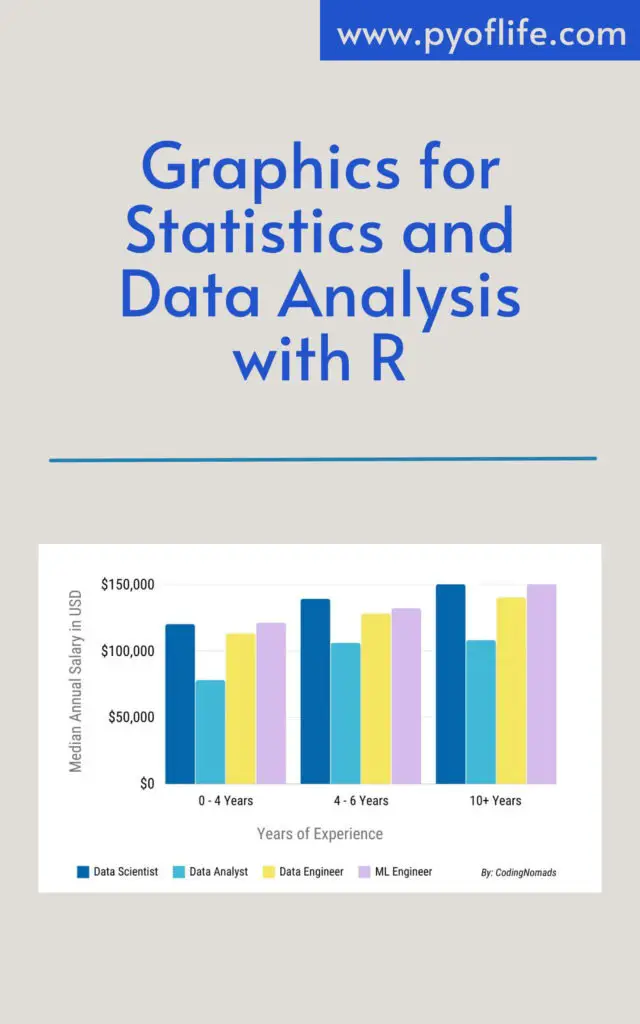
Graphics for Statistics and Data Analysis with R

Graphics for Statistics and Data Analysis with R: In the realm of statistics and data analysis, visual representation plays a pivotal role in conveying insights effectively. Graphics, in this context, refer to the graphical representation of data through various plots, charts, and diagrams. These visuals are indispensable tools for analysts and researchers to comprehend complex datasets and communicate findings with clarity.

What are Graphics?

Graphics encompass a wide array of visual representations, including scatter plots, line graphs, bar charts, histograms, and more. These graphical elements serve to illustrate patterns, trends, and relationships within datasets, making it easier for data practitioners to interpret and draw conclusions.

Importance of Graphics in Data Analysis

The significance of graphics in data analysis cannot be overstated. While raw data may be difficult to interpret at a glance, well-designed graphics can elucidate underlying patterns and insights that might otherwise remain obscured. Moreover, visual representations facilitate effective communication of findings to stakeholders, enabling informed decision-making processes.

Graphics for Statistics and Data Analysis with R

Basics of Data Visualization

Understanding Data Visualization

Data visualization is the graphical representation of information and data. It uses visual elements like charts, graphs, and maps to provide an accessible way to see and understand trends, outliers, and patterns in data.

Types of Data Visualization Techniques

Data visualization techniques vary based on the nature of the data and the insights being sought. Common types include:

  • Scatter plots: Displaying the relationship between two variables.
  • Line graphs: Showing trends over time or continuous data.
  • Histograms: Representing the distribution of numerical data.
  • Bar charts: Comparing categories of data using rectangular bars.

Introduction to R for Data Analysis

R is a powerful programming language and environment for statistical computing and graphics. It provides a wide variety of statistical and graphical techniques, making it a preferred choice for data analysis tasks.

Overview of R Programming Language

R is an open-source language with a vibrant community of users and developers. It offers extensive libraries and packages for various statistical analyses, making it versatile and adaptable to diverse data analysis needs.

Why Use R for Data Analysis?

R’s rich ecosystem of packages, particularly for graphics and visualization, sets it apart as a premier tool for data analysis. Its flexibility and scalability make it suitable for both exploratory data analysis and production-level applications.

Graphics Packages in R

R boasts several graphics packages, each with its strengths and capabilities. Some of the most prominent packages include ggplot2, lattice, and base R graphics.

ggplot2

ggplot2 is a widely used package for creating graphics in R. It follows a layered approach to plotting, allowing users to build complex visualizations with ease.

lattice

lattice is another popular package for producing trellis plots in R. It excels in creating conditioned plots, which display subsets of data based on specified conditions.

base R graphics

Base R graphics provide a foundation for creating basic plots such as scatter plots, histograms, and bar charts. While less flexible than ggplot2 or lattice, base R graphics are intuitive and sufficient for many data visualization tasks.

Creating Basic Plots in R

R offers straightforward methods for generating common types of plots, making them accessible to beginners and experts alike.

Scatter Plots

Scatter plots are useful for visualizing the relationship between two continuous variables. They plot data points on a two-dimensional plane, with one variable on each axis.

Line Graphs

Line graphs depict trends over time or continuous data points by connecting data points with straight lines. They are effective for illustrating changes and patterns in data.

Histograms

Histograms display the distribution of numerical data by dividing it into intervals, or bins, and counting the number of data points in each bin. They provide insights into the shape and spread of the data.

Bar Charts

Bar charts represent categorical data with rectangular bars of lengths proportional to the values they represent. They are suitable for comparing the frequencies or proportions of different categories.

Advanced Plotting Techniques

Once familiar with the basics, users can leverage advanced techniques to create more sophisticated and customized plots in R.

Adding Layers and Aesthetics in ggplot2

ggplot2 allows users to add layers to plots, enabling the overlay of multiple visual elements such as points, lines, and shapes. Additionally, aesthetics such as color, size, and shape can be customized to enhance the visual appeal of plots.

Customizing Plots with Themes and Color Palettes

Themes and color palettes can significantly impact the appearance of plots. ggplot2 offers a variety of pre-defined themes and color schemes, as well as options for creating custom themes to match specific preferences or branding requirements.

Faceting and Grouping Data

Faceting involves dividing a plot into multiple panels based on the values of one or more categorical variables. This allows for comparisons across different subsets of the data. Similarly, grouping data enables the creation of separate visualizations for each group, facilitating deeper insights into patterns and trends.

Interactive Visualization with Shiny

Shiny is an R package that enables the creation of interactive web applications for data visualization. It allows users to build dynamic dashboards and visualizations that respond to user inputs in real time.

Introduction to Shiny for Web-based Visualization

Shiny simplifies the process of developing interactive web-based applications, making it accessible to data analysts and researchers without extensive web development experience.

Building Interactive Dashboards with Shiny

Shiny provides a framework for designing interactive dashboards with features such as sliders, dropdown menus, and checkboxes for user interaction. These dashboards can incorporate multiple plots and visualizations, allowing users to explore data from different perspectives.

Best Practices in Data Visualization

Effective data visualization hinges on adhering to best practices that ensure clarity, accuracy, and interpretability.

Choosing the Right Plot for Your Data

Selecting the appropriate type of plot depends on the nature of the data and the insights being conveyed. Understanding the strengths and limitations of each plot type is essential for effective communication of findings.

Ensuring Clarity and Readability

Clear labeling, appropriate scaling, and judicious use of color are crucial for ensuring that visualizations are easily interpretable by viewers of varying backgrounds and expertise levels.

Labeling and Annotating Plots Effectively

Labels, titles, and annotations provide context and explanation for visualizations. They should be concise yet informative, guiding viewers’ interpretation of the data without overwhelming them with unnecessary detail.

Conclusion: Graphics for Statistics and Data Analysis with R

Graphics are indispensable tools for statistics and data analysis, enabling analysts to explore, visualize, and communicate insights effectively. R provides a comprehensive suite of tools and packages for creating a wide range of plots and visualizations, from basic charts to interactive dashboards. By mastering the fundamentals of data visualization and leveraging advanced techniques, analysts can unlock the full potential of graphics to extract meaningful insights from complex datasets.

Download(PDF)

Read More: R Graphics Cookbook: Practical Recipes for Visualizing Data

Errors and Debugging in Python

Python, a versatile and widely used programming language, is renowned for its simplicity and readability. However, like any other programming language, it’s prone to errors. Understanding errors and mastering debugging techniques are essential skills for any Python programmer. This article delves into the different types of errors encountered in Python and explores effective debugging strategies to resolve them.

Types of Errors in Python

Understanding Syntax Errors

Syntax errors occur when the code violates the rules of the Python language. They’re typically detected during the compilation of code and prevent the program from running. Examples include missing parentheses, incorrect indentation, or misspelled keywords. Identifying and rectifying syntax errors is relatively straightforward, as Python provides informative error messages pinpointing the issue’s location.

Exploring Runtime Errors

Runtime errors, also known as exceptions, occur during the execution of a program. Common causes include division by zero, accessing an undefined variable, or attempting to perform unsupported operations. Unlike syntax errors, runtime errors are detected while the program is running. Python displays detailed error messages, including the type of exception and the line where it occurred, facilitating debugging.

Dealing with Logical Errors

Logical errors, often the most challenging to detect, occur when the code executes without raising any errors but produces incorrect results. These errors stem from flawed logic or algorithmic mistakes in the program. Debugging logical errors involves thorough code inspection, testing various inputs, and using debugging tools to trace the flow of execution and identify discrepancies.

Errors and Debugging in Python

Debugging Techniques

Printing Debugging

One of the simplest yet effective debugging techniques is inserting print statements throughout the code to output variable values, function calls, or program flow. By strategically placing print statements at crucial points in the code, programmers can track the program’s execution and identify the source of errors. While printing debugging provides visibility into the program’s behavior, it can be cumbersome and time-consuming for large codebases.

Using Python Debugger (pdb)

Python debugger, pdb, is a powerful built-in tool for interactive debugging. It allows programmers to inspect variables, set breakpoints, and step through code line by line. By invoking pdb within the code or running the script in debugging mode, developers gain granular control over the program’s execution, facilitating error detection and resolution. Pdb’s command-line interface provides various commands for navigating and manipulating the debugging session.

Debugging in Integrated Development Environments (IDEs)

Integrated Development Environments (IDEs) such as PyCharm, Visual Studio Code, and Jupyter Notebook offer advanced debugging tools to streamline the debugging process. These IDEs provide features like code stepping, variable inspection, and breakpoint management in a user-friendly interface. Developers can leverage IDEs’ debugging capabilities to efficiently troubleshoot complex issues and expedite the development cycle.

Best Practices for Error Handling

Try-Except Blocks

Try-except blocks are a fundamental error-handling mechanism in Python, allowing programmers to anticipate and handle exceptions gracefully. By enclosing potentially error-prone code within a try block and specifying exception handlers in except blocks, developers can prevent program crashes and gracefully handle unexpected errors. Nested try-except blocks enable hierarchical error handling, providing flexibility and robustness to the code.

Logging Errors

Python’s logging module offers a standardized approach to error logging and reporting. Developers can configure logging levels, formats, and output destinations to suit their application’s requirements. Integrating logging into Python applications facilitates error monitoring, troubleshooting, and performance analysis. By logging errors systematically, developers gain insights into the application’s behavior and ensure timely identification and resolution of issues.

Conclusion

Errors and debugging are integral parts of the programming journey, and Python is no exception. By understanding the types of errors encountered in Python and mastering effective debugging techniques, programmers can write robust and reliable code. Embracing error-handling best practices and leveraging debugging tools empower developers to tackle complex problems with confidence, ultimately enhancing the quality and efficiency of Python applications.

Learn More: Errors and Debugging

Download: Intro to Exploratory Data Analysis (EDA) in Python

Practicing R for Statistical Computing

R is a powerful programming language and environment for statistical computing and graphics. It provides a wide variety of statistical and graphical techniques, making it a preferred choice for data analysis among statisticians and data scientists worldwide. This article serves as a comprehensive guide to practicing R for statistical computing, covering essential topics from setting up your environment to advanced statistical analysis and resources for further learning.

Setting up R Environment

Before diving into R programming, it’s essential to set up your environment. Firstly, you need to install R, which is freely available for Windows, Mac, and Linux operating systems. After installing R, it’s recommended to use RStudio, an integrated development environment (IDE) for R programming. RStudio provides a user-friendly interface with powerful features for writing, debugging, and executing R code efficiently.

Practicing R for Statistical Computing

Basic Operations in R

Once your environment is set up, you can start exploring basic operations in R. R supports various data types, including numeric, character, logical, and factors. You can perform basic arithmetic operations like addition, subtraction, multiplication, and division using R. Assigning values to variables is straightforward in R, allowing you to store and manipulate data effectively.

Data Manipulation in R

One of the strengths of R is its ability to manipulate data efficiently. You can import data from various file formats such as CSV, Excel, and databases into R for analysis. Subsetting data allows you to extract specific rows or columns based on conditions. Data cleaning and transformation are essential steps in data analysis, and R provides powerful tools for handling missing values, and outliers, and transforming data into the desired format.

Statistical Analysis with R

R offers a wide range of statistical analysis techniques for exploring and summarizing data. Descriptive statistics such as mean, median, and standard deviation help in understanding the central tendency and dispersion of data. Inferential statistics allow you to make predictions and inferences about populations based on sample data. Data visualization plays a crucial role in data analysis, and R provides numerous packages for creating informative plots and charts.

Advanced Topics in R

Once you’re familiar with the basics, you can explore advanced topics in R to take your skills to the next level. Machine learning with R enables you to build predictive models and perform classification, regression, and clustering tasks. Time series analysis is useful for analyzing data collected over time, such as stock prices, weather patterns, and economic indicators. Spatial analysis involves analyzing geographic data to uncover patterns and relationships in spatial datasets.

R Packages and Resources

R boasts a vast ecosystem of packages contributed by the R community, covering a wide range of topics from data visualization to machine learning. Some popular R packages include ggplot2 for data visualization, dplyr for data manipulation, and caret for machine learning. Additionally, there are plenty of online resources available for learning R, including tutorials, documentation, and community forums where you can seek help and guidance from fellow R users.

Conclusion

Practicing R for statistical computing opens up a world of possibilities for data analysis and interpretation. By mastering essential concepts and techniques in R, you can gain valuable insights from data and make informed decisions in various domains, including business, academia, and research. Whether you’re a beginner or an experienced data analyst, R offers a flexible and powerful platform for turning raw data into actionable insights.

Download(PDF)

Read More: Deep R Programming: Unlocking the Power of Data with R

Foundations for Analytics with Python

Foundations for Analytics with Python: In today’s data-driven world, the ability to extract insights from vast amounts of data is invaluable. Python has emerged as one of the most popular programming languages for data analytics due to its simplicity, versatility, and powerful libraries. Whether you’re a complete novice or an experienced programmer looking to delve into analytics, mastering Python can open doors to a plethora of opportunities in the field of data science.

Introduction to Analytics with Python

What is analytics?

Analytics involves the discovery, interpretation, and communication of meaningful patterns in data. It encompasses various techniques and methodologies to extract actionable insights and drive informed decision-making.

Importance of Python in analytics

Python’s simplicity and readability make it an ideal choice for data analysis and visualization. Its extensive ecosystem of libraries such as Pandas, NumPy, Matplotlib, and scikit-learn provides robust tools for every stage of the analytics pipeline.

Foundations for Analytics with Python Foundations for Analytics with Python
Foundations for Analytics with Python

Download:

Basics of Python Programming

Variables and data types

Python offers dynamic typing, allowing variables to be assigned without explicitly declaring their data type. Common data types include integers, floats, strings, lists, and dictionaries.

Control flow statements

Control flow statements such as if-else, loops, and conditional statements enable the execution of code based on certain conditions or criteria.

Functions and modules

Functions are reusable blocks of code that perform specific tasks, while modules are collections of related functions and variables that can be imported into other Python scripts.

Data Manipulation with Pandas

Introduction to Pandas Library

Pandas is a powerful library for data manipulation and analysis, offering data structures like DataFrame and Series that facilitate easy handling of structured data.

Loading and exploring data

Pandas provides functions to read data from various file formats such as CSV, Excel, and SQL databases. Once loaded, data can be explored using descriptive statistics and visualization techniques.

Data cleaning and preprocessing

Data cleaning involves handling missing values, removing duplicates, and standardizing data formats to ensure consistency and accuracy in analysis.

Data Visualization with Matplotlib and Seaborn

Importance of data visualization

Data visualization plays a crucial role in conveying insights and trends effectively. Matplotlib and Seaborn are two popular libraries for creating static, interactive, and publication-quality plots.

Overview of Matplotlib and Seaborn libraries

Matplotlib offers a wide range of plotting functions for basic to advanced visualizations, while Seaborn provides high-level abstractions and themes for creating attractive statistical plots.

Creating various types of plots

From simple line plots to complex heatmaps and box plots, Matplotlib and Seaborn offer versatility in visualizing different types of data and relationships.

Introduction to NumPy

Understanding arrays in NumPy

NumPy arrays are multidimensional containers for homogeneous data, offering efficient storage and operations for numerical computations.

Performing array operations

NumPy provides a plethora of mathematical functions and operations for array manipulation, including arithmetic, statistical, and linear algebraic operations.

Statistical Analysis with SciPy

Overview of SciPy library

SciPy builds on top of NumPy to provide additional functionality for scientific computing, including optimization, integration, interpolation, and statistical analysis.

Performing statistical tests and analysis

SciPy offers a wide range of statistical functions for hypothesis testing, probability distributions, correlation analysis, and regression modeling.

Machine Learning Fundamentals

What is machine learning?

Machine learning is a subset of artificial intelligence that enables systems to learn from data and make predictions or decisions without being explicitly programmed.

Introduction to scikit-learn library

Scikit-learn is a versatile library for machine learning in Python, offering algorithms for classification, regression, clustering, dimensionality reduction, and model evaluation.

Building Predictive Models

Data preprocessing for machine learning

Data preprocessing involves tasks such as feature scaling, encoding categorical variables, and splitting data into training and testing sets to prepare it for modeling.

Training and evaluating models

Scikit-learn provides an intuitive interface for training machine learning models and evaluating their performance using metrics such as accuracy, precision, recall, and F1-score.

Deep Dive into Advanced Topics

Introduction to advanced libraries like TensorFlow and PyTorch

TensorFlow and PyTorch are popular libraries for deep learning, offering high-level abstractions and computational graphs for building and training neural networks.

Deep learning concepts

Deep learning encompasses advanced neural network architectures such as convolutional neural networks (CNNs), recurrent neural networks (RNNs), and generative adversarial networks (GANs) for tasks like image recognition, natural language processing, and generative modeling.

Practical Applications of Analytics with Python

Real-world use cases

Python’s versatility and robust libraries make it indispensable for a wide range of applications, including finance, healthcare, e-commerce, social media analytics, and IoT.

Industry applications

Python is extensively used in industries like banking, insurance, retail, healthcare, manufacturing, and technology for tasks such as fraud detection, customer segmentation, demand forecasting, and predictive maintenance.

Challenges and Solutions

Common challenges faced by beginners

Beginners often struggle with understanding complex concepts, debugging errors, and transitioning from theoretical knowledge to practical implementation.

Tips to overcome challenges

Practicing regularly, seeking help from online resources and communities, breaking down problems into smaller tasks, and experimenting with different approaches can help overcome challenges and accelerate learning.

Resources for Further Learning

Online courses and tutorials

Numerous online platforms offer courses and tutorials on Python programming, data science, machine learning, and deep learning, catering to learners of all levels.

Books and references

Books such as “Python for Data Analysis” by Wes McKinney, “Hands-On Machine Learning with Scikit-Learn, Keras, and TensorFlow” by Aurélien Géron, and “Deep Learning” by Ian Goodfellow, Yoshua Bengio, and Aaron Courville are recommended for in-depth understanding.

Conclusion: Foundations for Analytics with Python

In conclusion, mastering analytics with Python is a rewarding journey that equips individuals with the skills and tools to unlock insights from data, drive innovation, and make informed decisions. Whether you’re a non-programmer venturing into the world of analytics or an experienced hacker looking to expand your repertoire, Python offers a solid foundation to embark on this transformative path.

Download(PDF)

Read More: Python Programming Fundamentals

Python Programming Fundamentals

Python Programming Fundamentals: Python is a versatile and popular programming language known for its simplicity and readability. It has gained immense popularity in various domains, including web development, data analysis, artificial intelligence, and automation. Whether you are a beginner or an experienced programmer, understanding the fundamentals of Python is essential to harness its full potential. In this article, we will explore the key concepts and principles that form the foundation of Python programming.

1. Introduction to Python

Python is a high-level, interpreted programming language developed by Guido van Rossum in the late 1980s. It emphasizes code readability and allows programmers to express concepts in fewer lines of code compared to other languages. Python’s design philosophy focuses on simplicity and clarity, making it an excellent choice for beginners.

Python Programming Fundamentals

2. Variables and Data Types

In Python, variables are used to store data. They can hold different types of values, such as numbers, strings, lists, and dictionaries. Python supports various data types, including integers, floats, strings, booleans, lists, tuples, and dictionaries. Understanding data types is crucial for manipulating and organizing data effectively.

3. Control Structures

3.1 Conditional Statements

Conditional statements in Python allow us to execute different blocks of code based on specific conditions. The if, elif, and else statements are used to perform conditional branching. By utilizing these statements, programmers can make their programs more flexible and responsive to different scenarios.

3.2 Loops

Loops are used to repeatedly execute a block of code until a specific condition is met. Python provides two types of loops: for loop and while loop. These loops are invaluable when it comes to iterating over elements in a list, performing repetitive tasks, or implementing algorithms.

4. Functions and Modules

Functions are reusable blocks of code that perform specific tasks. They allow programmers to break down complex problems into smaller, manageable parts. Python also supports modules, which are files containing Python code that can be imported into other programs. Modules provide a way to organize and reuse code across different projects.

5. File Handling

File handling is an essential aspect of programming that involves reading from and writing to files. Python provides various functions and methods to interact with files, allowing programmers to perform operations such as reading data from a file, writing data to a file, and modifying existing files.

6. Exception Handling

Exception handling enables programmers to handle and recover from errors or exceptional situations that may occur during program execution. Python’s exception-handling mechanism helps prevent program crashes and allows for graceful error handling and recovery.

7. Object-Oriented Programming (OOP)

Python is an object-oriented programming (OOP) language. It supports the concepts of classes and objects, inheritance, and polymorphism. OOP allows programmers to create reusable and modular code, making it easier to manage complex projects and collaborate with other developers.

7.1 Classes and Objects

Classes are blueprints or templates for creating objects. Objects are instances of classes that encapsulate data and behavior. By using classes and objects, programmers can model real-world entities and implement complex systems with ease.

7.2 Inheritance

Inheritance is a fundamental concept in OOP that allows classes to inherit attributes and methods from other classes. It promotes code reuse, extensibility, and modular design. In Python, classes can inherit from one or more base classes, forming a hierarchy of classes.

7.3 Polymorphism

Polymorphism allows objects of different classes to be treated as objects of a common base class. It enables flexibility and dynamic behavior in code. Polymorphism is achieved through method overriding and method overloading in Python.

8. Python Libraries and Frameworks

Python offers a vast ecosystem of libraries and frameworks that extend its capabilities and provide solutions for specific tasks. Some popular libraries include NumPy for scientific computing, pandas for data analysis, matplotlib for data visualization, and Flask and Django for web development. Leveraging these libraries and frameworks can significantly enhance productivity and efficiency.

9. Best Practices and Tips

To write clean, maintainable, and efficient Python code, it is essential to follow best practices. Some tips include writing modular and reusable code, using meaningful variable and function names, adhering to PEP 8 style guidelines, and documenting code effectively. By adopting these practices, developers can improve code quality and collaboration.

10. Conclusion

Python’s simplicity, versatility, and robustness have made it a preferred programming language for beginners and professionals alike. In this article, we explored the fundamentals of Python programming, including variables, control structures, functions, file handling, exception handling, object-oriented programming, and Python libraries. By mastering these concepts, you can unlock endless possibilities and embark on exciting software development journeys.

11. FAQs (Frequently Asked Questions)

Q1: Can I use Python for web development? A: Yes, Python can be used for web development. Frameworks like Django and Flask provide powerful tools and functionalities for building web applications.

Q2: Is Python suitable for scientific computing? A: Absolutely. Python, along with libraries like NumPy, SciPy, and pandas, is widely used for scientific computing, data analysis, and machine learning.

Q3: Are Python programs cross-platform compatible? A: Yes, Python programs can run on various platforms, including Windows, macOS, and Linux, without any major modifications.

Q4: Can I contribute to the Python community? A: Yes, Python is an open-source language, and you can contribute to its development by submitting bug reports, proposing enhancements, or contributing to the core Python codebase.

Q5: Where can I find additional resources to learn Python? A: There are numerous online tutorials, documentation, and books available to learn Python. Websites like Python.org and online learning platforms like Coursera and Udemy offer comprehensive Python courses.

In conclusion, Python’s simplicity, readability, and extensive ecosystem make it an excellent choice for programming beginners and seasoned developers. By mastering the fundamentals of Python, you can embark on exciting projects, solve real-world problems, and contribute to the thriving Python community.

Download (PDF)