Books

R For Data Science

Unleashing the Potential of R For Data Science Import, Tidy, Transform, Visualize, And Model Data

Welcome to the world of data science, where information is gold, and analytics is the key to unlocking its hidden treasures. In this article, we will explore the versatile capabilities of R for data science to import, tidy, transform, visualize, and model data. From its inception, R has been a powerful tool for data professionals, and it continues to evolve, making it indispensable in the data science toolkit.

R For Data Science: An Overview

R is an open-source programming language and environment designed specifically for statistical computing and graphics. Its extensive libraries and packages make it a preferred choice for data scientists, statisticians, and analysts worldwide. Let’s dive into the depths of R’s capabilities.

R For Data Science Import, Tidy, Transform, Visualize, And Model Data
R For Data Science: Import, Tidy, Transform, Visualize, And Model Data

Importing Data with R

Leveraging the ‘readr’ Package

In data science, the first step is importing data, and R offers multiple ways to do this. One of the most efficient methods is using the ‘readr’ package, renowned for its speed and flexibility. With just a few lines of code, you can effortlessly read data from various file formats such as CSV, Excel, or even from a URL.

Data Import Using ‘readxl’

If you’re dealing with Excel files, ‘readxl’ is your go-to package. It simplifies the process of importing spreadsheets, enabling you to focus on your analysis rather than data wrangling.

Scraping Web Data with ‘rvest’

For web scraping enthusiasts, ‘rvest’ comes to the rescue. Extracting data from websites becomes a breeze with this package, allowing you to gather real-time information for analysis.

Tidying Up Your Data

The ‘tidyr’ Package for Data Cleaning

Messy data is a common challenge in data science. ‘Tidyr,’ an integral part of the ‘tidyverse,’ offers a wide array of functions to tidy up your data. From reshaping to handling missing values, ‘tidyr’ streamlines the process.

Dealing with Missing Values

Missing data can be a headache, but R provides elegant solutions. Learn how to identify, handle, and impute missing values effectively.

Transforming Data for Analysis

Data Transformation Techniques

Data transformation is crucial for deriving meaningful insights. Explore techniques such as filtering, grouping, and summarizing to prepare your data for analysis.

Applying Functions with ‘dplyr’

The ‘dplyr’ package simplifies data manipulation with a user-friendly syntax. Learn to perform operations like filtering rows, selecting columns, and creating new variables effortlessly.

Visualizing Data with R

Creating Stunning Visuals with ‘ggplot2’

Visualizing data is the key to conveying insights effectively. ‘ggplot2’ is a versatile package that lets you create beautiful, customized visualizations to enhance your data stories.

Interactive Visualizations with ‘plotly’

For interactive charts and graphs, ‘plotly’ is your ally. Engage your audience with dynamic visualizations that allow them to explore the data on their terms.

Modeling Data with R

Building Predictive Models

R’s prowess extends to predictive modeling. Discover how to build regression, classification, and clustering models to make data-driven decisions.

Evaluating Model Performance

Modeling is just the beginning; assessing how well your models perform is crucial. Dive into techniques for model evaluation and fine-tuning.

FAQs

How do I install R on my computer?

To install R, visit the official R website (https://www.r-project.org/) and follow the installation instructions for your operating system. It’s a straightforward process that usually takes just a few minutes.

Can R handle large datasets?

Yes, R can handle large datasets efficiently. By optimizing your code and using packages like ‘data.table,’ you can work with sizable data without performance issues.

What is the best IDE for R programming?

RStudio is the most popular integrated development environment (IDE) for R programming. It offers a user-friendly interface, excellent debugging tools, and seamless package integration.

How can I create interactive dashboards in R?

To create interactive dashboards in R, consider using the ‘shiny’ package. It allows you to build web applications with interactive elements, making data exploration and presentation a breeze.

Are there resources for learning R online?

Absolutely! You can find many online courses, tutorials, and communities dedicated to R. Websites like Coursera, edX, and Stack Overflow are excellent starting points.

What industries benefit from R in data science?

R is versatile and finds applications in various industries, including finance, healthcare, marketing, and academia. Its adaptability and extensive package ecosystem make it a valuable asset in any data-driven field.

Conclusion

R for data science import, tidy, transform, visualize, and model data is a potent combination for professionals in the field. With its user-friendly packages and robust capabilities, R empowers data scientists to turn raw data into actionable insights. Whether you’re a beginner or an experienced analyst, mastering R will undoubtedly elevate your data science journey.

Download(PDF)

Download: Advanced R for Data Analysis and Visualization

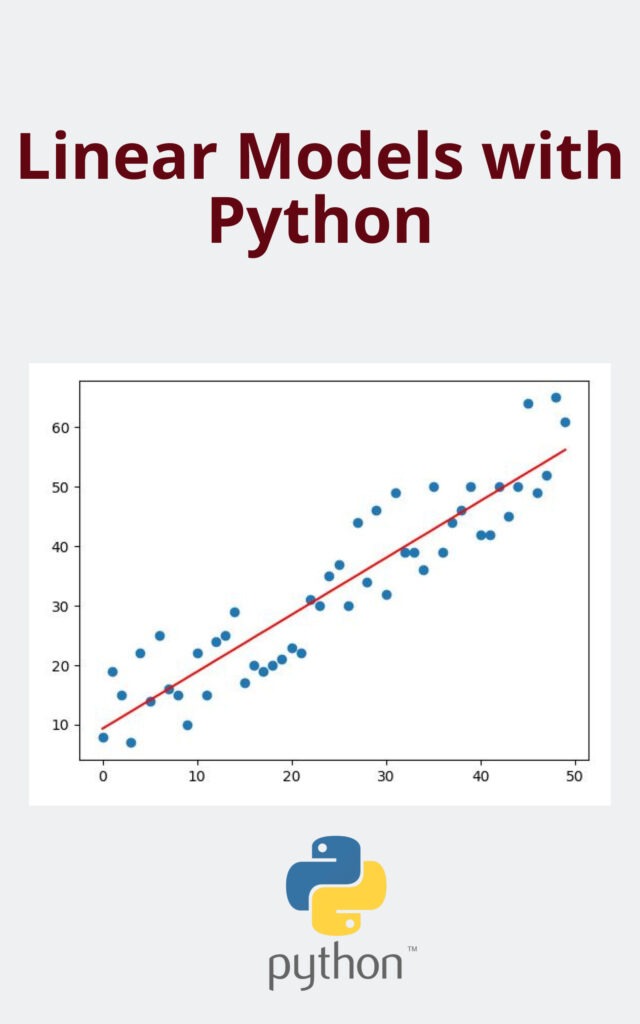
Linear Models with Python

In the fast-evolving landscape of data science and machine learning, Linear Models with Python stand out as a foundational pillar. These models offer a powerful and versatile approach to predictive analysis. In this in-depth guide, we will take you on a journey through the world of Linear Models with Python, breaking down complex concepts into easily digestible pieces. Whether you’re a novice or an experienced data scientist, this article is your go-to resource for mastering Linear Models with Python.

Linear Models with Python: An Overview

Linear Models with Python are mathematical representations used for predictive modeling and regression analysis. They form the basis for many machine learning algorithms, making them essential knowledge for anyone venturing into data science.

Linear Models with Python

What Are Linear Models?

Linear Models are mathematical equations used to model the relationship between a dependent variable and one or more independent variables. They assume a linear relationship, making them particularly useful for understanding and predicting data patterns.

Types of Linear Models

  1. Simple Linear Regression: This model deals with a single independent variable to predict the dependent variable’s outcome.
  2. Multiple Linear Regression: When multiple independent variables come into play, this model offers a more comprehensive prediction.

Why Python for Linear Models?

Python has emerged as the preferred programming language for data science and machine learning, and for good reason. Its simplicity and versatility make it an ideal choice for implementing Linear Models.

Python’s Data Science Libraries

Python boasts a rich ecosystem of libraries such as NumPy, Pandas, and Scikit-Learn, which streamline the implementation of Linear Models.

Flexibility and Scalability

Python’s open-source nature allows for easy customization and integration with other data science tools.

Building Linear Models with Python

Now, let’s delve into the practical aspect of building Linear Models with Python.

Data Preprocessing

Before you embark on model building, data preprocessing is key. It involves cleaning, transforming, and organizing your data to ensure optimal model performance.

Model Training

Using your prepared data, you’ll train your Linear Model to learn the underlying patterns and relationships in the data.

Model Evaluation

The next step is assessing your model’s accuracy and performance. Techniques like cross-validation help ensure your model generalizes well to new data.

Model Deployment

Once you have a well-trained model, it’s time to deploy it in real-world applications, where it can make predictions and provide valuable insights.

Advantages of Linear Models with Python

Linear Models offer several advantages that contribute to their widespread use in data science.

Interpretability

Linear Models provide clear insights into the relationship between variables, making it easier to understand and explain results.

Computational Efficiency

They are computationally efficient, making them suitable for large datasets.

Wide Applicability

Linear Models can be applied to various domains, from finance to healthcare, for tasks like sales forecasting and risk assessment.

Common Challenges in Linear Modeling

While Linear Models are powerful, they do come with their set of challenges.

Assumption of Linearity

Linear Models assume a linear relationship, which may not always hold true in real-world scenarios.

Overfitting

Overfitting occurs when a model performs well on training data but poorly on new data. Techniques like regularization can mitigate this issue.

FAQs

What is the role of Python in Linear Modeling?

Python is the go-to programming language for implementing Linear Models due to its versatility, libraries, and ease of use.

Can Linear Models handle non-linear data?

While Linear Models assume linearity, techniques like feature engineering can help them handle non-linear relationships to some extent.

How do I choose the right type of Linear Model?

The choice depends on your data and the problem at hand. Simple Linear Regression is suitable for single-variable analysis, while Multiple Linear Regression handles multiple variables.

Is data preprocessing necessary for Linear Models?

Yes, data preprocessing is crucial to ensure the quality and accuracy of your model’s predictions.

How do I prevent overfitting in Linear Models?

Overfitting can be prevented by using techniques like regularization, cross-validation, and feature selection.

Can Linear Models be used for classification tasks?

While they are primarily used for regression tasks, Linear Models can be adapted for classification by using techniques like Logistic Regression.

Conclusion

In the realm of data science, Linear Models with Python hold an indispensable position. Their simplicity, interpretability, and wide applicability make them a valuable tool for predictive analysis. By mastering the art of building and fine-tuning Linear Models, you can unlock the potential to derive actionable insights from your data.

Download(PDF)

Download: Python Data Science: An Ultimate Guide for Beginners to Learn Fundamentals of Data Science Using Python

Supervised Machine Learning for Text Analysis in R

In today’s data-driven world, extracting meaningful insights from vast amounts of text data is crucial. One powerful tool at your disposal is Supervised Machine Learning for Text Analysis in R. This article will guide you through the essential steps to master this technology and leverage it effectively for your projects. Let’s dive in!

Supervised Machine Learning for Text Analysis in R

Supervised Machine Learning for Text Analysis in R is a technique that allows computers to learn from labeled data, making predictions or classifications based on that learning. In the realm of text analysis, it involves training a model to understand and categorize text data accurately.

Getting Started with Supervised Machine Learning

Before we delve deeper, let’s cover the basics. To get started with Supervised Machine Learning for Text Analysis in R, you’ll need to have R installed on your system. You can download it from the official R Project website.

Understanding the Supervised Learning Process

Supervised learning involves providing the algorithm with labeled training data, which means each data point is associated with a known outcome. The algorithm learns from this data and can then make predictions or classify new, unlabeled data.

Supervised Machine Learning for Text Analysis in R

Selecting the Right Text Data

The quality of your training data is paramount. Ensure your text data is clean, relevant, and representative of the problem you want to solve. Data preprocessing is often required to remove noise and irrelevant information.

Data Preprocessing and Cleaning

Text data can be messy, containing punctuation, stopwords, and other noise. Use text preprocessing techniques to clean the data, such as removing special characters, converting text to lowercase, and eliminating stopwords.

Feature Extraction

Feature extraction is a critical step in text analysis. It involves converting text data into numerical features that machine learning algorithms can understand. Common methods include TF-IDF (Term Frequency-Inverse Document Frequency) and word embeddings like Word2Vec.

Choosing the Right Algorithm

Selecting the appropriate machine learning algorithm depends on your specific text analysis task. Common choices include Naive Bayes, Support Vector Machines, and Deep Learning models like Recurrent Neural Networks (RNNs) or Transformer-based models.

Model Training and Evaluation

Train your selected model on the labeled data and evaluate its performance using appropriate metrics, such as accuracy, precision, recall, and F1-score. Fine-tune your model to achieve the best results.

Handling Imbalanced Data

In text analysis, imbalanced datasets are common, where one class of data significantly outweighs the others. Employ techniques like oversampling or undersampling to address this issue and prevent bias in your model.

Interpretability and Explainability

Understanding why a model makes specific predictions is crucial, especially in applications with legal or ethical implications. Employ techniques like LIME (Local Interpretable Model-agnostic Explanations) to interpret your model’s decisions.

Deployment and Scaling

Once your model is ready, deploy it to make real-time predictions or classifications. Scaling may be necessary to handle large volumes of text data efficiently.

FAQs

Q: How does Supervised Machine Learning differ from Unsupervised Machine Learning? Supervised Machine Learning relies on labeled data for training, whereas Unsupervised Machine Learning deals with unlabeled data and aims to discover hidden patterns or structures within the data.

Q: Can I use Supervised Machine Learning in R for sentiment analysis? Absolutely! Supervised Machine Learning in R is well-suited for sentiment analysis, where you can classify text as positive, negative, or neutral based on labeled training data.

Q: Are there any recommended packages for text analysis in R? Yes, R offers several packages for text analysis, including tm, quanteda, and text2vec, which provide various tools for data preprocessing and analysis.

Q: How can I handle multi-class classification in text analysis using R? To tackle multi-class classification, you can use algorithms like Support Vector Machines or deep learning models with appropriate modifications to the output layer.

Q: What are some common challenges in text analysis, and how can I overcome them? Common challenges include data preprocessing, handling imbalanced data, and ensuring model interpretability. Refer to the respective sections in the article for solutions to these challenges.

Q: Is Supervised Machine Learning in R suitable for natural language processing (NLP) tasks? Yes, Supervised Machine Learning in R is widely used in NLP tasks such as text classification, sentiment analysis, and named entity recognition.

Conclusion

Mastering Supervised Machine Learning for Text Analysis in R opens up a world of possibilities for extracting valuable insights from text data. By following the steps outlined in this article, you can harness the power of this technology and elevate your data analysis projects to new heights. Stay curious, keep learning, and watch your data-driven insights flourish.

Free E-Book:

Download: Hands-on Machine Learning with R

Python Data Science: An Ultimate Guide for Beginners to Learn Fundamentals of Data Science Using Python

Learn Fundamentals of Data Science Using Python: In today’s data-driven world, the field of data science has become a pivotal force driving decision-making processes across various industries. Python, a versatile and beginner-friendly programming language, has emerged as the go-to tool for aspiring data scientists. In this comprehensive guide, we will unravel the intricacies of Python Data Science, equipping beginners with the essential knowledge to embark on their data science journey. Whether you’re a curious novice or someone looking to upskill, this guide will provide you with the fundamentals you need to succeed.

Why Python for Data Science?

Python’s popularity in the field of data science is no accident. It offers several advantages:

  • Simplicity: Python’s syntax is easy to learn and read, making it perfect for beginners.
  • Versatility: Python can handle various data formats and integrates seamlessly with other tools.
  • Rich Ecosystem: Python boasts a vast collection of libraries for data analysis, such as NumPy, pandas, and Matplotlib.
  • Community Support: The Python community is large and active, ensuring you have access to valuable resources and support.
Python Data Science An Ultimate Guide for Beginners to Learn Fundamentals of Data Science Using Python
Python Data Science: An Ultimate Guide for Beginners to Learn Fundamentals of Data Science Using Python

Setting Up Your Python Environment

Before delving into data science, you need to set up your Python environment. Here are the essential steps:

  1. Choose an IDE: Select an Integrated Development Environment (IDE) such as Jupyter Notebook or VSCode.
  2. Install Python: Download and install Python from the official website (python.org).
  3. Install Libraries: Use pip (Python’s package manager) to install data science libraries like NumPy, pandas, and scikit-learn.
  4. Data Datasets: Acquire datasets for practice from sources like Kaggle or UCI Machine Learning Repository.

Data Manipulation with Python

One of the core skills in data science is data manipulation. Python’s libraries make this task efficient:

  • NumPy: Use NumPy to work with arrays and perform mathematical operations on data.
  • pandas: pandas is ideal for data manipulation and analysis, providing powerful data structures like DataFrames.
  • Data Cleaning: Learn techniques to clean and preprocess data, including handling missing values and outliers.

Data Visualization with Python

Visualizing data is crucial to grasp insights effectively. Python offers excellent visualization libraries:

  • Matplotlib: Create static, animated, or interactive plots to represent your data.
  • Seaborn: Seaborn simplifies complex visualizations with high-level abstractions.
  • Plotly: Build interactive and shareable dashboards and visualizations.

Exploratory Data Analysis (EDA)

EDA is the process of understanding your data before diving into modeling. In this section, you’ll learn how to:

  • Summarize Data: Use descriptive statistics to understand the main characteristics of your dataset.
  • Visualize Data Distributions: Plot histograms, box plots, and scatter plots to identify patterns.
  • Feature Engineering: Engineer new features to improve model performance.

Machine Learning with Python

Machine learning is at the heart of data science. Python offers a plethora of libraries to build predictive models:

  • scikit-learn: scikit-learn is a versatile library for various machine learning algorithms.
  • Model Evaluation: Learn how to train, evaluate, and fine-tune machine learning models.
  • Regression and Classification: Understand the fundamentals of regression and classification techniques.

Deep Learning with Python

Delve into the exciting world of deep learning using Python and libraries like TensorFlow and Keras:

  • Neural Networks: Grasp the basics of neural networks and their applications.
  • Image and Text Processing: Explore image and text processing with deep learning.
  • Deep Learning Projects: Implement deep learning projects to reinforce your knowledge.

Natural Language Processing (NLP)

NLP enables machines to understand and interact with human language. Learn how Python facilitates NLP tasks:

  • NLTK: The Natural Language Toolkit (NLTK) offers tools for text analysis.
  • Text Classification: Understand sentiment analysis and text classification using Python.

Big Data and Python

Handling large datasets is a crucial skill in data science. Python is equipped for big data tasks:

  • Apache Spark: Use PySpark, the Python API for Apache Spark, to handle big data efficiently.
  • Distributed Computing: Learn about distributed computing frameworks for data processing.

Data Science Libraries in Python

Discover the essential data science libraries and their applications:

  • SciPy: Explore scientific and technical computing with SciPy.
  • Statsmodels: Perform statistical modeling and hypothesis testing.
  • Bokeh: Create interactive data visualizations for web applications.

Real-world Data Science Projects

Apply your knowledge to real-world data science projects. We’ll provide guidance on choosing and executing projects that align with your interests and goals.

Learning Resources for Python Data Science

To continue your learning journey, we’ve compiled a list of valuable resources, including online courses, books, and tutorials.

Learn Fundamentals of Data Science Using Python (FAQs)

What is Data Science, and why is Python important in it?

Data Science is a multidisciplinary field that uses scientific methods, algorithms, processes, and systems to extract knowledge and insights from structured and unstructured data. Python’s importance in data science lies in its simplicity, versatility, and extensive library support, making it an ideal choice for data analysis and modeling.

How can I start learning Python Data Science from scratch?

To start learning Python Data Science from scratch, follow these steps:

  1. Install Python and an IDE (Integrated Development Environment) like Jupyter Notebook.
  2. Learn the basics of Python programming, including variables, data types, and control structures.
  3. Dive into data manipulation with NumPy and pandas.
  4. Explore data visualization using Matplotlib and Seaborn.
  5. Study machine learning and deep learning with libraries like scikit-learn, TensorFlow, and Keras.

Are there any prerequisites for Python Data Science?

No, Python Data Science does not have strict prerequisites. However, a basic understanding of programming concepts can be helpful. This guide is designed to accommodate beginners with no prior experience in data science.

Can I become a data scientist solely by learning Python Data Science?

While Python Data Science is a crucial part of the data science journey, becoming a proficient data scientist requires a broader skill set. You should also learn statistics, domain-specific knowledge, and data communication skills to excel in this field.

What are the career prospects for Python Data Science professionals?

The demand for Python Data Science professionals is on the rise across industries such as healthcare, finance, e-commerce, and technology. As a Python Data Science professional, you can work as a data analyst, machine learning engineer, data scientist, or AI researcher.

How can I stay updated in the ever-evolving field of Python Data Science?

Staying updated in Python Data Science involves continuous learning. Follow industry blogs, participate in online forums, attend webinars, and consider enrolling in advanced courses or certifications to keep your skills current.

Conclusion

In this ultimate guide to Python Data Science, we’ve explored the foundations, tools, and techniques that will set you on the path to becoming a proficient data scientist. Remember that the journey may be challenging, but with dedication and continuous learning, you can unlock the endless possibilities that data science offers. Embrace Python’s simplicity and power to analyze, visualize, and predict, and you’ll be well on your way to mastering the art of data science.

Download (PDF)

Download: Introduction to Machine Learning with Python

A Tour of Data Science: Learn R and Python in Parallel

In today’s data-driven world, harnessing the potential of data is a valuable skill. Data science, a field at the intersection of statistics, programming, and domain knowledge, has gained immense importance. Two of the most popular tools in the data scientist’s toolkit are R and Python. In this article, we will take you on a tour of data science, teaching you how to learn R and Python in parallel. Whether you are a novice or an experienced data enthusiast, this guide will equip you with the knowledge and skills to excel in this fascinating field.

A Tour of Data Science

Understanding Data Science

Data science is the art of extracting valuable insights and knowledge from data. It involves collecting, cleaning, analyzing, and visualizing data to make informed decisions. This field plays a crucial role in various industries, from healthcare to finance, by providing data-driven solutions.

Why Learn R and Python in Parallel?

Learning both R and Python simultaneously can be advantageous. R is renowned for its statistical analysis capabilities, while Python is versatile and widely used for data manipulation and machine learning. Mastering both languages enhances your ability to tackle diverse data science tasks effectively.

A Tour of Data Science Learn R and Python in Parallel
A Tour of Data Science: Learn R and Python in Parallel

Getting Started with R and Python

Installing R and Python

To embark on your data science journey, you must install R and Python on your computer. Visit the official websites of R and Python to download the latest versions.

Setting Up an Integrated Development Environment (IDE)

Choose an IDE such as RStudio for R and Jupyter Notebook for Python. These environments provide a user-friendly interface and powerful tools for coding and analysis.

Fundamentals of R

Variables and Data Types

In R, you’ll work with variables and data types. Variables store values, and data types define the kind of value a variable can hold, including integers, characters, and logical values.

Data Manipulation with R

Learn how to manipulate data in R using functions like subset(), merge(), and transform(). These functions allow you to filter, combine, and transform datasets.

Statistical Analysis with R

R excels in statistical analysis. Discover how to perform descriptive statistics, regression analysis, and hypothesis testing using R’s extensive libraries.

Fundamentals of Python

Python Syntax

Python’s clean and readable syntax makes it an excellent choice for beginners. Understand variables, data types, and control structures in Python.

Data Manipulation with Python

Python’s libraries, such as Pandas, are ideal for data manipulation. Explore techniques like data cleaning, merging, and reshaping.

Machine Learning with Python

Delve into machine learning using Python’s libraries like Scikit-Learn. Learn how to build predictive models and make data-driven decisions.

Parallel Learning Strategies

Side-by-Side Learning

Take a parallel approach by working on R and Python projects simultaneously. For example, analyze a dataset with R, and then replicate the analysis in Python. Compare the results to deepen your understanding.

Cross-Language Integration

Discover the power of integrating R and Python in a single project. Use packages like reticulate to call R functions from Python and vice versa.

A Tour of Data Science: Learn R and Python in Parallel (FAQs)

  • How long does it take to learn R and Python in parallel? Learning the basics can take a few weeks, but mastering both languages may require several months of consistent practice.
  • Are there any prerequisites for learning data science? While not mandatory, a background in mathematics, statistics, or programming can be beneficial.
  • Can I use R and Python for data visualization? Yes, both languages offer excellent data visualization libraries. R has ggplot2, while Python has Matplotlib and Seaborn.
  • Are there online courses or tutorials available for learning R and Python? Yes, numerous online platforms offer paths, tutorials, and resources to help you learn R and Python at your own pace.
  • What job opportunities are available for data scientists proficient in R and Python? Data scientists with expertise in R and Python are in high demand across various industries, including tech, healthcare, finance, and e-commerce.
  • How can I stay updated with the latest developments in data science? Follow blogs, forums, and communities related to data science. Engage in online discussions and attend webinars and conferences to stay informed.

Conclusion

Embarking on a tour of data science, where you learn R and Python in parallel, opens doors to a world of possibilities. You gain the ability to decipher complex data, make data-driven decisions, and contribute significantly to your field of interest. Remember, practice and persistence are key. So, dive into the world of data science, and let R and Python be your trusty companions on this exciting journey.

Download (PDF)

Download: Applied Scientific Computing: With Python


Analyzing Financial Data and Implementing Financial Models Using R

In today’s data-driven world, the ability to analyze financial data and implement financial models is a crucial skill for professionals in various fields, from finance and investments to business planning and decision-making. One of the most powerful tools at your disposal for this purpose is R, a versatile programming language and environment for statistical computing and graphics. In this comprehensive guide, we will delve into the world of analyzing financial data and implementing financial models using R. Let’s embark on a journey that will empower you to make informed, data-backed decisions in your financial endeavors.

1. Getting Started with R

Analyzing Financial Data and Implementing Financial Models Using R

Before we dive into the specifics of financial analysis and modeling, let’s begin with the basics. Familiarize yourself with R, its installation, and setup to ensure a smooth journey ahead.

R is a free, open-source software environment that provides an array of tools for data analysis and visualization. To get started, you’ll need to download and install R on your computer. Once installed, you can access the R console, where you’ll write and execute R code.

Analyzing Financial Data and Implementing Financial Models Using R
Download:

2. Importing Financial Data

Leveraging, Analyzing Financial Data, and Implementing Financial Models Using R

To perform meaningful analysis and build financial models, you first need data. Learn how to import financial data from various sources into R, including CSV files, databases, and web APIs.

Financial data can come from a multitude of sources, such as stock exchanges, financial databases, or your organization’s internal records. R offers a wide range of packages and functions for importing data, making it a versatile choice for financial analysis.

3. Data Cleaning and Preprocessing

Preparing, Analyzing Financial Data and Implementing Financial Models Using R

Raw data often requires cleaning and preprocessing to remove errors and inconsistencies. Discover how to clean and prepare your financial data for analysis in R.

Cleaning and preprocessing involve tasks like handling missing values, removing outliers, and standardizing data formats. R provides a comprehensive set of tools for these tasks, ensuring your data is ready for in-depth analysis.

4. Exploratory Data Analysis (EDA)

Analyzing Financial Data and Implementing Financial Models Using R: EDA

EDA is a crucial step in understanding your financial data. Learn how to visualize and explore data patterns, relationships, and outliers using R’s powerful visualization tools.

Visualizing data through plots and charts can reveal valuable insights about financial trends and correlations. R’s flexibility in creating custom visualizations allows you to tailor your EDA to the specific needs of your analysis.

5. Financial Modeling with R

Building, Analyzing Financial Data and Implementing Financial Models Using R

Now comes the heart of our journey—financial modeling. Discover how to create and implement various financial models, from time series forecasting to risk assessment, using R’s statistical modeling capabilities.

R’s extensive library of packages includes specialized tools for financial modeling, making it a go-to choice for professionals in finance. Learn to build predictive models that can guide investment decisions and risk management strategies.

6. Model Evaluation and Validation

Analyzing Financial Data and Implementing Financial Models Using R: Validation

No financial model is complete without thorough evaluation and validation. Explore techniques for assessing the accuracy and reliability of your models in R.

Validation ensures that your financial models provide trustworthy results. We’ll delve into methods like cross-validation and back-testing to ensure your models perform well in real-world scenarios.

7. Implementing Financial Strategies

Applying Analyzing Financial Data and Implementing Financial Models Using R

With your financial models in place, it’s time to put them to work. Learn how to apply these models to make informed financial decisions and develop effective strategies.

Financial modeling is not just about numbers; it’s about making sound decisions based on data-driven insights. We’ll discuss how to use your models to optimize portfolios, assess investment risks, and make informed financial choices.

Frequently Asked Questions (FAQs)

Q: What are the advantages of using R for financial analysis?

R’s flexibility, extensive libraries, and statistical capabilities make it a powerful tool for financial analysis. It allows for customized analysis and modeling, making it suitable for various financial applications.

Q: Can I use R for real-time financial data analysis?

Yes, R can handle real-time financial data analysis when combined with appropriate packages and data sources. It’s a versatile tool for both historical and real-time analysis.

Q: Are there any prerequisites for learning R for financial analysis?

While a background in finance is beneficial, it’s not a strict requirement. Basic knowledge of statistics and programming concepts will help you get started with R for financial analysis.

Q: What industries benefit from financial modeling in R?

Financial modeling in R is valuable across a range of industries, including finance, healthcare, marketing, and more. Any field that relies on data-driven decision-making can benefit from these techniques.

Q: How can I stay updated with the latest developments in R for financial analysis?

To stay current, consider joining R-related forums, following R experts on social media, and regularly checking R packages for updates. Continuous learning is key in this dynamic field.

Q: What role does visualization play in financial analysis with R?

Visualization is crucial in financial analysis, as it helps in conveying complex data insights effectively. R’s visualization capabilities enable you to create informative charts and graphs for presentations and reports.

Conclusion

Analyzing financial data and implementing financial models using R is a skill set that opens doors to data-driven decision-making, empowering professionals in various industries. In this comprehensive guide, we’ve explored the fundamentals of R, data import, cleaning, exploratory analysis, financial modeling, and strategy implementation. Armed with this knowledge, you’re prepared to make informed financial decisions and navigate the complexities of the modern financial landscape.

Download(PDF)

Download: Computational Finance: An Introductory Course with R

Introduction to Machine Learning with Python

Introduction to Machine Learning with Python: In today’s data-driven world, the field of machine learning has emerged as a game-changer for businesses and industries across the globe. One of the most popular and versatile programming languages for implementing machine learning algorithms is Python. In this comprehensive guide, we will delve into the world of machine learning with Python, catering specifically to data scientists. Whether you are a beginner looking to explore the basics or an experienced practitioner seeking advanced insights, this guide has something for everyone.

What is Machine Learning?

Machine learning, often abbreviated as ML, is a subfield of artificial intelligence (AI) that focuses on the development of algorithms and statistical models that enable computer systems to learn and improve from experience. These algorithms allow computers to identify patterns, make predictions, and automate decision-making processes without being explicitly programmed.

Introduction to Machine Learning with Python

Introduction to Machine Learning with Python

Why Python for Machine Learning?

Python has become the de facto programming language for machine learning, and for several good reasons:

1. Versatility and Ease of Use

Python’s simple and readable syntax makes it accessible to both beginners and experienced programmers. This versatility ensures that data scientists can quickly prototype and experiment with machine learning models.

2. Rich Ecosystem of Libraries

Python boasts a vast ecosystem of libraries and frameworks tailored for machine learning, such as TensorFlow, scikit-learn, and PyTorch. These libraries provide pre-built functions and tools that simplify the implementation of complex algorithms.

3. Community Support

Python has a large and active community of developers and data scientists who contribute to open-source projects. This support network means that you can find solutions to common problems and stay updated with the latest developments in the field.

4. Integration Capabilities

Python seamlessly integrates with other data science tools and technologies, such as Jupyter Notebooks for interactive coding and data visualization libraries like Matplotlib and Seaborn.

5. Machine Learning Frameworks

Python offers access to powerful machine learning frameworks like scikit-learn, which simplifies tasks such as data preprocessing, model selection, and evaluation.

Getting Started with Python for Machine Learning

Setting Up Your Environment

Before diving into machine learning, you need to set up your Python environment. Here are the steps to get you started:

  1. Install Python: If you don’t have Python installed, download and install the latest version from the official Python website (https://www.python.org/downloads/).
  2. Install a Code Editor: Choose a code editor or integrated development environment (IDE) like Visual Studio Code or Jupyter Notebook to write and execute your Python code.
  3. Install Libraries: Use pip, Python’s package manager, to install essential libraries like NumPy, pandas, scikit-learn, and TensorFlow.

Exploring Python’s Data Structures

Python offers several data structures that are crucial for data manipulation and analysis. These include lists, tuples, dictionaries, and sets. Understanding these data structures is essential for working with datasets in machine learning.

Basic Python Programming Concepts

To become proficient in Python, you should grasp fundamental programming concepts, such as variables, data types, loops, and conditional statements. Python’s simplicity makes it easy to pick up these concepts quickly.

Introduction to Machine Learning Algorithms

Now that you have a solid foundation in Python, let’s explore some fundamental machine learning algorithms:

  1. Linear Regression: A basic algorithm used for predicting a continuous target variable based on one or more predictor variables.
  2. Classification Algorithms: These algorithms, including logistic regression, decision trees, and support vector machines, are used for categorizing data points into predefined classes or categories.
  3. Clustering Algorithms: Algorithms like K-means clustering and hierarchical clustering group data points with similar characteristics.
  4. Neural Networks: Deep learning, a subset of machine learning, utilizes neural networks to model complex patterns in data, such as image and speech recognition.

Introduction to Machine Learning with Python (FAQs)

How can I start learning machine learning with Python?

Begin by learning Python programming basics. Then, explore machine learning libraries like scikit-learn and TensorFlow. Online courses, tutorials, and books can provide structured learning paths.

What are some real-world applications of machine learning with Python?

Machine learning with Python is used in various fields, including healthcare (for disease prediction), finance (for fraud detection), and e-commerce (for recommendation systems).

Do I need a strong mathematical background to excel in machine learning?

While a basic understanding of mathematics, including linear algebra and calculus, is beneficial, many libraries and tools in Python abstract away the mathematical complexities, allowing data scientists to focus on application.

Are there any online communities or forums for Python machine learning enthusiasts?

Yes, there are numerous communities, such as Stack Overflow, Reddit’s r/MachineLearning, and GitHub, where you can seek help, share your knowledge, and collaborate on projects.

What is the future of machine learning with Python?

Python’s dominance in the field of machine learning is expected to continue. As the community grows, so will the capabilities of Python libraries and frameworks, making it an even more powerful tool for data scientists.

How do I stay updated with the latest developments in Python for machine learning?

To stay informed, follow influential data scientists and organizations on social media platforms like Twitter and LinkedIn, and regularly check dedicated websites and blogs in the field.

Conclusion

In this guide, we’ve introduced you to the world of machine learning with Python, tailored for data scientists. Python’s simplicity, rich library ecosystem, and supportive community make it an ideal choice for those looking to harness the power of machine learning. Remember that the journey of mastering machine learning is both exciting and rewarding. Start with the basics, explore algorithms, and stay curious. As you continue your learning journey, you’ll discover new possibilities and applications for machine learning with Python.

Download(PDF)

Download: Machine Learning with Python Tutorial

Applied Scientific Computing: With Python

In today’s digital age, scientific computing has become an integral part of research and analysis across various disciplines. Applied Scientific Computing: Python offers a powerful toolkit for scientists, engineers, and researchers, enabling them to tackle complex problems, analyze data, and simulate experiments with ease. In this comprehensive guide, we’ll delve into the world of applied scientific computing with Python, exploring its applications, benefits, and the tools and techniques that make it an indispensable asset for modern research.

Scientific computing has come a long way from the early days of manual calculations and simple computer programs. With the advent of Python, the landscape of scientific analysis and research has evolved dramatically. Python’s simplicity, versatility, and vast ecosystem of libraries have made it the preferred choice for scientists and researchers worldwide.

Applied Scientific Computing With Python

Applied Scientific Computing With Python

The Power of Python

Python: A Versatile Programming Language

Python’s popularity in scientific computing can be attributed to its versatility. Whether you are a physicist, biologist, economist, or data scientist, Python offers a common platform to develop and implement computational solutions. Its elegant syntax makes it accessible even to those without a strong programming background.

Libraries for Scientific Computing in Python

One of the key strengths of Python is its rich collection of libraries tailored for scientific computing. Libraries like NumPy, SciPy, Matplotlib, and Pandas provide the necessary tools for numerical computations, data analysis, and visualization. Let’s explore some of these libraries in detail.

Applications of Applied Scientific Computing

Physics and Engineering

In the realm of physics and engineering, Python has found extensive use in simulating physical systems, analyzing experimental data, and solving complex mathematical problems. Researchers can model physical phenomena, perform simulations, and visualize results with ease.

Life Sciences

Biologists and geneticists benefit from Python’s ability to process and analyze biological data. Whether it’s DNA sequencing, protein structure prediction, or population genetics, Python’s libraries simplify the computational aspects of life sciences research.

Data Science and Machine Learning

Python has emerged as the primary language for data science and machine learning. With libraries like scikit-learn and TensorFlow, researchers can build predictive models, perform data analysis, and develop intelligent algorithms.

Economics and Finance

In economics and finance, Python is a valuable tool for analyzing market trends, modeling financial instruments, and implementing trading strategies. Its flexibility and speed make it a preferred choice for quantitative analysts.

Benefits of Using Python

Flexibility and Versatility

Python’s flexibility allows scientists to focus on solving problems rather than wrestling with the intricacies of programming. Its versatility ensures that researchers across various domains can benefit from a common set of tools and practices.

Open Source and Active Community

Python’s open-source nature means that a vast community of developers continually improves and extends its capabilities. This ensures that the language remains up-to-date and well-supported.

Integration with Other Tools

Python seamlessly integrates with other tools and languages, making it suitable for collaborative research projects. It can communicate with C/C++, Java, and Fortran, allowing researchers to leverage existing codebases.

Tools and Techniques

NumPy: The Foundation of Scientific Computing in Python

NumPy, short for “Numerical Python,” is the cornerstone of scientific computing in Python. It provides support for large, multi-dimensional arrays and matrices, along with a variety of high-level mathematical functions to operate on these arrays.

SciPy: High-Level Scientific Computing

SciPy builds on NumPy and offers additional functionality for optimization, integration, interpolation, eigenvalue problems, and more. It provides a vast array of scientific and engineering routines, making it an indispensable library for researchers.

Matplotlib: Data Visualization in Python

Matplotlib is the go-to library for creating static, animated, and interactive visualizations in Python. Researchers can generate plots, charts, and graphs to convey their findings effectively.

Pandas: Data Manipulation and Analysis

Pandas simplifies data manipulation and analysis. It introduces data structures like DataFrames and Series, making it easier to work with structured data. Researchers can clean, transform, and analyze data efficiently.

Jupyter Notebook: Interactive Computing Environment

Jupyter Notebook provides an interactive and collaborative environment for scientific computing. Researchers can combine code, documentation, and visualizations in a single document, fostering reproducibility and knowledge sharing.

Building Your Python Skills

Online Courses and Tutorials

To harness the power of Python in scientific computing, you can start with online courses and tutorials. Websites like Coursera, edX, and Udemy offer a wide range of courses, from beginner to advanced levels.

Books and Documentation

Books like “Python for Data Analysis” by Wes McKinney and “Python for Scientists and Engineers” by John M. Stewart provide comprehensive guidance on using Python for scientific purposes. Additionally, Python’s official documentation is an invaluable resource.

Community and Forums

Engaging with the Python community can accelerate your learning process. Websites like Stack Overflow and specialized forums like Stack Exchange for Data Science are excellent platforms to seek help and share knowledge.

Real-world Examples

Simulating Physical Systems

Imagine you’re a physicist studying the behavior of particles in a magnetic field. Using Python, you can create a numerical simulation that models the interactions between particles and magnetic forces. This simulation helps you gain insights into the system’s behavior and predict outcomes.

Analyzing Biological Data

Biologists often deal with vast datasets containing genetic information. Python’s libraries for data analysis make it possible to process this data, identify patterns, and draw meaningful conclusions about genetic variations and their impact.

Predictive Modeling in Finance

In the financial world, Python plays a crucial role in building predictive models. Traders and financial analysts use Python to develop algorithms that analyze market data and make real-time trading decisions.

Frequently Asked Questions (FAQs)

  1. Is Python suitable for scientific computing beginners? Absolutely! Python’s simplicity and readability make it an excellent choice for beginners in scientific computing.
  2. What are the advantages of using Python over other programming languages for scientific computing? Python offers a vast ecosystem of libraries, a supportive community, and seamless integration with other tools, making it a versatile and powerful choice.
  3. Can I use Python for real-time data analysis? Yes, Python is capable of real-time data analysis, especially when combined with libraries like Pandas and NumPy.
  4. Are there online courses specifically tailored to scientific computing with Python? Yes, many online courses and tutorials cater to scientific computing using Python, allowing you to learn at your own pace.
  5. Is Python suitable for high-performance computing tasks? While Python may not be as performant as low-level languages, it can still handle many high-performance computing tasks effectively.
  6. What are some practical examples of scientific research conducted using Python? Python has been used for climate modeling, drug discovery, image processing, and more, showcasing its versatility in scientific research.

Conclusion

In the realm of applied scientific computing, Python stands as a powerful and versatile ally for researchers and scientists across various disciplines. Its ease of use, rich ecosystem of libraries, and strong community support make it the go-to choice for tackling complex problems and driving innovation.

As you embark on your journey into the world of applied scientific computing with Python, remember that learning and exploring are key. With the right resources and a curious mindset, you can unlock the full potential of Python in your research endeavors.

Download(PDF)

Download: Architecture Patterns with Python

Software for Data Analysis: Programming with R

In the ever-evolving landscape of data analysis, Software for Data Analysis: Programming with R has emerged as a powerful ally for analysts, scientists, and researchers. This versatile programming language and software environment offers many tools and packages, making it indispensable for working with data. This comprehensive guide will delve into the world of R, exploring its features, applications, and advantages. Whether you are a seasoned data analyst or a beginner eager to harness the power of data, this article will provide you with valuable insights and knowledge.

1. Understanding Software for Data Analysis: Programming with R

R is an open-source programming language and software environment specifically designed for statistical computing and graphics. It was created by Ross Ihaka and Robert Gentleman at the University of Auckland, New Zealand, in the early 1990s. Since then, it has gained immense popularity and a devoted user community.

R boasts a vast ecosystem of packages, libraries, and tools that extend its functionality, making it suitable for a wide range of data-related tasks. Whether you need to perform data manipulation, visualization, statistical analysis, or machine learning, R has you covered.

Software for Data Analysis Programming with R

2. Advantages of Using R

When it comes to data analysis, R offers several distinct advantages:

2.1. Open Source

R is open-source, which means it’s freely available to anyone. This accessibility has contributed to its widespread adoption in academia, research, and industry.

2.2. Active Community

R benefits from a vibrant and active community of users and developers. This ensures regular updates, bug fixes, and the development of new packages to address emerging data analysis challenges.

2.3. Versatility

R’s versatility is one of its most compelling features. It can handle data in various formats, making it suitable for diverse data analysis tasks.

2.4. Data Visualization

With packages like ggplot2, R excels in creating stunning data visualizations. You can easily generate plots, charts, and graphs to convey insights effectively.

2.5. Statistical Analysis

R provides a rich set of statistical functions and libraries, making it a go-to choice for statisticians and data scientists.

2.6. Machine Learning

Machine learning enthusiasts will find a plethora of machine learning libraries and packages for R. It’s a great environment for developing predictive models.

3. Getting Started with R

If you’re new to R, getting started is a breeze. Follow these simple steps:

  1. Installation: Download and install R from the official website (https://www.r-project.org/). Choose the version compatible with your operating system.
  2. Integrated Development Environment (IDE): Consider using RStudio, a popular IDE that enhances your R programming experience with features like code highlighting and project management.
  3. Learning Resources: Explore online tutorials, courses, and books dedicated to R programming. Platforms like Coursera and edX offer excellent courses to kickstart your journey.

4. Applications of R in Data Analysis

R finds applications in various domains:

4.1. Business Analytics

Businesses use R for market research, customer segmentation, and financial analysis.

4.2. Healthcare

In healthcare, R is employed for clinical trials, epidemiology, and medical research.

4.3. Environmental Science

Researchers analyze environmental data using R for climate studies and ecological modeling.

4.4. Social Sciences

R is widely used for social science research, including psychology and sociology studies.

4.5. Finance

Financial analysts use R for risk assessment, portfolio management, and financial modeling.

5. FAQs about Software for Data Analysis: Programming with R

What is R’s main advantage over other programming languages for data analysis?

R’s main advantage lies in its extensive library of packages specifically designed for data analysis and statistics. This makes it a powerful tool for researchers and analysts.

Can I use R for machine learning projects?

Absolutely! R offers a robust ecosystem for machine learning, with packages like caret and randomForest for building predictive models.

Is R difficult to learn for beginners?

While R has a learning curve, numerous resources and a supportive community are available to help beginners get started.

Are there alternatives to R for data analysis?

Yes, there are alternatives like Python and Julia. However, R’s specialized focus on statistics makes it a preferred choice for many data analysts.

Is R suitable for big data analysis?

R can handle big data with packages like “bigmemory” and “ff,” but other tools like Apache Spark may be more appropriate for extremely large datasets.

How can I contribute to the R community?

You can contribute to R by developing packages, reporting bugs, and participating in discussions on forums and mailing lists.

6. Conclusion

Software for Data Analysis: Programming with R is a powerful tool that empowers data analysts, scientists, and researchers to extract valuable insights from data. Its open-source nature, active community, and versatility make it a top choice in the world of data analysis. By harnessing R’s capabilities, you can unlock the full potential of your data-driven projects. So, dive in, explore, and let R become your trusted companion on your data analysis journey.

Download(PDF)

Download: Data Science in R: A Case Studies Approach

Data Science in R: A Case Studies Approach

Data science, an interdisciplinary field that combines domain expertise, programming skills, and statistical knowledge, has gained immense significance in today’s information-driven world. R, a versatile programming language and environment, is a powerful tool for conducting data analysis, visualization, and modeling. In this article, we delve into the world of data science in R through a case studies approach, uncovering its role in enhancing computational reasoning and problem-solving abilities.

Data Science in R: An Overview

Data science in R involves the extraction of meaningful insights from large datasets using statistical techniques and algorithms. This approach allows us to uncover patterns, trends, and correlations that can drive informed decision-making across various domains.

Case Studies: Real-world Applications

Customer Segmentation for E-commerce

In this case study, we explore how data science in R can be employed for customer segmentation in the e-commerce industry. By analyzing customer behavior, purchase history, and demographic information, businesses can categorize their customers into distinct segments. These segments can then be targeted with personalized marketing strategies, leading to improved customer engagement and increased sales.

Predictive Maintenance in Manufacturing

Predictive maintenance is a critical application of data science in industries such as manufacturing. Using R, engineers can analyze sensor data from machines to predict when maintenance is required. By identifying potential equipment failures in advance, companies can minimize downtime, reduce maintenance costs, and enhance overall operational efficiency.

Healthcare Analytics for Improved Patient Outcomes

R plays a vital role in healthcare analytics, contributing to enhanced patient outcomes. Case studies in this domain showcase how data science can be utilized to analyze patient data, identify disease trends, and even predict potential outbreaks. These insights enable healthcare professionals to make informed decisions and allocate resources effectively.

Data Science in R A Case Studies Approach
Data Science in R: A Case Studies Approach

Computational Reasoning: The Core Skill

At the heart of data science lies computational reasoning, the ability to formulate and solve problems logically using computational tools. R provides a platform for developing this skill by enabling practitioners to process data, apply algorithms, and interpret results systematically.

Problem-Solving: A Data-Driven Approach

Data science encourages a data-driven approach to problem-solving. By collecting and analyzing relevant data, practitioners can gain valuable insights that guide the decision-making process. R’s extensive libraries and tools empower users to tackle complex problems with confidence.

Challenges and Solutions in Data Science

Dealing with Messy Data

Real-world data is rarely clean and organized. Data scientists often grapple with missing values, inconsistencies, and outliers. R offers a plethora of data preprocessing techniques to clean, transform, and impute data, ensuring that analyses are accurate and reliable.

Overcoming Model Complexity

Developing intricate models can lead to overfitting, where the model performs well on training data but fails to generalize to new data. Through cross-validation and regularization techniques available in R, data scientists can strike a balance between model complexity and generalizability.

Interpreting Complex Results

Understanding the outputs of sophisticated algorithms is a challenge. R simplifies this process by providing visualization tools that help interpret complex results, making them accessible to both technical and non-technical stakeholders.

FAQs

Q: What is R’s role in data science? A: R serves as a powerful programming language for data analysis, visualization, and modeling, making it an essential tool in data science.

Q: Can I use R for predictive analytics? A: Absolutely! R’s robust libraries allow you to build predictive models that can forecast trends and outcomes based on historical data.

Q: How does data science enhance decision-making? A: Data science provides insights derived from data analysis, enabling informed decision-making across various industries and domains.

Q: What are some common challenges in data science? A: Challenges include dealing with messy data, avoiding overfitting, and effectively communicating complex results to stakeholders.

Q: Is computational reasoning important in data science? A: Yes, computational reasoning is crucial as it involves logical problem-solving using computational tools, forming the foundation of data science practices.

Q: Can R handle real-world, large-scale datasets? A: Yes, R can handle large datasets by utilizing efficient data manipulation techniques and memory management tools.

Conclusion

Data science in R offers a powerful approach to computational reasoning and problem-solving. Through real-world case studies, we’ve explored how this discipline can revolutionize various industries, from e-commerce to healthcare. R’s versatility and robust libraries make it a go-to tool for data scientists and analysts aiming to extract meaningful insights and drive informed decisions.

Download(PDF)

Download: Modern Data Science with R