Books

Statistics and Data Visualization with Python

Statistics and data visualization play crucial roles in analyzing and interpreting data, enabling us to gain valuable insights and make informed decisions. With the increasing availability of data, it has become essential to have effective tools and techniques to process and present data visually. Python, a versatile programming language, offers powerful libraries that make statistical analysis and data visualization accessible to both beginners and experienced professionals.

Introduction

In today’s data-driven world, businesses, researchers, and individuals need to harness the power of data to derive meaningful conclusions and drive growth. Statistics provides the foundation for understanding and summarizing data, while data visualization enables us to communicate complex information visually. Python, with its extensive set of libraries, has emerged as a popular language for performing statistical analysis and creating impactful data visualizations.

Statistics and Data Visualization with Python

Importance of Statistics and Data Visualization

Enhancing data understanding and insights

Statistics allows us to explore data and uncover patterns, trends, and relationships. By applying statistical techniques, we can summarize large datasets, identify outliers, and gain a deeper understanding of the underlying distributions. This knowledge helps us make informed decisions and predictions based on evidence rather than intuition alone.

Data visualization complements statistics by representing data in a visual format. Visualizations help us perceive patterns and relationships that may not be apparent from raw data alone. Through graphs, charts, and interactive dashboards, we can communicate complex information more effectively, enabling stakeholders to grasp insights quickly and make data-driven decisions.

Supporting decision-making processes

Both statistics and data visualization are crucial for decision-making processes. Statistical analysis helps us evaluate hypotheses, test the significance of results, and quantify uncertainty. With statistical techniques, we can assess the effectiveness of interventions, identify factors influencing outcomes, and optimize strategies.

Data visualization provides an intuitive way to present data and results to decision-makers. It allows them to see trends, compare variables, and understand the impact of different scenarios. By conveying information visually, data visualization facilitates faster comprehension, leading to more informed and confident decision-making.

Python as a Powerful Tool for Statistics and Data Visualization

Python has gained popularity in the field of data science and analytics due to its simplicity, versatility, and extensive libraries. It offers a rich ecosystem of tools specifically designed for statistical analysis and data visualization. Python’s readability and user-friendly syntax make it accessible to users with varying levels of programming experience.

Key Python Libraries for Statistics and Data Visualization

To perform statistical analysis and create compelling data visualizations in Python, several key libraries are commonly used. These libraries provide a wide range of functionalities and make complex operations more accessible.

NumPy

NumPy is a fundamental library for numerical computing in Python. It provides powerful tools for working with arrays and matrices, enabling efficient and fast computation of mathematical operations. NumPy forms the foundation for many other libraries in the scientific Python ecosystem.

Pandas

Pandas is a versatile library that simplifies data manipulation and analysis. It provides data structures, such as dataframes, which allow for easy handling of structured data. Pandas offers a wide range of functionalities for filtering, aggregating, and transforming data, making it an essential tool for data preprocessing.

Matplotlib

Matplotlib is a popular data visualization library in Python. It offers a wide range of plotting functions and customization options, allowing users to create static, animated, and interactive visualizations. With Matplotlib, you can generate various types of charts, including line plots, bar plots, scatter plots, and histograms.

Seaborn

Seaborn is built on top of matplotlib and provides a high-level interface for creating visually appealing statistical graphics. It simplifies the creation of complex visualizations, such as heatmaps, violin plots, and pair plots. Seaborn also offers additional statistical functionalities, enhancing the analysis process.

Exploring Descriptive Statistics with Python

Descriptive statistics help us summarize and understand the characteristics of a dataset. With its statistical libraries, Python makes it straightforward to calculate descriptive statistics.

Mean, median, and mode

The mean represents the average value of a dataset, providing a measure of central tendency. The median represents the middle value, separating the higher and lower halves of the dataset. The mode identifies the most frequent value or values in the dataset.

Measures of dispersion

Measures of dispersion, such as the standard deviation and variance, indicate the spread or variability of data. They provide insights into the distribution of values and the degree of deviation from the mean.

Frequency distributions

Frequency distributions organize data into intervals or bins and display the number of occurrences or frequencies within each interval. Python’s libraries offer functions to calculate and visualize frequency distributions effectively.

Conducting Inferential Statistics with Python

Inferential statistics allow us to make inferences or draw conclusions about populations based on sample data. Python provides powerful tools for conducting inferential statistics.

Hypothesis testing

Hypothesis testing is a statistical method for making decisions or drawing conclusions about a population based on sample data. Python’s statistical libraries offer functions to perform hypothesis tests, such as t-tests and chi-square tests, allowing us to evaluate hypotheses and determine the statistical significance of results.

Confidence intervals

Confidence intervals provide a range of values within which we can expect the population parameter to fall with a certain level of confidence. Python’s libraries offer functions to calculate confidence intervals, helping us estimate the precision of our sample estimates.

Regression analysis

Regression analysis allows us to model and analyze the relationship between variables. Python’s libraries provide a variety of regression models, such as linear regression, logistic regression, and polynomial regression. These models help us understand how variables interact and make predictions based on observed data.

Creating Effective Data Visualizations with Python

Python’s libraries offer powerful tools for creating impactful data visualizations that enhance data communication and storytelling.

Basic plots with Matplotlib

Matplotlib provides a wide range of plotting functions to create basic visualizations. With Matplotlib, you can generate line plots, bar plots, scatter plots, pie charts, and more. It also allows customizing colors, labels, and other visual elements to create visually appealing visualizations.

Advanced visualizations with Seaborn

Seaborn extends Matplotlib’s capabilities by offering higher-level functions for complex visualizations. It simplifies the creation of statistical graphics, such as box plots, violin plots, and swarm plots. Seaborn’s default styles and color palettes make it easy to create professional-looking visualizations.

Interactive Data Visualizations with Python

In addition to static visualizations, Python provides libraries for creating interactive data visualizations that engage users and allow for exploration and analysis.

Plotly

Plotly is a powerful library for creating interactive visualizations, including charts, graphs, maps, and dashboards. It offers a wide range of customization options and interactive features, such as hover effects, zooming, and panning. With Plotly, you can create interactive plots that respond to user interactions, providing a dynamic and engaging data exploration experience.

Bokeh

Bokeh is another popular library for interactive data visualizations in Python. It focuses on creating interactive visualizations for the web, allowing users to interact with data using tools like hover tooltips, zooming, and selection. Bokeh supports a variety of plot types and offers seamless integration with web technologies, making it suitable for creating interactive dashboards and web applications.

Real-World Applications of Statistics and Data Visualization with Python

The applications of statistics and data visualization with Python are vast and span across various industries and domains.

Business Analytics

In business analytics, statistical analysis and data visualization are instrumental in understanding customer behavior, and market trends, and optimizing business processes. Python’s libraries provide the necessary tools to analyze sales data, identify customer segments, and create visualizations that support strategic decision-making. By leveraging statistical techniques and visualizations, businesses can gain insights that drive growth and competitiveness.

Healthcare analytics

In healthcare, statistics and data visualization play a crucial role in analyzing patient data, identifying patterns, and improving healthcare outcomes. Python’s libraries enable healthcare professionals to perform statistical analysis on patient data, conduct epidemiological studies, and create visualizations that aid in disease surveillance and treatment evaluation. The combination of statistical analysis and data visualization enhances medical research, policy-making, and patient care.

Social sciences

In the social sciences, statistics, and data visualization are used to analyze survey data, conduct experiments, and explore social phenomena. Python’s libraries provide researchers with the tools to analyze large datasets, test hypotheses, and visualize data in meaningful ways. By using statistical techniques and visualizations, social scientists can uncover insights into human behavior, societal trends, and policy impacts.

FAQs

1. Is Python suitable for beginners in statistics and data visualization?

Absolutely! Python has a user-friendly syntax and a vast community that provides resources and support for beginners. With its intuitive libraries, such as NumPy, Pandas, Matplotlib, and Seaborn, Python makes it easier to learn and apply statistical concepts and create compelling visualizations.

2. Can I create interactive data visualizations with Python?

Yes, Python offers libraries like Plotly and Bokeh that specialize in creating interactive data visualizations. These libraries provide features like hover effects, zooming, and panning, allowing users to explore data and gain deeper insights interactively.

3. How can statistics and data visualization benefit businesses?

Statistics and data visualization help businesses make informed decisions based on data insights. By analyzing sales data, customer behavior, and market trends, businesses can optimize their strategies, improve customer satisfaction, and identify new growth opportunities.

4. What are some real-world applications of statistics and data visualization in healthcare?

In healthcare, statistics and data visualization are used for analyzing patient data, monitoring disease outbreaks, evaluating treatment effectiveness, and improving healthcare delivery. These techniques aid in identifying patterns, optimizing healthcare processes, and enhancing patient outcomes.

5. Where can I learn more about statistics and data visualization with Python?

There are various online resources, tutorials, and courses available that can help you learn statistics and data visualization with Python. Websites like DataCamp, Coursera, and YouTube offer comprehensive courses and tutorials that cater to different skill levels. Additionally, Python’s official documentation and online communities like Stack Overflow can provide valuable guidance and support.

Download (PDF)

Download: Practical Web Scraping for Data Science: Best Practices and Examples with Python

Machine Learning with R

We are committed to providing you with the most comprehensive and cutting-edge information on machine learning with R. In this article, we will explore the vast potential of utilizing R for data analysis and delve into its applications across various industries. Our aim is to equip you with the knowledge and resources necessary to harness the power of machine learning in your own projects.

Understanding Machine Learning with R

Machine learning has revolutionized the way we analyze and interpret data, enabling us to uncover valuable insights and make informed decisions. R, a powerful programming language and environment for statistical computing, serves as an ideal tool for implementing machine learning algorithms. With its extensive collection of libraries and packages specifically designed for data analysis, R empowers data scientists and researchers to develop sophisticated models and algorithms with ease.

Machine Learning with R

Exploring the Key Benefits of R for Machine Learning

1. Versatility and Flexibility

R boasts a vast ecosystem of packages, providing a wide range of functionality for machine learning tasks. Whether you need to perform data preprocessing, feature engineering, model training, or evaluation, R offers numerous packages tailored to these specific needs. This versatility allows you to adapt and fine-tune your analysis pipeline to suit the unique requirements of your project.

2. Extensive Statistical Capabilities

Built upon a solid foundation of statistical methods, R provides a comprehensive set of tools for data analysis. From traditional statistical tests to advanced techniques like regression, clustering, and time series analysis, R empowers you to explore and model your data effectively. By leveraging these statistical capabilities, you can gain valuable insights and uncover patterns that may otherwise remain hidden.

3. Interactive Data Visualization

Visualizing data is an essential aspect of understanding and communicating your findings. R offers a wide range of powerful libraries, such as ggplot2 and plotly, that enable you to create compelling visualizations with ease. Whether you need to generate scatter plots, bar charts, or interactive dashboards, R provides the tools to transform your data into impactful visual representations.

graph LR
A[Data Analysis]
B[Machine Learning with R]
C[Insights and Decision Making]
A --> B
B --> C

Applications of Machine Learning with R

The versatility of R extends to various domains, making it a valuable asset across industries. Let’s explore some key applications where machine learning with R has proven to be highly effective:

1. Finance and Banking

In the finance industry, R facilitates tasks such as credit risk analysis, fraud detection, and algorithmic trading. By leveraging machine learning algorithms in R, financial institutions can make data-driven decisions, identify potential risks, and optimize investment strategies. With the ability to handle large datasets and perform complex analyses, R emerges as an indispensable tool for finance professionals.

2. Healthcare and Medicine

R plays a crucial role in healthcare and medicine, enabling researchers and practitioners to leverage machine learning for diagnosis, treatment planning, and drug discovery. Through the analysis of patient data, R can assist in identifying patterns and predicting outcomes, ultimately leading to more accurate diagnoses and personalized treatments. The integration of machine learning with R empowers healthcare professionals to improve patient care and optimize resource allocation.

3. Marketing and Customer Analytics

By combining R’s statistical capabilities with machine learning algorithms, businesses can gain valuable insights into customer behavior, preferences, and market trends. R facilitates tasks such as customer segmentation, churn prediction, and recommendation systems, enabling marketers to optimize their campaigns and enhance customer satisfaction. With the power of machine learning in their hands, businesses can make data-driven decisions and drive targeted marketing strategies.

Download (PDF)

Download: Beginning Data Science in R: Data Analysis, Visualization, and Modelling for the Data Scientist

Probability with R

If you’re new to probability or looking to learn how to use R for probability calculations, you’re in the right place. In this article, we’ll cover the basics of probability theory, explore some common probability distributions, and show you how to use R to calculate probabilities and generate random samples.

Understanding Probability

What is Probability?

Probability is the branch of mathematics that deals with the study of random events. In other words, it is a measure of the likelihood that a particular event will occur. The probability of an event is expressed as a number between 0 and 1, with 0 indicating that the event is impossible and 1 indicating that the event is certain.

Probability with R
Probability with R

Types of Probability

There are two main types of probability: classical probability and empirical probability.

Classical Probability

Classical probability is also known as theoretical probability. It involves calculating the probability of an event based on the assumption that all outcomes are equally likely. For example, if you toss a fair coin, the probability of getting heads or tails is 0.5 each.

Empirical Probability

Empirical probability, on the other hand, is based on observed data. It involves calculating the probability of an event based on the frequency with which it occurs in a large number of trials. For example, if you toss a coin 100 times and get 60 heads, the empirical probability of getting heads is 0.6.

Probability Distributions

A probability distribution is a function that describes the likelihood of different outcomes in a random event. There are many different types of probability distributions, but some of the most common ones include:

Bernoulli Distribution

The Bernoulli distribution is a discrete probability distribution that describes the outcomes of a single experiment that can have only two possible outcomes, such as flipping a coin. The Bernoulli distribution is characterized by a single parameter, p, which represents the probability of success.

Binomial Distribution

The binomial distribution is a discrete probability distribution that describes the outcomes of a fixed number of independent Bernoulli trials. It is characterized by two parameters: n, which represents the number of trials, and p, which represents the probability of success in each trial.

Normal Distribution

The normal distribution is a continuous probability distribution that is commonly used to model natural phenomena. It is characterized by two parameters: the mean, mu, and the standard deviation, sigma. The normal distribution is often used to model data that is approximately symmetric and bell-shaped.

Using R for Probability Calculations

R is a popular programming language that has many built-in functions for working with probability distributions and performing various statistical calculations. In order to use these functions, you will need to load the appropriate packages.

Here are some basic steps for performing probability calculations in R:

Load the required package:You can load the package using the library() function. For example, to load the package for working with normal distributions, you would type

library(stats)

Define the probability distribution:Once you have loaded the package, you can define the probability distribution that you want to work with. For example, to define a normal distribution with mean 0 and standard deviation 1, you would use the dnorm() function:

x <- seq(-3, 3, length.out = 100) y <- dnorm(x, mean = 0, sd = 1) plot(x, y, type = "l") 

This will create a plot of the normal distribution with mean 0 and standard deviation 1.

Calculate probabilities: You can use various functions to calculate probabilities based on the probability distribution that you have defined. For example, to calculate the probability that a random variable from a normal distribution with mean 0 and standard deviation 1 is less than 1, you would use the pnorm() function:

pnorm(1, mean = 0, sd = 1) 

This will return the probability that a random variable from the normal distribution is less than 1.

These are just some basic steps for performing probability calculations in R. There are many more functions and packages available for working with different probability distributions and performing more complex statistical calculations.

Download (PDF)

Download: Introduction to Basic Statistics with R

Descriptive and Inferential Statistics with R

Statistics is the science of collecting, analyzing, interpreting, and presenting data. It has become increasingly important in today’s data-driven world, and R has emerged as one of the most popular programming languages for statistical analysis. In this article, we will explore the basics of descriptive and inferential statistics with R, and how they can be used to gain insights from data.

Descriptive and Inferential Statistics with R

Introduction to Descriptive Statistics

Descriptive statistics is a branch of statistics that deals with the summary of data. It is used to describe and summarize the main features of a dataset, such as the mean, median, mode, variance, standard deviation, and range. R provides a wide range of functions to compute these summary statistics, making it an essential tool for data analysis.

Measures of Central Tendency

Central tendency measures are used to describe the central location of a dataset. The most commonly used measures of central tendency are mean, median, and mode. The mean is the arithmetic average of a dataset, while the median is the middle value of a dataset. The mode is the most frequently occurring value in a dataset.

R provides several functions to compute these measures of central tendency. For example, to calculate the mean of a dataset, we can use the mean() function. Similarly, to compute the median and mode, we can use the median() and mode() functions, respectively.

Measures of Dispersion

Measures of dispersion are used to describe the spread or variability of a dataset. The most commonly used measures of dispersion are variance, standard deviation, and range. Variance measures how much the data deviate from the mean, while standard deviation measures the same thing in a more intuitive way. Range, on the other hand, measures the difference between the maximum and minimum values in a dataset.

R provides several functions to compute these measures of dispersion. For example, to calculate the variance and standard deviation of a dataset, we can use the var() and sd() functions, respectively. To compute the range, we can simply subtract the minimum value from the maximum value.

Introduction to Inferential Statistics

Inferential statistics is a branch of statistics that deals with making predictions and generalizations about a population based on a sample. It is used to draw conclusions about a population based on a sample, and to estimate population parameters such as the mean and variance. R provides a wide range of functions to perform inferential statistics, making it an essential tool for data analysis.

Hypothesis Testing

Hypothesis testing is a statistical technique used to test a hypothesis about a population based on a sample. The basic idea behind hypothesis testing is to compare the sample statistics with the population parameters and determine whether the sample provides sufficient evidence to reject or fail to reject the null hypothesis.

R provides several functions to perform hypothesis testing. For example, to test the hypothesis that the mean of a population is equal to a specified value, we can use the t.test() function. Similarly, to test the hypothesis that the variances of two populations are equal, we can use the var.test() function.

Confidence Intervals

A confidence interval is a range of values that is likely to contain the true value of a population parameter with a certain degree of confidence. Confidence intervals are used to estimate population parameters, such as the mean and variance, based on a sample.

R provides several functions to compute confidence intervals. For example, to compute the confidence interval for the mean of a population, we can use the t.test() function with the conf.int argument set to TRUE.

Applied Spatial data analysis with R

Spatial data analysis is a rapidly growing field that has revolutionized the way we analyze, visualize, and understand data. With the advent of powerful computational tools like R, spatial data analysis has become more accessible to a wider audience. R is a popular programming language used by statisticians and data analysts for data analysis, visualization, and modeling. In this article, we will provide an overview of applied spatial data analysis with R.

Applied Spatial data analysis with R
Applied Spatial Data Analysis with R

Download:

What is Spatial Data Analysis?

Spatial data analysis involves the study of spatially referenced data, such as maps, satellite images, and aerial photographs. The goal of spatial data analysis is to understand the spatial relationships and patterns that exist within the data. Spatial data analysis is used in a wide range of fields, including ecology, epidemiology, geography, and urban planning.

Spatial data can be analyzed using various techniques, such as spatial statistics, spatial econometrics, and geostatistics. Spatial statistics is used to study the patterns and relationships that exist in spatial data. Spatial econometrics is used to analyze the relationships between economic variables and spatial data. Geostatistics is used to study the variability of spatial data over time and space.

Applied Spatial Data Analysis with R

R is a powerful programming language for data analysis and visualization. R has several libraries and packages that can be used for spatial data analysis. Some of the popular packages for spatial data analysis in R include:

  1. rgdal: This package provides tools for reading, writing, and manipulating spatial data in R. The rgdal package supports a wide range of data formats, including shapefiles, GeoTIFF, and netCDF.
  2. sp: This package provides classes and methods for handling spatial data in R. The sp package supports a wide range of spatial data types, including points, lines, and polygons.
  3. raster: This package provides tools for working with raster data in R. The raster package supports a wide range of raster data formats, including GeoTIFF, NetCDF, and HDF.
  4. maptools: This package provides tools for reading and writing spatial data in R. The maptools package supports a wide range of data formats, including shapefiles, GeoJSON, and KML.

These packages provide a comprehensive set of tools for working with spatial data in R. In addition to these packages, R also provides several visualization packages, such as ggplot2 and leaflet, that can be used for visualizing spatial data.

Download: An Introduction to Spatial Regression Analysis in R

Data Analysis with Microsoft Excel

Data Analysis with Microsoft Excel: Data analysis is an essential part of any business or research project. It helps you to make informed decisions and understand the patterns and trends in your data. Microsoft Excel is one of the most widely used tools for data analysis, thanks to its versatility and user-friendliness. In this article, we will explore some of the basic and advanced techniques you can use to analyze data in Microsoft Excel.

Data Analysis with Microsoft Excel
  1. Sorting and filtering data:

Sorting and filtering are basic features that help you organize and narrow down your data to a specific range. To sort your data in Excel, select the data range, click on the Data tab, and then click on the Sort icon. Choose the column you want to sort by and select either ascending or descending order.

Filtering is used to display specific data within a range. To filter your data, select the data range, click on the Data tab, and then click on the Filter icon. You can then select the column you want to filter and choose the specific criteria for the filter.

  1. Pivot tables:

Pivot tables are a powerful tool for analyzing large amounts of data. They allow you to summarize and aggregate data based on different criteria. To create a pivot table in Excel, select the data range, click on the Insert tab, and then click on the Pivot Table icon. You can then choose the columns you want to include in the pivot table and drag and drop them into the appropriate areas of the pivot table.

  1. Conditional formatting:

Conditional formatting is used to highlight specific data based on certain conditions. For example, you can highlight all the cells that contain a value greater than a certain threshold. To apply conditional formatting in Excel, select the data range, click on the Home tab, and then click on the Conditional Formatting icon. You can then choose the formatting rules you want to apply.

  1. Charts and graphs:

Charts and graphs are a great way to visualize your data and identify patterns and trends. Excel offers a wide range of chart types, including column charts, line charts, and pie charts. To create a chart in Excel, select the data range, click on the Insert tab, and then click on the chart type you want to create.

  1. Regression analysis:

Regression analysis is a statistical technique used to analyze the relationship between two or more variables. Excel provides a built-in tool for performing regression analysis. To perform a regression analysis in Excel, select the data range, click on the Data Analysis icon in the Data tab, and then choose Regression from the list of options.

Microsoft Excel provides a wide range of tools and features for data analysis. By mastering these tools, you can analyze your data more effectively and make informed decisions based on your findings. Whether you are a business professional or a researcher, Excel is a powerful tool that can help you unlock the insights hidden in your data.

Download(PDF)

Data Visualisation in Python Quick and Easy

Data Visualisation in Python Quick and Easy: Data visualization is an essential aspect of data science and analytics. It involves representing data in graphical form to make it easier to understand and extract insights from. Python is a popular programming language for data visualization, thanks to its versatility and numerous libraries available for data visualization.

In this article, we will explore some quick and easy routes to creating stunning data visualizations in Python.

Data Visualisation in Python Quick and easy
  1. Matplotlib Matplotlib is a popular data visualization library in Python. It provides a wide range of options for creating high-quality charts, graphs, and plots. With Matplotlib, you can create line plots, scatter plots, bar plots, histograms, and more. It is easy to use and is often the go-to library for many data scientists.

To create a line plot in Matplotlib, for instance, you can use the following code:

import matplotlib.pyplot as plt
x = [1, 2, 3, 4, 5]
y = [10, 8, 6, 4, 2]
plt.plot(x, y)
plt.show()
  1. Seaborn Seaborn is another popular data visualization library in Python that is built on top of Matplotlib. It provides a higher-level interface for creating visually appealing and informative statistical graphics. Seaborn includes features such as easy-to-use color palettes, attractive default styles, and built-in themes.

To create a histogram using Seaborn, you can use the following code:

import seaborn as sns
import pandas as pd
data = pd.read_csv('data.csv')
sns.histplot(data=data, x='age', bins=20)
  1. Plotly Plotly is a web-based data visualization library that enables you to create interactive plots and charts. It is easy to use and offers a wide range of customization options, making it ideal for creating stunning visualizations for web applications.

To create an interactive scatter plot using Plotly, you can use the following code:

import plotly.express as px
import pandas as pd
data = pd.read_csv('data.csv')
fig = px.scatter(data, x='height', y='weight', color='gender')
fig.show()
  1. Bokeh Bokeh is a Python data visualization library that provides interactive and responsive visualization tools for modern web browsers. It is particularly useful for creating dynamic visualizations such as interactive dashboards and real-time data streaming applications.

To create a scatter plot with hover tooltips using Bokeh, you can use the following code:

from bokeh.plotting import figure, output_file, show
import pandas as pd
data = pd.read_csv('data.csv')
p = figure(title='Height vs Weight', x_axis_label='Height', y_axis_label='Weight', tooltips=[('Gender', '@gender')])
p.circle(data['height'], data['weight'], color=data['gender'], size=10)
output_file('scatter.html')
show(p)

In conclusion, Python provides several libraries for data visualization, each with its strengths and weaknesses. Choosing the right library for your visualization task will depend on your data, the type of visualization you want to create, and your specific requirements. The four libraries discussed above are just some of the popular ones in the Python data science community, and they can help you create beautiful and informative data visualizations with ease.

Download(PDF)

Beginning Python: From Novice to Professional

Beginning Python: From Novice to Professional: Python is one of the most popular programming languages in the world. It is easy to learn, versatile, and widely used in a variety of industries, from data science to web development. If you are a beginner in Python, this article is for you. In this article, we will take you on a journey from a beginner to an expert in Python.

Getting Started with Python

Python is an interpreted language, which means that you don’t need to compile your code before running it. To get started with Python, you need to install it on your computer. You can download Python from the official website, and the installation process is straightforward. Once you have installed Python, you can start coding.

Beginning Python From Novice to Professional

Python basics

Python syntax is easy to learn, and you can write your first program in a matter of minutes. In Python, you use the print() function to display output on the screen. Here is an example:

print("Hello, World!")

This program will display the message “Hello, World!” on the screen.

Variables in Python

In Python, you use variables to store data. A variable is a container that holds a value. To create a variable in Python, you simply assign a value to it. Here is an example:

name = "John"
age = 25

In this example, we created two variables, name and age, and assigned them the values “John” and 25, respectively.

Data types in Python

Python supports several data types, including strings, integers, floats, and booleans. A string is a sequence of characters, enclosed in quotes. An integer is a whole number, and a float is a decimal number. A boolean is a value that is either true or false. Here are some examples:

name = "John"    # string
age = 25         # integer
height = 1.75    # float
is_student = True   # boolean

Control flow in Python

Control flow is how a program decides which statements to execute. Python has several control flow statements, including if, elif, and else. Here is an example:

age = 25

if age < 18:
    print("You are too young to vote.")
elif age >= 18 and age < 21:
    print("You can vote but not drink.")
else:
    print("You can vote and drink.")

In this example, we used if, elif, and else statements to determine if a person is eligible to vote and drink.

Functions in Python

A function is a block of code that performs a specific task. In Python, you define a function using the def keyword. Here is an example:

def add_numbers(x, y):
    return x + y

result = add_numbers(3, 5)
print(result)

In this example, we defined a function add_numbers that takes two parameters, x and y, and returns their sum. We then called the function with the arguments 3 and 5 and printed the result, which is 8.

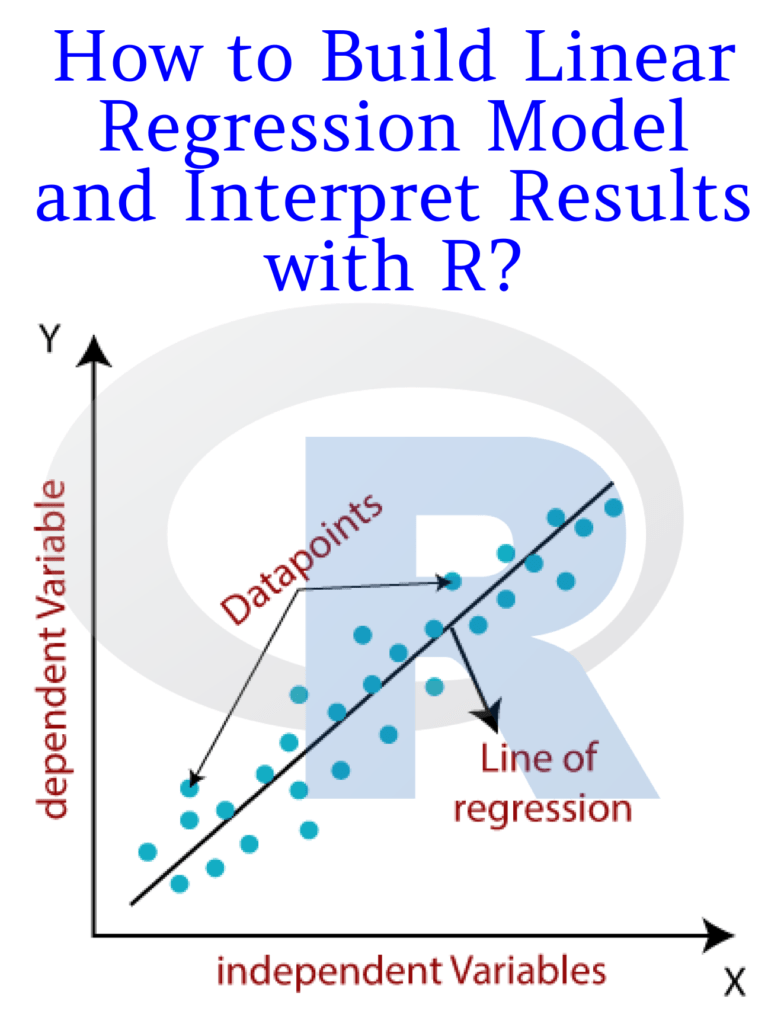
How to Build Linear Regression Model and Interpret Results with R?

Linear regression is a widely used statistical modeling technique for predicting the relationship between a dependent variable and one or more independent variables. It is commonly used in various fields such as economics, finance, marketing, and social sciences. In this article, we will discuss how to build a linear regression model in R and interpret its results.

How to Build Linear Regression Model and Interpret Results with R?

Steps to build a linear regression model in R:

Step 1: Install and load the necessary packages

To build a linear regression model in R, we need to install and load the necessary packages. The “tidyverse” package includes many useful packages, including “dplyr”, “ggplot2”, and “tidyr”. We will also use the “lm” function, which is built into R, for building the linear regression model.

# install.packages("tidyverse")
library(tidyverse)

Step 2: Load and explore the data

We need to load the data into R and explore its structure, dimensions, and summary statistics to gain insights into the data. In this example, we will use the “mtcars” dataset, which is included in R. This dataset contains information about various car models and their performance characteristics.

data(mtcars)
head(mtcars)
summary(mtcars)

Step 3: Create the model

To create the linear regression model, we need to use the “lm” function in R. We need to specify the dependent variable and the independent variables in the formula. In this example, we will use the “mpg” (miles per gallon) variable as the dependent variable and the “wt” (weight) variable as the independent variable.

# Create the linear regression model
model <- lm(mpg ~ wt, data = mtcars)

Step 4: Interpret the model

Once the model is created, we need to interpret its coefficients, standard errors, p-values, and R-squared value to understand its significance and predictive power.

# Display the model coefficients, standard errors, p-values, and R-squared value
summary(model)

The output of the summary() function shows the following:

Call:
lm(formula = mpg ~ wt, data = mtcars)

Residuals:
    Min      1Q  Median      3Q     Max 
-4.5432 -2.3647 -0.1252  1.4096  6.8727 

Coefficients:
            Estimate Std. Error t value Pr(>|t|)    
(Intercept)  37.2851     1.8776  19.858  < 2e-16 ***
wt           -5.3445     0.5591  -9.559 1.29e-10 ***
---
Signif. codes:  0 ‘***’ 0.001 ‘**’ 0.01 ‘*’ 0.05 ‘.’ 0.1 ‘ ’ 1

Residual standard error: 3.046 on 30 degrees of freedom
Multiple R-squared:  0.7528,    Adjusted R-squared:  0.7446 
F-statistic: 91.38 on 1 and 30 DF,  p-value: 1.294e-10

The “Estimate” column shows the coefficients of the linear regression model. The intercept value is 37.2851, which represents the predicted value of the dependent variable when the independent variable is zero. The coefficient of the “wt” variable is -5.3445, which indicates that as the weight of the car increases by one.

Download(PDF)


Read More: Learn R for Applied Statistics: With Data Visualizations, Regressions, and Statistics

Storytelling with Data: A Data Visualization Guide for Business Professionals

Storytelling with Data: Do you want to learn how to communicate effectively with data? Do you want to impress your boss, clients, and colleagues with your data-driven insights and recommendations? Do you want to master the art and science of storytelling with data?

If you answered yes to any of these questions, then this blog post is for you. In this post, I will share with you some tips and tricks on how to use data storytelling to enhance your business communication skills and achieve your goals.

Storytelling with Data: A Data Visualization Guide for Business Professionals

What is data storytelling?

Data storytelling is the process of creating and delivering a narrative that explains, illustrates, or persuades using data as evidence. Data storytelling combines three elements: data, visuals, and narrative.

Data is the raw material that provides the facts and figures that support your message. Visuals are the graphical representations that help you display and highlight the key patterns, trends, and insights from your data. A narrative is a verbal or written explanation that connects the dots and tells a coherent and compelling story with your data.

Why is data storytelling important?

Data storytelling is important because it helps you:

  • Capture and maintain your audience’s attention. Data storytelling makes your message more engaging and memorable by using visuals and narrative techniques that appeal to human emotions and curiosity.
  • Simplify and clarify complex information. Data storytelling helps you distill and organize large amounts of data into meaningful and actionable insights that your audience can easily understand and relate to.
  • Influence and persuade your audience. Data storytelling helps you establish credibility and trust by backing up your claims with evidence. It also helps you motivate and inspire your audience to take action by showing them the benefits and implications of your data analysis.

How to create a data story?

Creating a data story is not a one-size-fits-all process. It depends on various factors such as your audience, your purpose, your data, and your medium. However, here are some general steps that can guide you in crafting a data story:

  1. Define your audience and your goal. Before you start working on your data story, you need to know who you are talking to and what you want to achieve. Ask yourself: Who is my audience? What do they care about? What do they already know? What do they need to know? What do I want them to do or feel after hearing my story?
  2. Find and analyze your data. Once you have a clear idea of your audience and your goal, you need to find and analyze the data that will support your message. Ask yourself: What data sources are available and relevant? How can I clean, transform, and explore the data? What are the key insights and patterns that emerge from the data?
  3. Choose your visuals and narrative techniques. After you have identified the main insights from your data, you need to choose how to present them visually and verbally. Ask yourself: What type of chart or graph best suits my data and my message? How can I design my visuals to make them clear, attractive, and effective? What narrative techniques can I use to structure my story and make it interesting and persuasive?
  4. Deliver your data story. The final step is to deliver your data story to your audience using the appropriate medium and format. Ask yourself: How can I tailor my delivery to suit my audience’s preferences and expectations? How can I use verbal and non-verbal cues to enhance my presentation skills? How can I solicit feedback and measure the impact of my data story?

Read more: Data Visualization and Exploration with R

Download(PDF)