data scientist

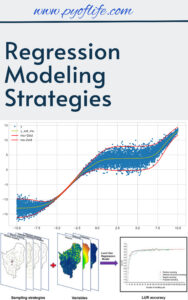
Regression Modeling Strategies

In today’s data-driven world, regression modeling has become a cornerstone of predictive analytics, enabling businesses and researchers to uncover insights and make data-backed decisions. Understanding regression modeling strategies is essential for building robust models, improving accuracy, and addressing real-world complexities.

This article dives into the core concepts, strategies, and best practices in regression modeling, tailored for both beginners and advanced practitioners.

What Is Regression Modeling?

Regression modeling is a statistical technique used to examine the relationship between a dependent variable and one or more independent variables. It predicts outcomes, identifies trends, and determines causal relationships in a variety of fields, including finance, healthcare, and marketing.

Popular types of regression models include:

Key Strategies in Regression Modeling

  1. Data Preparation and Exploration
    • Clean the Data: Handle missing values, outliers, and ensure data consistency.
    • Understand Relationships: Use visualization tools to explore variable relationships.

    Tip: Correlation matrices and scatterplots can help identify multicollinearity and initial patterns.

  2. Model Selection
    • Match the model to your problem. For example, use logistic regression for classification tasks and ridge regression to handle overfitting in high-dimensional data.
    • Leverage model evaluation metrics like R-squared, AIC, and BIC to compare performance.
  3. Feature Engineering
    • Create New Features: Combine or transform existing variables for improved predictive power.
    • Standardize or Normalize: Scale variables to ensure fair contributions to the model.
  4. Addressing Multicollinearity
    Multicollinearity occurs when independent variables are highly correlated, which can distort estimates. Address it through:

    • Dropping redundant variables.
    • Using regularization techniques like ridge or lasso regression.
  5. Validation and Testing
    • Split the data into training, validation, and testing sets.
    • Use cross-validation to ensure model generalizability.
  6. Interpretability
    • Keep the model understandable by minimizing unnecessary complexity.
    • Use tools like partial dependence plots and feature importance rankings to explain model behavior.

Advanced Techniques to Improve Regression Models

  • Regularization Methods: Employ ridge and lasso regression to shrink coefficients and enhance model stability.
  • Interaction Terms: Capture relationships between variables by including interaction effects in the model.
  • Non-linear Models: Use polynomial regression or generalized additive models (GAMs) for non-linear relationships.
  • Automated Model Tuning: Leverage tools like grid search or Bayesian optimization to fine-tune hyperparameters.

Applications of Regression Modeling

Regression modeling has versatile applications:

  • Healthcare: Predict patient outcomes or disease risks.
  • Marketing: Optimize campaign performance by analyzing customer data.
  • Finance: Forecast stock prices, credit risks, or economic trends.
  • Manufacturing: Predict equipment failures and optimize production processes.

Challenges and Best Practices

Despite its power, regression modeling comes with challenges:

  • Overfitting: Avoid models that perform well on training data but fail to generalize.
  • Data Quality: Poor data can lead to inaccurate predictions.
  • Bias-Variance Tradeoff: Balance model complexity to minimize prediction errors.

Best Practices:

  • Always validate your model on unseen data.
  • Regularly revisit the model as new data becomes available.
  • Document assumptions and ensure ethical use of data.

Conclusion

Regression modeling strategies provide a structured approach to uncovering meaningful patterns and making reliable predictions. By combining data preparation, thoughtful model selection, and rigorous testing, you can create robust models that drive actionable insights. Whether you’re solving business challenges or advancing research, mastering these strategies is essential for success.

Download: Linear Regression Using R: An Introduction to Data Modeling
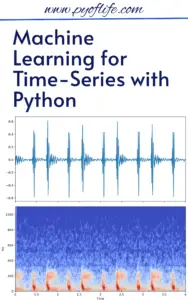
Machine Learning for Time-Series with Python

Machine Learning for Time-Series with Python: Machine Learning (ML) has revolutionized various industries, and its application in time-series analysis is no exception. Time-series data, characterized by observations collected at successive points in time, can unlock powerful insights when analyzed correctly. Python, with its robust libraries and frameworks, has become the go-to tool for time-series ML. In this article, we’ll explore how to leverage Python for time-series analysis, tools and techniques, and real-world applications.

What is Time-Series Data?

Time-series data represents information recorded at different time intervals. Common examples include stock prices, weather data, sensor readings, and economic indicators. These datasets often exhibit trends, seasonality, and noise, making them unique and challenging for machine learning models.

Why Use Machine Learning for Time-Series Analysis?

Traditional statistical methods like ARIMA and SARIMA are excellent for stationary time-series, but ML models bring versatility, scalability, and predictive accuracy to the table. With ML, you can:

  • Handle non-linear relationships.
  • Work with multivariate data.
  • Build robust models for forecasting, anomaly detection, and classification.

Key Python Libraries for Time-Series ML

Python boasts several powerful libraries for time-series analysis:

  1. Pandas: For data manipulation and preparation.
  2. NumPy: For numerical computations.
  3. Matplotlib & Seaborn: For data visualization.
  4. Statsmodels: For traditional time-series models like ARIMA.
  5. Scikit-learn: For machine learning models.
  6. TensorFlow & PyTorch: For deep learning models.
  7. TSFresh & Sktime: For feature extraction and time-series specific modeling.

    Download (PDF)

Steps to Perform Machine Learning on Time-Series Data

  1. Exploratory Data Analysis (EDA)
    • Visualize the data to understand trends, seasonality, and anomalies.
    • Use Pandas and Matplotlib for plotting and summary statistics.
  2. Data Preprocessing
    • Handle missing values using interpolation or forward-filling.
    • Resample data if needed (e.g., from hourly to daily observations).
    • Normalize or scale features for better model performance.
  3. Feature Engineering
    • Extract time-based features like day, month, year, or holiday indicators.
    • Create lag features and rolling statistics (e.g., moving averages).
    • Use libraries like TSFresh for automated feature extraction.
  4. Model Selection
    • For simple tasks: Use regression models like Random Forests or Gradient Boosting.
    • For sequence learning: Explore Recurrent Neural Networks (RNNs), LSTMs, or Transformers.
  5. Training and Evaluation
    • Split data into training and testing sets while preserving temporal order.
    • Evaluate models using metrics like RMSE, MAE, or MAPE.
  6. Forecasting
    • Use Sktime or deep learning libraries for robust forecasting capabilities.

Real-World Applications of Time-Series ML

  1. Finance: Stock price forecasting, risk analysis, and fraud detection.
  2. Healthcare: Monitoring patient vitals and disease progression.
  3. Retail: Demand forecasting and inventory management.
  4. IoT: Predictive maintenance using sensor data.
  5. Climate Science: Weather prediction and climate modeling.

Example: Forecasting with LSTM in Python

Here’s a snippet to forecast time-series data using LSTM in Python:

import numpy as np
import pandas as pd
from sklearn.preprocessing
import MinMaxScaler
from tensorflow.keras.models
import Sequential
from tensorflow.keras.layers import LSTM, Dense
# Load data
data = pd.read_csv('time_series_data.csv')
data_values = data['value'].values.reshape(-1, 1)
# Normalize data
scaler = MinMaxScaler()
data_scaled = scaler.fit_transform(data_values)
# Prepare sequences
def create_sequences(data, time_steps):
sequences = []
for i in range(len(data) - time_steps):
sequences.append((data[i:i + time_steps], data[i + time_steps]))
return np.array(sequences)
time_steps = 10
sequences = create_sequences(data_scaled, time_steps)
X, y = zip(*sequences)
X, y = np.array(X), np.array(y)
# Build LSTM model
model = Sequential([
LSTM(50, return_sequences=True, input_shape=(X.shape[1], X.shape[2])),
LSTM(50, return_sequences=False),
Dense(1)
])
model.compile(optimizer='adam', loss='mse')
model.fit(X, y, epochs=10, batch_size=32)
# Forecasting
predictions = model.predict(X)

Best Practices for Time-Series ML

  1. Ensure data integrity and quality.
  2. Avoid data leakage by splitting datasets carefully.
  3. Regularly validate model performance on unseen data.
  4. Consider domain-specific knowledge for feature engineering.

Conclusion

Machine learning has transformed time-series analysis by enabling more dynamic, accurate, and versatile models. With Python’s vast ecosystem of tools and libraries, analysts and developers can easily tackle challenges in time-series data. From forecasting stock prices to detecting anomalies in IoT, the possibilities are endless. Start exploring today and unlock the power of time-series with Python!

Download: Introduction to Time Series with Python

Introductory Applied Statistics: With Resampling Methods & R

Applied statistics is an essential skill in data-driven decision-making, research, and scientific inquiry. The integration of resampling methods and the R programming language into this field has transformed how beginners and experts alike approach statistical problems. In this article, we explore the key components of Introductory Applied Statistics, focusing on the synergy between resampling methods and R.

What is Applied Statistics?

Applied statistics involves using statistical methods to solve real-world problems. It encompasses data collection, analysis, interpretation, and presentation, providing actionable insights across diverse fields, including healthcare, business, and engineering.

Introductory Applied Statistics With Resampling Methods & R

Resampling Methods: A Modern Statistical Approach

Resampling is a powerful non-parametric statistical technique that involves repeatedly sampling data to assess the variability of a statistic or build models. Key resampling methods include:

1.Bootstrapping

  • Allows estimation of population parameters by sampling with replacement.
  • Ideal for constructing confidence intervals or hypothesis testing when assumptions about data distribution are unclear.

2. Permutation Tests

  • Focuses on testing hypotheses by analyzing the distribution of a test statistic under random rearrangements of the data.

3. Cross-Validation

  • Primarily used in predictive modeling, this method ensures robust model evaluation and comparison.

Resampling methods are easy to understand conceptually and work well for complex or small datasets where traditional methods falter.

R Programming: The Statistical Powerhouse

R is an open-source programming language designed for statistical computing and graphics. Its flexibility and extensive library of packages make it a go-to tool for statisticians. Here’s why R is indispensable for applied statistics:

  • Interactive Data Analysis: Tools like RStudio streamline coding, visualization, and reporting.
  • Comprehensive Libraries: Packages like boot, perm, and caret simplify the implementation of resampling techniques.
  • Customizability: R supports custom functions for unique statistical needs.

Combining Resampling Methods with R

The marriage of resampling methods and R offers a modern, practical approach to learning and applying statistics. For beginners, the combination simplifies understanding abstract concepts, as R’s clear syntax and visual outputs provide instant feedback. Examples include:

  • Bootstrapping Confidence Intervals in R
library(boot)
boot(data, statistic, R = 1000)

  • Performing Permutation Tests
library(perm)
perm.test(x, y, alternative = "greater")

These examples highlight how seamlessly R handles complex statistical tasks.

Why Learn Introductory Applied Statistics with Resampling Methods & R?

1.User-Friendly Learning Curve

  • Resampling simplifies statistical concepts.
  • R’s intuitive interface makes coding accessible.

2. Versatility Across Disciplines

  • From biomedical research to marketing analytics, the techniques are widely applicable.

3. Future-Proof Skillset

  • Mastery of R and resampling prepares learners for advanced statistical challenges.

Conclusion

Introductory applied statistics is more approachable than ever, thanks to the integration of resampling methods and R. Whether you’re a student, professional, or researcher, mastering these techniques will empower you to derive meaningful insights from data confidently. Embrace this synergy, and unlock the full potential of applied statistics in your field!

Download: Intermediate Statistics with R

Machine Learning and Artificial Intelligence

Machine Learning (ML) and Artificial Intelligence (AI) are driving technological advancements, revolutionizing industries, and enabling systems to solve complex problems with minimal human intervention. From predictive analytics to autonomous systems, these technologies are creating new paradigms in computing and automation.

Defining Machine Learning and Artificial Intelligence

Artificial Intelligence (AI) is a field of computer science that focuses on creating intelligent systems capable of mimicking human cognition, including reasoning, problem-solving, and decision-making. Machine Learning (ML), a subset of AI, enables systems to learn patterns and improve performance on tasks through experience, leveraging algorithms and statistical models without explicit programming.

Machine Learning and Artificial Intelligence

Core Concepts in ML and AI

1. Supervised Learning

Supervised learning trains algorithms using labeled datasets to predict outcomes or classify data. Common applications include fraud detection and image recognition.

  • Example Algorithms: Linear Regression, Support Vector Machines, Neural Networks.

2. Unsupervised Learning

This approach identifies hidden patterns in unlabeled data, often used for clustering and dimensionality reduction.

  • Example Algorithms: K-Means Clustering, Principal Component Analysis (PCA).

3. Reinforcement Learning

Reinforcement learning trains agents to make sequential decisions by maximizing rewards in a given environment, applied extensively in robotics and game AI.

  • Key Technique: Q-Learning, Deep Q-Networks (DQN).

Real-World Applications

1. Healthcare

AI and ML are transforming diagnostics, personalized medicine, and drug discovery.

  • Deep Learning in Medical Imaging: Convolutional Neural Networks (CNNs) analyze X-rays, MRIs, and CT scans for disease detection.
  • Predictive Analytics: Models predict patient outcomes and optimize treatment strategies.

2. Finance

  • Algorithmic Trading: Machine learning models optimize trading strategies by analyzing market trends.
  • Fraud Detection: Anomaly detection algorithms identify irregularities in transactions to mitigate financial fraud.

3. Natural Language Processing (NLP)

NLP, powered by AI, enables machines to interpret and generate human language.

  • Applications: Chatbots, sentiment analysis, and machine translation.
  • Frameworks: Transformer-based models like GPT and BERT.

Benefits of AI and ML

  • Scalability: Algorithms scale seamlessly to accommodate large datasets.
  • Automation: AI-powered systems automate complex workflows, reducing human intervention.
  • Predictive Power: Machine learning models provide accurate forecasting in applications like weather prediction and supply chain optimization.

Technical Challenges

1. Data Quality and Quantity

Training robust AI models requires high-quality, large-scale datasets. Inconsistent or biased data can compromise model performance.

2. Computational Complexity

High-performance computing resources, such as GPUs and TPUs, are essential for training large-scale models like deep neural networks.

3. Model Interpretability

Many AI models, especially deep learning systems, operate as “black boxes,” making it challenging to understand how decisions are made. Techniques like SHAP and LIME aim to improve explainability.

Emerging Trends in AI and ML

  • Edge AI: Deploying AI models on edge devices for low-latency, real-time decision-making.
  • Generative AI: Advances in GANs and diffusion models enable realistic content generation in media and design.
  • Federated Learning: Distributed machine learning preserves data privacy by training models locally and aggregating insights.
  • Quantum ML: Combining quantum computing with ML to solve problems beyond classical computational capabilities.

Conclusion

The interplay between Machine Learning and Artificial Intelligence is accelerating the pace of innovation. By advancing algorithms, improving computational infrastructure, and addressing ethical concerns, these technologies will redefine industries and pave the way for unprecedented opportunities.

Organizations aiming to stay competitive must integrate AI and ML into their workflows, capitalizing on their transformative potential to remain at the forefront of the technological frontier.

Download: Pro Machine Learning Algorithms

Mathematical Statistics With Applications in R

Mathematical statistics is the foundation of data analysis, enabling researchers and professionals to understand patterns, make informed decisions, and predict future trends. Coupled with the programming power of R, this discipline transforms raw data into meaningful insights. This article delves into the synergy between mathematical statistics and R, exploring its applications, benefits, and reasons to master this combination.

What Is Mathematical Statistics?

Mathematical statistics focuses on the theoretical framework of data analysis, leveraging probability theory, hypothesis testing, and statistical inference to draw conclusions from data. It provides the tools to quantify uncertainty and variability, essential in research, business, and scientific applications.

Why Choose R for Statistical Applications?

R is a powerful, open-source programming language designed for statistical computing and graphics. With its extensive libraries, R simplifies the implementation of complex mathematical concepts. Its strengths include:

  • Wide Range of Packages: R features specialized libraries like ggplot2 for visualization, dplyr for data manipulation, and MASS for statistical analysis.
  • Community Support: The R community continuously develops resources, ensuring up-to-date techniques and methodologies.
  • Flexibility: From small datasets to large-scale simulations, R handles it all efficiently.
Mathematical Statistics With Applications in R

Download:

Applications of Mathematical Statistics in R

1. Data Exploration and Visualization

R’s robust tools help in summarizing data through measures like mean, variance, and skewness, while its visualization capabilities turn data into interpretable charts and graphs.

2. Probability Distributions

Understanding probability distributions is vital in statistical analysis. R enables users to compute probabilities, generate random variables, and visualize distributions like normal, binomial, and Poisson.

3. Regression Analysis

Regression models in R assist in identifying trends and relationships between variables. Tools like lm() for linear regression and glm() for generalized models are standard features.

4. Simulation and Bootstrapping

Simulations in R are used to understand the behavior of statistics under various conditions. Bootstrapping techniques enhance accuracy in parameter estimation.

5. Hypothesis Testing

Statistical tests, such as t-tests, chi-square tests, and ANOVA, are seamlessly performed in R. These tests help validate assumptions and assess relationships within data.

Benefits of Integrating R into Mathematical Statistics

  • Efficiency: Automating calculations and repetitive tasks saves time and effort.
  • Scalability: Handle massive datasets effortlessly with R’s computational power.
  • Reproducibility: R scripts ensure consistency, making analyses easy to reproduce.
  • Customizability: Tailor analyses using R’s scripting and package development capabilities.

Conclusion

The integration of mathematical statistics with the computational prowess of R opens a world of opportunities in data analysis. Whether you’re a researcher, data analyst, or statistician, mastering these tools will elevate your skills and enable you to tackle complex challenges with confidence.

Download(PDF)

Download: Essential Math for Data Science

Enabling AI Applications in Data Science

Enabling AI Applications in Data Science: Artificial Intelligence (AI) has become a transformative force in data science, driving innovation across industries. The ability to process, analyze, and derive insights from vast datasets has elevated AI applications, making them indispensable in decision-making, predictive analytics, and automation. Here’s how AI is enabling groundbreaking advancements in data science.

1. AI in Data Processing and Cleaning

Data is the backbone of data science, but raw data is often incomplete, noisy, or unstructured. AI-powered tools and algorithms simplify data preprocessing, automating tasks such as:

  • Identifying and filling missing values.
  • Detecting anomalies and outliers.
  • Structuring unorganized datasets (e.g., converting text or image data into analyzable formats).

For instance, Natural Language Processing (NLP) techniques enable the extraction of relevant information from unstructured text, while machine learning algorithms enhance the accuracy of data imputation.

Enabling AI Applications in Data Science

2. Advanced Analytics and Predictive Modeling

AI excels at identifying patterns and trends in complex datasets, surpassing traditional statistical methods. Machine learning models, especially deep learning, are pivotal in predictive analytics. Examples include:

  • Customer Behavior Prediction: Companies analyze purchasing patterns to optimize marketing strategies.
  • Healthcare Forecasting: AI predicts disease outbreaks or individual health risks based on historical and real-time data.

By integrating neural networks and reinforcement learning, organizations can build self-improving models for enhanced performance.

3. Enhancing Visualization and Insights

Data visualization, essential for understanding datasets, benefits immensely from AI. Intelligent visualization tools suggest optimal ways to represent data (e.g., charts, heatmaps) based on its characteristics. Additionally, AI-driven dashboards generate actionable insights by correlating variables and detecting hidden relationships, empowering data scientists and stakeholders to make informed decisions.

4. Automation in Data Science Workflows

AI is automating repetitive tasks, freeing data scientists to focus on strategic problems. Tools like AutoML (Automated Machine Learning) enable users to:

  • Automatically select the best algorithms for a dataset.
  • Fine-tune models with minimal manual intervention.
  • Streamline model deployment for production environments.

This democratization allows non-experts to leverage data science effectively.

5. AI for Real-Time Analysis

With the growth of IoT and sensor technologies, the demand for real-time analytics has surged. AI algorithms process and analyze streaming data, enabling real-time decision-making in areas such as:

  • Financial Services: Fraud detection during transactions.
  • Smart Cities: Traffic optimization and energy consumption monitoring.

The ability to act on data instantly is a game-changer for industries requiring agility.

6. Ethical AI and Responsible Data Usage

As AI applications proliferate, ethical concerns regarding data privacy, bias, and transparency have gained prominence. Implementing responsible AI practices ensures models are fair, explainable, and compliant with regulations. Organizations are adopting frameworks for ethical AI to build trust and accountability.

Conclusion

AI is reshaping data science, offering powerful tools to tackle complex challenges, from big data analytics to real-time predictions. As advancements in AI continue, its integration with data science will lead to smarter systems, better decisions, and groundbreaking innovations.

Businesses and professionals must embrace these AI applications to stay competitive and unlock the full potential of their data. The future of data science, powered by AI, is limitless.

Download: The Data Science Handbook

Applied Statistics: Theory and Problem Solutions with R

Applied Statistics: Theory and Problem Solutions with R Applied statistics is a cornerstone in data-driven decision-making, offering tools and techniques to make sense of complex datasets. When paired with R, a powerful statistical computing and graphics language, applied statistics becomes even more accessible and efficient for problem-solving. This article explores the fundamental concepts of applied statistics, its importance, and how R can be used to solve real-world problems.

What is Applied Statistics?

Applied statistics involves using statistical methods to collect, analyze, and interpret data for practical applications. Unlike theoretical statistics, which focuses on developing mathematical underpinnings, applied statistics emphasizes real-world applications in fields like business, healthcare, engineering, and social sciences.

Key components of applied statistics include:

  1. Descriptive Statistics: Summarizing and organizing data.
  2. Inferential Statistics: Drawing conclusions and making predictions based on data samples.
  3. Hypothesis Testing: Determining the validity of assumptions about datasets.
  4. Regression Analysis: Identifying relationships between variables.
Applied Statistics Theory and Problem Solutions with R
Applied Statistics: Theory and Problem Solutions with R

Why Use R for Applied Statistics?

R is a versatile programming language specifically designed for statistical computing and visualization. Its extensive library of packages and active community support make it an ideal tool for applied statisticians.

Advantages of R in Applied Statistics:

  • Comprehensive Libraries: Packages like ggplot2, dplyr, and caret simplify data manipulation, visualization, and modeling.
  • Interactive Visualizations: Tools like shiny allow for creating interactive dashboards.
  • Reproducible Research: Integration with R Markdown ensures that analyses are transparent and reproducible.
  • Scalability: R handles datasets of varying sizes efficiently.

Common Applications of Applied Statistics with R

Here are some practical areas where applied statistics, powered by R, shines:

1. Business Analytics

  • Problem: A company wants to analyze customer behavior to improve marketing strategies.
  • Solution: Use R’s cluster package for customer segmentation and forecast for sales predictions.

2. Healthcare Research

  • Problem: A researcher needs to identify factors influencing patient recovery rates.
  • Solution: Perform logistic regression with R’s glm function to model binary outcomes like recovery or non-recovery.

3. Environmental Studies

  • Problem: Analyze climate data to predict temperature trends.
  • Solution: Employ time-series analysis using the ts package in R.

4. Education

  • Problem: Measure the impact of a new teaching method on student performance.
  • Solution: Conduct hypothesis testing with R’s t.test function.

Solving Statistical Problems with R: A Step-by-Step Guide

  1. Define the Problem: Identify what you want to analyze or predict.
  2. Collect Data: Use surveys, databases, or online resources.
  3. Preprocess the Data: Handle missing values and outliers using packages like tidyverse.
  4. Apply Statistical Methods: Use R’s wide range of functions for descriptive, inferential, and predictive analytics.
  5. Interpret Results: Visualize findings with ggplot2 for better communication.

Example: Solving a Problem with R

Scenario: A retailer wants to identify factors affecting sales.

Solution:

  1. Load the dataset into R using read.csv().
  2. Use summary() to understand the data distribution.
  3. Apply multiple regression with lm(sales ~ advertising + price, data = dataset) to determine the influence of advertising spend and pricing.
  4. Visualize the regression line with ggplot2 to interpret the results.

Best Practices for Applied Statistics in R

  • Ensure data quality through thorough preprocessing.
  • Choose the right statistical model for the problem.
  • Regularly update R and its packages for the latest features.
  • Validate models with techniques like cross-validation to avoid overfitting.

Conclusion

Applied statistics, enhanced by the power of R, is a critical skill for anyone working with data. By mastering its theory and practical applications, professionals can solve complex problems across various domains efficiently. Whether it’s forecasting trends, optimizing business processes, or conducting scientific research, R provides the tools needed to turn data into actionable insights.

Download: Applied Statistics with R

Modern Artificial Intelligence and Data Science

Modern Artificial Intelligence and Data Science: As digital transformation advances across every industry, Artificial Intelligence (AI) and Data Science are at the forefront of technological innovation. These disciplines are not only reshaping businesses and improving processes but are also setting new standards in customer engagement, decision-making, and operational efficiency. In this article, we’ll explore the essential tools, techniques, and systems that form the backbone of modern AI and data science, providing insights into their significance and future potential.

The Role of Artificial Intelligence and Data Science Today

AI and Data Science go hand in hand, enabling organizations to extract meaningful insights from large sets of data. Together, they empower data-driven decision-making, enhance automation, and even bring forward predictive capabilities that help anticipate trends. Whether it’s machine learning, natural language processing, or predictive analytics, AI and Data Science work as a duo to improve business performance, streamline processes, and open doors to new opportunities.

Modern Artificial Intelligence and Data Science Tools, Techniques and Systems
Modern Artificial Intelligence and Data Science: Tools, Techniques and Systems

Key Tools in Modern AI and Data Science

A range of tools has emerged to support AI and data science workflows, from data analysis and visualization to complex machine learning model deployment. Here are some leading tools widely used by data scientists and AI developers:

1. Python and R

  • Python remains a top choice due to its flexibility, readability, and extensive libraries (e.g., TensorFlow, scikit-learn, Keras, Pandas, NumPy). Python’s versatility makes it ideal for tasks ranging from data preprocessing to building machine learning models.
  • R, on the other hand, is favored for statistical analysis and visualization. Its comprehensive statistical packages and libraries such as ggplot2 make it popular among data scientists specializing in data analysis and visualization.

2. Jupyter Notebooks

  • Jupyter Notebooks offers a collaborative environment where data scientists can write code, visualize data, and document processes in one place. This open-source tool has become essential for data exploration and prototyping.

3. Apache Spark

  • Spark is a powerful analytics engine for big data processing, and it supports multiple languages (Python, Java, Scala, and R). With libraries like MLlib for machine learning and Spark SQL for querying structured data, Apache Spark provides scalability and flexibility for processing large datasets in distributed computing environments.

4. TensorFlow and PyTorch

  • TensorFlow, developed by Google, and PyTorch, backed by Facebook, are two of the most popular frameworks for deep learning. TensorFlow’s flexibility with data flow graphs and PyTorch’s dynamic computational graphs make them ideal for building and deploying complex neural networks.

5. Tableau and Power BI

  • For data visualization, Tableau and Power BI are powerful tools that enable users to create interactive and visually appealing dashboards. These tools are user-friendly and allow non-technical stakeholders to understand and interact with data insights effectively.

Essential Techniques in AI and Data Science

The success of AI and data science depends on a variety of sophisticated techniques. Here are some key methods driving innovation in these fields:

1. Machine Learning (ML)

  • ML is a core subset of AI that enables systems to learn and improve from experience without explicit programming. Techniques include supervised learning (classification, regression), unsupervised learning (clustering, association), and reinforcement learning.

2. Deep Learning

  • Deep Learning, a subset of ML, uses neural networks with multiple layers (deep neural networks) to analyze patterns and structures within complex data. It’s behind advances in image and speech recognition, autonomous vehicles, and even language translation.

3. Natural Language Processing (NLP)

  • NLP techniques allow AI systems to understand, interpret, and generate human language. NLP powers chatbots, sentiment analysis, and language translation making it a valuable tool for customer service, content analysis, and more.

4. Predictive Analytics

  • Predictive analytics uses historical data to make informed predictions about future events. It’s widely applied in industries like finance, healthcare, and retail to forecast trends, customer behavior, and potential risks.

5. Data Wrangling and Data Cleaning

  • Before data can be analyzed, it needs to be prepared. Data wrangling (the process of cleaning, structuring, and enriching raw data) and data cleaning are essential techniques that ensure the quality and accuracy of data used in analysis and modeling.

Systems Supporting AI and Data Science Workflows

Behind every AI model and data science project, there’s a supporting system infrastructure. Here are some essential systems that enable the execution, storage, and scalability of AI and data science projects:

1. Cloud Computing Platforms (AWS, Azure, Google Cloud)

  • Cloud platforms offer scalable infrastructure and services for data storage, computation, and analytics. AWS, Microsoft Azure, and Google Cloud provide comprehensive suites for data science and AI, including machine learning as a service (MLaaS) and managed databases.

2. Big Data Ecosystems (Hadoop, Apache Hive, Apache Kafka)

  • For processing and analyzing massive amounts of data, big data ecosystems like Hadoop, Hive, and Kafka are vital. These systems enable distributed data storage and parallel processing, supporting large-scale AI and data science workflows.

3. Data Lakes and Data Warehouses

  • Data lakes and data warehouses are designed for large-scale data storage and management. Data lakes store unstructured and structured data, while data warehouses are optimized for structured data analysis, both facilitating data access and integration.

4. Edge Computing

  • Edge computing brings computation closer to data sources, which is crucial for real-time applications. It reduces latency by processing data near its source, making it ideal for IoT devices, autonomous systems, and applications that demand rapid response times.

Future Trends in AI and Data Science

As AI and Data Science continue to evolve, several trends are emerging that promise to shape the future of these fields:

1. Automated Machine Learning (AutoML)

  • AutoML automates the process of building machine learning models, making it more accessible for non-experts and accelerating model development. This trend will likely democratize AI even further, allowing more businesses to leverage its benefits without requiring highly specialized expertise.

2. Explainable AI (XAI)

  • Explainable AI is gaining importance as organizations prioritize transparency and accountability. XAI techniques aim to make AI models understandable and interpretable, especially in high-stakes fields like healthcare, finance, and law.

3. AI for Ethical and Sustainable Development

  • With AI’s impact on society becoming more apparent, ethical AI is a growing area of focus. AI researchers and practitioners are exploring ways to minimize bias, protect privacy, and reduce AI’s environmental footprint, making AI a force for positive change.

4. Integration of Quantum Computing in AI

  • Quantum computing holds the promise of solving complex problems at unprecedented speeds. As quantum technology advances, it may revolutionize AI by enabling faster processing and deeper analysis, opening new doors for scientific and industrial applications.

Conclusion: Modern Artificial Intelligence and Data Science

The synergy between AI and Data Science continues to propel innovation across all sectors. With powerful tools, advanced techniques, and robust systems, businesses can harness the full potential of data-driven insights and AI-powered solutions. As these fields evolve, staying updated on emerging tools and trends will be key for professionals and organizations looking to stay competitive in the digital era. AI and Data Science are no longer just buzzwords—they are the essential pillars of modern technology, shaping the future of industries worldwide.

Download: Machine Learning And Its Applications: Advanced Lectures

Introduction to Bioinformatics with R: A Practical Guide for Biologists

Introduction to Bioinformatics with R: Bioinformatics has revolutionized biological research, enabling scientists to analyze large sets of biological data, derive meaningful insights, and make more accurate predictions. With an ever-growing amount of biological data generated from genomic, transcriptomic, proteomic, and metabolomic studies, it has become essential for biologists to master bioinformatics tools. One of the most popular and versatile programming languages in the bioinformatics field is R. Known for its extensive range of packages, flexibility, and powerful data visualization capabilities, R provides an accessible platform for biologists to carry out complex analyses. This guide introduces bioinformatics with R, offering practical insights and steps for biologists venturing into this dynamic field.

Why Bioinformatics?

Biology is no longer just about observing organisms or dissecting tissues; it’s now about decoding DNA sequences, analyzing gene expression patterns, and studying cellular networks at unprecedented scales. Bioinformatics allows researchers to manage, analyze, and interpret biological data on a large scale. Here are some key reasons why bioinformatics is essential:

  • Data Explosion: The vast amount of data generated from modern sequencing technologies requires computational tools to manage and analyze it efficiently.
  • Insights from Patterns: Bioinformatics helps identify patterns and correlations that would be difficult, if not impossible, to detect through traditional lab-based methods.
  • Personalized Medicine: Bioinformatics is the backbone of personalized medicine, allowing researchers to tailor medical treatment to individual genetic profiles.
  • Interdisciplinary Approach: Bioinformatics merges biology with computer science, mathematics, and statistics, providing a more comprehensive approach to research.
Introduction to Bioinformatics with R: A Practical Guide for Biologists

Why Choose R for Bioinformatics?

R is a popular programming language for statistical computing and has gained widespread popularity in bioinformatics for several reasons:

  1. Rich Package Ecosystem: R offers a multitude of packages tailored for bioinformatics, such as Bioconductor, which houses over 1,800 tools specifically for genomic data analysis.
  2. Data Visualization: R’s powerful visualization libraries, like ggplot2 and lattice, allow researchers to create informative and visually appealing graphs, which are essential in making data interpretable.
  3. Flexibility and Accessibility: R is open-source, making it accessible to researchers and academics worldwide. Additionally, R is relatively easy to learn for beginners, with many resources available.
  4. Community Support: The R community is large and active, offering extensive documentation, forums, and tutorials to help users troubleshoot and develop their skills.

Getting Started with Bioinformatics in R

If you’re new to bioinformatics or R, the first step is to familiarize yourself with the basics of the R language and environment. Here’s a quick outline to help you start:

1. Install R and RStudio

  1. R: Begin by installing the R language from CRAN, the Comprehensive R Archive Network.
  2. RStudio: RStudio provides an integrated development environment (IDE) that simplifies R programming with features like script editors, plotting windows, and package management. Download it from the RStudio website.

2. Learn the Basics of R

Learning R is essential for efficiently performing bioinformatics analyses. Here are some fundamental areas to cover:

  • Data Structures: Understand vectors, lists, matrices, data frames, and factors.
  • Data Manipulation: Packages like dplyr and tidyr help with data wrangling, cleaning, and transformation.
  • Basic Statistics: Knowledge of statistical functions in R, such as means, standard deviations, correlations, and hypothesis testing, is crucial for analyzing biological data.

3. Install and Load Bioinformatics Packages

R has several packages specifically designed for bioinformatics. Some of the most widely used packages include:

  • Bioconductor: A central repository for bioinformatics tools in R, Bioconductor provides packages for genomics, transcriptomics, and more.
  • GenomicRanges: Useful for handling genomic intervals, which is particularly important in gene-level data analysis.
  • DESeq2 and edgeR: Both are widely used for RNA-seq differential expression analysis.
  • ggplot2: Essential for data visualization, allowing for the creation of complex and customized plots.

You can install Bioconductor packages using the following commands:

if (!requireNamespace("BiocManager", quietly = TRUE))
    install.packages("BiocManager")
BiocManager::install("GenomicRanges")

4. Performing Basic Bioinformatics Analyses

Once you’re comfortable with R, you can start performing basic analyses. Here are a few examples to get you started:

  • Sequence Analysis: R has tools for handling and analyzing DNA and protein sequences, like the Biostrings package from Bioconductor, which allows for sequence manipulation and comparison.
  • Genomic Data Analysis: Use GenomicRanges to handle genomic data, including annotation and manipulation of gene coordinates.
  • RNA-Seq Analysis: DESeq2 and edgeR allow for differential expression analysis, helping identify genes with significant expression changes across conditions.
  • Data Visualization: ggplot2 is invaluable for plotting gene expression levels, sequence distributions, and other data in ways that are easy to interpret and aesthetically pleasing.

Bioinformatics Workflows in R

For beginners, it can be helpful to follow a structured workflow for bioinformatics analyses. Here’s an example of a general workflow for RNA-seq data analysis:

  1. Quality Control: Use tools like fastqc to assess the quality of raw sequencing data.
  2. Alignment: Map reads to a reference genome using software like Rsubread.
  3. Counting Reads: Count the number of reads mapped to each gene.
  4. Normalization: Use DESeq2 or edgeR for normalizing counts to ensure comparability across samples.
  5. Differential Expression Analysis: Identify genes that are significantly differentially expressed.
  6. Visualization: Create visualizations like heatmaps and volcano plots to interpret the results.

R for Data Visualization in Bioinformatics

Data visualization is crucial in bioinformatics. R’s ggplot2 library enables the creation of customized, high-quality visualizations. Here are some popular visualizations used in bioinformatics:

  • Heatmaps: For visualizing gene expression data.
  • Volcano Plots: To show differential expression results.
  • Bar Plots and Box Plots: Useful for summarizing data distributions and gene counts.
  • Scatter Plots: Ideal for comparing gene expression between two conditions.

Challenges and Tips for Learning Bioinformatics with R

Learning bioinformatics with R can be challenging, especially for those new to programming. Here are a few tips:

  1. Start Small: Begin with simple scripts and work your way up to more complex analyses.
  2. Utilize Online Resources: Websites like Biostars and forums like Stack Overflow offer valuable support.
  3. Take Courses: Many online platforms, including Coursera and edX, offer R courses geared toward bioinformatics.
  4. Collaborate: Bioinformatics often involves teamwork, so consider collaborating with other researchers who may have complementary skills.

Conclusion: Introduction to Bioinformatics with R

Mastering bioinformatics with R empowers biologists to better understand complex biological data. With a wide range of bioinformatics-specific packages and robust data visualization capabilities, R is a powerful tool for researchers in genomics, transcriptomics, and other fields. Whether you are analyzing RNA-seq data or interpreting protein interactions, learning R for bioinformatics will significantly enhance your research capabilities. So, get started with R today and embark on a journey to uncover the vast possibilities of bioinformatics.

Download: The New Statistics with R: An Introduction for Biologists

Python 3 and Data Visualization

Python 3 is an incredibly versatile language that’s become a go-to choice for data visualization. Its popularity stems from its straightforward syntax, extensive libraries, and a large, supportive community, all of which make it ideal for creating engaging and informative visual content.

Why Use Python 3 for Data Visualization?

  1. Simplicity and Readability: Python’s syntax is easy to read and write, making it accessible to beginners and efficient for experts. This simplicity reduces the time and effort spent on complex visualizations.
  2. Powerful Libraries: Python offers a range of libraries specifically for data visualization, each with unique capabilities that cater to different visualization needs. Popular libraries include:
  • Matplotlib: One of the oldest and most powerful libraries for basic plots and charts.
  • Seaborn: Built on top of Matplotlib, Seaborn adds more advanced statistical visualizations.
  • Plotly: Offers interactive, publication-quality plots suitable for dashboards.
  • Bokeh: Great for interactive, web-based visualizations.
  • Pandas: Primarily used for data manipulation but integrates well with Matplotlib for quick plotting.

3. Extensive Community and Resources: Python has an active community and numerous online resources, including tutorials, forums, and documentation. This makes it easier to learn and troubleshoot.

4. Integration with Data Science Ecosystem: Python integrates seamlessly with data analysis and machine learning libraries such as Pandas, Numpy, and Scikit-Learn, enabling end-to-end data science workflows within one ecosystem.

Python 3 and Data Visualization

Getting Started with Python Data Visualization

Here’s a quick guide on how to create your first data visualization in Python 3.

Step 1: Install Libraries

First, make sure you have the required libraries installed. Use pip to install them if you haven’t already:

pip install matplotlib seaborn plotly

Step 2: Import Libraries

Once installed, you can import the necessary libraries:

import matplotlib.pyplot as plt
import seaborn as sns
import plotly.express as px
import pandas as pd

Step 3: Load Data

Load or create a dataset. Many examples use the popular Iris dataset, which is simple and great for visualizations.

# Load dataset
data = sns.load_dataset('iris')

Step 4: Create Basic Plot with Matplotlib

To create a simple scatter plot using Matplotlib, try the following code:

plt.figure(figsize=(10, 6))
plt.scatter(data['sepal_length'], data['sepal_width'], c='blue')
plt.title('Sepal Length vs Sepal Width')
plt.xlabel('Sepal Length')
plt.ylabel('Sepal Width')
plt.show()

Step 5: Enhanced Plot with Seaborn

Seaborn allows you to create more complex plots with ease:

sns.set(style="whitegrid")
sns.scatterplot(data=data, x='sepal_length', y='sepal_width', hue='species', palette='viridis')
plt.title('Sepal Length vs Sepal Width by Species')
plt.show()

Step 6: Interactive Plot with Plotly

For interactive visualizations, Plotly provides beautiful, interactive plots directly in your notebook:

fig = px.scatter(data, x='sepal_length', y='sepal_width', color='species', title='Sepal Length vs Sepal Width (Interactive)')
fig.show()

Tips for Effective Data Visualization in Python

  1. Choose the Right Type of Chart: Match your chart type with the message you want to convey—bar charts for comparisons, line charts for trends, scatter plots for relationships, and so on.
  2. Label Everything: Always label axes, add a title, and, if relevant, use legends for clarity.
  3. Keep It Simple: Avoid clutter by sticking to necessary elements only.
  4. Experiment with Colors: Use color schemes that improve readability and aesthetic appeal. Libraries like Seaborn and Plotly offer built-in color palettes.

Conclusion

Data visualization with Python 3 is both powerful and approachable, thanks to its diverse libraries. Whether you’re a beginner or an experienced data scientist, Python’s visualization capabilities make it easier to transform complex data into meaningful visuals. By mastering these tools, you can create data visualizations that not only inform but also engage your audience effectively.

Download: Statistics and Data Visualization with Python