Data Science

Introduction to Scientific Programming and Simulation using R

Introduction to Scientific Programming and Simulation using R: R is a popular open-source programming language and software environment for statistical computing and graphics. It provides a wide range of statistical and graphical techniques, including linear and nonlinear modeling, classical statistical tests, time-series analysis, classification, clustering, and graphical data representations.

Introduction to Scientific Programming and Simulation using R

Scientific programming and simulation using R can be done in a variety of ways. Here are some common approaches:

  1. Using built-in functions and libraries: R provides a large number of built-in functions and libraries for scientific programming and simulation. These include functions for statistical analysis, linear algebra, numerical integration, random number generation, and more. You can use these functions and libraries to write code that performs various scientific calculations and simulations.
  2. Using third-party packages: R has a large and active community of users who have created thousands of third-party packages for various scientific domains. These packages provide additional functions and tools that extend the capabilities of R. Some popular packages for scientific programming and simulation include ggplot2 (for data visualization), dplyr (for data manipulation), caret (for machine learning), and igraph (for graph theory).
  3. Writing custom functions: If you have specific scientific calculations or simulations that are not available in built-in functions or third-party packages, you can write custom functions in R. R provides a flexible and powerful programming language that allows you to define your own functions and algorithms. You can use R’s control structures, loops, and data structures to implement your custom functions.
  4. Using RStudio: RStudio is an integrated development environment (IDE) for R that provides a user-friendly interface for scientific programming and simulation. RStudio provides features such as code completion, debugging, version control, and project management that can help you write efficient and organized code.
  5. Using parallel computing: R supports parallel computing, which can speed up scientific simulations that require intensive computation. Parallel computing involves dividing a task into smaller sub-tasks that can be executed simultaneously on multiple processors or cores. R provides several packages for parallel computing, such as parallel, snow, and foreach.

In summary, R provides a powerful and flexible environment for scientific programming and simulation. You can use built-in functions and libraries, third-party packages, custom functions, RStudio, and parallel computing to write efficient and organized code for various scientific applications.

Download(PDF)

Data Analysis and Graphics Using R

Data Analysis and Graphics Using R: R is a programming language and software environment for statistical computing and graphics. It provides a wide range of statistical and graphical techniques, including linear and nonlinear modeling, statistical tests, time-series analysis, classification, clustering, and others. R is free and open-source, which means that anyone can download and use it without paying any license fees. It is widely used in academia, industry, and government for data analysis, scientific research, and data visualization.

Data Analysis and Graphics Using R

Data analysis using R involves several steps, including data import, data cleaning, data transformation, data exploration, data modeling, and data visualization. R provides a wide range of packages and libraries that can be used for these tasks.

Graphics in R can be created using various packages, such as ggplot2, lattice, and base graphics. These packages provide a wide range of plotting functions for creating different types of charts, including scatter plots, line graphs, bar charts, histograms, and box plots.

Some of the advantages of using R for data analysis and graphics include:

  1. It is free and open-source.
  2. It has a large and active user community that provides support and resources.
  3. It provides a wide range of statistical and graphical techniques.
  4. It can handle large datasets and complex analyses.
  5. It can be easily integrated with other software tools and languages.
  6. It provides reproducible research using RMarkdown, which allows the creation of documents that combine code, data, and text.

Download:


Data Analysis From Scratch With Python: Beginner Guide

Data Analysis From Scratch With Python: Beginner Guide: Python is a popular programming language that can be used for data analysis. It provides a wide range of libraries and frameworks that enable you to easily perform data analysis tasks. Some of the popular libraries that you can use for data analysis with Python include Pandas, NumPy, Scikit-Learn, and IPython. In this beginner’s guide, we’ll explore how to use these libraries for data analysis.

Data Analysis From Scratch With Python: Beginner Guide
  1. Installing Python and Required Libraries

Before we get started with data analysis, we need to install Python and the required libraries. You can download Python from the official website and install it on your computer. Once you have installed Python, you can install the required libraries using pip, which is the package manager for Python. You can install libraries like Pandas, NumPy, Scikit-Learn, and IPython by running the following commands in your terminal or command.

pip install pandas pip install numpy pip install scikit-learn pip install ipython 
  1. Loading and Inspecting Data with Pandas

Once you have installed the required libraries, you can start with data analysis. Pandas is a powerful library that is used for data manipulation and analysis. You can load data into Pandas using various methods such as reading from CSV files, Excel files, and databases. Let’s take a look at how to load a CSV file using Pandas:

import pandas as pd

data = pd.read_csv('data.csv')
print(data.head())

In this example, we are using the read_csv method to load a CSV file named ‘data.csv’. The head() method is used to print the first few rows of the data. This will help us to get an idea of the structure of the data.

  1. Data Cleaning and Preprocessing with Pandas

Once we have loaded the data, we need to clean and preprocess it before we can perform analysis. Pandas provide various methods to clean and preprocess data such as removing missing values, dropping duplicates, and converting data types. Let’s take a look at some examples:

# Removing missing values
data = data.dropna()

# Dropping duplicates
data = data.drop_duplicates()

# Converting data types
data['age'] = data['age'].astype(int)

In this example, we use the dropna() method to remove missing values from the data. The drop_duplicates() method is used to drop duplicate rows from the data. The astype() method is used to convert the data type of the ‘age’ column to integer.

  1. Exploratory Data Analysis with Pandas

Exploratory Data Analysis (EDA) is an important step in data analysis that helps us to understand the data better. Pandas provides various methods to perform EDA such as summary statistics, correlation analysis, and visualization. Let’s take a look at some examples:

# Summary statistics
print(data.describe())

# Correlation analysis
print(data.corr())

# Visualization
import matplotlib.pyplot as plt
data.plot(kind='scatter', x='age', y='income')
plt.show()

In this example, we are using the describe() method to print summary statistics of the data. The corr() method is used to compute the correlation between the columns. The plot() method is used to visualize the relationship between the ‘age’ and ‘income’ columns.

  1. Machine Learning with Scikit-Learn

Scikit-Learn is a popular library that is used for machine learning in Python. It provides various algorithms for classification, regression, and clustering. Let’s take a look at how to use Scikit-Learn for machine learning:

# Splitting the data into training and testing sets
from sklearn.model_selection import train_test_split

Download(PDF)

Data Science essential in python

Data Science essential in python: Python is one of the most popular programming languages used for data science due to its powerful libraries and frameworks that enable data manipulation, analysis, and visualization. Below are some essential data science tools in Python:

Data Science essential in python
  1. NumPy: NumPy is a library for numerical computing in Python. It provides a high-performance array object, along with functions to perform element-wise operations, linear algebra, Fourier transforms, and more.
  2. Pandas: Pandas is a library for data manipulation and analysis. It provides data structures for efficiently storing and manipulating large datasets, along with tools for data cleaning, transformation, and analysis.
  3. Matplotlib: Matplotlib is a library for creating visualizations in Python. It provides a wide range of customizable plots, including line plots, scatter plots, bar plots, and more.
  4. Scikit-learn: Scikit-learn is a library for machine learning in Python. It provides a range of algorithms for classification, regression, clustering, and dimensionality reduction, along with tools for model selection and evaluation.
  5. TensorFlow: TensorFlow is a library for deep learning in Python. It provides a flexible framework for building and training neural networks, along with tools for visualizing and debugging models.
  6. Keras: Keras is a high-level neural networks API, written in Python and capable of running on top of TensorFlow, Theano, or CNTK. It provides a simplified interface for building and training neural networks, along with pre-built models for common use cases.

These are just a few of the essential data science tools in Python. There are many other libraries and frameworks available that can be useful for specific tasks or domains, such as Natural Language Processing (NLP), image processing, and more.

Download(PDF)

Learn Python in One Day and Learn It Well: Python for Beginners

Learn Python in One Day and Learn It Well: Python for Beginners with Hands-on Project: I’m sorry, but it’s not possible to learn Python or any programming language in just one day. Programming is a complex skill that requires time and practice to master. However, “Learn Python in One Day and Learn It Well” is a great resource for beginners who want to learn Python. The book covers the basics of Python programming, including data types, control structures, functions, and modules. It also includes hands-on projects that help you apply what you’ve learned and build your skills.

Learn Python in One Day and Learn It Well

While the book is a great starting point, it’s important to remember that programming is a lifelong learning process. As you continue to practice and build your skills, you’ll discover new tools and techniques that will help you become a better programmer.

So, if you’re a beginner looking to learn Python, “Learn Python in One Day and Learn It Well” is a great resource to get started. But remember, the journey to becoming a proficient programmer is a long one and requires ongoing dedication and practice.

Table of Contents

  • Chapter 1: Python, what Python?
  • Chapter 2: Getting ready for Python Installing the Interpreter
  • Chapter 3: The World of Variables and Operators
  • Chapter 4: Data Types in Python
  • Chapter 5: Making Your Program Interactive
  • Chapter 6: Making Choices and Decisions
  • Chapter 7: Functions and Modules
  • Chapter 8: Working with Files

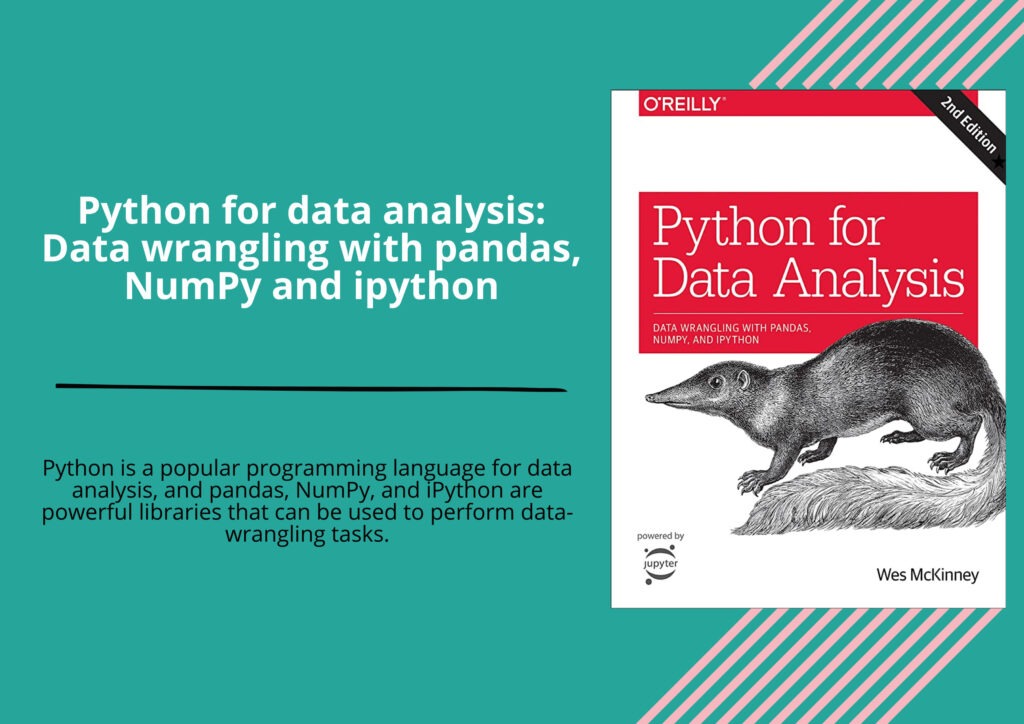
Python for data analysis: Data wrangling with pandas NumPy and ipython

Python for data analysis: Data wrangling with pandas NumPy and ipython: Python is a popular programming language for data analysis, and pandas, NumPy, and iPython are powerful libraries that can be used to perform data-wrangling tasks. Here is a brief overview of each library and how they can be used for data wrangling:

Python for data analysis: Data wrangling with pandas, NumPy and ipython
  1. Pandas: Pandas is a library for data manipulation and analysis. It provides data structures like DataFrames and Series that allow you to work with labeled and indexed data. You can use Pandas to read in data from various sources like CSV files, Excel spreadsheets, SQL databases, and more. Once you have your data loaded into a Pandas DataFrame, you can use various methods to clean and transform your data, such as dropping missing values, filtering data, merging datasets, and more.
  2. NumPy: NumPy is a library for numerical computing with Python. It provides a high-performance multidimensional array object and tools for working with these arrays. You can use NumPy to perform mathematical operations on arrays, create arrays with random data, and manipulate arrays in various ways.
  3. iPython: iPython is an interactive shell that provides a more powerful and user-friendly interface for working with Python. It provides features like auto-completion, code highlighting, and interactive plotting, which can make data analysis tasks more efficient and enjoyable.

Together, these libraries can perform a wide range of data-wrangling tasks in Python. For example, you can use Pandas to read in a CSV file, clean the data, and create a new DataFrame with just the columns you need. You can then use NumPy to perform mathematical operations on the data, such as calculating means and standard deviations. Finally, you can use iPython to visualize the data with interactive plots and explore the data more deeply.

Overall, if you are working with data in Python, becoming familiar with these libraries and how they can be used for data-wrangling tasks is highly recommended.

Download(PDF)

Mathematical Statistics with resampling and R

Mathematical Statistics with resampling and R: Mathematical statistics is the branch of statistics that deals with the theoretical underpinnings of statistical methods, including probability theory, statistical inference, hypothesis testing, and the design of experiments. Resampling is a technique used in statistics to estimate the sampling distribution of a statistic by repeatedly sampling from the original data set. R is a popular programming language and software environment used in statistics and data analysis. Resampling methods, such as bootstrapping and permutation tests, are widely used in modern statistical practice to estimate uncertainty in statistical inferences. In bootstrapping, a statistic is repeatedly calculated from resampled data sets, with replacement, to estimate the distribution of the statistic. Permutation tests involve repeatedly permuting the labels of observations in a data set to estimate the distribution of a statistic.

Mathematical Statistics with resampling and R

R provides a rich set of tools for statistical analysis and visualization, including functions for resampling methods and statistical modeling. The core R package, along with additional packages such as dplyr, ggplot2, and tidyr, provide a wide range of data manipulation, visualization, and modeling capabilities.

Some of the key topics in mathematical statistics with resampling and R include:

  1. Probability theory and distributions
  2. Sampling theory and inference
  3. Resampling methods, such as bootstrapping and permutation tests
  4. Hypothesis testing and statistical inference
  5. Linear models, including regression and ANOVA
  6. Non-parametric methods, such as kernel density estimation and rank-based tests
  7. Bayesian inference and computation
  8. Visualization of data and results using R graphics packages such as ggplot2.

Download(PDF)

Introducing Data Science: Big Data, Machine Learning, and more, using Python tools

Introducing Data Science: Big Data, Machine Learning, and more using Python tools is a comprehensive introduction to the field of data science, aimed at beginners with little or no background in statistics or programming. The book covers a wide range of topics, from data collection and cleaning to data visualization and machine learning. The book is divided into four parts. Part one covers the basics of data science, including data structures and algorithms, statistical analysis, and programming with Python.

Introducing Data Science: Big Data, Machine Learning, and more, using Python tools

Part two focuses on data collection and cleaning, covering topics such as web scraping, database management, and data preprocessing. Part three covers data visualization, exploring techniques for creating effective charts and graphs using Python and other tools. Part four focuses on machine learning, including supervised and unsupervised learning, neural networks, and deep learning. Overall, “Introducing Data Science” is an excellent resource for beginners looking to learn the basics of data science. The book is well-written, easy to understand, and covers a wide range of topics in a concise and accessible way. If you’re looking to get started with data science, this book is a great place to start.

Table of contents

1 Data science in a big data world
2 The data science process
3 Machine learning
4 Handling large data on a single computer
5 First steps in big data
6 Join the NoSQL movement
7 The rise of graph databases
8 Text mining and text analytics
9 Data visualization to the end user

Download:

Learn Data Visualization in python

Certainly, I’d be happy to help you learn data visualization in Python! Data visualization is an essential skill for data analysis and communicating insights to others. Python offers many powerful libraries for data visualization, including Matplotlib, Seaborn, Plotly, and many more.

Learn Data Visualization in python

Here are some steps to get started:

  1. Install the necessary libraries. You can install the libraries using the pip command in the terminal or command prompt. For example, to install Matplotlib, you can type: pip install matplotlib. Similarly, you can install Seaborn, Plotly, and other libraries.
  2. Import the libraries. Once you have installed the libraries, you can import them into your Python code using the import statement. For example, to import Matplotlib, you can use the following code: import matplotlib.pyplot as plt.
  3. Load your data. Before you start visualizing your data, you need to load it into Python. You can load data from different file formats such as CSV, Excel, or JSON using libraries such as Pandas.
  4. Create your first plot. Once you have loaded your data, you can start creating visualizations. Matplotlib is a good place to start for basic plots. For example, to create a scatter plot, you can use the following code:
import matplotlib.pyplot as plt
import pandas as pd

df = pd.read_csv("mydata.csv")
plt.scatter(df["x"], df["y"])
plt.show()
  1. Customize your plot. You can customize your plot by adding labels, titles, changing colors, and more. For example, to add a title to your plot, you can use the following code:
import matplotlib.pyplot as plt
import pandas as pd

df = pd.read_csv("mydata.csv")
plt.scatter(df["x"], df["y"])
plt.title("My Scatter Plot")
plt.xlabel("X axis label")
plt.ylabel("Y axis label")
plt.show()
  1. Explore other libraries. Once you have mastered the basics of Matplotlib, you can explore other libraries such as Seaborn, Plotly, and Bokeh to create more advanced visualizations.
  2. Practice, practice, practice! The more you practice, the more comfortable you will become with data visualization in Python.

I hope this helps you get started with data visualization in Python. Good luck!

Download(PDF)

Time Series Analysis And Its Application With R

Time Series Analysis And Its Application With R: Time series analysis is a statistical technique used to analyze and model time-based data. It involves examining patterns and trends over time to identify underlying factors contributing to data changes. R is a popular programming language used for time series analysis, with numerous packages and tools available for analyzing, visualizing, and modeling time series data.

Time Series Analysis And Its Application With R

Here are some key concepts and examples of time series analysis in R:

  1. Time Series Data Time series data is a collection of observations recorded over time. It is represented by a sequence of values that are recorded at specific time intervals, such as daily, weekly, or monthly. Time series data can be univariate or multivariate, and can be analyzed using various statistical methods to identify patterns and trends.
  2. Time Series Plotting Time series data can be visualized using different types of charts such as line plots, scatter plots, and bar charts. The most common type of plot for time series data is a line plot, where the x-axis represents time and the y-axis represents the value of the data. In R, the “ggplot2” package is commonly used to create time series plots.

Here is an example of a time series plot using R:

library(ggplot2)
data <- read.csv("data.csv", header=TRUE)
ggplot(data, aes(x=Date, y=Value)) +
  geom_line()
  1. Time Series Decomposition Time series decomposition involves breaking down a time series data into its individual components: trend, seasonality, and noise. Trend is the long-term pattern of the data, seasonality refers to any periodic pattern in the data, and noise is any random variation or error. The “forecast” package in R provides a function called “decompose()” that can be used to decompose time series data.

Here is an example of time series decomposition using R:

library(forecast)
data <- read.csv("data.csv", header=TRUE)
ts_data <- ts(data$Value, start=c(2015, 1), end=c(2021, 12), frequency=12)
decomp <- decompose(ts_data)
plot(decomp)
  1. Time Series Forecasting Time series forecasting is the process of predicting future values of a time series based on its historical data. It is a crucial aspect of time series analysis and has numerous applications in finance, economics, and other fields. In R, the “forecast” package provides functions for time series forecasting, including ARIMA and exponential smoothing models.

Here is an example of time series forecasting using R:

library(forecast)
data <- read.csv("data.csv", header=TRUE)
ts_data <- ts(data$Value, start=c(2015, 1), end=c(2021, 12), frequency=12)
fit <- auto.arima(ts_data)
forecast <- forecast(fit, h=24)
plot(forecast)

In this example, we first read the data and created a time series object. We then used the “auto.arima()” function to fit an ARIMA model to the data and made a forecast for the next 24 time periods using the “forecast()” function. Finally, we plotted the forecast using the “plot()” function.

These are just a few examples of time series analysis in R. Other important topics include stationary and non-stationary time series, time series regression, and spectral analysis. R provides a wide range of tools and packages for time series analysis, making it a powerful tool for analyzing time-based data.

Download(PDF)