Data Science

Data Structures Algorithms In Python


As a Python developer, you must be well-versed in data structures and algorithms. In this article, we will discuss various data structures and algorithms that you can use to improve the performance of your Python applications.

Data Structures Algorithms In Python
  1. Arrays

Arrays are a collection of items of the same data type. Python has built-in support for arrays with the array module. You can create an array by importing the array module and using the array() function. Arrays in Python are more efficient than lists because they use less memory.

  1. Linked Lists

Linked lists are data structures that consist of a collection of nodes. Each node has a value and a reference to the next node. In Python, you can implement a linked list using the LinkedList class.

  1. Stacks

Stacks are a collection of elements that are accessed in a last-in-first-out (LIFO) order. You can implement a stack in Python using a list. The append() function adds an element to the top of the stack, and the pop() function removes the top element.

  1. Queues

Queues are a collection of elements that are accessed in a first-in-first-out (FIFO) order. You can implement a queue in Python using a list. The append() function adds an element to the back of the queue, and the pop(0) function removes the front element.

  1. Trees

Trees are a collection of nodes that are connected by edges. In Python, you can implement a tree using the Tree class. Trees are used in many algorithms, such as binary search, and can be used to store hierarchical data.

  1. Binary Search

Binary search is a search algorithm that uses a divide-and-conquer approach to find a value in a sorted list. The algorithm repeatedly divides the list in half until the value is found or the list is empty.

  1. Sorting Algorithms

Sorting algorithms are used to sort a list of elements in a particular order. Python has built-in support for sorting lists with the sorted() function. There are many sorting algorithms, including bubble sort, selection sort, insertion sort, merge sort, and quicksort.

  1. Hash Tables

Hash tables are data structures that store key-value pairs. In Python, you can implement a hash table using the dict class. Hash tables are used to store data in a way that allows fast access and retrieval.

The above list is by no means exhaustive, and there are many more data structures and algorithms that you can use. It is crucial to understand the pros and cons of each data structure and algorithm to choose the right one for your application.

Download(PDF)

Learn Data Visualization with R

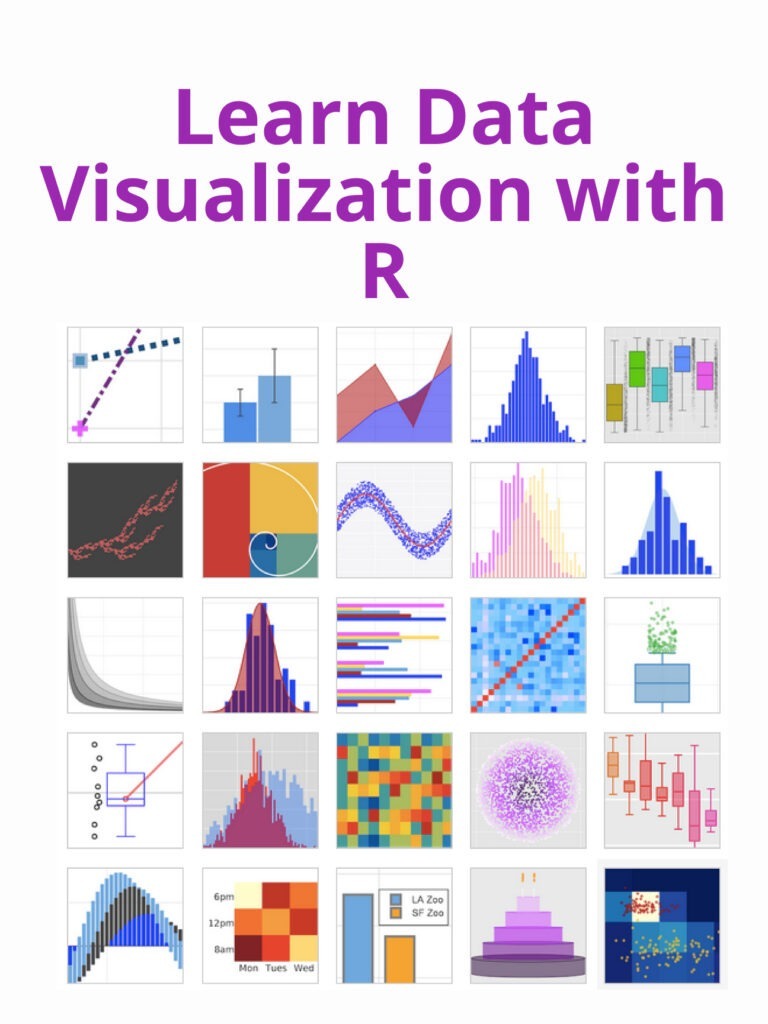
Learn Data Visualization with R: R is a popular programming language for data analysis and visualization. There are many more types of charts and graphs you can create, and R offers a wide range of tools for customizing your visualizations. Here are just a few examples of the types of data visualizations you can create with R.

Learn Data Visualization with R
  1. Scatter plot: A scatter plot is used to visualize the relationship between two variables. In R, you can create a scatter plot using the “plot” function. For example:
x <- c(1, 2, 3, 4, 5)
y <- c(2, 4, 6, 8, 10)
plot(x, y)
  1. Bar chart: A bar chart is used to compare the values of different categories. In R, you can create a bar chart using the “barplot” function. For example:
data <- c(10, 20, 30, 40, 50)
names <- c("A", "B", "C", "D", "E")
barplot(data, names.arg=names)
  1. Line chart: A line chart is used to show the trend of a variable over time. In R, you can create a line chart using the “plot” function with the “type” argument set to “l”. For example:
x <- c(1, 2, 3, 4, 5)
y <- c(2, 4, 6, 8, 10)
plot(x, y, type="l")
  1. Heat map: A heat map is used to visualize the intensity of a variable over a two-dimensional space. In R, you can create a heat map using the “heatmap” function. For example:
data <- matrix(c(1, 2, 3, 4, 5, 6, 7, 8, 9), nrow=3, ncol=3)
heatmap(data)
  1. Box plot: A box plot is used to show the distribution of a variable. In R, you can create a box plot using the “boxplot” function. For example:
data <- c(1, 2, 3, 4, 5)
boxplot(data)

Download(PDF)

Python Programming for the absolute beginner

Python Programming for the absolute beginner: If you are an absolute beginner to programming and would like to learn Python, here’s a great place to start:

Python Programming for the absolute beginner
  1. Understanding the basics: Before you start writing code in Python, it is important to understand some basic concepts of programming like data types, variables, and control structures.
  2. Setting up the environment: You need to have Python installed on your computer to start writing and executing code. You can download the latest version of Python from the official website (https://www.python.org/downloads/).
  3. Getting familiar with the syntax: Once you have Python set up, start by writing simple statements and learn the basic syntax of the language. You can use the interactive Python shell to experiment with different statements and see the results.
  4. Learning about data types: In Python, there are several built-in data types, such as numbers, strings, lists, and dictionaries. Understanding the basics of these data types is crucial for writing effective code.
  5. Working with variables: Variables are used to store values in your program. You can assign values to variables, perform operations with them, and use them in your code.
  6. Control structures: You need to understand the basics of control structures like loops and conditional statements to write effective code. Loops are used to repeat a section of code multiple times, while conditional statements allow you to specify the conditions under which a certain block of code should be executed.
  7. Functions: Functions are blocks of code that perform specific tasks. You can write your own functions and use them in your code.
  8. Modules and libraries: Python has a vast standard library and a large number of third-party modules and libraries. You can use these to add functionality to your programs and write more complex code.
  9. Practice, practice, practice: The key to becoming proficient in any programming language is practice. Write small programs, experiment with different features, and try to solve problems.
  10. Keep learning: Python is a vast and constantly evolving language. There is always something new to learn, so keep exploring and experimenting.
Python Programming for the absolute beginner

Download(PDF)

Multivariate time series analysis with R and financial applications

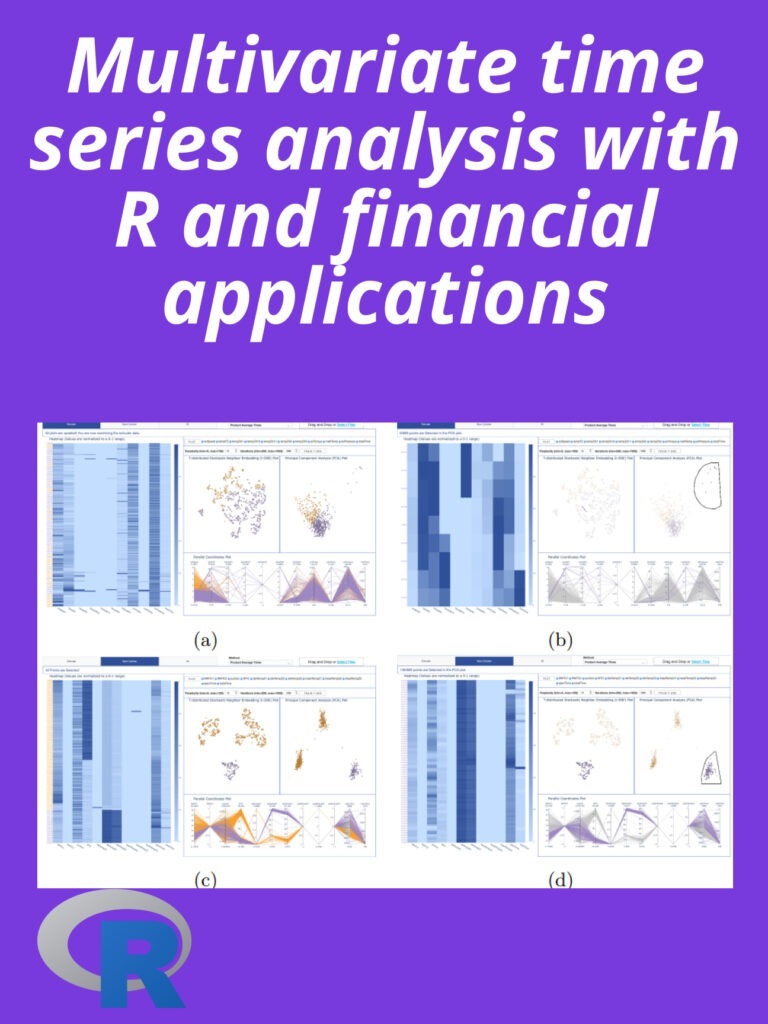
Multivariate time series analysis with R and financial applications: Multivariate time series analysis is the study of more than one time series over time and the relationships between them. In the context of finance, multivariate time series analysis is often used to model the relationships between different financial instruments, such as stocks, bonds, commodities, and currencies. This type of analysis is useful for identifying correlations and causal relationships between different assets, which can inform investment decisions.

Multivariate time series analysis with R and financial applications

In R, there are several packages available for multivariate time series analysis. Some popular ones include:

  • “tseries” – This package provides functions for time series analysis, including univariate and multivariate time series analysis.
  • “vars” – This package provides functions for estimating and analyzing vector autoregressive (VAR) models, which are commonly used in multivariate time series analysis.
  • “fUnitRoots” – This package provides functions for testing for unit roots in time series data, which is a necessary step in many multivariate time series analysis procedures.
  • “xts” – This package provides an extensible time series class for handling ordered observations and provides methods for time-based operations.

These packages can be used together to perform various multivariate time series analysis tasks, such as identifying relationships between financial instruments, testing for co-integration, and modeling dynamic relationships over time.

For example, you can use the “vars” package to estimate a VAR model of the returns of two stocks, and then use the “fUnitRoots” package to test for co-integration between the two stocks. If the stocks are co-integrated, you can use the VAR model to make inferences about the dynamics of the relationship between the stocks, such as the short-run and long-run effects of one stock on the other.

Download(PDF)

Introduction to computation and programming using python

Introduction to computation and programming using python: Web development, scientific computing, data analysis, artificial intelligence, and more use Python as a versatile programming language. Learning how to program with this program is easy because of its simplicity and ease of use. Here are some basic Python computation and programming tips:

Introduction to computation and programming using python
  1. Variables: In Python, you can store values in variables. For example, you can store your name in a variable named “name” like this:
name = "John Doe"
  1. Data types: Python has several built-in data types, such as integers (e.g. 1, 2, 3), floating-point numbers (e.g. 1.0, 2.5, 3.14), strings (e.g. “Hello, World!”), and more.
  2. Operators: Python supports various operators, such as arithmetic operators (+, -, *, /), comparison operators (==, !=, >, <, >=, <=), and more. For example, you can use the + operator to concatenate two strings:
first_name = "John"
last_name = "Doe"
full_name = first_name + " " + last_name
print(full_name) # Output: John Doe
  1. Control flow: In programming, control flow refers to the order in which the instructions are executed. Python provides control structures, such as if statements, for loops, and while loops, which allow you to make decisions and execute code multiple times based on certain conditions. For example, you can use a if statement to check if a number is positive or negative:
number = 10
if number > 0:
    print("Positive")
else:
    print("Negative") # Output: Positive
  1. Functions: Functions are reusable blocks of code that can accept inputs (arguments) and return outputs (results). In Python, you can define your own functions using the def keyword. For example, you can define a function that calculates the factorial of a number:
def factorial(n):
    if n == 0:
        return 1
    else:
        return n * factorial(n-1)

print(factorial(5)) # Output: 120

Thanks for checking out this brief introduction to Python computation and programming.

Download(PDF)

Python Cookbook: A Collection of Simple Recipes

Python is a versatile and powerful programming language, known for its simplicity and readability. Whether you’re a beginner or an experienced developer, the Python Cookbook is a useful resource that can help you quickly solve problems and complete projects.

Here are a few simple recipes to get you started:

  1. Reading and Writing Files: Use the open() function to read and write files. The first argument is the filename, and the second argument is the mode (e.g., “r” for read, “w” for write). Use the write() method to write to a file and the read() method to read from a file.
  2. Handling JSON Data: Use the json module to parse JSON data. The json.loads() function converts a JSON string to a Python dictionary, and the json.dumps() function converts a Python dictionary to a JSON string.
  3. Iterating Over a List: Use a for loop to iterate over a list. The enumerate() function can be used to get both the index and value of each element in the list.
  4. Splitting a String: Use the split() method to split a string into a list of substrings based on a separator. The separator can be a string or a regular expression.
  5. Sorting a List: Use the sorted() function to sort a list. The sort() method can be used to sort a list in place, without creating a new list.
  6. Defining a Function: Use the def keyword to define a function. Functions can take arguments and can return values using the return keyword.

These are just a few simple recipes to get you started. With a little practice and experimentation, you’ll soon be able to create your own Python programs with ease!

Python Cookbook
Python Cookbook

Data Science with R: A Step-by-Step Guide

Data Science with R: A Step-by-Step Guide: R is a popular programming language and software environment used by data scientists, statisticians, and data analysts to analyze, visualize, and manipulate data. It has a rich set of packages and libraries that make it an ideal choice for working with data. This article provides a step-by-step guide to data science using R.

Data Science with R: A Step-by-Step Guide

Step 1: Install R and RStudio

The first step is to install R and RStudio, an integrated development environment (IDE) for R. RStudio makes it easy to write, run, and debug R code, and provides many tools and features to help you be more productive with R. You can download the latest version of R from the official R website and RStudio from the RStudio website.

Step 2: Load Data into R

Once you have R and RStudio installed, you can start working with data. There are several ways to load data into R, including reading data from files, such as .csv, .txt, and .xlsx, and fetching data from databases and APIs. To load data from a .csv file, for example, you can use the following code:

data <- read.csv("filename.csv")

Step 3: Explore and Clean the Data

Once you have loaded your data into R, the next step is to explore and clean it. This is an important step in the data science process because it helps you identify and fix any issues or anomalies in the data that could impact your analysis.

There are several functions in R that you can use to explore and clean data, including head() to view the first few rows of a data frame, summary() to get a summary of the data, and str() to get a structure of the data. To handle missing values, you can use functions like na.omit() to remove rows with missing values and impute() to fill in missing values.

Step 4: Visualize the Data

Data visualization is a powerful tool for exploring and understanding data. R has a wide range of plotting and visualization libraries, including ggplot2, lattice, and shiny, that you can use to create various types of plots and charts.

For example, to create a histogram in R using the ggplot2 library, you can use the following code:

library(ggplot2)
ggplot(data, aes(x = variable_name)) + 
  geom_histogram(fill = "blue", color = "black")

Step 5: Perform Statistical Analysis

R is a powerful tool for statistical analysis, with a wide range of functions and packages for hypothesis testing, regression, and machine learning.

For example, to perform a t-test in R, you can use the following code:

t.test(data$variable_name_1, data$variable_name_2)

Step 6: Communicate Results

Finally, it’s essential to communicate your results to others in a clear and concise manner. R provides several ways to do this, including creating reports, presentations, and interactive dashboards.

One popular package for creating reports is rmarkdown, which allows you to combine R code and text to produce reproducible reports in various formats, including HTML, PDF, and Word.

Download(PDF)

Using dplyr package for data manipulation in R

Using dplyr package for data manipulation in R: dplyr is a popular R package for data manipulation, used by data scientists and statisticians to clean, manipulate and analyze data. Here are the basics of how to use dplyr:

  1. Load the package: To use dplyr, you first need to install and load it using the following code:
install.packages("dplyr")
library(dplyr)
  1. Load data: Next, you need to load your data into R. You can use the read.csv function to read a CSV file or the tibble function to create a new data frame.
my_data <- read.csv("my_data.csv")
  1. Manipulate data: Once your data is loaded, you can use dplyr to manipulate it in various ways. Some common operations include:
  • Selecting columns: Use the select function to select specific columns from your data frame.
select(my_data, col1, col2)
  • Filtering rows: Use the filter function to select rows that meet certain criteria.
filter(my_data, col1 > 5)
  • Sorting rows: Use the arrange function to sort your data frame by one or more columns.
arrange(my_data, desc(col1))
  • Grouping and summarizing: Use the group_by and summarize functions to group your data by one or more columns and calculate summary statistics.
group_by(my_data, col1) %>% summarize(mean = mean(col2))
  1. Chaining operations: One of the powerful features of dplyr is the ability to chain operations together using the pipe operator %>%. This allows you to write concise and readable code for complex data manipulations.
my_data %>%
  select(col1, col2) %>%
  filter(col1 > 5) %>%
  arrange(desc(col1)) %>%
  group_by(col1) %>%
  summarize(mean = mean(col2))

These are the basics of using dplyr for data manipulation. There are many other functions and options available, but these should get you started in your data exploration and analysis. To understand more check out the pdf given below:

Using dplyr package for data manipulation in R

Learn Data Manipulation In R

Learn Data Manipulation in R: In today’s data-driven world, data manipulation is a critical skill for analysts, researchers, and data scientists. R, a powerful statistical programming language, provides numerous tools for cleaning, transforming, and analyzing data. This article will guide you through the fundamentals of data manipulation in R using easy-to-follow steps and practical examples.

Why Learn Data Manipulation in R?

R is widely used for data analysis due to its extensive libraries and flexibility. Learning data manipulation in R allows you to:

  • Clean messy datasets efficiently.

  • Transform data into a format suitable for analysis.

  • Extract meaningful insights with ease.

  • Automate repetitive data processing tasks.

With libraries like dplyr and tidyr, data manipulation in R becomes faster, more readable, and beginner-friendly. Let’s explore these libraries and essential functions for data manipulation.

Getting Started: Setting Up R and RStudio

Before diving into data manipulation, ensure you have R and RStudio installed:

  1. Download and Install RDownload R.

  2. Install RStudio: A popular IDE for R. Download RStudio.

  3. Install Required Packages: Use the following commands to install the key libraries:

     
    install.packages("dplyr")
    install.packages("tidyr")
    install.packages("readr")

    Load the libraries with:

     
    library(dplyr)
    library(tidyr)
    library(readr)
Learn Data Manipulation in R

Learn Data Manipulation in R

Importing Data into R

You can import data into R from various sources like CSV files, Excel sheets, or databases. Here’s an example to import a CSV file:

 
# Import data from a CSV file
my_data <- read_csv("data.csv")
 
# View the first few rows of the dataset
head(my_data)

The read_csv() function from the readr package is faster and more efficient than R’s base read.csv() function.

Essential Data Manipulation Functions with dplyr

The dplyr package is the heart of data manipulation in R. It provides intuitive functions for filtering, selecting, arranging, mutating, and summarizing data. Let’s explore the key functions with examples:

1. Filter Rows with filter()

The filter() function allows you to subset rows based on conditions:

 
# Filter rows where age is greater than 25
filtered_data <- my_data %>% filter(age > 25)

2. Select Columns with select()

Use select() to choose specific columns:

 
# Select only 'name' and 'age' columns
selected_data <- my_data %>% select(name, age)

3. Arrange Rows with arrange()

Sort your dataset by specific columns:

 
# Arrange rows by age in ascending order
sorted_data <- my_data %>% arrange(age)
 
# Arrange rows in descending order
sorted_data_desc <- my_data %>% arrange(desc(age))

4. Create New Columns with mutate()

Generate new columns using the mutate() function:

 
# Add a new column 'age_in_10_years'
mutated_data <- my_data %>% mutate(age_in_10_years = age + 10)

5. Summarize Data with summarize()

Use summarize() to calculate summary statistics:

 
# Calculate average age
summary_data <- my_data %>% summarize(average_age = mean(age, na.rm = TRUE))

6. Group Data with group_by()

Combine group_by() with summarize() to analyze grouped data:

 
# Calculate average age by gender
grouped_summary <- my_data %>%
group_by(gender) %>%
summarize(average_age = mean(age, na.rm = TRUE))

Cleaning Data with tidyr

The tidyr package helps you organize and clean messy datasets. Key functions include:

1. Pivot Data: pivot_longer() and pivot_wider()

Convert data between long and wide formats:

 
# Convert wide data to long format
long_data <- my_data %>% pivot_longer(cols = c(column1, column2), names_to = "variable", values_to = "value")
 
# Convert long data to wide format
wide_data <- long_data %>% pivot_wider(names_from = variable, values_from = value)

2. Handle Missing Values with drop_na() and replace_na()

Remove or replace missing values:

 
# Drop rows with missing values
dropped_na <- my_data %>% drop_na()
 
# Replace missing values with a specific value
filled_data <- my_data %>% replace_na(list(age = 0))

Combining Data Frames

Sometimes you need to combine multiple datasets. You can use:

  • bind_rows(): Combine datasets row-wise.

  • bind_cols(): Combine datasets column-wise.

  • left_join()right_join()inner_join(): Merge datasets based on keys.

Example: Joining Data Frames

 
# Merge two datasets using left join
merged_data <- left_join(data1, data2, by = "id")

Real-World Example of Data Manipulation in R

Let’s combine everything you’ve learned so far:

 
# Load libraries
library(dplyr)
library(tidyr)
library(readr)
 
# Import data
my_data <- read_csv("data.csv")
 
# Clean and transform data
clean_data <- my_data %>%
filter(!is.na(age)) %>% # Remove rows with missing age
mutate(age_in_5_years = age + 5) %>% # Add a new column
group_by(gender) %>% # Group data by gender
summarize(mean_age = mean(age)) # Calculate mean age
 
# View cleaned data
print(clean_data)

Conclusion

Data manipulation in R is a vital skill for data analysis and statistical modeling. With the dplyr and tidyr packages, you can efficiently clean, transform, and organize your data to extract valuable insights. Whether you are a beginner or an advanced user, practicing these techniques will make you proficient in handling real-world datasets.

Start experimenting with sample datasets and explore the powerful features of R. The more you practice, the better you will become at data manipulation!

Data Analysis With Pandas, Matplotlib, And Python

Data analysis is a crucial step in the process of obtaining insights from data. Pandas, Matplotlib, and Python are three essential tools for data analysis. Together, they provide a comprehensive framework for data manipulation, exploration, and visualization. With these tools, you can perform complex data analysis tasks with ease and gain insights into your data that can inform business decisions.

Data Analysis With Pandas, Matplotlib, And Python

Data Analysis With Pandas, Matplotlib, And Python


  1. Introduction:

Pandas is an open-source data manipulation library for Python that provides easy-to-use data structures and data analysis tools. Matplotlib is a plotting library for Python that is used for visualizing data and creating plots, charts, and graphs. Python, on the other hand, is a general-purpose programming language that is widely used for data analysis and scientific computing.

  1. Getting started with Pandas:

To start using Pandas, you first need to install it by running the following command: pip install pandas. Once installed, you can import the library into your Python script by running the following command: import pandas as pd.

The first step in data analysis is to load the data into Pandas. This can be done using the pd.read_csv function, which reads data from a CSV file and returns a Pandas DataFrame. For example, to load a CSV file named data.csv into a DataFrame named df, you can run the following code:

df = pd.read_csv("data.csv")
  1. Exploring the data using Pandas:

Once the data is loaded into a DataFrame, you can use various Pandas functions to explore the data. For example, to get a quick overview of the data, you can use the df.head function to display the first five rows of the data:

print(df.head())

You can also use the df.describe function to get summary statistics for the numerical columns in the data:

print(df.describe())
  1. Visualizing the data using Matplotlib:

Matplotlib is a powerful plotting library for Python that can be used to create a variety of visualizations, such as line plots, scatter plots, bar plots, histograms, and more. To use Matplotlib, you first need to import the library into your Python script by running the following command: import matplotlib.pyplot as plt.

For example, to create a line plot of the y column against the x column, you can run the following code:

plt.plot(df["x"], df["y"])
plt.xlabel("x")
plt.ylabel("y")
plt.title("Line Plot")
plt.show()

Download(PDF)