Using R for Data Analysis and Graphics Introduction, Code and Commentary

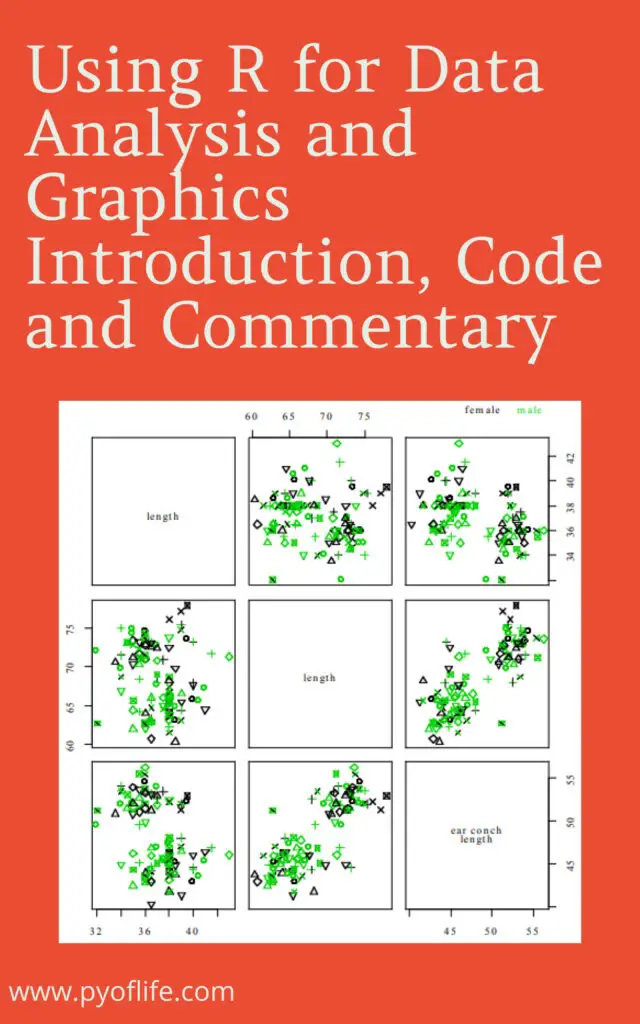
Using R for Data Analysis and Graphics: In today’s data-driven world, the ability to analyze and visualize data effectively is crucial for making informed decisions. R, a powerful programming language and software environment, provides a wide range of tools and techniques for data analysis and graphics. In this article, we will explore the capabilities of R and how it can be utilized to gain valuable insights from data.

1. What is R?

R is a free and open-source programming language specifically designed for statistical computing and graphics. It provides a wide range of statistical and graphical techniques, making it a popular choice among data analysts and researchers. R has a vast collection of packages that extend its functionality, allowing users to perform complex data manipulations and advanced statistical modeling.

Using R for Data Analysis and Graphics
Download:

2. Installing R and RStudio

To get started with R, you need to install the R programming language and an integrated development environment (IDE) called RStudio. RStudio provides a user-friendly interface and additional tools that enhance the R programming experience. Both R and RStudio can be downloaded for free from their respective websites and are available for Windows, Mac, and Linux operating systems.

3. Loading and Manipulating Data

One of the first steps in data analysis is loading the data into R and preparing it for analysis. R offers various functions and packages for importing data from different file formats, such as CSV, Excel, or databases. Once the data is loaded, R provides powerful functions for manipulating and transforming the data, such as subsetting, merging, and reshaping, to suit the analysis needs.

4. Descriptive Statistics

Descriptive statistics summarize and describe the main features of a dataset. R provides a comprehensive set of functions to calculate common descriptive statistics, such as mean, median, standard deviation, and quartiles. These statistics help in understanding the central tendencies, dispersion, and distribution of the data. Additionally, R offers functions to compute correlations, perform hypothesis tests, and conduct exploratory data analysis.

5. Data Visualization with Base R Graphics

R offers a wide range of graphical functions that allow users to create visually appealing and informative plots. Base R graphics provide a flexible system for creating various types of plots, including scatter plots, line plots, bar plots, histograms, and boxplots. These plots can be customized using different colors, symbols, and labeling options to effectively communicate the patterns and relationships within the data.

6. Creating Interactive Visualizations with ggplot2

ggplot2 is a popular data visualization package in R that provides a powerful and elegant grammar of graphics. It allows users to create complex and sophisticated visualizations with minimal code. ggplot2 follows a layered approach, where users can add different graphical elements, such as data points, lines, and facets, to build up a complete visualization. It also supports interactive features, making it easier to explore and analyze the data interactively.

7. Advanced Data Analysis Techniques

R offers advanced statistical modeling techniques for analyzing complex datasets. It includes packages for linear regression, logistic regression, time series analysis, clustering, and machine learning algorithms. These techniques allow analysts to uncover hidden patterns, predict outcomes, and make data-driven decisions. R’s extensive library of packages ensures that analysts have access to cutting-edge methodologies for various analytical tasks.

8. Reporting and Presenting Results

Once the data analysis is complete, R provides tools for generating high-quality reports and presentations. Packages like knitr and rmarkdown allow users to combine code, results, and narratives in a single document. This integration enables reproducible research and makes it easier to share findings with others. RMarkdown supports various output formats, such as HTML, PDF, and Word, allowing analysts to choose the most suitable format for their audience.

Conclusion

R is a versatile programming language that empowers data analysts and researchers to perform complex data analysis and create compelling visualizations. Its rich ecosystem of packages, combined with its statistical capabilities, makes it a valuable tool for anyone working with data. By leveraging R’s power, users can gain deeper insights, uncover trends, and effectively communicate their findings to others.

FAQs

  1. Can I use R for big data analysis?
    • Yes, R has packages like dplyr and data.table that can handle large datasets efficiently.
  2. Is R suitable for machine learning?
    • Absolutely! R has several packages, such as caret and mlr, that provide a wide range of machine learning algorithms.
  3. Are there resources available to learn R?
    • Yes, there are numerous online tutorials, books, and community forums dedicated to learning R. Some popular resources include RStudio’s website, R-bloggers, and the official R documentation.
  4. Can I create interactive dashboards with R?
    • Yes, R offers packages like shiny that that allow you to build interactive web applications and dashboards.
  5. Can I integrate R with other programming languages?
    • R provides interfaces to many programming languages, including Python and C++, allowing you to leverage the strengths of multiple languages in your analysis.

Download(PDF)

Beginning Data Science with R

Beginning Data Science with R: Data science has emerged as a crucial field in today’s digital age, where vast amounts of data are generated and analyzed to gain insights and make informed decisions. Among the various programming languages used in data science, R stands out as a powerful and versatile tool. In this article, we will delve into beginning Data Science with R, exploring its key concepts, applications, and resources for beginners.

1. What is Data Science?

Data science is an interdisciplinary field that combines statistical analysis, machine learning, and domain expertise to extract insights and knowledge from structured and unstructured data. It involves collecting, cleaning, analyzing, and interpreting data to uncover patterns, make predictions, and drive decision-making processes.

Beginning Data Science with R

2. Why Choose R for Data Science?

R is a popular programming language and environment for data science due to its extensive collection of packages, statistical capabilities, and visualization tools. It offers a wide range of libraries and frameworks that simplify complex data tasks and enable efficient data manipulation, exploration, and modeling.

3. Setting Up Your R Environment

Before diving into data science with R, it’s essential to set up your environment. Start by downloading and installing R from the official website (https://www.r-project.org/). Once R is installed, consider using an integrated development environment (IDE) like RStudio, which provides a user-friendly interface and advanced features for R programming.

4. Basic Data Manipulation with R

In data science, manipulating data is a fundamental step. R provides various functions and packages for handling data frames, merging datasets, filtering, sorting, and transforming variables. Learning the basics of data manipulation in R will empower you to clean and prepare data for further analysis.

5. Exploratory Data Analysis

Exploratory Data Analysis (EDA) is a crucial phase in data science, where you gain insights and understanding of the data through visualizations and summary statistics. R offers a wide array of packages, such as ggplot2 and dplyr, which enable you to explore data, identify trends, detect outliers, and uncover relationships between variables.

6. Data Visualization with R

Visualizing data is an effective way to communicate findings and make complex information more accessible. R provides a rich ecosystem of packages, including ggplot2 and plotly, that allows you to create stunning visualizations such as scatter plots, bar charts, histograms, and interactive dashboards.

7. Statistical Analysis with R

R is widely used for statistical analysis due to its comprehensive set of statistical functions and packages. From basic descriptive statistics to advanced modeling techniques, R provides the necessary tools for hypothesis testing, regression analysis, time series analysis, and more. Mastery of statistical analysis in R is crucial for deriving meaningful insights from data.

8. Machine Learning with R

Machine learning is a core component of data science, enabling the development of predictive models and automated decision-making systems. R offers numerous machine learning packages, such as caret and randomForest, which cover many algorithms, including classification, regression, clustering, and recommendation systems.

9. R Packages for Data Science

R boasts an extensive ecosystem of packages specifically designed for data science tasks. Some popular packages include dplyr for data manipulation, ggplot2 for data visualization, tidyr for data tidying, and caret for machine learning. Familiarize yourself with these packages as they will greatly enhance your productivity and efficiency in data science projects.

10. Online Resources for Learning R

Learning R can be an exciting journey, and plenty of online resources are available to guide you along the way. Websites like DataCamp, Coursera, and Udemy offer comprehensive R courses and tutorials for beginners. Additionally, the R documentation and online forums provide valuable references and support for R users.

11. Data Science Case Studies with R

To gain practical experience and deepen your understanding of data science, it’s beneficial to explore real-world case studies. Numerous organizations and data science communities share case studies and datasets on platforms like Kaggle and GitHub. By studying these cases and replicating analyses with R, you can develop critical thinking skills and learn from established data science practices.

12. Challenges and Future of Data Science

While data science offers immense opportunities, it also comes with challenges. The field constantly evolves, requiring data scientists to stay updated with emerging technologies, ethical considerations, and legal regulations. As data volumes continue to grow exponentially, data science professionals must adapt and refine their skills to extract meaningful insights from complex datasets.

13. Conclusion

In conclusion, embarking on a journey into data science with R can be an enriching experience. R’s versatility, powerful packages, and active community make it an excellent choice for beginners. By mastering the foundations of R programming, data manipulation, exploratory analysis, and machine learning, you can unlock the potential of data science and contribute to making data-driven decisions in various domains.

Frequently Asked Questions (FAQs)

Q1: Can I use R for big data analysis? Yes, R can handle big data analysis. There are packages like dplyr, data.table, and sparklyr that allow you to process and analyze large datasets efficiently.

Q2: Is R difficult to learn for beginners? While learning any programming language requires dedication and practice, R has a relatively gentle learning curve. Its syntax is intuitive, and there are abundant learning resources available for beginners.

Q3: Can I build interactive visualizations with R? Absolutely! R offers packages like plotly and shiny, which allow you to build interactive and dynamic visualizations that can be deployed as web applications.

Q4: Is R suitable for text mining and natural language processing? Yes, R has excellent packages such as tm, tidytext, and text mining that enable text mining, sentiment analysis, and natural language processing tasks.

Q5: Are there career opportunities in data science with R? Definitely! Data science skills, including R proficiency, are in high demand across industries. Companies are seeking professionals who can derive insights from data and drive data-informed decision-making processes.

Python Data Analysis

Perform Data Collection, Data Processing, Wrangling, Visualization, and Model Building Using Python

Python has become one of the most popular programming languages for data analysis due to its versatility, ease of use, and powerful libraries. With Python, you can perform various tasks such as data collection, data processing, data wrangling, data visualization, and model building. In this article, we will explore these essential aspects of data analysis and discuss how they contribute to extracting valuable insights from data.

1. Introduction to Python Data Analysis

Python is an excellent choice for data analysis as it offers a wide range of libraries and tools specifically designed for handling and analyzing data. These libraries, such as Pandas, NumPy, Matplotlib, and Scikit-learn, provide efficient and intuitive functionalities that streamline the data analysis process.

Python Data Analysis

2. Data Collection

Data collection is the first step in any data analysis project. Python offers various techniques to collect data from different sources, including web scraping, APIs, databases, and files. By leveraging libraries like BeautifulSoup and Requests, you can extract data from websites easily. Similarly, you can connect to databases, retrieve data, and import data from files using libraries like SQLite3 and Pandas.

3. Data Processing

Once the data is collected, it often requires processing to clean, transform, and reshape it into a suitable format for analysis. Python provides powerful libraries like Pandas, which offer extensive data manipulation capabilities. You can perform operations such as filtering, sorting, merging, and aggregating data to prepare it for further analysis.

4. Data Wrangling

Data wrangling involves transforming and restructuring the data to address inconsistencies, missing values, and outliers. Python’s Pandas library provides functions and methods to handle these data issues effectively. You can remove or impute missing values, handle outliers, and convert data types using Pandas’ flexible functionalities.

5. Data Visualization

Data visualization plays a crucial role in understanding patterns, trends, and relationships within the data. Python offers several libraries, including Matplotlib, Seaborn, and Plotly, for creating insightful visualizations. These libraries provide a wide range of plot types, such as bar charts, line plots, scatter plots, and heatmaps, allowing you to represent data in a visually appealing and informative manner.

6. Model Building

Model building involves applying machine learning algorithms to analyze and predict outcomes based on the data. Python’s Scikit-learn library offers a comprehensive suite of machine learning algorithms, along with tools for model evaluation and validation. With Scikit-learn, you can build and train models for classification, regression, clustering, and more.

7. Conclusion

Python is a versatile and powerful programming language for data analysis. Its rich ecosystem of libraries and tools makes it an ideal choice for performing tasks like data collection, data processing, data wrangling, data visualization, and model building. By leveraging Python’s capabilities, you can unlock valuable insights from data and make informed decisions.

Frequently Asked Questions (FAQs)

Q1: Can I perform data analysis in Python without programming experience?

While programming experience can be beneficial, Python is known for its user-friendly syntax and intuitive libraries. With the right resources and tutorials, beginners can quickly grasp the fundamentals and start performing data analysis tasks in Python.

Q2: Which libraries are commonly used for data visualization in Python?

Python provides several libraries for data visualization, including Matplotlib, Seaborn, Plotly, and Bokeh. These libraries offer a wide range of options for creating static and interactive visualizations to effectively communicate data insights.

Q3: How does Python compare to other programming languages for data analysis?

Python has gained significant popularity in the field of data analysis due to its ease of use, extensive library support, and strong community. Compared to other programming languages, Python offers a more streamlined and productive workflow for data analysis tasks.

Q4: Is Python suitable for big data analysis?

Python can handle various scales of data analysis tasks, including big data analysis. Libraries like PySpark and Dask provide distributed computing capabilities, allowing Python to efficiently process and analyze large datasets.

Download: Introduction to Statistical Learning with Applications in Python

Statistical Analysis With R Beginner’s Guide

Statistical Analysis With R Beginner’s Guide: Are you a beginner looking to delve into the world of statistical analysis using R? Look no further! In this comprehensive guide, we will walk you through the basics of statistical analysis with R, providing you with the knowledge and tools you need to get started. Whether you are a student, researcher, or data enthusiast, this guide will equip you with the fundamental skills to analyze and interpret data effectively. So, let’s dive right in!

What is Statistical Analysis?

Statistical analysis is a branch of mathematics that involves collecting, analyzing, interpreting, and presenting data. It helps us make sense of complex datasets and draw meaningful conclusions from them. Statistical analysis provides a framework for understanding patterns, relationships, and trends within data, enabling us to make informed decisions and predictions.

Statistical Analysis With R Beginner's Guide
Statistical Analysis With R Beginner’s Guide

Why Use R for Statistical Analysis?

R is a powerful programming language and software environment for statistical computing and graphics. It offers a wide range of statistical and graphical techniques, making it a popular choice among statisticians, researchers, and data analysts. Here are some reasons why R is favored for statistical analysis:

  1. Open-Source: R is an open-source language, meaning it is freely available to everyone. This makes it accessible to beginners and allows for a vibrant community of users who contribute to its development.
  2. Extensive Libraries: R has a vast collection of libraries, or packages, that provide specialized functions and tools for various statistical analyses. These packages make complex analyses easier to perform and enable users to customize their workflows.
  3. Data Visualization: R offers excellent capabilities for data visualization, allowing users to create visually appealing and informative plots and charts. Visualizations aid in understanding data patterns and conveying insights effectively.
  4. Reproducibility: R promotes reproducibility by providing a script-based approach to analysis. You can save your code, which makes it easier to share and reproduce analyses, ensuring transparency and integrity.

Getting Started with R for Statistical Analysis

Now that we understand the importance of statistical analysis and why R is a valuable tool, let’s begin our journey by setting up R and getting familiar with its basic functionalities.

Installing R and RStudio

To get started with R, you need to install both R and an integrated development environment (IDE) called RStudio. RStudio provides a user-friendly interface for writing code, managing projects, and visualizing data.

  1. Download R: Visit the R Project website and download the latest version of R for your operating system. Follow the installation instructions provided.
  2. Download RStudio: Go to the RStudio download page and download the free version of RStudio Desktop. Install it using the provided instructions.

Basics of R Syntax

R uses a combination of functions, operators, and variables to perform calculations and manipulate data. Let’s familiarize ourselves with some basic concepts:

  1. Variables: In R, variables are used to store data values. You can assign a value to a variable using the assignment operator (<- or =). For example, x <- 5 assigns the value 5 to the variable x.
  2. Data Types: R supports various data types, including numeric, character, logical, and more. You can check the data type of a variable using the class() function. For example, class(x) would return "numeric" if x is a numeric variable.
  3. Functions: R provides a vast number of built-in functions for performing calculations and data manipulation. Functions take input values (arguments) and return output. For example, the mean() function calculates the average of a set of numbers.

Importing and Exploring Data

To perform statistical analysis, we often need to import data into R. R supports various file formats, such as CSV, Excel, and SQL databases. Let’s look at how to import a CSV file:

# Importing a CSV file
data <- read.csv("data.csv")

Once the data is imported, we can explore it using various functions and techniques. Here are a few essential functions:

  1. head(): Displays the first few rows of the dataset.
  2. summary(): Provides a summary of the dataset, including measures like mean, median, and quartiles.
  3. str(): Shows the structure of the dataset, including the variable names and their data types.

Descriptive Statistics

Descriptive statistics summarize and describe the main features of a dataset. They help us understand the distribution, central tendency, and variability of the data. Here are some commonly used descriptive statistics functions in R:

  1. mean(): Calculates the arithmetic mean of a set of numbers.
  2. median(): Determines the middle value of a dataset.
  3. sd(): Calculates the standard deviation, a measure of data dispersion.
  4. min() and max(): Find the minimum and maximum values in a dataset.

Statistical Tests and Analysis

R provides a wide range of statistical tests and analysis techniques for hypothesis testing, comparing groups, regression analysis, and more. Let’s explore a few examples:

  1. t-Test: The t-test is used to compare the means of two groups and determine if they are significantly different. The t.test() function in R performs t-tests.
  2. ANOVA: Analysis of Variance (ANOVA) is used to compare means across multiple groups. The anova() function in R performs ANOVA.
  3. Linear Regression: Linear regression is used to model the relationship between a dependent variable and one or more independent variables. The lm() function in R is used to perform linear regression.

FAQ’s

Q: Can I use R for statistical analysis if I have no programming experience?

Yes, you can! R is beginner-friendly, and many resources are available online to help you learn. Start with basic tutorials and gradually build your skills.

Q: Are there any alternatives to R for statistical analysis?

Yes, there are other programming languages like Python and SAS that are also widely used for statistical analysis. However, R’s extensive packages and its focus on statistical computing make it a popular choice in the field.

Q: Is R suitable for big data analysis?

R is primarily designed for small to medium-sized datasets. However, with the development of packages like dplyr and data.table, R can handle larger datasets efficiently.

Q: Can I create interactive visualizations using R?

Yes, R offers several packages, such as ggplot2 and plotly, which allows you to create interactive and visually appealing plots and charts.

Q: How can I find help and support while learning R?

There is a vast community of R users who are active on forums, blogs, and social media platforms. Websites like Stack Overflow and R-bloggers are excellent resources for finding help and learning from others.

Q: Can I use R for data cleaning and preprocessing?

Absolutely! R provides numerous functions and packages for data cleaning, manipulation, and preprocessing. Packages like dplyr and tidyverse are particularly useful for the tasks.

Conclusion

In this beginner’s guide to statistical analysis with R, we have explored the fundamentals of using R for data analysis. We learned about the importance of statistical analysis, why R is a popular choice, and how to get started with R and RStudio. We covered the basics of R syntax, importing and exploring data, descriptive statistics, and common statistical tests. Remember, practice is key to mastering statistical analysis with R, so don’t hesitate to apply your knowledge to real-world datasets and explore the vast range of packages and techniques available.

Statistical analysis with R opens up a world of possibilities for researchers, data analysts, and enthusiasts. By harnessing the power of R, you can uncover valuable insights, make data-driven decisions, and contribute to the field of statistics. So, start your journey today and unlock the potential of statistical analysis with R!

Download: Mathematical Foundations of Data Science Using R

Introduction to Statistical Learning with Applications in Python

Introduction to Statistical Learning with Applications in Python: Statistical learning, also known as machine learning, has become a powerful tool in the field of data analysis and decision-making. It involves the development of algorithms and statistical models to make predictions or take actions based on data. With the advent of Python and its extensive libraries, statistical learning has become more accessible and easier to implement.

In this article, we will provide a comprehensive introduction to statistical learning with a focus on its applications in Python. We will cover the fundamental concepts, techniques, and libraries used in statistical learning, and provide practical examples to demonstrate their application.

Introduction to Statistical Learning with Applications in Python

1. Introduction to Statistical Learning

Statistical learning is the process of extracting insights and making predictions from data. It involves studying patterns and relationships within the data to develop models that can generalize well to new, unseen data. Statistical learning encompasses both supervised and unsupervised learning techniques.

Supervised learning involves training a model using labeled data, where the input variables (features) are known, and the corresponding output variable (response) is provided. The goal is to learn a mapping between the input and output variables, which can then be used to make predictions on new, unseen data.

Unsupervised learning, on the other hand, deals with unlabeled data. The goal is to discover hidden patterns or structures within the data without any prior knowledge of the output variable. Unsupervised learning algorithms are often used for exploratory data analysis and clustering.

2. Supervised Learning

Regression

Regression is a type of supervised learning that focuses on predicting continuous numerical values. It involves fitting a mathematical function to the data, which can then be used to predict the response variable. Regression algorithms aim to minimize the difference between the predicted and actual values by adjusting the model’s parameters.

Classification

Classification is another type of supervised learning that deals with predicting categorical or discrete values. It involves assigning input data points to predefined classes or categories based on their features. Classification algorithms learn from labeled data to build a decision boundary that separates different classes in the feature space.

3. Unsupervised Learning

Clustering

Clustering is a technique used in unsupervised learning to group similar data points together. The goal is to identify inherent structures or clusters within the data without any prior knowledge of the class labels. Clustering algorithms assign data points to clusters based on their similarity, using various distance or similarity measures.

Dimensionality Reduction

Dimensionality reduction is another unsupervised learning technique that aims to reduce the number of input variables while preserving important information. It is particularly useful when dealing with high-dimensional data, as it can simplify the analysis and improve model performance. Dimensionality reduction methods transform the data into a lower-dimensional space while retaining as much of the original data’s variability as possible.

4. Evaluation and Validation

To assess the performance and generalization capabilities of statistical learning models, evaluation and validation techniques are employed. Cross-validation is a widely used technique to estimate a model’s performance on unseen data by splitting the available data into training and testing sets. It helps in assessing how well the model generalizes to new data and enables model selection and hyperparameter tuning.

Another important concept in statistical learning is the bias-variance tradeoff. It represents a fundamental challenge in model building, as models with low bias tend to have high variance, and vice versa. Achieving the right balance is crucial for optimal model performance.

5. Popular Python Libraries for Statistical Learning

Python provides a rich ecosystem of libraries that facilitate statistical learning tasks. Some of the most popular ones include:

NumPy

NumPy is a fundamental library for scientific computing in Python. It provides support for large, multi-dimensional arrays and matrices, along with a collection of mathematical functions to operate on them. NumPy’s efficient data structures and array operations make it a crucial component in many statistical learning workflows.

Pandas

Pandas is a versatile data manipulation library built on top of NumPy. It offers easy-to-use data structures and data analysis tools, making it highly suitable for data preprocessing tasks in statistical learning. Pandas enable efficient data loading, cleaning, transformation, and exploration.

Scikit-learn

Scikit-learn is a comprehensive machine-learning library that provides a wide range of supervised and unsupervised learning algorithms. It offers a consistent API and extensive documentation, making it an excellent choice for beginners and experts alike. Scikit-learn covers various tasks, including classification, regression, clustering, and dimensionality reduction.

6. Hands-on Example: Predicting House Prices

To illustrate the concepts discussed so far, let’s consider a hands-on example of predicting house prices. We will use a dataset containing information about different houses, such as their size, number of bedrooms, location, and price. By applying regression techniques and utilizing Python’s libraries, we can develop a model to predict house prices based on these features.

7. Conclusion

In conclusion, statistical learning is a powerful approach for extracting insights and making predictions from data. Python, with its extensive libraries such as NumPy, Pandas, and Scikit-learn, provides a versatile platform for implementing statistical learning algorithms. By understanding the fundamental concepts and techniques of statistical learning, you can leverage its potential to solve real-world problems and make data-driven decisions.

FAQs

  1. What is statistical learning? Statistical learning, also known as machine learning, is the process of developing algorithms and statistical models to make predictions or take actions based on data.
  2. What is the difference between supervised and unsupervised learning? Supervised learning deals with labeled data, where the input and output variables are known, while unsupervised learning deals with unlabeled data.
  3. What are some popular Python libraries for statistical learning? Popular Python libraries for statistical learning include NumPy, Pandas, and Scikit-learn.
  4. What is regression in statistical learning? Regression is a type of supervised learning that focuses on predicting continuous numerical values.
  5. What is clustering in unsupervised learning? Clustering is an unsupervised learning technique used to group similar data points based on their similarity.

Download(PDF)

Download: Python for Data Science For Dummies

Modern Statistics with R

In the world of data analysis and statistical modeling, the programming language R has emerged as a powerful tool. With its extensive library of statistical functions and packages, R has become a go-to choice for researchers, analysts, and statisticians alike. In this article, we will explore the use of R in modern statistics and delve into its key features and capabilities.

Understanding Modern Statistics

Modern statistics encompasses a wide range of techniques and methodologies used to analyze and interpret data. It involves the application of mathematical and statistical principles to draw meaningful conclusions and make informed decisions. Traditional statistical methods have been greatly enhanced by advancements in computing power and the availability of large datasets. This has led to the development of new statistical techniques and the need for tools that can handle complex data analysis tasks efficiently.

Modern Statistics with R

The Power of R in Data Analysis

R is a versatile programming language and environment specifically designed for statistical computing and graphics. It provides a comprehensive set of tools for data manipulation, exploration, modeling, and visualization. With its extensive collection of packages, R enables statisticians to implement a wide range of statistical techniques and algorithms.

Data Manipulation and Exploration

One of the critical strengths of R is its ability to handle data manipulation and exploration tasks efficiently. R provides a variety of functions and packages, such as dplyr and tidyr, that facilitate data cleaning, transformation, and summarization. These tools allow researchers to prepare their data for analysis by filtering, sorting, and aggregating it effectively.

Statistical Modeling with R

R offers various statistical modeling techniques, ranging from classical linear regression to advanced machine learning algorithms. Researchers can leverage packages like stats, caret, and glmnet to perform regression analysis, time series analysis, clustering, classification, and more. The flexibility of R enables statisticians to tailor their models to specific research questions and datasets.

Visualizing Data with R

Data visualization is a crucial aspect of statistical analysis. R provides a rich ecosystem of packages, including ggplot2 and plotly, that allows researchers to create stunning visual representations of their data. From basic scatter plots to complex interactive visualizations, R empowers users to explore patterns, relationships, and trends in their datasets.

Machine Learning with R

The field of machine learning has gained significant momentum in recent years. R offers several packages, such as caret, randomForest, and xgboost, that enable researchers to build and evaluate machine learning models. These packages provide implementations of various algorithms, including decision trees, random forests, support vector machines, and neural networks.

Reproducible Research with R

Reproducibility is a fundamental principle in scientific research. R promotes reproducible research by providing tools like R Markdown and knitr. These tools allow researchers to create dynamic documents that combine code, text, and visualizations, making it easy to share and reproduce their analyses.

Collaborative Analysis with R

Collaboration plays a vital role in data analysis projects. R facilitates collaboration by supporting version control systems like Git and providing integration with platforms like GitHub. Researchers can work together seamlessly, share code and data with their colleagues, and track changes in their analyses.

R in Industry and Academia

The popularity of R extends beyond the realm of academia and research. Many industries, including finance, healthcare, marketing, and technology, rely on R for data analysis and decision-making. Companies use R to extract insights from their data, make data-driven business decisions, and develop predictive models. In academia, R is widely used in various fields, including social sciences, economics, and biology, to analyze data and conduct statistical research.

The Future of R in Statistics

As data continues to grow in volume and complexity, the demand for robust statistical tools will only increase. With its vast ecosystem of packages and active community of developers, R is well-positioned to meet these evolving needs. The R language continues to evolve, incorporating new features and improving performance. With advancements in technologies like machine learning and artificial intelligence, R will likely play a crucial role in shaping the future of statistics.

Conclusion

In this article, we explored the significance of R in modern statistics. We discussed how R empowers researchers and statisticians with its extensive capabilities in data manipulation, statistical modeling, visualization, machine learning, reproducible research, and collaborative analysis. The versatility and flexibility of R make it an invaluable tool for analyzing and interpreting complex datasets. As the field of statistics continues to evolve, R will remain a prominent choice for data analysis and decision-making.

FAQs

1. Can I use R for big data analysis?

Yes, R offers several packages and frameworks, such as bigmemory and SparkR, that enable efficient processing and analysis of big datasets.

2. Is R suitable for beginners in statistics?

R has a steep learning curve for beginners, but there are numerous online resources, tutorials, and courses available to help beginners get started with R and statistics.

3. Are there alternatives to R for statistical analysis?

Yes, there are other programming languages like Python and SAS that are commonly used for statistical analysis. However, R’s extensive statistical functionality and its dedicated community make it a popular choice among statisticians.

4. Can I create interactive visualizations with R?

Yes, R offers packages like plotly and shiny that allows you to create interactive and dynamic visualizations for exploring and presenting data.

5. Is R only used for research purposes?

No, R is widely used in both research and industry. It is employed in various sectors, including finance, healthcare, marketing, and technology, for data analysis and decision-making.

A Learning Guide to R

A Learning Guide to R: Are you interested in expanding your skills in data analysis, visualization, and manipulation? Look no further! In this comprehensive learning guide, we will take you on a journey from being a beginner to acquiring intermediate-level proficiency in R, a powerful programming language for statistical computing and data analysis. Whether you are a student, a researcher, or a data enthusiast, this guide will equip you with the necessary tools and knowledge to tackle real-world data challenges. So, let’s dive right in!

Introduction to R

What is R?

R is an open-source programming language specifically designed for statistical computing, data analysis, and graphical visualization. It provides a wide range of tools and libraries that enable users to manipulate, explore, and visualize data effectively. R has gained immense popularity in the data science community due to its flexibility, extensive package ecosystem, and powerful statistical capabilities.

A Learning Guide to R

Why should you learn R?

Learning R opens up a world of opportunities in the field of data analysis and data science. Here are a few compelling reasons to learn R:

  1. Wide range of packages: R has a vast ecosystem of packages for various data analysis tasks. These packages provide ready-to-use functions and tools, saving you time and effort.
  2. Data visualization: R offers advanced data visualization capabilities through packages like ggplot2, allowing you to create beautiful and informative visualizations to gain insights from your data.
  3. Statistical analysis: R is equipped with powerful statistical functions and libraries, making it an ideal choice for conducting statistical analysis and hypothesis testing.
  4. Data manipulation: R provides efficient tools for data manipulation, such as subsetting, filtering, and transforming data, making it easy to prepare your data for analysis.
  5. Community and support: R has a vibrant and supportive community of data scientists and statisticians. There are numerous online resources, forums, and communities where you can seek help and collaborate with like-minded individuals.

Installing R and RStudio

To get started with R, you need to install two components: R and RStudio. Follow these steps to install them:

  1. Install R: Go to the official R website (https://www.r-project.org/) and download the latest version of R for your operating system. Run the installer and follow the instructions.
  2. Install RStudio: Go to the RStudio website (https://www.rstudio.com/) and download the free version of RStudio Desktop. Choose the appropriate version for your operating system and install it.

Congratulations! You have successfully installed R and RStudio on your machine. Now, let’s explore the basics of R programming.

Basics of R Programming

In this section, we will cover the fundamental concepts of R programming that form the building blocks of data analysis and manipulation in R.

Variables and Data Types

In R, you can store data in variables. A variable is like a container that holds a value. R supports various data types, including:

  • Numeric: Used for representing numbers (e.g., 42, 3.14).
  • Character: Used for representing text (e.g., “Hello, world!”).
  • Logical: Used for representing logical values (TRUE or FALSE).
  • Factors: Used for representing categorical data.

To assign a value to a variable, you can use the assignment operator (<- or =). Here’s an example:

x <- 42

Data Structures in R

R provides several data structures that allow you to organize and work with data efficiently. The most commonly used data structures are:

  • Vectors: A one-dimensional array-like structure that can hold elements of the same data type.
  • Matrices: A two-dimensional rectangular data structure with rows and columns.
  • Data frames: A tabular data structure with rows and columns, similar to a spreadsheet.
  • Lists: A versatile data structure that can hold elements of different data types.

These data structures form the foundation for data manipulation and analysis in R.

Control Structures and Loops

Control structures and loops are used to control the flow of execution in R. They allow you to make decisions and repeat a set of instructions based on certain conditions.

R supports various control structures, such as if-else statements, for loops, while loops, and switch statements. These structures enable you to implement complex logic and iterate over data efficiently.

Functions in R

Functions are reusable blocks of code that perform specific tasks. R provides a rich collection of built-in functions for performing common operations. You can also create your own functions to encapsulate a sequence of instructions and make your code more modular.

In R, a function is defined using the function keyword, followed by the function name and the arguments it accepts. Here’s an example of a simple function that calculates the square of a number:

square <- function(x) {
  return(x^2)
}

You can then call the function by providing the necessary arguments:

result <- square(5)

Conclusion

Congratulations on completing this learning guide! You’ve acquired beginner to intermediate skills in data analysis, visualization, and manipulation using R. By mastering these concepts, you are now well-equipped to explore the vast world of data science and tackle real-world data challenges.

Remember, practice is key to becoming proficient in R. Keep exploring new datasets, experimenting with different techniques, and building your own projects. The more you practice, the more confident you will become in your data analysis skills.

FAQs

  1. Q: Is R suitable for beginners in data analysis?
    • A: Yes, R is a great choice for beginners as it provides a user-friendly environment and extensive documentation.
  2. Q: Can I use R for machine learning?
    • A: Absolutely! R has several packages dedicated to machine learning, such as caret and randomForest.
  3. Q: Are there any resources to learn R online?
    • A: Yes, there are many online tutorials, courses, and forums available to learn R. Some popular platforms include DataCamp, Coursera, and R-bloggers.
  4. Q: Can I create interactive visualizations in R?
    • A: Yes, R provides packages like Shiny and plotly that enable you to create interactive visualizations for web applications.
  5. Q: How can I contribute to the R community?
    • A: You can contribute by sharing your knowledge, participating in discussions, and contributing to open-source R packages.

Download: Programming and Algorithms Using R

An Example of Statistical Data Analysis Using the R

In today’s data-driven world, statistical data analysis plays a crucial role in gaining insights, making informed decisions, and solving complex problems. One powerful tool for statistical data analysis is the R environment for statistical computing. With its extensive libraries and robust features, R has become a popular choice among data analysts and researchers. In this article, we will explore an example of statistical data analysis using the R environment.

1. Introduction

Statistical data analysis involves the collection, organization, analysis, interpretation, and presentation of data to extract meaningful insights. The R environment provides a wide range of functions and packages that facilitate these tasks efficiently. Let’s dive into the process of analyzing data using R.

An Example of Statistical Data Analysis Using the R

2. Installing R and RStudio

Before we begin, you need to install R and RStudio on your computer. R is the programming language, while RStudio is an integrated development environment (IDE) that makes working with R more convenient. Both can be downloaded and installed for free from their respective websites.

3. Loading and Exploring the Dataset

To perform statistical data analysis, we first need a dataset. We can import data from various file formats such as CSV, Excel, or databases. Once the data is loaded, we can explore its structure, summary statistics, and identify any missing values or outliers.

4. Data Preprocessing

Data preprocessing is a crucial step in data analysis. It involves handling missing values, removing outliers, transforming variables, and ensuring data consistency. R provides functions and packages for these tasks, allowing us to clean and prepare the data for analysis.

5. Descriptive Statistics

Descriptive statistics provide a summary of the dataset’s main characteristics. Measures such as mean, median, standard deviation, and percentiles help us understand the central tendency, variability, and distribution of the data. R offers functions like summary(), mean(), sd(), and more to compute these statistics.

6. Data Visualization

Visualizing data helps in understanding patterns, trends, and relationships within the dataset. R provides a wide range of graphical packages, such as ggplot2 and lattice, to create plots like histograms, scatter plots, bar charts, and box plots. These visualizations enhance data exploration and communication of findings.

7. Hypothesis Testing

Hypothesis testing allows us to make inferences about a population based on sample data. R offers numerous statistical tests, such as t-tests, chi-square tests, ANOVA, and regression analysis. These tests help us assess the significance of relationships, differences between groups, and model fit.

8. Regression Analysis

Regression analysis is used to model the relationship between variables and make predictions. R provides comprehensive tools for linear regression, logistic regression, and other advanced regression techniques. By fitting regression models, we can understand the influence of independent variables on the dependent variable and assess their significance.

9. Time Series Analysis

Time series analysis deals with data collected over time and focuses on identifying patterns and forecasting future values. R offers specialized packages like forecast and TSA for time series modeling, seasonal decomposition, and forecasting techniques such as ARIMA and exponential smoothing.

Here’s an example of statistical data analysis using the R environment for statistical computing:

Let’s say we have a dataset that contains information about the heights (in inches) and weights (in pounds) of a group of individuals. We want to perform a simple linear regression analysis to determine if there is a relationship between height and weight.

  1. Importing the dataset: Assuming the dataset is stored in a CSV file called “height_weight.csv”, we can import it into R using the following code:
data <- read.csv("height_weight.csv")
  1. Exploratory Data Analysis (EDA): Before performing the regression analysis, it’s a good idea to explore the dataset to get an understanding of its structure and properties. We can examine the summary statistics, plot histograms, and create scatter plots to visualize the relationships between variables. Here’s an example:
summary(data)
hist(data$Height, main = "Height Distribution")
hist(data$Weight, main = "Weight Distribution")
plot(data$Height, data$Weight, main = "Scatter Plot of Height vs Weight", xlab = "Height (inches)", ylab = "Weight (pounds)")
  1. Performing the regression analysis: To perform a simple linear regression analysis, we can use the lm() function in R. We’ll create a model where weight is the dependent variable, and height is the independent variable. Here’s the code:
model <- lm(Weight ~ Height, data = data)
  1. Analyzing the regression results: We can examine the regression results using the summary() function to get insights such as coefficient estimates, p-values, and the R-squared value. Here’s how you can do it:
summary(model)

The output will provide information about the estimated coefficients, their standard errors, t-values, and p-values. It will also show the R-squared value, which indicates the proportion of the variance in the dependent variable (weight) explained by the independent variable (height).

That’s an example of how you can perform statistical data analysis using the R environment. Of course, this is just a basic illustration, and there are many other techniques and methods available in R for more advanced analysis.

FAQs

Q1: Can I use R for big data analysis? Yes, R has packages like dplyr, data.table, and sparklyr that enable efficient handling and analysis of large datasets.

Q2: Are there resources to learn R for statistical data analysis? Yes, there are many online tutorials, books, and courses available to learn R for statistical data analysis. Some popular resources include R for Data Science by Hadley Wickham and online platforms like DataCamp and Coursera.

Q3: Can R be integrated with other programming languages? Yes, R can be integrated with other programming languages like Python and Java using packages such as rPython and rJava, allowing you to leverage the strengths of multiple languages in your analysis.

Q4: Does R support machine learning algorithms? Yes, R has extensive support for machine learning algorithms through packages like caret, randomForest, and xgboost. These packages provide implementations for various supervised and unsupervised learning techniques.

Python: End-to-end Data Analysis

In today’s data-driven world, organizations are constantly seeking efficient and reliable ways to analyze vast amounts of data. Python has emerged as one of the most popular programming languages for end-to-end data analysis. Its versatility, ease of use, and extensive range of libraries make it an ideal choice for professionals in the field. In this article, we will explore the various aspects of Python as a tool for end-to-end data analysis.

1. Introduction to Data Analysis with Python

Data analysis is the process of inspecting, cleaning, transforming, and modeling data to extract meaningful insights. Python provides a comprehensive ecosystem of libraries and tools specifically designed for data analysis, such as NumPy, Pandas, Matplotlib, and SciPy. These libraries offer powerful functionalities for handling data, performing statistical analysis, visualizing data, and implementing machine learning algorithms.

Python End-to-end Data Analysis

2. Setting up the Environment

Before diving into data analysis, it is important to set up a suitable environment. Python can be installed on various platforms, including Windows, macOS, and Linux. Anaconda, a popular Python distribution, simplifies the installation process and provides a collection of pre-installed libraries commonly used in data analysis. Additionally, using Jupyter Notebook or JupyterLab allows for interactive and collaborative coding, making it an excellent choice for data analysis projects.

3. Data Acquisition and Cleaning

To perform data analysis, you first need to acquire the data. Python offers several methods for data retrieval, including web scraping, API integration, and reading from various file formats such as CSV, Excel, JSON, and databases. Once the data is obtained, it often requires cleaning and preprocessing. Python’s Pandas library provides powerful tools for data manipulation, including filtering, handling missing values, and transforming data into suitable formats for analysis.

4. Exploratory Data Analysis

Exploratory Data Analysis (EDA) is a crucial step in understanding the characteristics and patterns within the dataset. Python’s Pandas library offers a range of functions for exploring data, including summary statistics, correlation analysis, and data profiling. By visualizing the data using Matplotlib or Seaborn, analysts can gain deeper insights and identify relationships or anomalies in the data.

5. Data Visualization

Visualizing data is an effective way to communicate findings and patterns to stakeholders. Python provides numerous libraries for data visualization, such as Matplotlib, Seaborn, and Plotly. These libraries offer a wide variety of charts, graphs, and interactive visualizations that can be customized to suit specific requirements. From basic bar plots to complex interactive dashboards, Python enables analysts to create visually appealing representations of their data.

6. Statistical Analysis

Python’s ecosystem includes powerful statistical libraries, such as SciPy and StatsModels, which facilitate statistical analysis. These libraries provide functions for hypothesis testing, probability distributions, regression analysis, and more. By leveraging these tools, analysts can make data-driven decisions and draw meaningful conclusions from their datasets.

7. Machine Learning and Predictive Modeling

Python’s versatility extends to machine learning and predictive modeling. Libraries like scikit-learn and TensorFlow offer a vast range of algorithms for classification, regression, clustering, and dimensionality reduction. These libraries simplify the implementation of complex machine learning models and enable data analysts to build predictive models that can make accurate predictions and uncover hidden patterns in the data.

8. Deep Learning for Data Analysis

Deep learning, a subset of machine learning, has gained immense popularity due to its ability to process unstructured and complex data, such as images and text. Python’s TensorFlow and Keras libraries are widely used for deep learning tasks. With their intuitive APIs and extensive support for neural networks, analysts can delve into advanced data analysis techniques and leverage the power of deep learning for tasks like image recognition, natural language processing, and recommendation systems.

9. Deploying and Sharing Data Analysis Projects

Python offers various options for deploying and sharing data analysis projects. Web frameworks like Flask and Django allow analysts to create interactive web applications and APIs to showcase their findings and allow users to explore the data. Jupyter Notebooks can be converted to HTML or PDF formats for easy sharing. Additionally, cloud platforms like AWS, Google Cloud, and Microsoft Azure provide scalable and robust environments for hosting data analysis projects.

10. Best Practices and Tips for Python Data Analysis

To ensure efficient and reliable data analysis with Python, consider the following best practices:

  • Document your code and analysis process for reproducibility.
  • Write modular and reusable code for easy maintenance and scalability.
  • Optimize performance by using vectorized operations and avoiding unnecessary loops.
  • Handle missing data appropriately by imputation or exclusion.
  • Validate your analysis through cross-validation and robust statistical methods.
  • Stay updated with the latest libraries and techniques in the field.

11. Conclusion

Python has emerged as a powerful and versatile tool for end-to-end data analysis. With its rich ecosystem of libraries and easy-to-understand syntax, Python enables professionals to perform complex data analysis tasks efficiently. From data acquisition and cleaning to exploratory analysis, statistical modeling, and machine learning, Python provides all the necessary tools and frameworks for comprehensive data analysis projects.

12. FAQs

Q1: Is Python suitable for large-scale data analysis? Yes, Python is suitable for large-scale data analysis. Libraries like Dask and PySpark allow for distributed computing, enabling analysts to process and analyze massive datasets efficiently.

Q2: Can I use Python for real-time data analysis? Yes, Python can be used for real-time data analysis. Libraries like Kafka and PySpark Streaming enable analysts to process and analyze streaming data in real-time.

Q3: Is Python the only language used for data analysis? No, there are other programming languages like R and Julia that are also popular for data analysis. However, Python’s versatility, extensive libraries, and easy integration with other tools make it a preferred choice for many data analysts.

Q4: Are there any limitations to using Python for data analysis? Python’s Global Interpreter Lock (GIL) can limit its performance in multi-threaded applications. However, this limitation can be overcome by using multiprocessing or delegating computationally intensive tasks to specialized libraries.

Q5: How can I improve the performance of Python data analysis code? To improve performance, utilize vectorized operations, avoid unnecessary loops, and leverage libraries like NumPy and Pandas, which are optimized for efficient data processing in Python.

Programming and Algorithms Using R

Programming and Algorithms Using R: In the world of data science and analysis, programming languages play a crucial role. One such language that has gained immense popularity among statisticians, data scientists, and researchers is R. Known for its extensive range of statistical and graphical techniques, R is widely used for data manipulation, visualization, and algorithm development. This guide aims to provide a comprehensive overview of programming and algorithms using R, helping beginners and enthusiasts navigate through the fundamentals and gain a solid foundation in this versatile language.

2. Understanding R Programming

2.1 Basics of R Programming

R is an open-source programming language and software environment designed specifically for statistical computing and graphics. It provides a wide range of statistical and graphical techniques, making it a powerful tool for data analysis. To get started with R programming, you need to install R and a development environment such as RStudio.

Guide to Programming and Algorithms Using R

2.2 Data Types and Objects in R

In R, data is represented using various data types, including numeric, character, logical, and factors. These data types can be stored in objects, which are containers that hold data and allow operations to be performed on them. Understanding data types and objects is essential for effective data manipulation and analysis in R.

2.3 Control Structures in R

Control structures in R allow you to control the flow of execution in a program. These structures include conditional statements (if-else, switch), loops (for, while), and functions. By using control structures, you can make your code more efficient and flexible, enabling you to perform complex operations and automate repetitive tasks.

2.4 Functions and Packages in R

Functions are an integral part of R programming. R provides a vast collection of built-in functions, and you can also create your own functions to perform specific tasks. Packages, on the other hand, are collections of functions, data, and documentation that extend the capabilities of R. Learning how to use functions and packages allows you to leverage the full potential of R for various applications.

3. Data Manipulation and Analysis

3.1 Importing and Exporting Data

Before performing any analysis, you need to import data into R. R provides several functions and packages that enable you to read data from various file formats, such as CSV, Excel, and SQL databases. Similarly, you can export data from R to different formats for further analysis or sharing with others.

3.2 Data Cleaning and Transformation

Real-world data is often messy and requires cleaning and transformation before analysis. R offers powerful tools and packages, such as dplyr and tidyr, for data cleaning and manipulation. These tools allow you to handle missing values, filter and sort data, reshape data frames, and perform other data transformations.

3.3 Exploratory Data Analysis

Exploratory Data Analysis (EDA) is a crucial step in understanding and summarizing data. R provides a wide range of functions and packages, such as ggplot2 and lattice, for visualizing data through plots, charts, and graphs. EDA helps in identifying patterns, trends, and outliers, which can guide further analysis and decision-making.

3.4 Data Visualization

Data visualization is an essential aspect of data analysis and communication. R offers numerous packages, including ggplot2, plotly, and ggvis, for creating visually appealing and informative plots. From basic scatter plots to complex interactive visualizations, R empowers you to present data in a meaningful and compelling way.

Conclusion

In conclusion, R is a powerful programming language for data analysis and algorithm development. This guide provided an overview of R programming, data manipulation, statistical modeling, optimization, and parallel computing. By mastering these concepts and techniques, you can harness the full potential of R for solving complex problems in the field of data science and beyond.

FAQs

Q1. Is R suitable for beginners in programming?

Yes, R is an excellent choice for beginners due to its easy-to-learn syntax and extensive documentation. It provides a welcoming environment for individuals with little to no programming experience.

Q2. Can I use R for machine learning?

Absolutely! R offers a wide range of packages, such as caret and randomForest, that facilitate machine learning tasks. You can use R to train and evaluate models for classification, regression, and clustering.

Q3. Are there resources available for learning R online?

Yes, there are plenty of online resources, tutorials, and courses available for learning R. Websites like DataCamp, Coursera, and RDocumentation offer comprehensive R programming courses for beginners and advanced users.

Q4. Can I create interactive visualizations using R?

Yes, R provides packages like plotly and shiny that allow you to create interactive visualizations and web applications. These tools enable you to build engaging and interactive data-driven applications.

Q5. Is R suitable for big data analysis?

R has excellent support for big data analysis through packages such as dplyr, data.table, and SparkR. These packages leverage parallel computing and distributed processing to handle large datasets efficiently.

Download: Data Visualization In R with 100 Examples