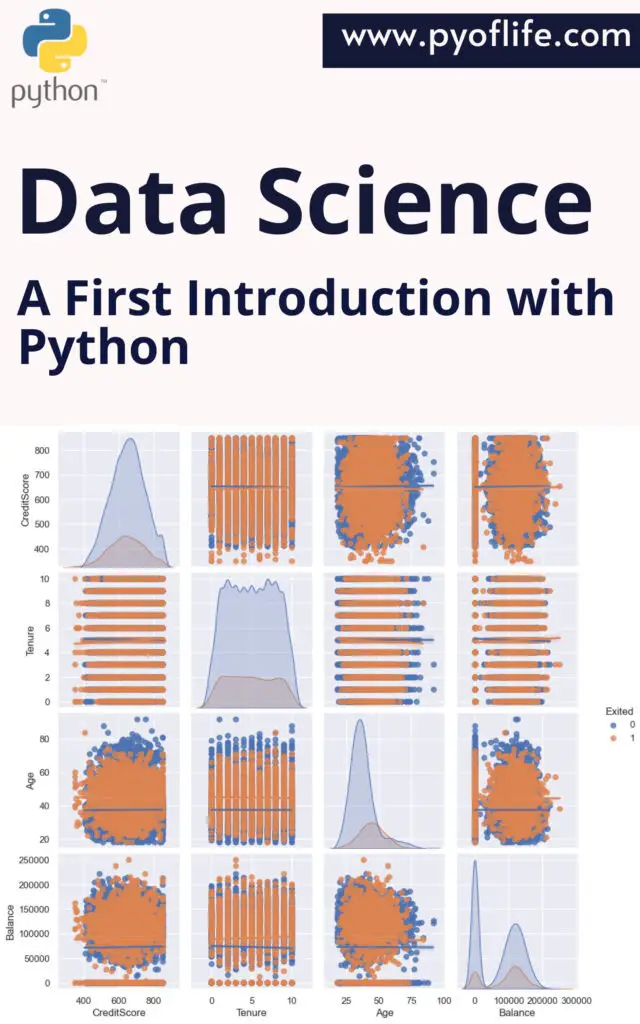
Data Science

Learning Analytics Methods and Tutorials: A Practical Guide Using R

Learning Analytics Methods and Tutorials: In today’s data-driven world, educational institutions and learning environments are increasingly leveraging analytics to improve student outcomes, optimize teaching strategies, and make informed decisions. Learning analytics is the application of data analysis and data-driven approaches to education, where insights are extracted from student data to enhance learning experiences and outcomes. If you’re looking to dive into learning analytics, R, a powerful programming language for statistical computing and data analysis, is an ideal tool for the job. This article will introduce some fundamental learning analytics methods and offer a practical guide using R.

What is Learning Analytics?

Learning analytics refers to the measurement, collection, analysis, and reporting of data about learners and their contexts, for the purpose of understanding and optimizing learning and the environments in which it occurs. It involves the analysis of various types of student data, including academic performance, learning behaviors, and even social interactions within online platforms. The primary goals of learning analytics are:

  • To understand student learning processes.
  • To identify struggling students and offer timely interventions.
  • To personalize learning experiences.
  • To enhance educational design and teaching methods.

Why Use R for Learning Analytics?

R is an open-source language widely used for statistical analysis and visualization. It’s particularly popular in educational research and learning analytics because of its flexibility, extensive library support, and ability to handle large datasets. Using R, educators and data analysts can build customized analytics pipelines, perform detailed statistical tests, and generate insightful visualizations to better understand learning behaviors and trends.

Some advantages of using R for learning analytics include:

  • Data wrangling and manipulation: R excels at cleaning and transforming data.
  • Statistical analysis: R offers a wide range of statistical techniques, from basic descriptive statistics to advanced machine learning methods.
  • Visualization: R’s packages like ggplot2 make it easy to create compelling and informative visualizations of data.
  • Extensibility: R has numerous packages specifically designed for educational data analysis, such as eddata or LAK2011.

Now, let’s walk through some common learning analytics methods and explore how you can apply them using R.

Learning Analytics Methods and Tutorials A Practical Guide Using R

1. Descriptive Analytics

The first step in learning analytics is often descriptive analysis, where we summarize and describe the data to understand general trends and patterns. For example, we might want to know the average grades of students, attendance rates, or the distribution of time spent on assignments.

Practical Example in R:

# Load required packages
library(tidyverse)

# Simulate a dataset
student_data <- tibble(
student_id = 1:100,
grades = runif(100, min = 50, max = 100),
attendance_rate = runif(100, min = 0.5, max = 1)
)

# Summary statistics
summary(student_data)

# Visualize grades distribution
ggplot(student_data, aes(x = grades)) +
geom_histogram(binwidth = 5, fill = "blue", color = "white") +
theme_minimal() +
labs(title = "Distribution of Student Grades", x = "Grades", y = "Count")

This script generates a dataset and provides a summary of the grades and attendance rates. Additionally, it creates a histogram to visually represent the grade distribution.

2. Predictive Analytics

Predictive analytics uses statistical models and machine learning techniques to predict future outcomes. For instance, you may want to predict whether a student is likely to fail a course based on their previous performance and engagement in class.

Practical Example in R:

# Load the caret package for machine learning
library(caret)

# Create a binary outcome: 1 = pass, 0 = fail
student_data$pass <- ifelse(student_data$grades >= 60, 1, 0)

# Split the data into training and testing sets
set.seed(123)
trainIndex <- createDataPartition(student_data$pass, p = 0.7, list = FALSE)
train_data <- student_data[trainIndex,]
test_data <- student_data[-trainIndex,]

# Train a logistic regression model
model <- glm(pass ~ grades + attendance_rate, data = train_data, family = binomial)

# Make predictions on the test set
predictions <- predict(model, newdata = test_data, type = "response")
test_data$predicted <- ifelse(predictions > 0.5, 1, 0)

# Evaluate model accuracy
confusionMatrix(as.factor(test_data$predicted), as.factor(test_data$pass))

This example demonstrates how to use logistic regression in R to predict whether a student will pass or fail a course based on their grades and attendance rates. The caret package is used for splitting the data into training and testing sets and evaluating the model.

3. Social Network Analysis (SNA)

In collaborative learning environments, social interactions can play a significant role in student success. Social Network Analysis (SNA) allows us to analyze relationships and interactions among students, such as discussion forum participation or group projects.

Practical Example in R:

# Load igraph package for network analysis
library(igraph)

# Create a simple social network (student interactions)
edges <- data.frame(from = c(1, 2, 3, 4, 5, 6),
to = c(2, 3, 4, 1, 6, 5))

# Create a graph object
g <- graph_from_data_frame(edges, directed = FALSE)

# Plot the network
plot(g, vertex.size = 30, vertex.label.cex = 1.2,
vertex.color = "lightblue", edge.color = "gray")

In this example, we create a social network graph representing student interactions. This is a basic use case of SNA, which can be extended to analyze larger and more complex networks of student collaboration.

4. Text Mining and Sentiment Analysis

With the rise of online learning platforms and digital assessments, textual data has become a valuable resource for learning analytics. Text mining and sentiment analysis can help us understand the tone of student feedback, identify common topics in discussion forums, and even detect potential areas of improvement in the curriculum.

Practical Example in R:

# Load text mining and sentiment analysis libraries
library(tm)
library(sentimentr)

# Sample student feedback
feedback <- c("The course was great!", "I found the assignments too difficult.", "Loved the teacher's approach.")

# Create a corpus for text mining
corpus <- Corpus(VectorSource(feedback))
corpus <- tm_map(corpus, content_transformer(tolower))
corpus <- tm_map(corpus, removePunctuation)

# Perform sentiment analysis
sentiments <- sentiment(feedback)
print(sentiments)

This code performs basic sentiment analysis on student feedback, giving us insight into how students feel about different aspects of a course. Such analysis can provide valuable qualitative data alongside more traditional numerical measures.

Conclusion

Learning analytics has the potential to revolutionize education by providing data-driven insights that inform teaching practices and improve student outcomes. With tools like R, educational data analysts can explore a wide variety of methods, from simple descriptive statistics to advanced predictive modeling and network analysis. As you dive into learning analytics, consider starting with the basic methods described above and gradually expanding your toolkit to include more sophisticated approaches.

By mastering learning analytics with R, educators, and researchers can unlock new ways to personalize learning, increase student engagement, and ultimately foster better educational experiences.

Download: R Programming in Statistics

Scientific Data Analysis and Visualization with Python

In today’s data-driven world, the ability to analyze and visualize complex datasets is crucial for deriving meaningful insights. Scientists, researchers, and data analysts rely on tools that help them to transform raw data into actionable knowledge. Python, with its versatile ecosystem of libraries and tools, has emerged as one of the most popular programming languages for scientific data analysis and visualization. Whether it’s processing large datasets, performing complex computations, or creating insightful visualizations, Python offers an accessible, powerful solution. In this article, we’ll explore why Python has become the go-to language for scientific data analysis, and how you can leverage it to conduct cutting-edge research.

Why Python for Scientific Data Analysis?

Python’s simplicity, readability, and rich library ecosystem make it a perfect choice for scientific computing. Here are some reasons why Python stands out:

  1. Ease of Use and Learning: Python is known for its easy-to-understand syntax, making it accessible for both beginners and experienced programmers. Unlike languages like C++ or Java, Python allows you to focus on solving problems rather than wrestling with syntax.
  2. Vast Ecosystem of Libraries: Python offers a wide array of libraries specifically designed for scientific computing. Libraries like NumPy, Pandas, SciPy, and Matplotlib provide ready-made functions and tools for handling and analyzing data efficiently. You can easily perform complex mathematical computations, statistical analysis, and more.
  3. Integration with Other Tools: Python can seamlessly integrate with other scientific tools and platforms. Whether you are working with databases, APIs, or collaborating on large-scale projects, Python’s integration capabilities allow you to streamline your workflow.
  4. Cross-platform Compatibility: Python is a cross-platform language, meaning it can be run on various operating systems like Windows, macOS, and Linux. This flexibility makes it ideal for collaborative projects across different platforms.
Scientific Data Analysis and Visualization with Python

Core Libraries for Data Analysis

When it comes to scientific data analysis, the right set of libraries can make all the difference. Here are some essential Python libraries that are widely used:

  1. NumPy: This library provides support for large, multi-dimensional arrays and matrices, along with a collection of mathematical functions to operate on these arrays. NumPy is the foundation for many other scientific libraries in Python.
  2. Pandas: Pandas is built on top of NumPy and provides powerful data structures like DataFrames, which allow for easy manipulation and analysis of structured data. It is highly efficient in handling time series, tabular data, and more.
  3. SciPy: SciPy builds on NumPy and provides additional functionality for complex mathematical computations. Whether it’s optimization, integration, interpolation, or statistical functions, SciPy is a versatile tool for scientific computing.
  4. Statsmodels: If you are dealing with statistical models, Statsmodels is an excellent library for performing statistical tests, linear and nonlinear regression, and more.
  5. Scikit-learn: For machine learning tasks, Scikit-learn offers a range of tools for classification, regression, clustering, and dimensionality reduction. It is a crucial library for data scientists who want to apply machine learning algorithms to their datasets.

Visualization Libraries in Python

Visualizing data is as important as analyzing it. The right visualization can communicate your findings effectively and uncover hidden trends or patterns. Python’s visualization libraries make this task straightforward:

  1. Matplotlib: The foundational plotting library in Python, Matplotlib is widely used for creating static, animated, and interactive visualizations. From simple line graphs to complex 3D plots, Matplotlib offers a wide range of plotting options.
  2. Seaborn: Built on top of Matplotlib, Seaborn simplifies data visualization by providing a high-level interface. It is especially effective for creating statistical plots like heatmaps, violin plots, and box plots.
  3. Plotly: For interactive visualizations, Plotly is a go-to library. It allows you to create interactive, web-based visualizations that can be easily shared or embedded in websites and reports. Plotly is highly useful for creating dashboards and visualizing large datasets interactively.
  4. Bokeh: Another great library for interactive plots is Bokeh. It is particularly useful for creating complex, interactive dashboards and visualizations that run in a web browser.

How to Perform Scientific Data Analysis with Python

Let’s walk through the basic steps involved in performing scientific data analysis with Python:

Loading the Data: The first step in any data analysis is importing the data. Python’s Pandas library makes it easy to load data from various sources like CSV files, Excel sheets, SQL databases, or even web-based APis.

import pandas as pd df = pd.read_csv('data.csv')

Data Cleaning and Preprocessing: Real-world data is often messy. Before analysis, you’ll need to clean and preprocess your data by handling missing values, outliers, or incorrect data types. Pandas makes this process straightforward.

# Handling missing values df.fillna(method='ffill', inplace=True)

Exploratory Data Analysis (EDA): Once the data is clean, you can perform exploratory data analysis (EDA) to understand the underlying structure of the data. EDA typically involves generating summary statistics and visualizing data distributions.

# Summary statistics print(df.describe()) # Data visualization with Seaborn import seaborn as sns sns.pairplot(df)

Data Modeling: After EDA, you can apply statistical models or machine learning algorithms to extract patterns or make predictions. Libraries like Scikit-learn or Statsmodels come in handy here.

from sklearn.linear_model import LinearRegression model = LinearRegression() model.fit(X_train, y_train)

Visualization of Results: Finally, you’ll want to visualize your findings. Whether you’re plotting regression results or showcasing trends over time, Matplotlib or Plotly will help you create impactful visualizations.

import matplotlib.pyplot as plt plt.plot(df['time'], df['value']) plt.show()

Conclusion: Scientific Data Analysis and Visualization with Python

Python’s versatility and rich ecosystem of scientific libraries make it the ideal tool for data analysis and visualization. With Python, you can easily manipulate large datasets, perform complex statistical analyses, and create stunning visualizations that communicate your findings effectively. Whether you’re a scientist, researcher, or data enthusiast, Python’s tools will empower you to unlock the full potential of your data.

By mastering Python for scientific data analysis, you will enhance your ability to extract meaningful insights and improve how you share these insights with the world. Dive into the world of Python and start turning raw data into knowledge today!

Download: Learning Scientific Programming with Python

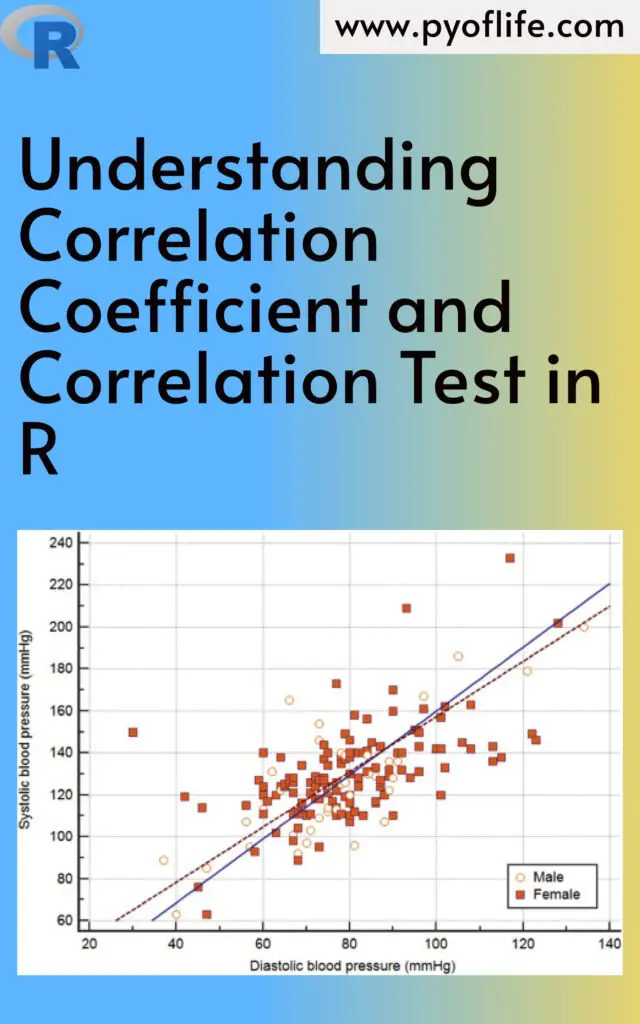
Understanding Correlation Coefficient and Correlation Test in R

Understanding Correlation Coefficient and Correlation Test in R: In the world of data science and statistics, understanding relationships between variables is crucial. One common way to measure the strength and direction of such relationships is through correlation. The correlation coefficient quantifies how strongly two variables are related, while a correlation test helps determine whether the observed correlation is statistically significant. In this guide, we’ll dive deep into these concepts and learn how to implement them in R, one of the most widely used programming languages for statistical computing.

What is a Correlation Coefficient?

The correlation coefficient is a numerical measure of the strength and direction of a linear relationship between two variables. The most commonly used correlation measure is the Pearson correlation coefficient, denoted as r. Its value ranges between -1 and +1:

  • r = 1: A perfect positive correlation, meaning as one variable increases, the other also increases in a perfectly linear manner.
  • r = -1: A perfect negative correlation, meaning as one variable increases, the other decreases in a perfectly linear manner.
  • r = 0: No correlation, meaning there is no linear relationship between the two variables.

In practice, correlation coefficients rarely hit the extremes of +1 or -1. Values closer to 0 indicate weak correlations, while values closer to ±1 suggest stronger correlations.

Types of Correlation Coefficients

  • Pearson Correlation: Measures linear relationships between variables.
  • Spearman’s Rank Correlation: Used for ordinal data or when the data does not meet the assumptions of normality, Spearman’s correlation evaluates monotonic relationships.
  • Kendall’s Tau: Another non-parametric correlation measure used when data do not meet the assumptions of Pearson’s correlation.
Understanding Correlation Coefficient and Correlation Test in R

How to Calculate Correlation in R

R provides an easy and efficient way to calculate correlation coefficients between variables. Here’s an example of how to do it:

# Create two variables
x <- c(10, 20, 30, 40, 50)
y <- c(15, 25, 35, 45, 60)

# Calculate Pearson correlation
cor(x, y)

In this case, cor(x, y) will return the Pearson correlation coefficient between the two variables x and y. By default, the cor() function in R calculates the Pearson correlation, but you can easily switch to Spearman or Kendall by specifying the method:

# Spearman correlation
cor(x, y, method = "spearman")

# Kendall correlation
cor(x, y, method = "kendall")

Interpreting the Correlation Coefficient

  • r > 0: Positive correlation (as one variable increases, the other tends to increase).
  • r < 0: Negative correlation (as one variable increases, the other tends to decrease).
  • r = 0: No correlation.

In real-world data, a correlation of 0.7 or higher is often considered a strong correlation, while anything between 0.3 and 0.7 indicates a moderate correlation. Values below 0.3 suggest weak correlation.

Correlation Test in R

While the correlation coefficient gives you a measure of association, it’s also important to assess whether the observed correlation is statistically significant. This is where a correlation test comes in. It provides a p-value to determine if the correlation you’ve observed could have arisen by random chance.

You can perform a correlation test using the cor.test() function in R. This function returns a p-value, confidence intervals, and the correlation coefficient.

Here’s how to use it:

# Correlation test
cor.test(x, y)

The output will give you:

  • t: The t-statistic used to assess the significance of the correlation.
  • p-value: A p-value less than 0.05 (typically) indicates that the correlation is statistically significant.
  • Confidence Interval: The range within which the true correlation is likely to fall.

Example of Correlation Test

Let’s perform a real example with random data:

# Generating random data
set.seed(123)
x <- rnorm(100) # 100 random numbers from a normal distribution
y <- x + rnorm(100)

# Correlation test
cor.test(x, y)

The output will give us the Pearson correlation coefficient and the p-value. If the p-value is below 0.05, we reject the null hypothesis, concluding that there is a significant correlation between x and y.

Visualizing Correlation

Visualizing correlations can give additional insight into relationships between variables. A common way to visualize correlation is through a scatter plot with a fitted regression line. You can use R’s ggplot2 package for this:

library(ggplot2)

# Creating a scatter plot with regression line
ggplot(data.frame(x, y), aes(x = x, y = y)) +
geom_point() +
geom_smooth(method = "lm", col = "blue") +
theme_minimal() +
labs(title = "Scatter Plot with Correlation", x = "X Variable", y = "Y Variable")

This plot will display the relationship between x and y and provide visual confirmation of whether the variables appear to be correlated.

Limitations of Correlation

It’s important to note that correlation doesn’t imply causation. Even if two variables are strongly correlated, it doesn’t mean one causes the other. There could be other factors at play, or the correlation could be spurious.

Additionally, the Pearson correlation measures only linear relationships. If your data have a non-linear relationship, the correlation coefficient may not accurately capture the strength of the relationship. In such cases, consider using Spearman’s or Kendall’s correlation.

Conclusion

Understanding the correlation coefficient and conducting correlation tests are essential skills for anyone working with data. They help you uncover relationships between variables and determine the significance of those relationships. With R, calculating and testing correlations is straightforward, whether you’re working with linear data or need to rely on non-parametric methods.

By mastering these techniques, you can gain deeper insights into your data, uncover meaningful patterns, and drive more informed decision-making in your analyses.

By using the cor() and cor.test() functions in R, along with visualization tools likeggplot2, you’re well-equipped to analyze and interpret correlations in any dataset. Whether you’re a beginner or an experienced data scientist, these methods form the foundation of many statistical analyses.

Download: Linear Regression Using R: An Introduction to Data Modeling

Data Science: A First Introduction with Python

Data Science has emerged as one of the most influential fields in technology and business, driving innovations in various industries. From predicting customer behavior to automating decision-making processes, data science plays a crucial role in today’s data-driven world. Python, a versatile and beginner-friendly programming language, has become a go-to tool for data science due to its simplicity and the vast array of libraries and frameworks it offers.

In this article, we will provide an introduction to data science, explore why Python is an excellent choice for beginners, and guide you through some basic steps to get started with data science using Python.

What is Data Science?

Data Science is an interdisciplinary field that uses scientific methods, processes, algorithms, and systems to extract insights and knowledge from structured and unstructured data. It combines statistics, computer science, and domain expertise to solve complex problems. Here are some key components of data science:

  • Data Collection: Gathering data from various sources such as databases, APIs, and web scraping.
  • Data Cleaning: Preparing data for analysis by handling missing values, removing duplicates, and correcting errors.
  • Exploratory Data Analysis (EDA): Using statistical tools and visualization techniques to understand data patterns and relationships.
  • Model Building: Applying machine learning algorithms to create predictive models.
  • Evaluation: Assessing the performance of models using various metrics.
  • Deployment: Integrating models into production environments to provide actionable insights.

Data science is not just about algorithms and statistics; it’s about telling a story through data and making data-driven decisions.

Data Science A First Introduction with Python

Why Python for Data Science?

Python has become the preferred language for data science, and for good reasons:

  1. Ease of Learning: Python’s simple and readable syntax makes it accessible to beginners.
  2. Extensive Libraries: Python offers powerful libraries such as NumPy, pandas, Matplotlib, and Scikit-learn, which provide tools for data manipulation, analysis, visualization, and machine learning.
  3. Community Support: A large and active community means plenty of resources, tutorials, and forums to help you when you’re stuck.
  4. Versatility: Python can be used across different domains, making it a versatile tool for data science tasks.

Let’s look at some of these libraries in a bit more detail:

  • NumPy: Provides support for large, multi-dimensional arrays and matrices, along with a collection of mathematical functions to operate on these arrays.
  • pandas: Offers data structures and operations for manipulating numerical tables and time series.
  • Matplotlib and Seaborn: Libraries for data visualization, enabling the creation of static, interactive, and animated plots.
  • Scikit-learn: A machine learning library that supports supervised and unsupervised learning, model selection, and evaluation tools.

Getting Started with Python for Data Science

If you’re new to Python and data science, here’s a simple roadmap to guide your first steps:

1. Setting Up Your Environment

To start working with Python, you’ll need to set up your environment. Here are the steps:

  • Install Python: Download and install the latest version of Python from the official website.
  • Use Jupyter Notebook: An open-source web application that allows you to create and share documents that contain live code, equations, visualizations, and narrative text. Install it using the command:bash pip install jupyter
  • Install Essential Libraries: Use pip to install libraries that are essential for data science:bash pip install numpy pandas matplotlib seaborn scikit-learn

2. Basic Data Manipulation with pandas

pandas is the workhorse of data science in Python. Here’s a quick example of loading and inspecting a dataset using pandas:

import pandas as pd

# Load a CSV file into a DataFrame
data = pd.read_csv('sample_data.csv')

# Display the first 5 rows
print(data.head())

# Summary statistics
print(data.describe())

This simple code snippet loads a dataset from a CSV file, shows the first five rows, and provides a summary of the numerical columns.

3. Visualizing Data with Matplotlib and Seaborn

Visualizations help in understanding data patterns and distributions. Here’s a basic example:

import matplotlib.pyplot as plt
import seaborn as sns

# Plotting a histogram of a column
sns.histplot(data['column_name'])
plt.show()

This will create a histogram of the specified column, allowing you to visually inspect its distribution.

4. Building Your First Predictive Model with Scikit-learn

Creating a simple predictive model is a significant milestone in your data science journey. Here’s how you can build a basic linear regression model:

from sklearn.model_selection import train_test_split
from sklearn.linear_model import LinearRegression
from sklearn.metrics import mean_squared_error

# Splitting the data into training and testing sets
X = data[['feature1', 'feature2']] # Features
y = data['target'] # Target variable
X_train, X_test, y_train, y_test = train_test_split(X, y, test_size=0.2, random_state=42)

# Creating and training the model
model = LinearRegression()
model.fit(X_train, y_train)

# Making predictions and evaluating the model
predictions = model.predict(X_test)
mse = mean_squared_error(y_test, predictions)
print(f"Mean Squared Error: {mse}")

This example demonstrates splitting your data into training and testing sets, training a linear regression model, making predictions, and evaluating the model’s performance using mean squared error.

Conclusion

Data Science with Python opens up a world of possibilities for analyzing data and making data-driven decisions. By starting with Python’s rich ecosystem of libraries, you can quickly go from basic data manipulation and visualization to building complex predictive models. As you progress, you’ll find that Python’s simplicity and power make it an indispensable tool in your data science toolkit.

Download: Machine Learning Applications Using Python: Case Studies in Healthcare, Retail, and Finance

Spatial Data in R: Overview and Examples

Spatial Data in R: Overview and Examples: Spatial data is essential in various fields like geography, environmental science, urban planning, and more. It enables the analysis and visualization of data related to geographic locations, making it possible to uncover patterns, relationships, and trends. R, a powerful programming language and environment for statistical computing, offers a rich ecosystem for handling spatial data. In this article, we will provide an overview of spatial data in R and explore some practical examples to help you get started.

1. What is Spatial Data?

Spatial data, also known as geospatial data, represents information about the physical location and shape of objects on Earth. It can include anything from the location of cities and roads to environmental data like temperature and precipitation patterns. Spatial data comes in two main types:

  • Vector Data: Represents data using points, lines, and polygons. For example, a point might represent a city, a line could represent a road, and a polygon could represent a lake.
  • Raster Data: Represents data in a grid format, similar to a digital image. Each cell in the grid has a value representing a particular attribute, such as elevation or temperature.

Spatial data analysis is crucial for making data-driven decisions in fields like urban planning, environmental management, transportation, and more.

Spatial Data in R: Overview and Examples

2. Why Use R for Spatial Data Analysis?

R is a versatile and powerful tool for spatial data analysis due to its:

  • Comprehensive Packages: R has a wide range of packages specifically designed for spatial data manipulation, visualization, and analysis.
  • Integration Capabilities: It can easily integrate spatial data with other types of data and statistical analyses, offering a holistic approach to data science.
  • Community and Support: R has a large, active community that contributes to the development of packages and provides extensive support through forums, documentation, and tutorials.

3. Types of Spatial Data in R

Vector Data

  • Points: Represent specific locations, such as the coordinates of cities.
  • Lines: Represent linear features, such as roads or rivers.
  • Polygons: Represent areas, such as country boundaries or lakes.

Raster Data

  • Grids: Represent continuous data, such as elevation models or temperature maps.
  • Images: Include satellite imagery and other forms of remote sensing data.

4. Key Packages for Spatial Data in R

  • sf (Simple Features): A modern approach for handling vector data, making spatial data manipulation more straightforward and efficient.
  • sp: The original package for handling spatial data in R, still widely used but being gradually replaced by sf.
  • raster: Designed for handling raster data, providing functions for reading, writing, and manipulating raster files.
  • terra: A new package designed to replace raster, offering improved performance and additional functionality.

5. Getting Started: A Basic Workflow

To start working with spatial data in R, you typically follow these steps:

  • Load the necessary packages: Install and load packages like sf, raster, or terra.
  • Read spatial data: Import data from various sources such as shapefiles, GeoJSON, or raster files.
  • Explore spatial objects: Examine the structure and attributes of your spatial data.

6. Example 1: Visualizing Vector Data with sf

Let’s walk through a basic example using the sf package to visualize vector data.

# Load the necessary library
library(sf)

# Read a shapefile (replace 'path/to/shapefile' with your actual path)
shapefile_path <- "path/to/shapefile.shp"
vector_data <- st_read(shapefile_path)

# Plot the vector data
plot(vector_data)

This code snippet demonstrates how to load and plot a shapefile using the sf package. The st_read() function reads the shapefile, and plot() visualizes the data.

7. Example 2: Working with Raster Data using raster and terra

Handling raster data is slightly different due to its grid-based structure. Here’s an example using the raster package:

# Load the necessary library
library(raster)

# Read a raster file (replace 'path/to/rasterfile' with your actual path)
raster_path <- "path/to/rasterfile.tif"
raster_data <- raster(raster_path)

# Plot the raster data
plot(raster_data)

For more advanced operations, such as calculating statistics on raster data or performing raster algebra, the terra package is recommended due to its enhanced performance.

8. Advanced Spatial Analysis Techniques

Once you are comfortable with basic spatial data manipulation, you can explore more advanced techniques:

  • Spatial Joins: Combine spatial data based on their locations.
  • Raster Calculations: Perform operations on raster data, such as calculating the mean of multiple layers.
  • Geospatial Statistics: Analyze spatial patterns using statistical methods.

9. Conclusion

R provides a comprehensive set of tools for spatial data analysis, making it a preferred choice for data scientists and researchers working with geographic data. By mastering the basics of vector and raster data manipulation and visualization, you can unlock powerful insights from spatial data. As the field evolves, the R ecosystem continues to expand, offering even more sophisticated tools and methods for spatial analysis.

Download: An Introduction To R For Spatial Analysis And Mapping

Data Mining and Business Analytics with R: Unleashing Insights for Business Growth

In today’s data-driven world, businesses are inundated with vast amounts of data. Leveraging this data effectively can be a game-changer, enabling companies to make informed decisions, optimize operations, and gain a competitive edge. This is where data mining and business analytics come into play. R, a powerful statistical programming language, has become a go-to tool for data analysts and business intelligence professionals due to its versatility and extensive libraries. This article delves into the roles of data mining and business analytics in the corporate landscape, highlighting how R can be used to unlock valuable insights, along with practical examples.

1. Understanding Data Mining and Business Analytics

Data Mining:
Data mining is the process of discovering patterns, correlations, and trends by sifting through large sets of data. It involves using techniques from statistics, machine learning, and database systems to transform raw data into actionable knowledge. The primary goal of data mining is to extract meaningful information that can help in predicting future trends and behaviors, thus aiding in decision-making.

Business Analytics:
Business analytics refers to the skills, technologies, and practices for continuous iterative exploration and investigation of past business performance. It uses data and statistical methods to develop new insights and understand business performance. Business analytics can be descriptive (what happened?), predictive (what could happen?), or prescriptive (what should we do?).

The Role of R in Data Mining and Business Analytics:
R is an open-source programming language and software environment used extensively for statistical computing and graphics. It is highly valued in data mining and business analytics due to its:

  • Extensive Libraries: R has a comprehensive range of packages like dplyr, ggplot2, caret, and randomForest, which are essential for data manipulation, visualization, and model building.
  • Data Visualization: With R, creating detailed visualizations like heatmaps, scatter plots, and time series graphs is straightforward, which helps in understanding data better.
  • Community Support: R boasts a large and active community, ensuring constant updates, resources, and support for problem-solving.
Data Mining and Business Analytics with R

2. Key Techniques in Data Mining with R

R offers a suite of tools and techniques that are vital in data mining. Here are some of the key methods, with examples:

Classification Example: Predicting Customer Churn

Scenario: A telecom company wants to predict which customers are likely to churn (i.e., leave the service).

  • Approach: Using R, the company can employ classification algorithms such as logistic regression or random forests. For instance, the randomForest package can be used to build a model that predicts churn based on customer attributes like monthly charges, tenure, and service usage.
library(randomForest)
# Assuming 'churn_data' is the dataset with the target variable 'Churn'
model <- randomForest(Churn ~ ., data = churn_data, ntree = 100)
predictions <- predict(model, churn_data)
  • Outcome: The model identifies customers at high risk of churning, allowing the company to take proactive steps, such as offering special promotions or enhanced customer support.

Clustering Example: Customer Segmentation

Scenario: An e-commerce company wants to segment its customer base for targeted marketing.

  • Approach: Clustering algorithms like k-means can group customers based on characteristics like purchase frequency, average order value, and browsing history. Using R’s kmeans function, the company can create customer segments.
library(dplyr)
set.seed(123)
customer_clusters <- kmeans(customer_data %>% select(purchase_frequency, avg_order_value), centers = 3)
customer_data$cluster <- customer_clusters$cluster
  • Outcome: The company can now tailor marketing strategies to each segment, such as offering discounts to frequent buyers or personalized recommendations to high-value customers.

Association Rule Learning Example: Market Basket Analysis

Scenario: A grocery store wants to understand which products are frequently bought together.

  • Approach: Using the arules package in R, the store can perform market basket analysis to find associations between products. For instance, it can identify that customers who buy bread are also likely to buy butter.
library(arules)
transactions <- as(split(grocery_data$Product, grocery_data$TransactionID), "transactions")
rules <- apriori(transactions, parameter = list(supp = 0.01, conf = 0.5))
inspect(rules)
  • Outcome: The store can use these insights to optimize product placement, such as placing bread and butter near each other or offering bundle deals.

Regression Analysis Example: Sales Forecasting

Scenario: A retail chain wants to forecast future sales to manage inventory effectively.

  • Approach: Using time series analysis in R with the forecast package, the chain can build a predictive model based on historical sales data.
library(forecast)
sales_ts <- ts(sales_data$Sales, frequency = 12) # Monthly data
model <- auto.arima(sales_ts)
forecasted_sales <- forecast(model, h = 12)
plot(forecasted_sales)
  • Outcome: The chain can anticipate future demand, adjust inventory levels, and plan promotions accordingly, minimizing stockouts and overstock situations.

Text Mining Example: Sentiment Analysis on Customer Reviews

Scenario: A restaurant chain wants to analyze customer reviews to gauge customer satisfaction.

  • Approach: Using R’s tidytext package, the chain can perform sentiment analysis on text data from online reviews.
library(tidytext)
library(dplyr)
# Assuming 'reviews' is a dataset with a column 'text'
reviews_sentiment <- reviews %>%
unnest_tokens(word, text) %>%
inner_join(get_sentiments("bing")) %>%
count(sentiment)
  • Outcome: The restaurant can quickly identify common themes in customer feedback, such as recurring complaints or praise, allowing them to address issues or capitalize on strengths.

3. Business Analytics Applications Using R

Business analytics with R extends beyond data mining, providing actionable insights that drive strategic decision-making. Here are some practical applications:

  • Customer Segmentation: By analyzing customer data, businesses can identify distinct groups based on demographics, purchasing habits, or engagement levels. This segmentation enables targeted marketing and personalized customer experiences.
  • Churn Prediction: Predicting which customers are likely to leave can save businesses significant revenue. Using R, companies can develop predictive models to identify at-risk customers and implement retention strategies.
  • Sales Forecasting: Accurate sales forecasts help businesses manage inventory, allocate resources, and set realistic targets. R’s time series analysis capabilities allow companies to model and predict future sales based on historical data.
  • Fraud Detection: R’s machine learning algorithms can help detect anomalies and fraudulent activities in real-time by analyzing transaction data patterns.
  • Supply Chain Optimization: Business analytics in supply chain management involves forecasting demand, optimizing inventory levels, and improving logistics efficiency. R helps in modeling complex supply chain scenarios and making data-driven decisions.

4. Getting Started with R for Data Mining and Business Analytics

If you’re new to R, getting started may seem daunting, but with the right approach, it can be a smooth process. Here’s a quick guide to kickstart your journey:

  • Install R and RStudio: Begin by downloading R from the Comprehensive R Archive Network (CRAN) and RStudio, an integrated development environment (IDE) that simplifies coding in R.
  • Familiarize Yourself with R Syntax: Basic knowledge of R syntax, including data types, control structures, and functions, is essential. Numerous online resources, courses, and tutorials can help you build a solid foundation.
  • Explore R Packages: The true power of R lies in its packages. Explore and experiment with key data mining and business analytics packages such as dplyr for data manipulation, ggplot2 for data visualization, caret for machine learning, and shiny for building interactive web applications.
  • Start with Small Projects: Begin with small datasets and projects, such as analyzing customer feedback or visualizing sales data. This hands-on practice will help you build confidence and gradually tackle more complex data mining and business analytics challenges.

5. Challenges and Future Trends

Despite the power of R in data mining and business analytics, there are challenges, such as managing large datasets, integrating with other data sources, and the steep learning curve for beginners. However, the landscape is evolving rapidly, with ongoing advancements in machine learning, artificial intelligence, and cloud computing shaping the future of analytics.

Emerging trends include the integration of R with big data platforms like Hadoop and Spark, the growing use of real-time analytics, and the increasing importance of ethical considerations in data mining practices. Staying updated with these trends will ensure that businesses continue to derive maximum value from their analytics efforts.

Conclusion

Data mining and business analytics are pivotal in turning raw data into business strategic assets. With its extensive capabilities and community support, R offers a robust environment for performing complex data analysis tasks. By leveraging R, companies can not only uncover hidden patterns and insights but also drive growth, optimize operations, and enhance decision-making processes. Whether you are a data analyst, a business leader, or an aspiring data scientist, embracing R for data mining and business analytics can unlock new opportunities and propel your organization toward data-driven success.

Download:

An Introduction to Data

An Introduction to Data: Everything You Need to Know About AI, Big Data, and Data Science

In today’s digital age, data has become one of the most valuable resources, driving innovation and decision-making across industries. From personalized recommendations on streaming platforms to predictive models in healthcare, data is at the heart of the technological advancements that shape our world. This article provides an introduction to the concepts of Artificial Intelligence (AI), Big Data, and Data Science, explaining how they intersect and contribute to the data-driven landscape we live in.

Understanding Data: The Foundation of Modern Technology

Data, in its simplest form, is raw information that can be collected, processed, and analyzed to extract meaningful insights. It can take many forms, from numbers and text to images and videos. In the digital age, data is often referred to as the “new oil” due to its immense value in driving decision-making and innovation. Every interaction we have online—whether it’s browsing social media, shopping online, or using a GPS—generates data that can be analyzed to improve services and create new opportunities.

The importance of data lies in its ability to provide insights that can guide actions. For example, businesses use data to understand customer preferences, optimize operations, and forecast trends. Governments use data to improve public services and manage resources more effectively. The applications of data are virtually limitless, underscoring its central role in our modern world.

An Introduction to Data

What is Big Data?

Big Data refers to extremely large and complex datasets that traditional data processing tools cannot handle effectively. It is characterized by the five V’s:

  • Volume: The vast amounts of data generated every second.
  • Variety: The different types of data, from structured data in databases to unstructured data like social media posts.
  • Velocity: The speed at which data is generated and processed.
  • Veracity: The quality and accuracy of the data.
  • Value: The potential insights and benefits that can be derived from the data.

Big Data is collected through various sources such as social media, sensors, transaction records, and more. It is stored in data lakes, warehouses, or cloud storage solutions designed to handle massive amounts of information. Industries such as finance, healthcare, and retail heavily rely on Big Data to enhance decision-making, optimize processes, and predict future outcomes.

Introduction to Artificial Intelligence (AI)

Artificial Intelligence (AI) is a branch of computer science that aims to create machines capable of performing tasks that typically require human intelligence. This includes activities such as problem-solving, understanding natural language, recognizing patterns, and making decisions. AI encompasses various subfields, including:

  • Machine Learning (ML): A method where algorithms are trained on data to improve their performance over time without explicit programming.
  • Deep Learning: A subset of ML that uses neural networks with many layers to analyze various factors of data.
  • Neural Networks: Algorithms modeled after the human brain’s structure, designed to recognize patterns and relationships in data.

AI is pervasive in our daily lives, from voice assistants like Siri and Alexa to recommendation engines on Netflix and Amazon. Its ability to learn and adapt makes AI a powerful tool for solving complex problems across various domains.

What is Data Science?

Data Science is an interdisciplinary field that combines statistical analysis, machine learning, and domain expertise to extract actionable insights from data. Data scientists are skilled in collecting, processing, and analyzing data to uncover patterns and trends that can inform strategic decisions.

The data science process typically involves:

  • Data Collection: Gathering data from multiple sources, including databases, web scraping, and APIs.
  • Data Cleaning: Preparing the data by removing errors, filling missing values, and transforming it into a usable format.
  • Data Analysis: Using statistical methods and algorithms to explore and interpret the data.
  • Data Visualization: Creating visual representations of data to communicate findings effectively.

Popular tools in Data Science include Python, R, SQL, and software like Tableau for data visualization. Data scientists are crucial in helping organizations make data-driven decisions by providing insights that are backed by robust analysis.

The Interplay Between AI, Big Data, and Data Science

AI, Big Data, and Data Science are interrelated fields that work together to harness the full potential of data. Big Data provides the vast datasets needed for training AI models, while Data Science offers the methodologies for analyzing and interpreting this data. AI, in turn, uses these insights to make predictions, automate processes, and enhance decision-making.

For instance, in the healthcare industry, Big Data from patient records, clinical trials, and wearable devices is analyzed using Data Science techniques. AI models then use this analyzed data to predict disease outbreaks, suggest personalized treatments, or improve diagnostic accuracy.

Challenges and Ethical Considerations

While the benefits of AI, Big Data, and Data Science are immense, they also present significant challenges. Data privacy and security are major concerns, as the collection and analysis of personal data raise questions about consent and protection. Additionally, AI models can inherit biases from the data they are trained on, leading to unfair or discriminatory outcomes.

Ethical considerations in data handling are crucial to ensure that technologies are developed and used responsibly. This includes implementing robust data governance practices, ensuring transparency in AI algorithms, and prioritizing the security of sensitive information.

The Future of Data: Trends to Watch

The field of data is continuously evolving, with several trends shaping its future. Key trends include the rise of automated machine learning (AutoML), which simplifies the model-building process, and the increasing use of edge computing, which brings data processing closer to the source of data generation. Additionally, there is growing emphasis on explainable AI, which aims to make AI decisions more transparent and understandable.

As these fields evolve, the demand for skilled professionals who can navigate the complexities of AI, Big Data, and Data Science will continue to grow. Acquiring skills in these areas is not just an advantage but a necessity for staying relevant in the job market.

Conclusion

An Introduction to Data: Understanding the fundamentals of AI, Big Data, and Data Science is essential in today’s data-driven world. These technologies not only shape the way businesses operate but also have profound impacts on our daily lives. By embracing the opportunities and addressing the challenges associated with these fields, we can unlock the full potential of data to drive innovation and improve outcomes across all sectors.

Download: The Art of Data Science: A Guide for Anyone Who Works with Data

Practical Machine Learning for Data Analysis Using Python

Machine learning has become an essential tool for data analysis, enabling the extraction of insights and the prediction of outcomes from vast datasets. Python, with its simplicity and a rich ecosystem of libraries, is the go-to programming language for implementing machine learning solutions. This article explores practical steps and considerations for leveraging machine learning in data analysis using Python.

1. Understanding Machine Learning in Data Analysis

Machine learning involves training algorithms to recognize patterns in data and make decisions or predictions based on new data. In data analysis, machine learning can automate processes like classification, regression, clustering, and anomaly detection, which are critical for uncovering actionable insights.

2. Setting Up Your Python Environment

Before diving into machine learning, it’s important to set up a suitable Python environment. Common tools include:

  • Python IDEs: Jupyter Notebook, PyCharm, or VS Code.
  • Key Libraries:
    • NumPy and Pandas for data manipulation.
    • Matplotlib and Seaborn for data visualization.
    • Scikit-learn for machine learning algorithms.
    • TensorFlow and PyTorch for deep learning.

Installing these can be done easily via pip:

pip install numpy pandas matplotlib seaborn scikit-learn tensorflow torch
Practical Machine Learning for Data Analysis Using Python

3. Data Preprocessing

Data preprocessing is a critical step in machine learning. It involves cleaning and preparing the data to ensure the models work correctly. Key tasks include:

  • Handling Missing Values: Using methods like imputation or dropping missing data.
  • Encoding Categorical Variables: Converting categories into numerical formats using techniques like one-hot encoding.
  • Feature Scaling: Normalizing or standardizing features to ensure that all variables contribute equally to the model.

Example using Pandas:

import pandas as pd
from sklearn.preprocessing import StandardScaler

# Load dataset
data = pd.read_csv('data.csv')

# Fill missing values
data.fillna(method='ffill', inplace=True)

# Encode categorical variables
data = pd.get_dummies(data, columns=['category_column'])

# Scale features
scaler = StandardScaler()
data_scaled = scaler.fit_transform(data)

4. Choosing the Right Machine Learning Model

The choice of machine learning model depends on the nature of the data and the problem at hand:

  • Supervised Learning: For labeled data, where the goal is prediction.
    • Regression: Linear Regression, Decision Trees, Random Forests.
    • Classification: Logistic Regression, Support Vector Machines (SVM), k-Nearest Neighbors (k-NN), Neural Networks.
  • Unsupervised Learning: For unlabeled data, where the goal is pattern recognition.
    • Clustering: k-Means, Hierarchical Clustering.
    • Dimensionality Reduction: PCA (Principal Component Analysis), t-SNE.
  • Reinforcement Learning: For decision-making tasks with feedback loops.

5. Model Training and Evaluation

Training a model involves feeding it data and allowing it to learn patterns. Evaluation helps assess the model’s performance, typically using metrics like accuracy, precision, recall, F1 score, or mean squared error (MSE).

Example of model training with Scikit-learn:

from sklearn.model_selection import train_test_split
from sklearn.ensemble import RandomForestClassifier
from sklearn.metrics import accuracy_score

# Split data into train and test sets
X = data_scaled.drop('target', axis=1)
y = data_scaled['target']
X_train, X_test, y_train, y_test = train_test_split(X, y, test_size=0.2, random_state=42)

# Train a Random Forest model
model = RandomForestClassifier(n_estimators=100, random_state=42)
model.fit(X_train, y_train)

# Predict and evaluate
predictions = model.predict(X_test)
accuracy = accuracy_score(y_test, predictions)
print(f'Accuracy: {accuracy:.2f}')

6. Fine-Tuning and Optimization

To improve model performance, fine-tuning is essential. This can be done through:

  • Hyperparameter Tuning: Using Grid Search or Random Search to find the best model parameters.
  • Cross-Validation: Ensuring the model is tested on multiple subsets of data to validate its performance.

Example of hyperparameter tuning with Grid Search:

from sklearn.model_selection import GridSearchCV

# Define parameter grid
param_grid = {
'n_estimators': [50, 100, 150],
'max_depth': [None, 10, 20, 30],
}

# Grid search
grid_search = GridSearchCV(RandomForestClassifier(), param_grid, cv=5, scoring='accuracy')
grid_search.fit(X_train, y_train)

print(f'Best Parameters: {grid_search.best_params_}')

7. Deploying the Model

Once the model is trained and optimized, the next step is deployment. Models can be deployed using various platforms like Flask, Django for web applications, or dedicated platforms like AWS SageMaker, Google AI Platform, or Azure ML.

8. Maintaining and Updating the Model

Machine learning models require ongoing maintenance to ensure they perform well over time. This includes monitoring performance, updating the model with new data, and retraining as necessary.

Conclusion

Python offers a robust framework for practical machine learning in data analysis, with tools and libraries that simplify the process from data preprocessing to model deployment. By following the steps outlined above, you can effectively harness machine learning to extract insights and add value through data analysis.

Download: Pro Machine Learning Algorithms

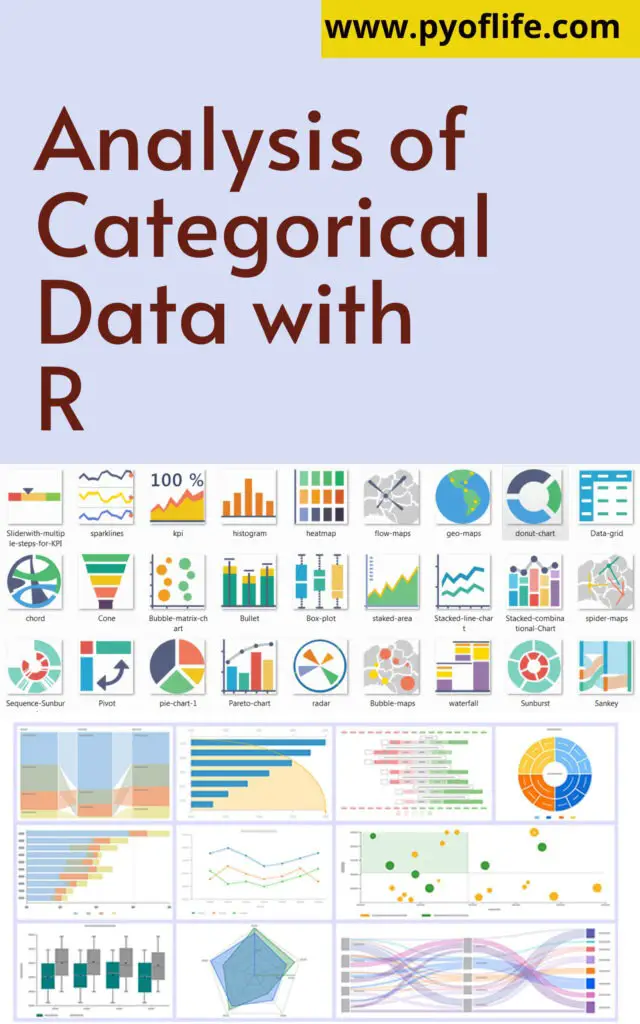
Analysis of Categorical Data with R

Analysis of categorical data with R: Categorical data analysis is a fundamental aspect of statistical modeling, often used when the variables in a dataset are qualitative rather than quantitative. Examples of categorical data include gender, marital status, survey responses, or any variables that describe characteristics rather than quantities. R, with its robust libraries and powerful statistical tools, is a popular choice for analyzing such data. This article delves into the methods and techniques used for analyzing categorical data using R, providing practical examples and insights.

Understanding Categorical Data

Categorical data can be divided into two main types:

  1. Nominal Data: These variables have no intrinsic ordering. Examples include colors (red, blue, green) or types of animals (cat, dog, bird).
  2. Ordinal Data: These variables have a meaningful order but the intervals between values are not uniform. Examples include satisfaction ratings (poor, fair, good, excellent) or education levels (high school, college, graduate).
Analysis of categorical data with R

Steps for Analyzing Categorical Data in Rxcz

1.Data Preparation

Before analysis, data must be properly formatted and cleaned. For categorical data, this often involves encoding text labels into factors.

# Example: Creating a factor in R
data <- data.frame(
  Gender = c("Male", "Female", "Female", "Male"),
  AgeGroup = c("Young", "Adult", "Senior", "Young")
)
data$Gender <- factor(data$Gender)
data$AgeGroup <- factor(data$AgeGroup, levels = c("Young", "Adult", "Senior"))

2.Exploratory Data Analysis (EDA)

EDA helps in understanding the structure and distribution of data. For categorical variables, bar plots and frequency tables are commonly used.

# Frequency table
table(data$Gender)

# Bar plot
barplot(table(data$AgeGroup), col = "skyblue", main = "Age Group Distribution")

3.Contingency Tables

Contingency tables (cross-tabulations) are used to examine the relationship between two or more categorical variables.

# Creating a contingency table
table(data$Gender, data$AgeGroup)

Chi-square tests can be applied to contingency tables to test the independence between variables.

# Chi-square test
chisq.test(table(data$Gender, data$AgeGroup))

4.Logistic Regression

Logistic regression is used when the response variable is binary (e.g., yes/no, success/failure). It models the probability of an outcome as a function of predictor variables.

# Example logistic regression
# Assuming 'Outcome' is a binary factor in the dataset
model <- glm(Outcome ~ Gender + AgeGroup, data = data, family = "binomial")
summary(model)

5.Ordinal Logistic Regression

For ordinal response variables, ordinal logistic regression (proportional odds model) is used. This method considers the order of categories.

# Example ordinal logistic regression using the MASS package
library(MASS)
# Assuming 'Satisfaction' is an ordinal factor
model <- polr(Satisfaction ~ Gender + AgeGroup, data = data, method = "logistic")
summary(model)

6.Multinomial Logistic Regression

When dealing with nominal response variables with more than two categories, multinomial logistic regression is appropriate.

# Example using the nnet package
library(nnet)
# Assuming 'Choice' is a nominal factor with multiple levels
model <- multinom(Choice ~ Gender + AgeGroup, data = data)
summary(model)

7. Visualizing Categorical Data

Visualization aids in interpreting results and identifying patterns. Common plots include bar charts, mosaic plots, and association plots.

# Mosaic plot
mosaicplot(table(data$Gender, data$AgeGroup), main = "Mosaic Plot of Gender vs Age Group")

Conclusion

R provides a comprehensive suite of tools for analyzing categorical data, from simple frequency tables to complex logistic regression models. By understanding the nature of your categorical variables and selecting the appropriate analytical techniques, you can uncover valuable insights from your data.

References

This guide provides a foundation for analyzing categorical data with R, highlighting the importance of proper data handling, statistical testing, and visualization techniques.

Download: R Programming in Statistics
Introduction to Python for Geographic Data Analysis

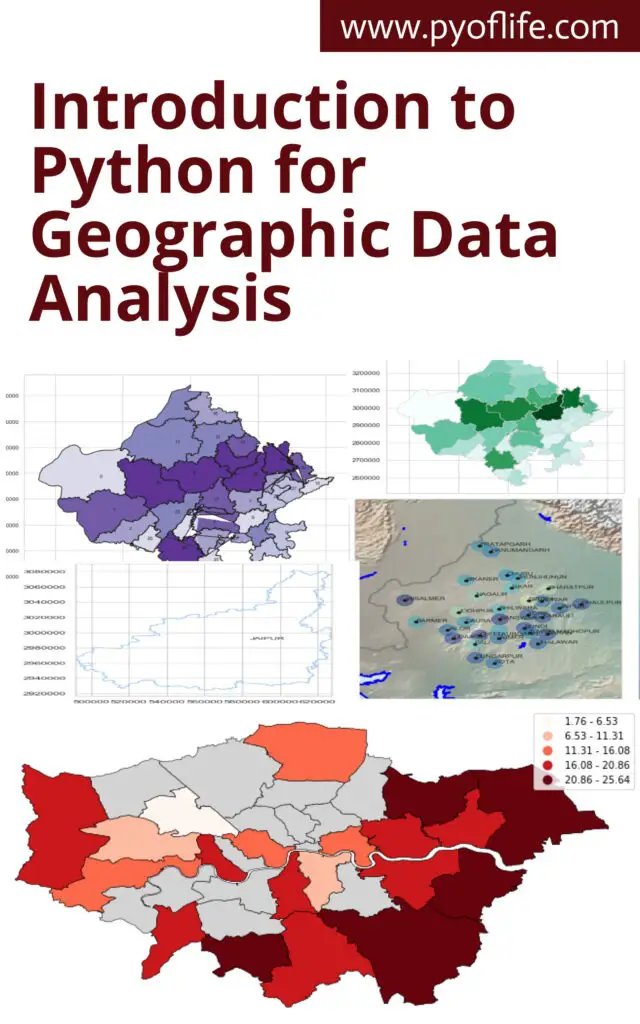
Introduction to Python for Geographic Data Analysis: In the realm of data science, Python has emerged as a versatile and powerful tool, finding applications across various domains. One such domain where Python shines is Geographic Data Analysis. As geospatial data becomes increasingly prevalent, the ability to analyze and interpret this data is essential. Python, with its robust ecosystem of libraries, provides an excellent platform for geographic data analysis, enabling users to perform tasks ranging from simple data manipulation to complex spatial computations and visualizations. This blog aims to introduce you to the basics of using Python for geographic data analysis, exploring the essential libraries, tools, and concepts.

Understanding Geographic Data

Before diving into Python, it’s crucial to understand what geographic data is. Geographic data, also known as geospatial data, refers to information that describes the locations and characteristics of features on Earth. This data is often represented in two forms:

  1. Vector Data: This consists of points, lines, and polygons that represent different features like cities, rivers, and country boundaries. Each feature can have associated attributes, such as population for cities or length for rivers.
  2. Raster Data: This represents data in a grid format, with each cell containing a value. Examples include satellite imagery, elevation data, and land cover classifications.

Geographic data can be stored in various formats, such as shapefiles, GeoJSON, and raster files like GeoTIFF. The ability to handle these formats efficiently is key to effective geographic data analysis.

Introduction to Python for Geographic Data Analysis

Why Use Python for Geographic Data Analysis?

Python has become the language of choice for many in the geospatial community for several reasons:

  • Extensive Libraries: Python offers a wide range of libraries specifically designed for geospatial data analysis, such as Geopandas, Shapely, Fiona, Rasterio, and Pyproj.
  • Ease of Use: Python’s syntax is straightforward, making it accessible for beginners and powerful enough for advanced users.
  • Integration with Other Tools: Python easily integrates with other data science tools and libraries, such as Pandas for data manipulation, Matplotlib and Seaborn for visualization, and Scikit-learn for machine learning.
  • Community Support: Python has a vast and active community, ensuring continuous development and support, along with a wealth of tutorials and documentation.

Getting Started with Python Libraries for Geographic Data Analysis

To start with geographic data analysis in Python, it’s essential to become familiar with some key libraries that form the foundation of most geospatial workflows.

1. Geopandas

Geopandas is an extension of the popular Pandas library, specifically designed to handle spatial data. It allows you to work with spatial data as easily as you would with a regular DataFrame in Pandas. With Geopandas, you can read, write, and manipulate vector data, perform spatial operations, and conduct spatial joins.

Example:

import geopandas as gpd

# Load a shapefile
world = gpd.read_file(gpd.datasets.get_path('naturalearth_lowres'))

# Display the first few rows
print(world.head())

# Plot the data
world.plot()

2. Shapely

Shapely is a powerful library for performing geometric operations. It enables the manipulation and analysis of planar geometric objects like points, lines, and polygons. Shapely is often used in conjunction with Geopandas to perform operations such as buffering, intersection, and union.

Example:

from shapely.geometry import Point, Polygon

# Create a Point and a Polygon
point = Point(1, 1)
polygon = Polygon([(0, 0), (2, 0), (2, 2), (0, 2)])

# Check if the point is within the polygon
print(point.within(polygon))

3. Fiona

Fiona is used for reading and writing vector data files. It provides a simple and efficient interface for handling formats like shapefiles and GeoJSON, making it an essential tool for managing geospatial data.

Example:

import fiona

# Open a shapefile
with fiona.open('path_to_shapefile.shp') as src:
for feature in src:
print(feature)

4. Rasterio

For working with raster data, Rasterio is the go-to library. It allows you to read and write raster datasets, perform resampling, and conduct various analyses on raster data.

Example:

import rasterio

# Open a raster file
with rasterio.open('path_to_raster.tif') as src:
print(src.profile)

# Read the first band
band1 = src.read(1)

5. Pyproj

Pyproj is used for performing cartographic projections and transformations. Geospatial data often comes in different coordinate reference systems (CRS), and Pyproj helps in transforming this data into a common CRS for analysis.

Example:

from pyproj import Proj, transform

# Define two coordinate systems
wgs84 = Proj(init='epsg:4326')
utm = Proj(init='epsg:32633')

# Transform a point from WGS84 to UTM
x, y = transform(wgs84, utm, 12.4924, 41.8902)
print(x, y)

Practical Example: Analyzing Geographic Data with Python

Let’s combine these libraries in a simple example where we analyze geographic data to identify regions within a specified distance from a point of interest.

Scenario: Suppose we want to identify all countries within 1000 kilometers of a given location (e.g., a city).

Steps:

  1. Load the data: Use Geopandas to load a dataset of world countries.
  2. Define the point of interest: Create a point representing the location.
  3. Buffer the point: Use Shapely to create a buffer around the point.
  4. Perform spatial join: Use Geopandas to identify countries within the buffer.

Code:

import geopandas as gpd
from shapely.geometry import Point

# Load world countries data
world = gpd.read_file(gpd.datasets.get_path('naturalearth_lowres'))

# Define the point of interest (e.g., Rome, Italy)
point = Point(12.4924, 41.8902) # Longitude, Latitude

# Create a GeoSeries for the point
gdf_point = gpd.GeoSeries([point], crs="EPSG:4326")

# Buffer the point by 1000 km (use an appropriate projection)
gdf_point = gdf_point.to_crs(world.crs)
buffer = gdf_point.buffer(1000000) # Buffer in meters

# Perform spatial join to find countries within the buffer
countries_within_buffer = world[world.intersects(buffer.unary_union)]

# Plot the result
ax = world.plot(color='lightgrey')
countries_within_buffer.plot(ax=ax, color='blue')
gdf_point.plot(ax=ax, color='red')

Conclusion

Python offers a comprehensive toolkit for geographic data analysis, enabling users to handle and analyze both vector and raster data with ease. Libraries like Geopandas, Shapely, Fiona, Rasterio, and Pyproj form the backbone of geospatial workflows in Python. With these tools, you can perform a wide range of tasks, from basic data manipulation to advanced spatial analysis and visualization. Whether you’re a beginner or an experienced analyst, Python provides the flexibility and power needed to unlock the full potential of geographic data.

Download: Geographic Data Science with Python